









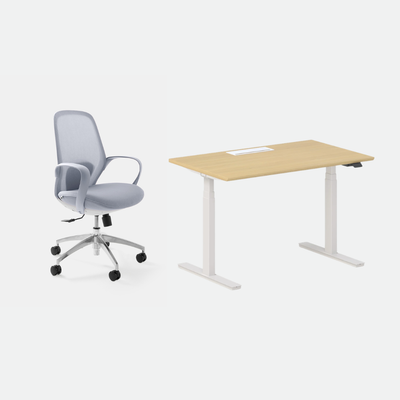


Office Chair Hacks That Make Your Chair More Comfortable, From Seat Height to a Backrest Cushion for Chairs
Most chairs have more adjustments than the person in them has ever used, and a few small changes can take the ache out of a long afternoon. If you have been eyeing a backrest cushion for chairs, the levers under your seat are worth a look first, and you will leave knowing which ones to set and in what order.
TLDR
If your chair feels fine for an hour and wrong by mid-afternoon, this is the walk-through I would give a friend. We start with the levers already on the chair, in the order that makes each one easier to set. Then we look at where a backrest cushion for chairs belongs and what it can and cannot do.
After that we line the desk and screen up with the chair, talk about breaks, and finish with the point where a different chair is the better answer.
Who This Article Is For
- You sit at a desk most of the day and your lower back or shoulders start complaining before you finish.
- You have an office chair and suspect it has settings you never found.
- You are thinking about a cushion for the back of your chair and want to place it properly.
- You work at a chair that does not adjust much and want to know what is worth changing.
- You are deciding whether to keep adjusting a chair or replace it.

Aiden G.
Head of Marketing, Urbanica Furniture
Author's Note
When someone tells me their chair hurts, the first thing I ask is which levers they have touched. The answer is usually one, the height, and sometimes none. I found a couple of the controls on my own chair after months of sitting in it every day (they were under the seat, where nobody looks).
So this is a short order of operations for a chair you already own. It also looks at the cushion question and at when a new chair earns its place. The order matters because each setting changes the next one.
And if you find any value in it, please share it with your friends, colleagues, and anyone who has never opened the levers under their chair!
Disclaimer: I did use AI to help me write and do the research, but I'm editing myself, verifying the facts, and writing my own conclusions and takes.
This article is part of our work-from-home body category, and we have a lot of related articles that will help with the pain. Check the full guide here: The Work-From-Home Body: The Complete Guide to Working Without Pain.
Your Chair Probably Has More Adjustments Than You Have Used, So Start There
A good office chair is built to be set up for one body at a time, and the setting is a few minutes of work. Seat height comes first because it decides where your feet, knees, and hips end up.
Seat depth, the arms, and the back angle follow, each one easier to judge once the one before it is right.
Do this sitting in the chair at your desk, wearing what you normally wear, with your hands where they would be on the keyboard. Judging a chair while standing next to it tells you very little.
Set the Seat Height Until Your Feet Rest Flat on the Floor
The Occupational Safety and Health Administration (OSHA), the US agency that sets workplace safety rules, covers seat height in its computer workstation guidance. The height is right "when the entire sole of the foot can rest on the floor with the back of the knee slightly higher than the seat of the chair".
Feet that dangle leave your thighs to carry weight your feet should share.
I set mine once, in the shoes I actually wear at the desk, and I check it again whenever I switch from slippers to boots. There is an article on our blog about how to measure a chair and choose the right office chair height if you want the numbers laid out.
Slide Your Hips Back and Shorten the Seat If the Edge Presses Your Knees
OSHA also says the seat pan should be depth adjustable "to adequately support taller users while allowing shorter users to sit with their back fully supported". A seat that is too deep makes you perch near the front, and then the backrest has nothing to hold.
Sit all the way back first. If the front edge presses behind your knees, shorten the seat until it stops. Our Novo Chair has adjustable seat depth for exactly this reason. It is one of the settings I would look for on any chair before I looked at its colour.
Lower the Armrests Until Your Shoulders Drop
OSHA's wording on arms is to "position adjustable armrests so they support your lower arm and allow your upper arm to remain close to the torso". Arms set too high push your shoulders up toward your ears, and arms set too low leave you leaning to one side to find them.
Let your shoulders drop, then raise the arms until they just meet your forearms. The Onyx Chair has 4D adjustable armrests, which means they move in more than one direction, so a small shift in width or angle is possible without changing the height.
Lean Back to 100 to 110 Degrees and Lock the Tilt There
Cornell University Ergonomics Web, the university's workplace ergonomics reference, notes that studies show "the best seated posture is a reclined posture of 100-110 degrees". That is a slight lean back, more open than the upright 90 degrees most of us were taught.
The same page adds that in this posture "the chair starts to work for the body". That is the reason I stopped sitting bolt upright.
The Muse Chair and the Onyx recline, and the Novo gives you a synchronized tilt with six lockable positions, so you can park the back exactly where you work. I keep the lock one notch back from upright for typing and open it up a little for reading.
A chair has to be set up for you before you can judge it, and most of the levers that do that are under the seat.
Aiden G., Urbanica
A Backrest Cushion for Chairs Works Best When It Sits at the Small of Your Back
A back cushion is the first thing most people reach for, and I understand why, because the lower back is where a long day shows up first. Urbanica does not make a separate backrest cushion. The position of any back support decides whether it helps, and that is the part you can control today.
Find the Height of Your Lower Back Before You Place Anything
Sit tall, press your fingers into the curve of your lower back, and note where that curve sits against the chair. That is the spot any support has to meet.
OSHA lists "a lumbar support that is height adjustable so it can be appropriately placed to fit the lower back" among the features of a good chair. The height is the whole point.
A support that lands too high pushes your upper back forward, and one that lands too low does very little. Move whatever you use up or down a little at a time and sit back against it for a few minutes before judging it. The same spot applies to a cushion for the back of a dining chair, since the curve in your back is in the same place on any seat.
Notice What a Loose Cushion Does When You Lean Back
In my experience a loose cushion slides down as you lean back and shift through the day, and it is easy to stop noticing that it has left the spot. That makes the first and last hour of the day feel very different. If you use one, check its position each time you sit down.
This is also why a fixed, built-in support appeals to me. Cornell University Ergonomics Web allows a fixed-height chair for one person. The condition is "providing that it is comfortable to sit on and has a good backrest that provides lumbar support". The sentence puts the lumbar support in the backrest itself, which is where I would rather have it.
There is an article on our blog on whether a chair can really fix lower back pain if the bigger question is on your mind.
Choose Lumbar Support That Moves With You
OSHA's chair guidance asks for a backrest that is "easily adjustable and able to support the back in a variety of seated postures". That describes a support that follows you when you recline and sit up, which a loose cushion cannot do on its own.
The Novo Chair gives you an adjustable lumbar support, so you can set its height to the curve you found a minute ago. The Seashell Chair has lumbar support and a breathable mesh back as well.
If a cushion helps you today, that is a sign your lower back wants support. A chair with the support built in can give you the same thing with no placement to remember.
Line Up the Desk, Screen, and Keyboard with the Chair You Just Set
A well-set chair can still hurt if the desk is working against it. OSHA's guidance says that "you should adjust your chair along with appropriately placing your monitor, keyboard, and desk". The chair is one part of a loop, and the parts have to agree.
Keep Your Elbows at 90 Degrees or Wider
Cornell University Ergonomics Web wants an elbow angle "at or greater than 90 degrees to avoid nerve compression at the elbow". The page also asks for wrists as flat as possible, not bent up or down.
If your forearms tilt upward to reach the keyboard, the chair is too low for the desk or the keyboard is sitting too high. An article on our blog covers what to do when your chair sits too low for your desk if that sounds like you. I check my own wrists by looking at them from the side after I sit down.
Check the Screen Distance While You Sit at Your New Recline
Cornell's guide gives a quick test: "Sit back in your chair at an angle of around 100-110 degrees (i.e. slight recline) and hold your right arm out horizontally, your middle finger should almost touch the center of the screen". It ties the screen distance to the same recline you just set, which makes the two settings one check.
Take the test after you have set the seat height, depth and tilt, since changing any of them changes where your eyes land. If you lean forward to read the screen, move the screen before you move your back.
Stand Up Often, Because No Chair Setting Replaces a Break
Cornell University Ergonomics Web states that "All Ergonomists agree that it's a good idea to take frequent, brief rest breaks". A perfectly set chair holds one posture, and the body wants to change posture through the day.
I set a short timer on my phone and use it to stand, fill a glass of water and look out of the window for a minute. Our field guide on sitting all day and how to move more has more ways to build those moments in.
When the Adjustments Run Out, Here Is Which Chair I Would Pick
Some chairs run out of adjustments before they run out of discomfort. The signs are easy to spot, starting with a lumbar support that cannot move and a back that will not hold a position. The arms may be fixed where they bump the desk, or the seat may not go low enough for your feet to land.
When two or three of those are true, I would stop adjusting and look at a chair built for it.
The Novo Chair Is the One I Reach For When Every Setting Needs to Move
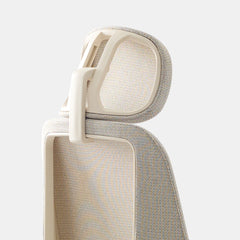
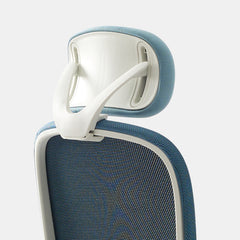
The Novo has 9 points of adjustment, including adjustable lumbar support, adjustable seat depth, 4D arms, and the synchronized tilt with six lockable positions. It covers nearly every setting in this article, which is why it is the chair I recommend to someone who has had the pain for a while. The Novo is $445. If you lean back on calls, the Novo Headrest (only $45) can do wonders. The Novo carries a 10-year warranty.
The Muse Chair Suits Smaller Frames and Gives You a Gentle Seat Swing
The Muse has 6 points of adjustment and a dynamic seat swing of 10 degrees, and it is good for people from 5'0" to 6'0". It is the one I point shorter users toward. The Muse is $320, and the Muse Headrest is only $27. It also carries a 10-year warranty.
The Onyx Gives You Moving Arms and the Seashell Gives You Lumbar Support and Mesh
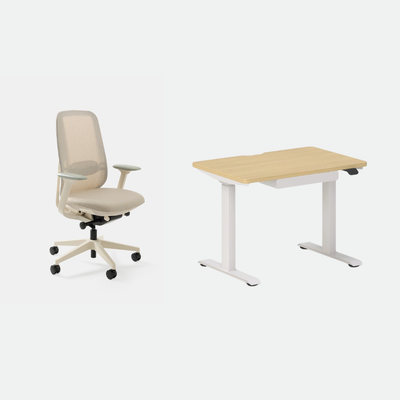
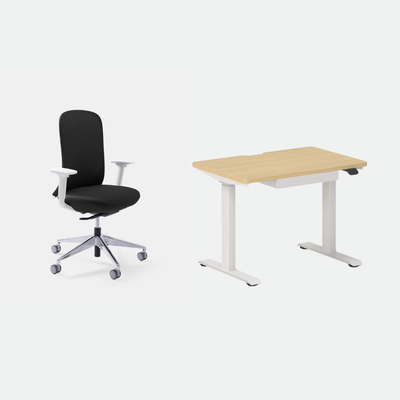
The Onyx fits 5'2" to 6'2" and has the 4D adjustable armrests described above. It is $249. The Seashell gives you lumbar support and a breathable mesh back at $229. You can compare all of them on the chairs collection.
FAQ
How Can I Make a Cheap Office Chair More Comfortable?
Start with the settings, in order: seat height, seat depth, arms, back angle. Many chairs at any price have levers that go unused. If your chair has no height control, no tilt, and no way to move the support, there is not much to adjust. That is when a chair with those controls built in is the better step.
How Do I Make an Office Chair More Ergonomic?
Set the seat so your feet rest flat, and shorten it if the front edge presses behind your knees. Drop the arms until your shoulders relax, and lean back to between 100 and 110 degrees. Then line up the desk, keyboard, and screen with the chair you just set, and take short breaks.
Where Does a Cushion for the Back of a Dining Chair Go?
It goes at the curve of your lower back, the same place as on an office chair. Sit tall, press your fingers into the curve, and place the support there. Urbanica does not make dining chairs or separate back cushions, so this is the position to aim for with whatever you own.
Is It Safe to Modify an Office Chair?
I would stick to the adjustments the chair was built to make. Leave the frame, the gas lift and the tilt mechanism alone, and replace the chair if the frame is cracked, the tilt no longer locks, or the seat wobbles. Those parts carry your weight, and no setting fixes them.
Send Us Your Height and Your Current Chair and We Will Tell You What to Adjust First
Set the chair in the order above, give it a few days, and notice what changes. If your lower back still complains, tell us your height and what your chair can and cannot adjust. We will say which setting to try next or which chair fits you.
Our article on which chair height settings fit most body types is a good next read before you decide.
Reach us at Urbanica Furniture, 1705 NW 38th Ave, Lauderhill, FL 33311, or call +1-(888)-350-9545 and we will go through it with you.
References
- Occupational Safety and Health Administration, Computer Workstations eTool, Chairs: supports the seat height, seat depth, armrest, lumbar, and backrest guidance and the sentence on adjusting the chair with the monitor, keyboard and desk. https://www.osha.gov/etools/computer-workstations/components/chairs
- Cornell University Ergonomics Web, Computer Workstation Ergonomics Guidelines: supports the 100-110 degree recline, the lumbar support in the backrest, the elbow angle, the screen distance test, and the rest breaks. https://ergo.human.cornell.edu/ergoguide.html
- Urbanica Furniture, Novo Chair, Muse Chair, Onyx Chair, Seashell Chair, and headrest product pages: support the features, prices and warranty terms named. https://urbanicafurniture.com/collections/chairs

About the Author
Related Articles
-
 Chair and Desk Height Guide for Students Who Sit All Day, and When a Sit Stand Desk Is Worth It
-
 The Desk Height Factor Most Workspaces Get Wrong
-
 Ergonomic Furniture That Pays Off Every Day
-
 Desk for two monitors: what matters most for daily comfort
-
 How to Arrange Two Monitors and a Laptop Without Clutter


