























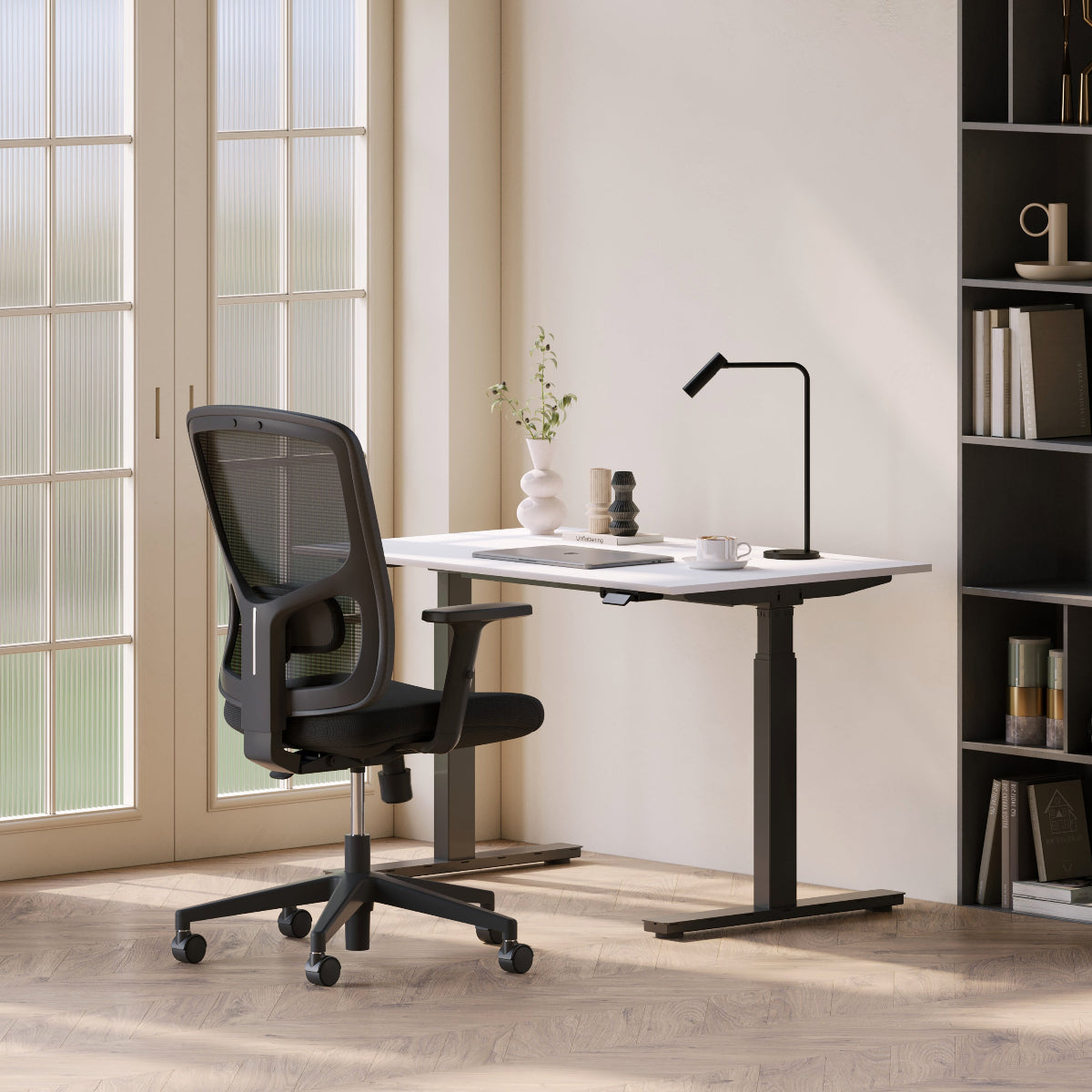
Ergonomic Furniture That Pays Off Every Day

Furniture That Works for Your Body and Your Day
Ergonomic furniture is no longer a luxury reserved for corporate offices or design showrooms. It has become a practical investment for anyone who spends hours sitting, typing, meeting, or thinking at a desk. The right ergonomic setup supports your body, protects your long-term health, and makes daily work feel easier instead of draining. This guide breaks down how ergonomic furniture works, why it matters, and how to choose pieces that genuinely improve both comfort and productivity.
Why Ergonomic Furniture Is About More Than Comfort
Many people assume ergonomic furniture is simply about softness or adjustability. In reality, it is about alignment, movement, and reducing unnecessary strain on the body. When furniture supports natural posture, your muscles work less to keep you upright. This reduces fatigue, improves focus, and lowers the risk of long-term discomfort.
A well-designed workspace starts with a reliable foundation. For professionals setting up a workspace locally, Office Desk Los Angeles solutions provide a stable base that supports ergonomic planning from the ground up.
Ergonomic furniture also affects productivity in subtle ways. When your body feels supported, your mind can stay engaged longer. You take fewer breaks due to discomfort, and your work sessions feel more sustainable across the day.
The Desk as the Center of Ergonomic Design
Your desk is the anchor of your workspace. Its height, surface area, and stability influence every other ergonomic decision.
Choosing a Desk That Supports Healthy Movement
Why Desk Height Matters
An incorrect desk height forces your shoulders to lift or your wrists to bend unnaturally.
Signs Your Desk Height Is Working
-
elbows rest comfortably at your sides
-
wrists stay neutral while typing
-
shoulders remain relaxed
-
you do not feel pressure in your neck
Bullet Points for Desk Height Awareness
-
adjust chair height before judging desk height
-
keep forearms parallel to the floor
-
avoid reaching upward while typing
-
test comfort over long sessions
Add Flexibility With Adjustable Desks
Sitting all day is no longer recommended. Movement supports circulation and energy.
Benefits of Adjustable Desk Use
-
encourages posture changes
-
reduces stiffness
-
supports different work tasks
A flexible standing desk allows you to switch between sitting and standing without interrupting workflow.
Bullet Points for Using Sit-Stand Effectively
-
stand during short tasks
-
sit for focused work
-
switch positions every 60 to 90 minutes
-
keep desk layout consistent
Work Surfaces That Balance Space and Stability
Not every workspace needs height adjustment, but every workspace needs stability.
Reliable Desk Surfaces Support Focus
Why Stability Reduces Fatigue
A desk that wobbles or feels cramped adds micro stress throughout the day.
What to Look for in a Work Surface
-
solid construction
-
enough space for daily tools
-
balanced proportions for the room
Bullet Points for Surface Planning
-
leave open space for writing
-
keep frequently used items close
-
avoid overcrowding
A dependable office desk works well for consistent, focused tasks without overwhelming the room.
Surface Size Should Match Workflow
More space is not always better.
Signs a Desk Is Too Large or Too Small
-
too large: dominates the room
-
too small: forces constant rearranging
Understanding Ergonomics Beyond Furniture
Ergonomic furniture works best when paired with proper setup.
Following guidance like this ergonomic workstation setup ensures your desk, chair, and screen work together instead of against each other.
Ergonomics is a system, not a single product. Each piece supports the others.
Screen Position and Upper-Body Support
Screen placement is one of the most overlooked ergonomic factors.
Elevate Your Screen for Better Posture
Why Screen Height Affects Neck Health
Looking down at a screen for hours strains the neck and shoulders.
Proper Screen Alignment
-
top of screen near eye level
-
screen an arm’s length away
-
centered in front of you
Bullet Points for Screen Comfort
-
avoid tilting head forward
-
keep shoulders relaxed
-
reduce glare
A flexible monitor arm allows precise adjustment while freeing desk space.
Arm Support Reduces Shoulder Strain
Arm positioning matters just as much as screen height.
Why Arm Support Helps
-
reduces shoulder tension
-
supports relaxed typing
-
improves posture consistency
Adding ergonomic arm support improves comfort without changing your entire setup.
Seating as a Long-Term Health Investment
Your chair supports your body for hours at a time. Poor seating affects posture, circulation, and focus.
Ergonomic seating should adapt to you, not force you into a fixed position.
Ergonomic Furniture Comparison Table
|
Furniture Type |
Primary Role |
Ergonomic Benefit |
Best Use |
|
Adjustable desk |
Movement |
Posture variation |
Long workdays |
|
Standard desk |
Stability |
Consistent posture |
Focused tasks |
|
Ergonomic chair |
Support |
Reduced strain |
Daily seating |
|
Monitor support |
Alignment |
Neck relief |
Screen work |
|
Storage units |
Organization |
Clear surfaces |
Small spaces |
Storage and Accessories That Support Ergonomics
Clutter interferes with posture and focus.
Organized Spaces Support Healthy Habits
Why Storage Matters for Ergonomics
Reaching, twisting, or leaning repeatedly strains the body.
Benefits of Proper Storage
-
keeps tools within reach
-
reduces repetitive strain
-
clears desk surface
A dedicated file storage cabinet keeps paperwork organized and off the desk.
Bullet Points for Ergonomic Storage
-
store heavy items low
-
keep daily tools within arm’s reach
-
avoid overhead reaching
Built-In Power Reduces Desk Clutter
Cables can force awkward reaching and posture.
Why Integrated Power Helps
-
fewer cords on the floor
-
easier access
-
cleaner layout
An in-desk power solution simplifies charging while supporting a tidy, ergonomic setup.
Productivity Improves When the Body Feels Neutral
When your body feels balanced, your attention improves naturally. Ergonomic furniture reduces distractions caused by discomfort and helps maintain consistent energy.
Investing in ergonomics is not about short-term comfort. It is about creating a workspace that supports you year after year.
Ergonomic Furniture as a Long-Term Lifestyle Choice
Ergonomic furniture is often treated as a one-time purchase, but its real value shows over time. The future of healthy workspaces is not about constantly upgrading or chasing trends. It is about choosing pieces that continue to support your body as your work habits evolve.
Think Beyond Immediate Comfort
Ergonomics Should Still Work Years From Now
A chair or desk that feels good today should still feel supportive after months or years of daily use.
Signs Furniture Is Built for Longevity
-
it maintains stability over time
-
adjustments still function smoothly
-
materials hold their shape and support
-
comfort remains consistent throughout the day
Bullet Tips for Long-Term Ergonomic Value
-
choose adjustable features over fixed designs
-
prioritize structure and support over softness
-
avoid furniture that relies on padding alone
-
reassess fit as your routine changes
Ergonomics Evolves With Your Work Style
Your workday may look different next year than it does today. Hybrid schedules, new tools, and longer screen time all affect how furniture should support you.
How to Keep Your Setup Ergonomic Over Time
-
revisit chair and desk height every few months
-
adjust screen position when adding equipment
-
change posture routines as tasks shift
-
replace accessories before discomfort appears
When ergonomic furniture is treated as part of an ongoing lifestyle choice, it becomes easier to maintain comfort, productivity, and physical wellbeing without major overhauls. This mindset helps ensure that your workspace continues to work for you, not against you, long after the initial setup is complete.
The Ergonomic Investment Checklist That Pays Off
Ergonomic furniture choices should support both health and productivity.
Checklist: Invest in Ergonomics the Right Way
-
choose a desk that supports posture
-
add movement with adjustable height
-
align screen at eye level
-
support arms and shoulders
-
invest in quality seating
-
keep storage within reach
-
manage cables and power access
-
reassess setup regularly
When furniture supports your body, work becomes more sustainable, focused, and enjoyable.
Related Articles
-
 How to Arrange Two Monitors and a Laptop Without Clutter
-
 Chair and Desk Height Guide for Students Who Sit All Day
-
 How to measure a chair and choose the right office chair height
-
 The Desk Height Factor Most Workspaces Get Wrong
-
 Desk for two monitors: what matters most for daily comfort
-
 How Ergonomic Furniture Shapes Health and Focus


