























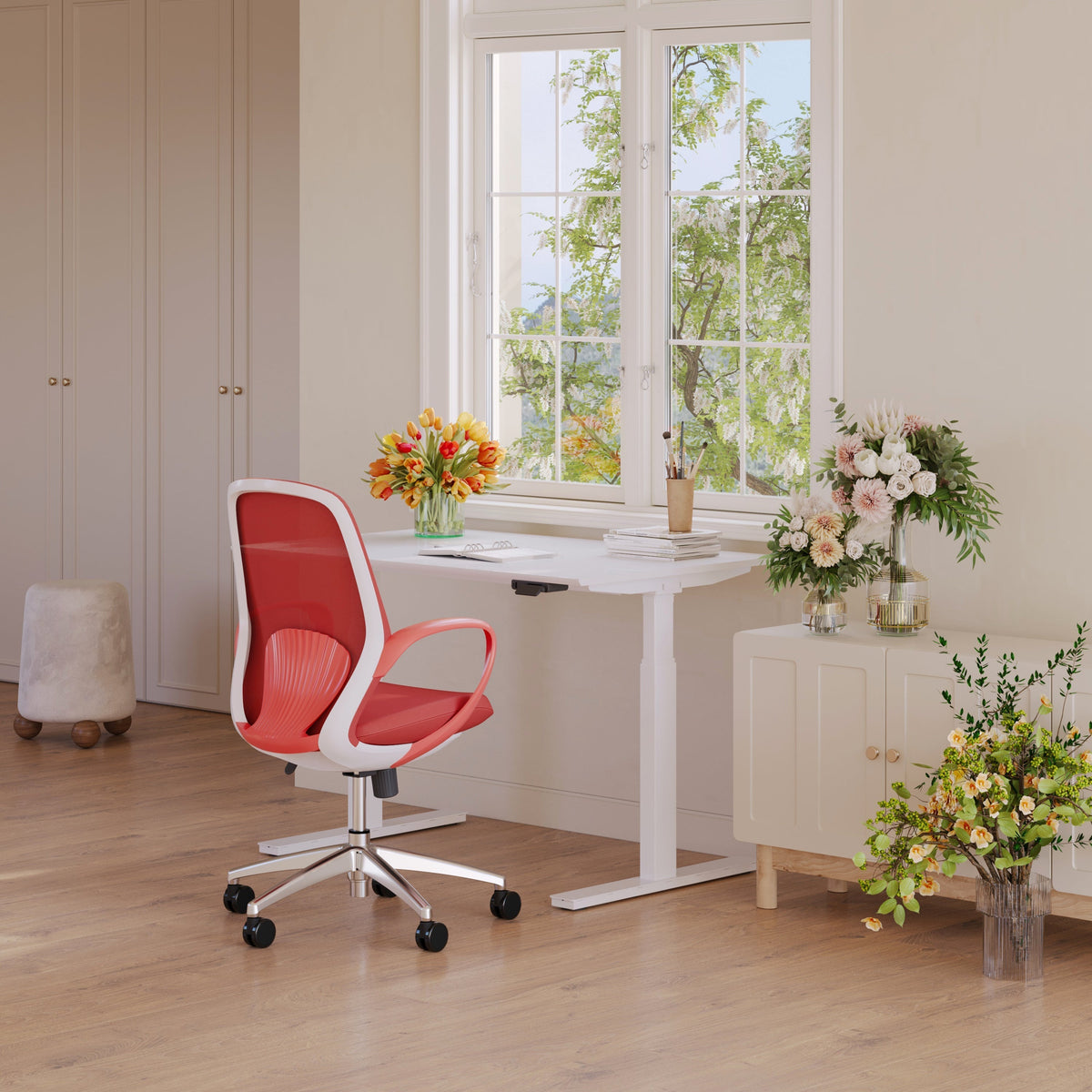
Your Complete Guide to Ergonomic Furniture

Ergonomic furniture is more than a trend. It is a long-term investment in your comfort, health, and daily productivity. Many people overlook how significantly furniture affects their bodies and work patterns. When your setup is not supportive, discomfort builds slowly until it becomes part of your routine. But when your furniture is designed to match the natural shape and movement of your body, you create an environment that supports clarity, reduces strain, and enhances the way you work. This guide explains how ergonomic furniture improves your well-being and what to consider when choosing pieces that support your everyday rhythm.
Begin With the Core of Ergonomics
A supportive chair is the foundation of a productive workspace. Using an Ergonomic Office Chair Los Angeles option brings stability and ease into your daily routine.
Why ergonomic seating matters
-
Supports proper spinal alignment
-
Reduces pressure on joints
-
Helps maintain natural posture
-
Improves breathing comfort
-
Creates better long-term habits
Choosing the right foundation
Your core seating piece should feel structured and steady to support hours of sustained focus.
Add Height Adjustability for Healthier Movement
Movement throughout the day protects your body from tension. A simple way to support mobility is by using a flexible surface like a standing desk.
How height changes influence your day
-
Stimulates blood flow
-
Reduces stiffness
-
Supports natural energy cycles
-
Encourages active posture
-
Balances work sessions
Height practice
Shift between seated and standing positions every hour to keep your body comfortable.
Use a Stable Desk as Your Work Anchor
A stable workspace brings grounding and clarity to your setup. A dependable surface such as an office desk keeps everything aligned and within reach.
Benefits of a grounded desk
-
Creates reliable structure
-
Reduces distractions
-
Supports equipment safely
-
Keeps your workspace clear
-
Encourages better organization
Desk placement idea
Place your desk where lighting is balanced to prevent eye strain and maintain focus.
Reference Research to Support Better Posture
A short overview of an ergonomic study highlights how posture, body mechanics, and chair design influence daily comfort.
Key findings you can use
-
Poor posture increases stress on muscles
-
Incorrect seat height affects circulation
-
Unsupported arms strain shoulders
-
Stable surfaces reduce unnecessary movements
-
Balanced positions support sustained productivity
Applying study insights
Keep your furniture adjusted to your body’s natural resting positions to reduce daily discomfort.
Include Supportive Accessories for Arm Comfort
Smaller ergonomic additions ensure your whole body remains supported. A helpful accessory like an Ergonomic Arm reduces upper-body tension.
How supportive arm accessories help
-
Maintain relaxed shoulder placement
-
Reduce wrist strain
-
Improve typing comfort
-
Create smoother arm movement
-
Encourage neutral alignment
Placement reminder
Position your arm support so your shoulders stay relaxed at all times.
Invest in a Chair That Encourages Alignment
Choosing seating that supports your natural back curve helps prevent discomfort during long working hours. A supportive office chair can help reduce tension and increase comfort.
Key features to look for in ergonomic seating
-
Adjustable height
-
Balanced cushioning
-
Lumbar support
-
Smooth mobility
-
Stable backrest
Seating suggestion
Aim for a chair that keeps your hips, knees, and ankles aligned to promote comfort.
How Ergonomic Design Supports Your Productivity

Choose Furniture That Encourages Natural Movement
Movement supports both comfort and productivity. Furniture that adapts to your body helps you stay comfortable during long work hours.
Furniture features that support movement
-
Adjustable surfaces
-
Supportive arm placement
-
Smooth chair mobility
-
Balanced desk height
-
Flexible posture adjustments
Movement rule
Stay aware of your body and adjust your posture regularly to maintain comfort.
Use Supportive Tools to Prevent Fatigue
Fatigue often comes from strain rather than lack of rest. Ergonomic furniture minimizes the strain that drains your energy.
Fatigue-reducing features
-
Comfortable seating
-
Reliable arm support
-
Proper monitor height
-
Clear desk space
-
Stable surfaces
Comfort strategy
Reduce the effort your body spends compensating for poor posture.
Table: Ergonomic Furniture Benefits
|
Feature |
Physical Benefit |
Productivity Benefit |
|
Adjustable height |
Supports movement |
Improves energy balance |
|
Lumbar support |
Reduces back strain |
Helps sustain focus |
|
Stable surfaces |
Minimizes micro-movements |
Encourages smoother workflow |
|
Arm support |
Reduces shoulder tension |
Enhances typing comfort |
|
Cushioned seating |
Protects joints |
Improves work endurance |
Add Neutral Colors to Support Calm
Colors in your workspace affect your mood. Ergonomic setups feel even more supportive when paired with soothing tones.
Color suggestions
-
Soft neutrals
-
Muted earth tones
-
Warm whites
-
Gentle grays
-
Light wood finishes
Color idea
Pair your ergonomic pieces with natural hues to create a peaceful atmosphere.
Make the Most of Vertical Space
Ergonomic furniture works best when paired with smart organization.
Vertical organization benefits
-
Reduces desk clutter
-
Keeps surfaces open
-
Supports functional storage
-
Promotes clear thinking
-
Enhances room flow
Storage tip
Use vertical solutions only for items you access regularly to keep the space intentional.
Balance Comfort With Minimalism
Ergonomics and minimalism work together to support clarity and well-being.
Minimalist ergonomic principles
-
Remove unnecessary objects
-
Keep surfaces clean
-
Choose only functional pieces
-
Keep layouts simple
-
Maintain relaxed spacing
Minimalist approach
Focus on furniture that supports your body rather than accessories that add visual noise.
Checklist: Essentials for an Ergonomic Workspace
-
Supportive ergonomic seating
-
Adjustable height desk
-
Stable work surface
-
Proper lighting
-
Vertical storage options
-
Arm support accessory
-
Natural color palette
-
Clean surfaces
-
Regular posture checks
-
Comfortable foot placement
Break Up Your Day With Micro-Movements
Staying still for too long increases risk of discomfort.
Micro-movement suggestions
-
Stand for a few minutes
-
Rotate your shoulders
-
Stretch your wrists
-
Shift your weight
-
Adjust your seat height
Movement technique
Treat small physical adjustments as part of your daily workflow.

Spaces That Support Your Well-Being
Ergonomic furniture transforms the way you work. It supports your posture, helps you maintain energy, and reduces the discomfort that leads to distraction. By choosing pieces that match your body’s natural movement, you create a workspace that feels grounded and peaceful. Ergonomic design is not only about preventing pain. It is about bringing ease into your daily routine and building a workspace that supports both your health and your productivity.
Related Articles
-
 How to Arrange Two Monitors and a Laptop Without Clutter
-
 Chair and Desk Height Guide for Students Who Sit All Day
-
 How to measure a chair and choose the right office chair height
-
 The Desk Height Factor Most Workspaces Get Wrong
-
 Desk for two monitors: what matters most for daily comfort
-
 Ergonomic Furniture That Pays Off Every Day


