























What Is the Best Desk Lamp Position for Work, Focus, and Screen Comfort?

The best desk lamp position is usually on the opposite side of your dominant hand, slightly above and behind your main work area, angled downward across the desk surface. For right-handed work, the lamp often belongs on the left side of the desk. For left-handed work, it often belongs on the right side. This simple placement helps reduce hand shadows, keeps light out of your eyes, and lowers the chance of reflections appearing on a monitor or laptop screen.
A good desk lamp setup is not only about brightness. Position matters just as much. A lamp can be powerful and still feel uncomfortable if it points toward your face, reflects off a screen, or creates a sharp pool of light in an otherwise dark room. The most comfortable setup supports the way the desk is actually used, whether that means typing for long hours, reading printed documents, sketching, writing notes, joining video calls, or switching between a laptop and external monitor.
The goal is balanced task lighting. The lamp should make the active work area easier to see without becoming the brightest, most distracting object in the room. When the lamp position, screen height, desk surface, storage, and power access work together, the entire workstation feels calmer, cleaner, and easier to use.
The Best Desk Lamp Position Starts With Shadow Control
The first rule of desk lamp placement is to control shadows before increasing brightness. Many people respond to a dim or uncomfortable desk by choosing a brighter bulb or moving the lamp closer. That can help in some cases, but it often makes glare and contrast worse. A better starting point is to ask where the shadows are coming from.
When your hand, arm, keyboard, notebook, or monitor blocks the beam, the lamp may be in the wrong place. The best position sends light across the work surface before your body interrupts it.
Place the Lamp Opposite Your Dominant Hand
For handwriting, note-taking, sketching, and reviewing paper documents, the lamp should usually sit opposite your dominant hand.
Right-handed users often get better results with the lamp on the left side of the desk. Left-handed users often get better results with the lamp on the right side. This arrangement allows light to cross the page before the hand moves over the work area.
When the lamp is placed on the same side as the writing hand, the wrist and fingers often cast shadows over the exact area that needs visibility. This can make people lean closer to the page, press harder with a pen, or constantly shift the notebook to find a clearer angle.
Angle the Light Downward and Across the Desk
The ideal beam direction is diagonal, downward, and slightly across the task surface. The lamp should not shine directly into the eyes, across the face, or straight at the screen.
A practical setup looks like this:
-
The lamp sits to the side of the work area.
-
The lamp head or shade points down toward the desk.
-
The beam crosses the page, keyboard, or document at a gentle angle.
-
The bulb or LED source is not directly visible from the seated position.
-
The brightest area lands on the active task, not on the user’s face.
This is especially helpful for focus-heavy work because it gives the eyes a clear visual target without creating unnecessary brightness around the entire desk.
Keep the Lamp Slightly Behind the Main Task Zone
A lamp placed too far forward can feel harsh because the light is closer to the eyes. It may also reflect from glossy paper, a laptop screen, or the surface of a phone. Moving the lamp slightly behind the main task zone usually creates a more natural spread of light.
For a keyboard and monitor setup, the lamp can sit beside the screen or just behind the keyboard line, angled downward. For writing, the lamp can sit slightly above the top corner of the notebook or paper. For reading, it can sit beside and a little behind the page so the light falls onto the text rather than toward the reader.
A flexible light source, such as a multi-use LED table and wall lamp, can support different positions as work shifts from reading to typing or from paper review to focused screen time.
How to Position a Desk Lamp for Screen Comfort
Screen comfort depends on the relationship between the lamp, the display, the user’s eyes, and the surrounding room light. Even a well-designed workspace can feel tiring when the lamp creates a reflection on the monitor or turns the screen area into a high-contrast zone.
A comfortable screen setup keeps the task surface visible while preventing the lamp from competing with the display.
Keep the Lamp Beside the Screen, Not Aimed at It
For computer work, the lamp should usually sit beside the monitor or laptop, not directly in front of it or directly behind it. A lamp in front of the screen can shine toward the eyes. A lamp behind the screen can create a bright background that makes the monitor feel visually harsh, especially in dim rooms.
Side placement gives the light a better path. The lamp can illuminate the keyboard, notebook, or desk surface while staying out of the screen’s reflection path. The exact side depends on your dominant hand, available surface space, and the screen finish.
Matte screens usually handle reflections better than glossy screens, but they can still feel uncomfortable if the lamp is aimed poorly. Glossy screens require extra attention because even a small angle change can create a bright reflection.
Test Glare From Your Normal Seated Position
Desk lamp placement should be tested from the same position used for work. A lamp may look fine when standing beside the desk but reflect strongly when viewed from the chair.
Use this simple glare test:
1. Sit in your normal working posture.
2. Turn on the lamp and the screen.
3. Look at the monitor from your usual eye level.
4. Check for bright spots, streaks, or reflected bulb shapes.
5. Tilt the lamp head downward or move it farther to the side.
6. Adjust the screen angle slightly if reflections remain.
7. Recheck after changing laptop height or monitor position.
The best position is the one where the desk surface is lit, the screen stays clear, and the lamp does not become visually distracting.
Laptop Height Changes the Lamp Position
Laptop users often deal with glare because the screen sits low and tilts upward. This angle can catch light from a desk lamp, ceiling fixture, or nearby window. Raising the laptop can improve viewing posture and also change how light interacts with the screen.
A laptop stand for better viewing height can help move the screen closer to eye level while clearing space under and around the device. Once the laptop is raised, the lamp can often sit beside the work area rather than crowding the keyboard zone.
This is especially useful on compact desks where the laptop, notebook, charger, mouse, and lamp all compete for surface space. When the display is elevated and the lamp is placed to the side, the desk feels less compressed and the light can be directed more precisely.
Desk Lamp Placement for Reading, Writing, and Paperwork
Reading and writing require a different kind of lighting than screen work. A monitor produces its own light, but paper depends entirely on reflected light. That means the lamp needs to illuminate the page clearly without creating glare on glossy materials or shadows from the hand.
The best desk lamp position for reading or writing is usually beside and slightly above the page, opposite the dominant hand, angled downward toward the center of the material.
Put the Brightest Light on the Active Page
The brightest part of the beam should land where the eyes need the most detail. For reading, that means the open page. For writing, it means the line where the pen moves. For sketching, it means the active drawing area.
Lighting the entire desk evenly is not always necessary. In many cases, a clear pool of task light is enough, as long as the surrounding room is not completely dark. A lamp that spreads too widely may light unnecessary clutter, create reflections, or make the desktop feel visually busy.
Match the Beam to the Type of Work
Different work styles benefit from different lamp positions.
| Work Activity | Best Lamp Position | Main Purpose | Placement Tip |
|---|---|---|---|
| Handwriting | Opposite the writing hand | Reduce hand shadows | Aim diagonally across the page |
| Reading | Beside and slightly above the book | Improve text clarity | Keep the beam on the page, not the face |
| Sketching | Upper side of the work surface | Reveal line detail | Avoid placing the lamp behind the drawing hand |
| Reviewing paperwork | Side of the document stack | Reduce glare and shadows | Tilt the shade down toward the paper |
| Keyboard plus notes | Side of screen, behind notebook area | Support mixed tasks | Keep the keyboard out of the brightest spot |
| Evening focus work | Task light with soft room light | Reduce contrast | Avoid working in a fully dark room |
Use Softer Nearby Light for Longer Focus Sessions
A focused desk lamp can be excellent for reading and detailed work, but it should not always be the only light in the room. During long sessions, especially at night, a single bright lamp against a dark background can make the eyes work harder as they move between the lit desk, darker surroundings, and glowing screen.
Softer nearby lighting helps reduce contrast. A recycled glass table lamp can support a gentler visual environment near the workstation without needing to overpower the main task light. The goal is not to flood the room, but to keep the desk from feeling like a bright island in a dark space.
Right-Side and Left-Side Lamp Placement for Different Work Habits
The right side or left side decision should come from how the desk is used. Dominant hand matters most for writing and drawing, while screen position and available surface area matter more for typing and monitor-based work.
A desk lamp should support the main task first, then adjust around secondary activities.
Best Desk Lamp Position for Right-Handed Users
Right-handed users usually benefit from placing the lamp on the left side of the desk. The light crosses the page from left to right, reducing the shadow created by the writing hand.
For a right-handed user with a laptop, the lamp can sit on the left side of the laptop, slightly behind the keyboard line. For a monitor setup, the lamp can sit left of the monitor if it does not reflect on the screen. If glare appears, moving it toward the rear-left corner often helps.
Best Desk Lamp Position for Left-Handed Users
Left-handed users usually benefit from placing the lamp on the right side. This allows the beam to reach the page before the hand blocks it.
Left-handed users may need to pay extra attention to notebook angle and paper placement. Slightly rotating the page can help keep the writing line illuminated. The lamp should still point downward and inward, not toward the eyes or display.
When Centered Lamp Placement Works
Centered lamp placement can work, but only under the right conditions. A lamp placed in the center rear of the desk may be useful when the user mostly types, the lamp is tall enough to clear the monitor base, and the beam angles downward onto the desk rather than forward into the screen.
Centered placement is less effective when the desk is crowded. A monitor, laptop, books, speakers, or organizers can block the beam. When that happens, the lamp may look symmetrical but perform poorly.
The Best Desk Lamp Position for Small Desks
Small desks require more careful lamp placement because every inch of surface space matters. A lamp with a large base can take over the writing area, interfere with a mouse, or push the laptop too close to the front edge.
The best lamp position for a small desk is usually a rear corner, side edge, or elevated position that lights the work surface without occupying the center.
Use Rear Corners to Preserve the Main Work Zone
Rear-left and rear-right corners are often the most practical spots for compact workstations. This keeps the center of the desk available for the keyboard, mouse, notebook, or reading material.
A rear-corner lamp should still follow the dominant-hand rule whenever possible. A right-handed person may prefer the rear-left corner, while a left-handed person may prefer the rear-right corner. If the screen creates glare from that position, the lamp can be moved slightly outward or angled more sharply downward.
Power Access Can Limit Lamp Placement
The best theoretical lamp position does not always work if the cord cannot reach safely or neatly. When power access is poorly located, users often place the lamp wherever the outlet allows, even if that means cords crossing the desk or the lamp shining at the wrong angle.
A cleaner surface is easier to maintain when charging and power access are built into the workstation. A built-in desk power module can help keep power closer to the work area, which gives the lamp more practical placement options without dragging cords across the main surface.
Keep the Center Clear for Active Work
On a small desk, the center should belong to the work itself. The lamp, charger, storage, and accessories should support that zone, not compete with it.
A useful small-desk rule is simple: light from the edge, work from the center. This means the lamp sits near the perimeter while the brightest part of the beam lands where the task happens.
Clamp-On Power, Cable Routes, and More Reliable Lamp Placement
Lamp position is not only visual. It is also physical. Cords, outlet locations, desk depth, and nearby devices all influence where the lamp can stay throughout a workday.
A lamp that starts in the right place can gradually shift if the cord is too tight, tangled with chargers, or pulled behind the desk. Good cable planning helps the light stay aligned with the work surface.
Accessible Power Supports Adjustable Workstations
Many desks are no longer used for one task. A single surface may support typing, video calls, phone charging, reading, writing, and creative work. The lamp needs to adapt to those shifts, and power access should not get in the way.
A movable setup can stay more organized with a clamp-on power outlet for desks, especially when multiple devices need accessible charging without forcing cords through the center of the workspace.
Avoid Cord Tension That Pulls the Lamp Out of Position
Cord tension is a common reason lamps end up angled poorly. If the cord is too short or routed awkwardly, the lamp may be pulled toward the outlet rather than positioned for comfort.
The lamp should have enough slack to sit naturally in the best lighting position. Cords should run along the back or side of the desk when possible. They should not cross the mouse area, writing surface, or keyboard zone.
Cable Comfort Is Part of Visual Comfort
Visual calm matters during focused work. Tangled cords, crossed chargers, and pulled lamp cables can make the desk feel messy even when the lamp itself is well placed. Cleaner cable paths support clearer task lighting because the lamp can stay where the eyes need it.
Desk Lamp Placement for Home Offices and Professional Work Areas
The best lamp position depends on the whole workstation, not the lamp alone. Desk size, screen height, seating position, storage location, and natural light all affect how task lighting performs.
A well-planned office setup gives the lamp a clear role. It supports work without fighting the layout.
Plan the Lamp Around the Full Desk Layout
Before settling on lamp placement, consider how the workstation functions throughout the day. A desk used mostly for screen work may need side lighting and soft room balance. A desk used for drawing or writing may need a more directional beam. A shared workstation may need a lamp that can be adjusted easily for different users.
A complete workspace should account for:
-
Where the screen sits
-
Where the user writes or reviews documents
-
Where the keyboard and mouse are placed
-
Where power is accessed
-
Where storage lives
-
Where natural light enters the room
-
Where shadows fall during normal work hours
A more cohesive setup starts with ergonomic and modern office furniture that supports lighting, seating, surface space, and storage as connected parts of the same work environment.
Keep Storage Out of the Light Path
Storage helps the desk stay organized, but it can also block light when placed poorly. Tall file stacks, vertical organizers, books, plants, and speakers can interrupt the lamp beam and create uneven shadows.
Keeping active documents nearby but off the main surface is easier with compact filing cabinet storage, especially when the goal is to keep the lit portion of the desk clear for focused work.
Place Tall Objects Outside the Diagonal Beam
The diagonal beam from the lamp should have a clear path to the task surface. Tall objects should sit outside that path whenever possible. If an organizer or stack of files casts a shadow across the notebook, keyboard, or reading area, it should move to the opposite side, a lower shelf, or a nearby storage zone.
The cleaner the beam path, the less brightness is needed to make the desk usable.
Desk Lamp Height, Distance, and Beam Direction for Eye Comfort
Once the side placement is correct, height and distance determine how comfortable the lamp feels. A lamp that is too low may create a small, harsh pool of light. A lamp that is too high may expose the bulb or spread light too broadly.
The ideal height clears the work area while keeping the light source shielded.
Keep the Light Source Out of Direct View
A lamp should illuminate the desk, not the eyes. If the bulb or LED source is visible while seated, the lamp may feel uncomfortable even if the desk surface is bright enough.
A shade, diffuser, or downward-facing head can help direct light where it belongs. The user should be able to look at the screen, keyboard, or page without seeing the lamp as a bright object in the visual field.
Avoid Bright Hot Spots on Paper and Desk Surfaces
A lamp placed too close to the work surface can create a hot spot, which is a small area that is much brighter than everything around it. This can make reading or writing feel uneven because the eyes constantly adjust between bright and dim zones.
Moving the lamp slightly farther back or raising the lamp head can create a more even spread. The right distance depends on the lamp design, desk depth, and task type, but the principle remains the same: the task should be clear without harsh contrast.
Adjust the Beam for the Task, Not the Furniture
The lamp should follow the work. If the user shifts from typing to reading, the lamp angle may need to change. If the laptop is moved onto a stand, the lamp may need to move farther to the side. If the desk is reorganized, the glare test should be repeated.
Good lighting is not fixed forever. It responds to the way the workspace is used.
Common Desk Lamp Placement Mistakes That Cause Glare and Eye Strain
Many lighting problems come from small placement errors. These mistakes are easy to fix once they are recognized.
Pointing the Lamp Toward the Monitor
When the lamp faces the screen, glare becomes likely. The fix is to turn the lamp away from the display and aim it down toward the desk surface. Even a small change in angle can remove a distracting reflection.
Placing the Lamp on the Same Side as the Writing Hand
This is one of the most common causes of shadows. A right-handed person with a lamp on the right side will often cast a shadow while writing. A left-handed person with a lamp on the left side may experience the same problem. Moving the lamp to the opposite side usually improves visibility immediately.
Using One Bright Lamp in a Dark Room
A bright desk lamp in a dark room can make the desk visible, but it can also create uncomfortable contrast. This is especially noticeable during screen work. Softer surrounding light helps the eyes move more comfortably between the screen, desk, and room.
Letting Clutter Block the Beam
Even a properly positioned lamp cannot perform well if its beam is blocked. Books, stacked papers, decor, and storage accessories should not sit between the lamp and the active work zone.
Choosing the Outlet Before the Light Position
Power access should support the best lamp position, not decide it by default. When the outlet location forces poor placement, the result may be cords across the desk, a lamp that sits too far away, or light aimed at the wrong surface.
Desk Lamp Positioning by Setup Type
Different desks need different adjustments, but the same core principles remain: reduce shadows, avoid glare, keep light out of the eyes, and preserve the main work area.
| Workspace Setup | Best Lamp Position | Avoid This | Main Comfort Goal |
|---|---|---|---|
| Right-handed writing desk | Left side, angled diagonally across the page | Lamp on the writing-hand side | Fewer hand shadows |
| Left-handed writing desk | Right side, angled diagonally across the page | Lamp on the writing-hand side | Clearer page visibility |
| Laptop workstation | Beside the laptop and slightly behind the keyboard zone | Lamp aimed at the screen | Less screen glare |
| Single monitor desk | Side of the monitor, angled down | Bright lamp directly behind the display | Balanced visual field |
| Dual monitor setup | Outer side or rear corner | Light placed between screens | Fewer reflections |
| Small desk | Rear corner or side edge | Large lamp base in the center | More usable surface |
| Reading-focused desk | Beside and slightly above the page | Light behind the reader | Better text contrast |
| Evening screen work | Side task light with soft room light | One bright lamp in a dark room | Lower contrast fatigue |
| Shared workstation | Adjustable side placement | Fixed beam aimed for one user only | Flexible comfort |
This table can be used as a starting point, but the final adjustment should always be tested from the user’s seated position. The best placement is the one that supports the real task without creating a new source of discomfort.
A Practical Desk Lamp Positioning Checklist for Better Focus
A well-positioned lamp should make the desk easier to use within a few simple adjustments. The following checklist works for most home offices, study desks, creative workstations, and professional desk setups.
The 10-Point Desk Lamp Placement Check
1. Place the lamp opposite your dominant hand.
2. Keep the lamp slightly behind the main task zone.
3. Angle the beam downward and diagonally across the desk.
4. Keep the bulb or LED source out of direct view.
5. Check the screen from your normal seated eye level.
6. Move the lamp until reflections disappear from the display.
7. Add soft surrounding light during evening screen work.
8. Keep cords away from the keyboard, mouse, and notebook.
9. Move tall objects outside the lamp’s beam path.
10. Recheck placement after changing screen height, desk layout, or task type.
The Fastest Way to Correct Bad Desk Lighting
When a desk feels uncomfortable and the cause is not obvious, start with three adjustments.
First, move the lamp to the opposite side of the writing hand. Second, tilt the lamp head downward toward the task surface. Third, check the screen for reflections from the normal seated position.
These three steps solve many common lighting problems because they address shadows, glare, and eye-level brightness at the same time.
Better Desk Lighting Comes From Position, Balance, and Workspace Flow
The best desk lamp position supports the task without drawing attention to itself. It lights the work surface, keeps the screen clear, reduces shadows, and fits naturally into the desk layout.
For most workstations, that means placing the lamp opposite the dominant hand, slightly behind the active work zone, and angled downward across the desk. For screen-heavy setups, it means keeping the lamp beside the display rather than aimed toward it. For small desks, it means using corners, edges, and cleaner power access to preserve the center for active work. For long focus sessions, it means balancing the task lamp with softer surrounding light so the eyes are not constantly shifting between extremes.
Good desk lighting is practical, not complicated. When the lamp, screen, storage, and power access all support the same work zone, the desk becomes easier to use for reading, writing, typing, planning, and focused work.
Related Articles
-
 Shore Table Lamp Ideas That Make Desk Lighting Feel Softer
-
 How to Choose a Table Lamp That Adds Warmth Without Reducing Visibility
-
 Can a Table Lamp Support Evening Work Better Than Overhead Lighting?
-
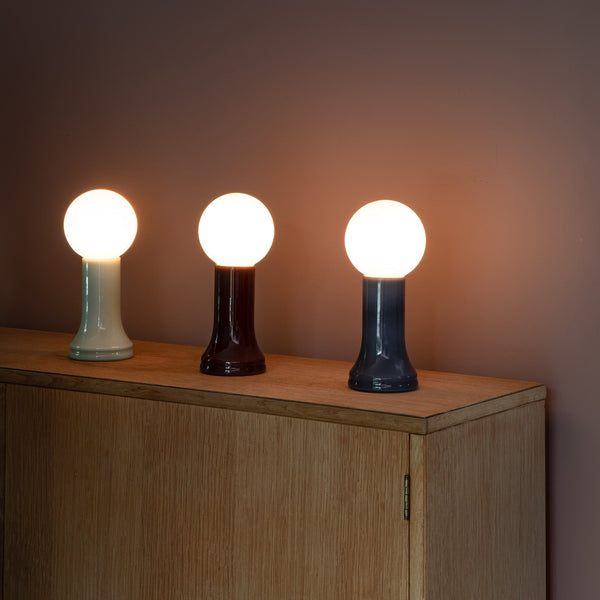 How to Use a Table Lamp to Make a Home Office Feel Less Harsh and More Lived In
-
 Best Table Lamp Options for Creating a Relaxed But Productive Workspace
-
 What Size Table Lamp Works Best in Small Offices and Compact Rooms?

