























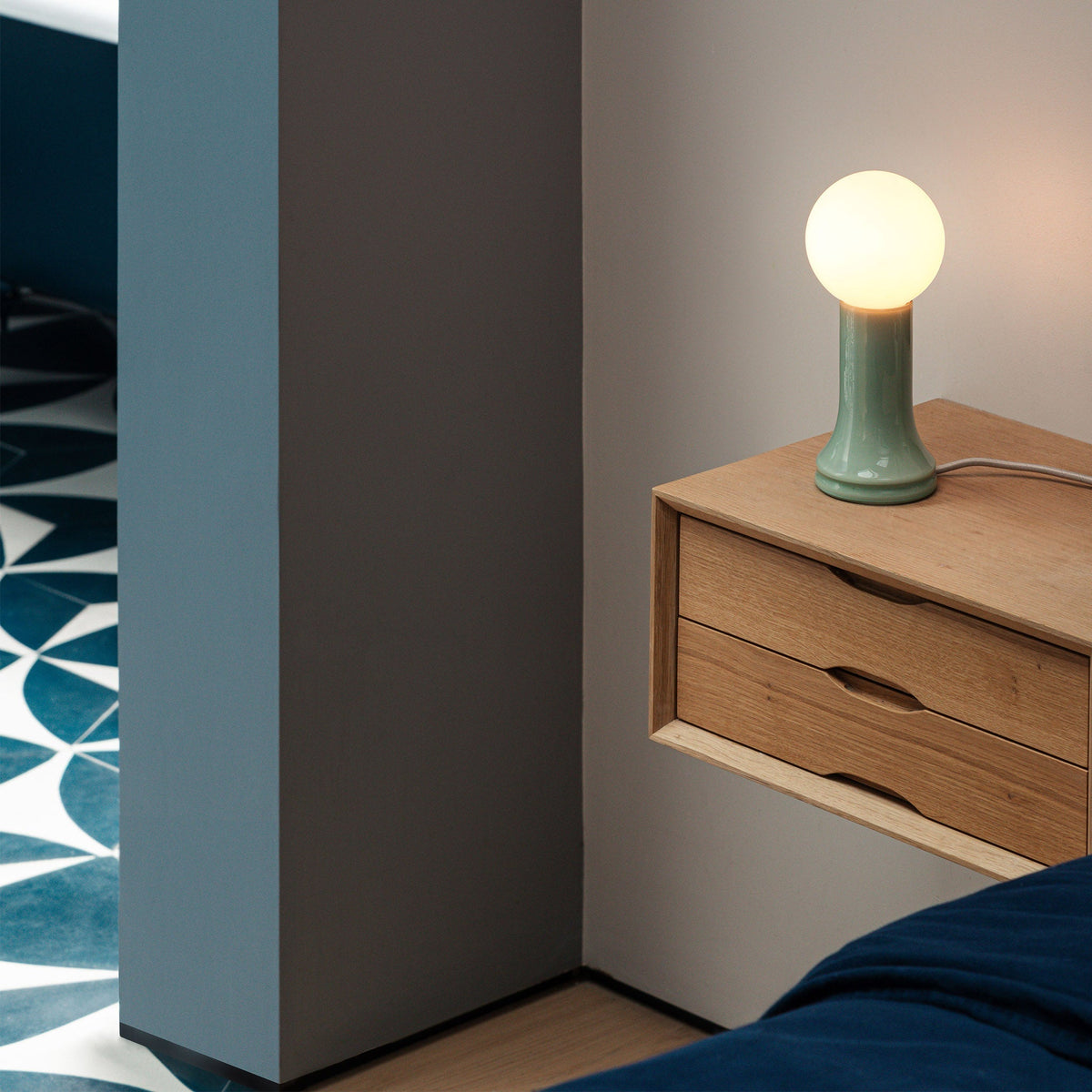
How to Use a Table Lamp in a Home Office Without Losing Task Lighting

A table lamp can make a home office feel warmer, calmer, and more finished, but it has to earn its place on the desk. The wrong lamp location can throw shadows across notebooks, reflect in a monitor, crowd the keyboard area, or make a workspace feel cozy while leaving actual work underlit. The goal is not to choose between style and visibility. A well-planned table lamp can support both.
Task lighting is about usable light. It helps you read documents, write notes, review samples, type comfortably, and move between digital and paper-based work without straining your eyes. A table lamp adds value when it is placed as part of a lighting system rather than treated as a decorative object that happens to be nearby.
That system depends on placement, shade direction, bulb choice, screen angle, desktop organization, and power access. A lamp such as the Alumina Lamp for desk or wall use can fit into that kind of flexible workspace plan because it belongs in the area where lighting, surface use, and room atmosphere all meet. The lamp still needs to be positioned with intention, especially when the desk is used for long work sessions.
Why Table Lamps Can Weaken Home Office Lighting When Placement Comes Last
A table lamp often fails in a home office for one simple reason: it is placed after everything else. The monitor goes first, then the laptop, keyboard, mouse, notebook, speakers, plant, charger, water bottle, and desk tray. By the time the lamp is added, the only available spot may be the least useful place for light.
Good home office lighting starts with the tasks performed at the desk. A table lamp should not merely fill an empty corner. It should help the desk surface remain visible, reduce harsh contrast between a bright screen and a dim room, and support natural movement across the work area.
Ambient Glow and Task Lighting Are Not the Same
Ambient glow makes a room feel comfortable. It softens corners, warms up a wall, and prevents the office from feeling flat. Task lighting does something more specific. It places usable light where the hands, eyes, and materials are active.
A lamp can create a beautiful glow while still failing as task lighting. A shade that sends light mostly upward may make the room pleasant but leave documents dim. A bulb that is too exposed may brighten the desk but create glare. A lamp that is too low may light the immediate area but make the screen uncomfortable to view.
The best table lamp setup balances three needs: enough surface light for detailed work, enough diffusion to avoid harsh contrast, and enough control to keep glare out of the eyes and off the screen.
Home Offices Make Lamp Placement More Demanding
Traditional offices often have planned lighting, standardized desk dimensions, and predictable ceiling fixtures. Home offices are rarely that simple. A desk may sit against a bedroom wall, beside a sunny window, in a living room corner, or inside a shared multipurpose space. These conditions make table lamp placement more important.
A window can create strong side light in the morning and deep shadow in the afternoon. A ceiling fixture can cast light from behind, causing shadows from your head and shoulders. A small apartment desk can limit where a lamp base can sit. A shared room may need lighting that supports work without making the rest of the space feel like an office.
The table lamp becomes part of the architecture of the work zone. Its job is to bring control to a space that may not have been designed as an office in the first place.
The Desk Lighting Triangle: Screen, Surface, and Room
A strong home office lighting setup can be understood as a triangle: the screen zone, the surface zone, and the surrounding room. A table lamp should support all three without overpowering any one of them.
| Lighting Zone | What It Supports | Common Lamp Problem | Better Table Lamp Strategy |
|---|---|---|---|
| Screen zone | Monitor or laptop viewing | Reflections and glare | Place lamp outside direct reflection angles |
| Surface zone | Writing, reading, keyboard use | Hand shadows or weak light | Position lamp opposite the dominant hand |
| Room zone | Visual comfort and atmosphere | Room feels too dim or harsh | Use soft secondary light to balance contrast |
Screen Lighting Should Reduce Contrast Without Creating Reflection
A bright monitor in a dark room forces the eyes to move between two extremes. A table lamp can help by adding gentle light around the desk, which reduces the contrast between the screen and the surrounding room. This is especially useful during early morning or evening work.
The risk is reflection. If the lamp shade, bulb, or bright glass surface appears in the monitor, the lamp becomes a distraction. Before settling on a position, sit in your normal working posture, turn the lamp on, and look at the screen from your usual eye level. If you see a reflection, move the lamp farther to the side, shift it slightly behind the monitor line, or adjust the shade angle.
The screen should feel easier to look at, not busier.
Surface Lighting Should Follow the Hands
The desk surface is where lighting mistakes become obvious. If you write by hand, review printed pages, sketch, or use a planner, the lamp needs to illuminate the exact area where those tasks happen. A lamp that only lights the back corner of the desk may look balanced in the room but do little for the active work surface.
Place a notebook or document where you naturally use it. Then test whether the table lamp reaches that area clearly. The most useful light is not always the brightest light. It is the light that lands in the correct place without being blocked by your hand, keyboard, monitor stand, or accessories.
Room Lighting Should Prevent the Office From Feeling Cave-Like
A table lamp also supports comfort by giving the room a softer layer of light. This matters when working from a home office for several hours at a time. A single source of light, especially a screen, can make the room feel visually uneven.
The table lamp can act as a bridge between task lighting and room atmosphere. It can soften a dark corner, illuminate the desk edge, or define the work area in a shared room. When this layer is handled well, the workspace feels calm without becoming dim.
Where to Place a Table Lamp for Stronger Task Lighting
Placement is the most important factor in using a table lamp without losing task lighting. Even a suitable lamp can perform poorly if it sits on the wrong side of the desk or points away from the task zone.
Put the Lamp Opposite Your Dominant Writing Hand
The clearest rule is also one of the most overlooked. If you are right-handed, place the lamp on the left side of the desk. If you are left-handed, place it on the right side. This keeps your writing hand from blocking the light and casting a shadow across the page.
This matters for more than handwriting. The same principle applies when marking up documents, using a planner, reviewing samples, or working with small desk objects. When light crosses the desk from the opposite side, your hand is less likely to interrupt it.
Keep the Lamp Slightly Behind the Main Work Zone
A table lamp should usually sit a little behind the active work surface, not at the front edge of the desk. Forward placement can put the bulb closer to your eyes, create screen glare, crowd your forearms, or interrupt mouse movement.
A rear-corner position often works best. From there, the lamp can angle inward toward the keyboard, notebook, or reading zone. This setup preserves the middle of the desk while allowing the shade to direct light across the surface.
For shallow desks, choose a lamp with a modest base and avoid wide shades that push into the work area. For deeper desks, make sure the lamp has enough reach or brightness to serve the actual task zone rather than only illuminating the back of the desk.
Use a Simple Shadow Test Before Finalizing Placement
A quick shadow test can reveal whether a lamp is helping or hurting. Place a notebook where you normally write. Put your dominant hand on the page. Turn on the lamp. If your hand shadow falls across the line where you write, the lamp needs to move.
Shift the lamp to the opposite side, slightly behind the notebook, or at a different angle until the shadow falls away from the active line of work. This small adjustment can make the desk feel noticeably clearer during everyday use.
Choosing a Table Lamp Shape That Protects Desk Visibility
Lamp shape affects where light travels. Two lamps with similar bulbs can perform very differently because of shade material, shade opening, height, and base design.
Shade Direction Determines Functional Use
A downward-facing shade usually provides more direct surface light. A fabric shade tends to spread a softer glow. A glass shade can create a decorative layer and diffusion, depending on opacity and bulb position. An exposed bulb can feel bright but may produce uncomfortable glare if it sits in the line of sight.
The right choice depends on the lamp’s role. If the table lamp is the main light for paperwork, a shade that directs light toward the desk is useful. If the lamp is supporting screen work by softening the room, a more diffused lamp may be appropriate.
Diffused Glass Works Best as a Supportive Layer
A glass table lamp can bring warmth and visual softness to a home office, especially when the desk is part of a living room or bedroom. The key is to avoid asking a diffused lamp to do the job of a precise task light unless its placement and bulb output truly support the work surface.
For example, a mouth-blown recycled glass table lamp fits naturally in a workspace where the lamp contributes atmosphere and surrounding light. It can help the office feel considered and comfortable, while the actual task-lighting performance still depends on bulb choice, distance from the work surface, and glare control.
Adjustable Lamps Help When the Desk Has Multiple Jobs
Some home offices shift between laptop work, writing, reading, video calls, and creative review. In these settings, adjustability can be valuable. A movable shade, flexible neck, or easy-to-reposition base allows the lamp to follow the work instead of forcing every task into one fixed pool of light.
A non-adjustable table lamp can still work well, especially when it has a stable position and a shade that sends light where needed. The important point is to match lamp form to the way the desk is actually used.
Bulb Brightness and Color Temperature for Home Office Focus
The lamp body sets the direction and style of light, but the bulb determines much of the experience. Brightness and color temperature should be selected for the work being done, not only for how the lamp looks when switched on.
Match Brightness to the Task
A low-output bulb may be pleasant in the evening but insufficient for reading printed documents. A very bright bulb may help with detailed work but feel harsh during screen-heavy tasks. The best choice depends on room size, eyesight, daylight, shade opacity, and how close the lamp sits to the work surface.
For general typing and screen work, moderate brightness often feels balanced. For reviewing printed pages, writing by hand, or drawing, the desk surface usually needs stronger directed light. For late evening planning, a dimmer setting may be more comfortable.
Choose Warmth Carefully
Warm light makes a home office feel relaxed and residential. It works well for ambient support, evening use, and rooms where the office shares space with living or sleeping areas. Neutral light often supports clearer visibility for reading and detail work.
Very cool light can make a home office feel clinical, especially when paired with a bright screen. The safest approach is to choose a bulb that supports focus without stripping the room of comfort. If the lamp has dimming control, it becomes easier to adapt the same fixture to different parts of the day.
Avoid Exposed Glare
A bulb should not sit directly in your line of sight. If you can see the bright bulb while seated, the lamp may cause squinting, eye fatigue, or distraction. A shade, diffuser, or slight repositioning can make the light more comfortable.
Glare is not always about brightness alone. It often comes from contrast. A small exposed bulb in a dim room can feel harsher than a brighter lamp with better diffusion.
How Laptop Height Changes Table Lamp Performance
Laptop placement affects lighting more than many people expect. When the screen moves, reflection angles move with it. When the keyboard moves, the active task zone changes too.
Raise the Screen Before Finalizing Lamp Position
Many home office users raise their laptop to improve viewing comfort. Once the screen is higher, the lamp may reflect differently than it did at desk level. For that reason, set the laptop position first, then place the lamp.
A laptop stand for a raised screen position can help establish the screen height before lighting adjustments are made. After the laptop is in place, check the screen from a seated position and move the lamp until reflections are controlled.
Let the Keyboard and Notebook Define the Light Zone
A raised laptop often pairs with an external keyboard and mouse. That means the work zone may sit lower and farther forward than the screen. The table lamp should serve the keyboard, notebook, planner, or document area, not merely the laptop.
A practical setup sequence helps:
1. Position the laptop or monitor.
2. Place the keyboard and mouse where your arms feel natural.
3. Add the notebook, planner, or document zone.
4. Put the lamp opposite your dominant hand.
5. Check for screen reflection.
6. Adjust shade angle and brightness.
This order prevents the lamp from becoming an afterthought.
Table Lamp Strategies for Common Home Office Layouts
Every home office has different constraints. The same lamp placement will not work for every room, desk, or work habit. The best setup responds to the layout.
Small Desk Against a Wall
A small wall-facing desk needs careful control over footprint. Place the lamp in a rear corner to preserve the central work surface. If the wall is light-colored, be mindful of bounce. A shade that sends too much light into the wall may brighten the background without helping the desk surface.
Keep the base compact, the cord routed behind the desk, and the shade aimed inward. Avoid placing tall accessories between the lamp and the work area.
Desk Beside a Window
A window can be an asset, but daylight changes throughout the day. If one side of the desk receives strong natural light, place the table lamp on the darker side to balance the surface. When the sun shifts, adjust the shade rather than immediately moving the lamp.
Watch for combined glare from both the window and lamp. A screen may reflect the window during the day and the lamp in the evening, so testing at different times can be useful.
Bedroom Workspace
In a bedroom office, a table lamp may be expected to feel soft and restful. That does not mean it should be too dim for work. Separate the role of bedside lighting from desk lighting when possible. A lamp placed for reading in bed may not be placed correctly for writing at a desk.
The desk lamp should still follow work rules: opposite the writing hand, slightly behind the task zone, and free from screen reflection.
Living Room Office Corner
A living room workspace needs light that defines the work area without making the room feel overly commercial. A table lamp can create a visual boundary, especially when paired with a desk, storage piece, and chair that suit the room.
For urban homes where workspace, storage, and comfort must share limited square footage, workspace furniture for compact city offices can support a more intentional setup. The lamp then becomes one part of a coordinated work zone rather than a separate decorative object.
Desktop Organization That Keeps the Lamp’s Light Path Clear
A lamp does not only occupy space through its base. It also needs visual clearance. The shade, cord, and beam of light all affect how well the lamp works.
Understand the Full Lamp Footprint
The lamp footprint includes the base diameter, shade width, cord route, and light spread. A lamp with a small base but wide shade may still crowd the desk. A lamp placed neatly in the corner may still send its cord across the work surface if power access is poorly planned.
Before adding accessories, identify the light path from shade to task surface. Keep that area clear. Pen cups, plants, stacked books, speakers, and trays should sit outside the main beam.
Move Paper Clutter Out of the Task Zone
Paper clutter can quietly ruin task lighting. Stacks of folders may block the lamp, cast uneven shadows, or force the lamp into a less useful position. If documents need to stay nearby, move them below the desktop or to the side rather than keeping them in the beam path.
A lockable filing cabinet can help keep files and office items accessible without letting loose papers take over the surface where light is needed most. This supports both organization and visibility.
Keep the Beam Clear
A simple rule works well: nothing tall should sit between the lamp shade and the active work surface. Low trays may be fine if they do not interrupt the light. Taller objects should move to the far side of the desk, a shelf, or a storage unit.
A clear beam makes a moderate lamp feel more useful. A cluttered beam can make even a bright lamp feel weak.
Power Access That Protects Better Lamp Placement
Power access often determines where a lamp ends up. When outlets are inconvenient, people place lamps where cords reach instead of where light works. That can undermine the entire setup.
Do Not Let the Outlet Choose the Lamp Position
A lamp cord running diagonally across the desk is more than a visual issue. It can interfere with writing, catch on devices, or pull the lamp out of position. A power strip sitting on the desktop can also consume the same space needed for task lighting.
The best lamp position should be determined by visibility first. Power should then be arranged to support that position.
Integrated Desk Power Can Reduce Cord Confusion
When several devices share the desk, power planning becomes part of lighting design. A lamp, laptop, phone, and accessories can quickly create cable clutter if every cord runs to a distant wall outlet.
A desk power module with AC and USB ports can help keep power access closer to the work area, allowing the lamp to remain where its light is most useful. This is especially helpful when the desk supports both focused work and daily device charging.
Clamp-On Power Supports Flexible Desk Setups
Not every desk should be modified permanently. Rental spaces, shared workstations, and changing layouts often need a more flexible option. A clamp-on desk power module can support accessible power without requiring the same installation approach as a built-in solution.
This flexibility helps keep the table lamp in a practical location while reducing the temptation to stretch cords across the desktop.
Table Lamp Mistakes That Reduce Task Lighting Quality
Many lighting problems come from small decisions that seem harmless at first. Correcting them can make the home office feel more functional without replacing the entire setup.
Placing the Lamp on the Same Side as the Writing Hand
This creates shadows across notebooks, documents, and planners. Move the lamp to the opposite side and test again.
Choosing a Shade That Does Not Serve the Desk
A shade that only glows outward or upward may be beautiful but limited for task lighting. Use it as ambient support, or pair it with another source that directs light to the work surface.
Using a Bulb That Is Too Dim for Paperwork
Screen work and paper work are different. A screen produces its own light. Paper does not. If printed pages look gray or low-contrast, the lamp may need more output, better direction, or a clearer path.
Letting the Bulb Shine Into the Eyes
Visible bulbs can create glare even when the desk appears bright. Adjust shade height, change lamp position, or choose a more diffused bulb and shade combination.
Ignoring Monitor Reflection
A lamp that looks perfect from across the room may be distracting from the chair. Always test from the seated work position.
A Workday Lighting Routine for Better Table Lamp Use
A table lamp does not need to stay fixed in one role all day. Light changes as daylight shifts, tasks change, and the room moves from daytime activity to evening focus.
Morning Lighting Should Balance Daylight
Morning light may enter strongly from one side of the room. Use the table lamp to soften the darker side of the desk rather than overpowering natural light. A lower or moderate setting is often enough if daylight is already present.
Afternoon Lighting Should Respond to Screen Glare
As the sun moves, reflections may appear on the monitor or laptop. Rather than moving everything, adjust the shade angle first. If reflection remains, shift the lamp slightly behind the screen line or farther to the side.
Evening Lighting Should Support Surface Clarity
After daylight fades, the table lamp often becomes more important. Make sure the beam reaches the keyboard, notebook, or reading area. If the room feels too dark beyond the desk, add a separate ambient layer elsewhere instead of forcing one table lamp to do everything.
Five-Point Lamp Check Before Focused Work
Before a long session, check these details:
1. The lamp is opposite your dominant writing hand.
2. The shade is aimed toward the active task surface.
3. The bulb is not directly visible from your seated position.
4. The monitor or laptop screen is free from lamp reflection.
5. The cord is routed safely and does not cross the work area.
Building a Home Office Lighting Setup That Feels Calm, Clear, and Work-Ready
A table lamp can belong beautifully in a home office, but it should never weaken the work the desk is meant to support. The strongest setups begin with visibility, then add comfort and style around it.
Place the lamp where it reduces shadows. Choose a shade that supports the way the desk is used. Match brightness to the task. Keep the beam path clear. Plan power access so the lamp can stay in the right position instead of drifting toward the nearest outlet.
When the table lamp works as part of a larger lighting system, the home office becomes easier to use throughout the day. The desk stays clear, the screen stays comfortable, and the room still feels like home.
Related Articles
-
 Shore Table Lamp Ideas That Make Desk Lighting Feel Softer
-
 How to Choose a Table Lamp That Adds Warmth Without Reducing Visibility
-
 Can a Table Lamp Support Evening Work Better Than Overhead Lighting?
-
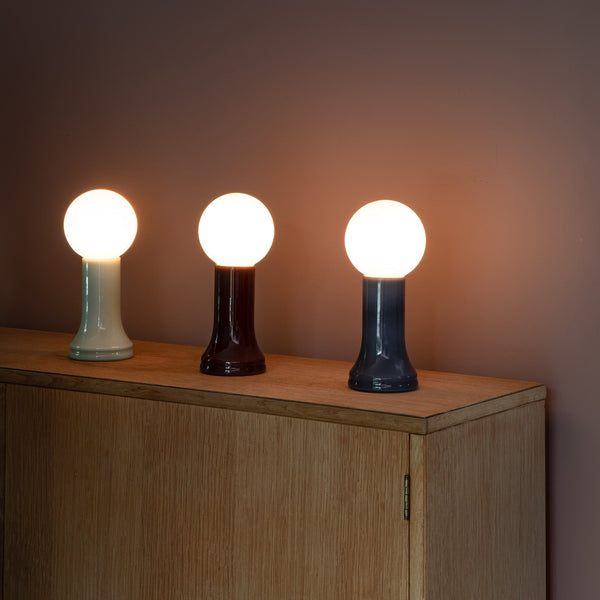 How to Use a Table Lamp to Make a Home Office Feel Less Harsh and More Lived In
-
 Best Table Lamp Options for Creating a Relaxed But Productive Workspace
-
 What Size Table Lamp Works Best in Small Offices and Compact Rooms?

