























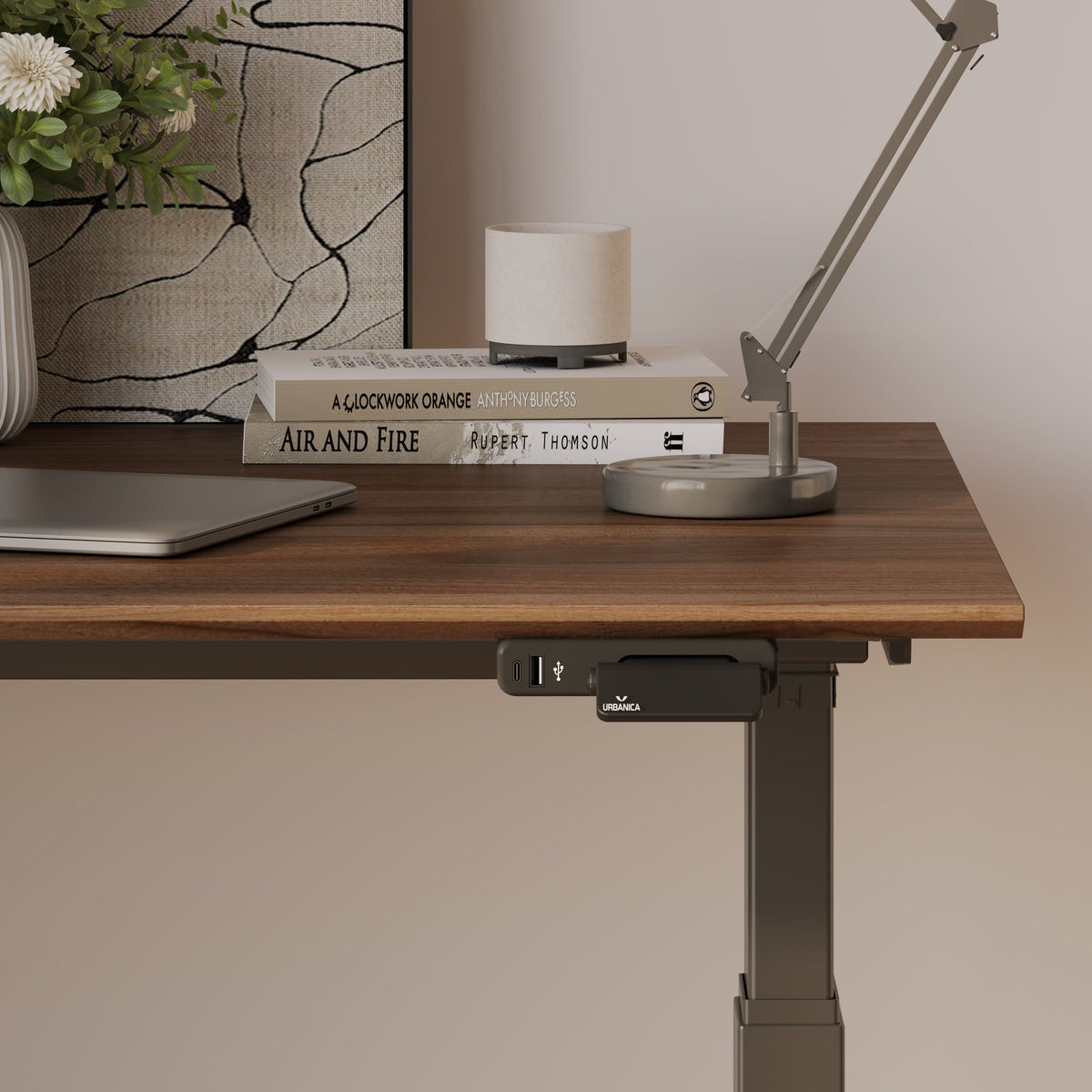
How to Light a Compact Desk Setup with One Well-Placed Desk Lamp

A compact desk setup does not need to feel dim, cramped, or visually tiring. In many small workspaces, the problem is not the absence of enough lamps. It is that the only lamp available is sitting in the wrong place, aimed at the wrong surface, or competing with the laptop screen instead of supporting it.
One well-placed desk lamp can do more than brighten a corner. It can define the work zone, reduce hand shadows, protect screen visibility, and make a small desk feel calmer. The key is treating the lamp as part of the workstation layout rather than a decorative object added after everything else is already arranged.
When the desktop is limited, every item needs a reason to be there. Paperwork, chargers, notebooks, and accessories can quickly steal the surface area that the lamp needs to cast clean, usable light. Keeping secondary supplies nearby but off the main work surface, such as in a compact filing cabinet for extra storage, helps the desk lamp do its job without visual clutter interrupting the beam.
The goal is simple: place one lamp where it supports how the desk is actually used. That means choosing the right side, height, angle, brightness, shade style, and cable route so the desk remains comfortable throughout the day.
The One-Lamp Principle for Compact Desk Lighting
A small desk works best when the lighting plan is intentional. Adding more lamps rarely solves a poor lighting layout. In fact, multiple light sources can create overlapping shadows, screen reflections, and visual noise. One lamp placed with purpose can create a cleaner, more focused environment.
Why one focused lamp can work better than several light sources
Compact workstations have less room for visual mistakes. A second lamp may brighten the area, but it can also add another cord, another base, and another source of glare. Overhead lighting may make the room visible, yet it often fails to illuminate the keyboard, notebook, or reading surface at the correct angle.
A desk lamp succeeds when it provides directional task light. It should make the active work area easier to see without shining directly into the eyes or bouncing off the screen. This is especially important for desks used in bedrooms, studios, apartments, or shared living spaces where the workstation may be tucked into a corner.
The three jobs one desk lamp must handle
A compact desk lamp has to balance three lighting needs at once.
First, it must provide task lighting for writing, typing, reading, and reviewing documents. The beam should fall where the eyes are working, not on an empty corner of the desk.
Second, it should offer enough surrounding glow to prevent harsh contrast between a bright screen and a dark room. A laptop screen in a dark corner can feel intense, even if the desk technically has light.
Third, the lamp must avoid screen glare. If the bulb or shade reflects in the display, the lamp becomes a distraction rather than a tool.
Why placement matters more than lamp quantity
The best compact desk lighting starts with the location of the lamp, not the brightness of the bulb. A lamp on the wrong side can cast hand shadows across a notebook. A lamp placed directly behind a laptop can create reflection on the screen. A lamp pushed too far to the back may brighten the wall while leaving the keyboard dim.
For small desks, the right placement turns one fixture into a complete lighting strategy.
Where to Place a Desk Lamp on a Small Desk
The best desk lamp position depends on how the desk is used and which hand does most of the writing, sketching, or mouse movement. The lamp should support the active work zone while preserving enough open space for movement.
Right-handed users should usually place the lamp on the left
For right-handed writing, placing the lamp on the left side reduces the shadow cast by the hand. The light moves across the page before the hand blocks it, which makes note-taking, signing documents, and reading printed material easier.
The lamp does not need to sit at the very front edge. On a compact desk, it often works better slightly behind the writing zone and angled forward. This keeps the base out of the way while allowing the beam to reach the paper, keyboard, and nearby task area.
Left-handed users should usually place the lamp on the right
Left-handed users benefit from the opposite arrangement. A lamp on the right side casts light across the page before the writing hand interrupts it. This reduces the heavy shadow that can form when a lamp sits on the same side as the dominant hand.
The lamp head should angle down and across the work surface, not straight across the face or toward the screen. The goal is a quiet pool of light that supports the task without calling attention to itself.
Laptop-first desks need rear-corner placement
Many compact desks are built around a laptop. In this layout, the lamp should not sit directly in front of the user or behind the center of the screen. A better position is usually a rear corner, preferably opposite the dominant hand.
This keeps the central work zone clear for typing and notetaking. It also lets the beam travel diagonally across the desk instead of reflecting straight into the laptop display.
Wall-facing desks need controlled bounce
A wall-facing desk can benefit from reflected light, but only when the lamp is aimed carefully. A soft spill against a matte wall can make the desk feel less isolated. A direct beam aimed at a glossy or bright surface can create glare.
For this layout, place the lamp in a back corner and angle it toward the work surface rather than directly at the wall. The wall should support the lighting, not become the brightest object in view.
How to Aim One Desk Lamp Without Creating Screen Glare
Glare is one of the most common problems in compact desk setups. It can come from an exposed bulb, a shiny desktop, a bright wall, or a lamp pointed too closely toward the screen.
Keep the bulb out of direct eye line
A desk lamp should illuminate the task surface, not the user’s eyes. When seated normally, the bulb should not be directly visible. A shade, diffuser, or adjustable head can help control the beam.
If the lamp is too low, it may create a small harsh hotspot. If it is too high, the bulb may become visible or spill light into the eyes. The ideal height depends on the lamp design, but the principle stays the same: the light source should be shielded while the work surface stays bright.
Aim the beam diagonally across the desk
Diagonal lighting is often the most effective choice for compact setups. It avoids the flat, harsh feeling of straight-on light and reduces reflection on the screen.
For a laptop, aim the lamp across the keyboard and nearby notebook area rather than into the display. For a monitor, keep the lamp slightly behind the keyboard plane and direct the light toward the desk surface. The monitor should sit outside the brightest part of the beam.
Use a simple reflection check
A quick reflection check can prevent daily eye strain. Sit in the normal working position and look at the screen. If the lamp, bulb, or bright shade appears in the display, adjust the angle or move the lamp farther to the side.
A dark screen makes reflections easier to see, but the test should also be done with the screen on. The right setup keeps the workspace visible without forcing the screen and lamp to compete.
Power access should support the best lamp position
Lamp placement should be decided by light quality, not by the nearest outlet. On small desks, cords often pull lamps into awkward positions. A better power plan keeps the lamp where it belongs while reducing cable clutter across the surface.
When a desk design allows it, an in-desk power module with AC and USB ports can help keep charging access close without forcing the lamp cord across the main work area.
Compact Desk Lighting for Laptop, Monitor, Writing, and Creative Work
A single lamp can support many work styles, but each setup needs a slightly different angle. The lamp should respond to the main task rather than sit in a fixed decorative position all day.
Laptop-only setups need lift and side lighting
A laptop screen sits lower than an external monitor, which can make glare more noticeable. If the lamp beam is aimed too high, it may reflect in the display. If it is aimed too low, the keyboard may be bright while the screen area feels visually disconnected.
Raising the screen can improve both posture and lighting control. A laptop stand for better screen height can help create more vertical separation between the display and the task surface, making it easier to aim light across the desk without sending it into the screen.
Monitor setups need light beside the keyboard
An external monitor changes the lighting priority. The lamp does not need to light the screen. It needs to light the keyboard, documents, and writing area near the user.
Place the lamp to one side, slightly behind the active work zone. The beam should land on the desk surface and fade before it reaches the monitor. This creates useful task light while keeping reflections low.
Writing-heavy desks need wider light coverage
For writing, planning, or reading printed material, a narrow spotlight can feel too intense. A slightly wider pool of light is usually more comfortable because it covers the page, hand movement, and nearby reference material.
The lamp should sit opposite the writing hand and angle across the paper. If the page appears bright in one small spot and dim everywhere else, the lamp may be too close or too narrowly focused.
Creative tasks need controlled shadow, not flat brightness
Sketching, reviewing materials, sorting samples, or doing detailed work often requires some shadow. Completely flat lighting can make textures harder to read. A side angle can reveal depth while still keeping the workspace clear.
The key is control. Shadows should help define the task, not hide it. Adjustable lamp heads and arms are valuable because they allow the light to shift as the work changes.
Desk Lamp Size, Shade Shape, and Light Temperature for Small Workstations
On a compact desk, the lamp’s physical design matters as much as its light output. A beautiful lamp that consumes too much surface area or exposes too much brightness may make the workstation harder to use.
The base should not steal the active work zone
A lamp base has to be stable, but it should not dominate the desk. Wide bases can interfere with a mouse, notebook, keyboard, or coffee cup. Slim bases, compact footprints, and thoughtful corner placement help preserve the central work surface.
Before choosing a lamp position, identify the active zone: the area where hands, keyboard, notebook, and mouse move most often. The lamp should support this zone without occupying it.
Shade shape controls the character of the light
A narrow shade creates more focused task lighting. This can work well for reading, writing, or keyboard use. A wider shade spreads light more softly, which may feel better in a compact desk corner used for long sessions.
Opaque shades reduce side glare and direct light downward. Translucent materials may create more ambient glow, which can be helpful in a bedroom or living room workspace. Neither is automatically better. The right choice depends on whether the desk needs precision, atmosphere, or a balance of both.
Adjustable lamps make one light more versatile
One lamp becomes more useful when it can change height, angle, or direction. Morning work may need brighter downward task light. Evening work may feel better with a softer angle. A focused writing session may need the beam closer to the page, while video calls may benefit from a less direct glow.
A design such as the Alumina Lamp fits naturally into this conversation because compact desks benefit from lighting that is both visually considered and practical on the work surface.
Light temperature should match the work rhythm
Warm light can feel comfortable for evening reading or low-pressure tasks. Neutral light often works well for daily computer work because it feels balanced without being too soft or too stark. Cooler light may feel more alert, but in a tight desk setup it can become harsh if the lamp is too close or too bright.
Brightness and temperature should work together. A small desk rarely needs aggressive intensity. It needs balanced contrast, clean direction, and enough light to keep the eyes relaxed.
Recommended One-Lamp Settings by Compact Desk Task
| Desk Task | Best Lamp Position | Beam Direction | Light Character | Main Lighting Goal |
|---|---|---|---|---|
| Laptop typing | Rear corner opposite dominant hand | Down and across keyboard | Controlled and neutral | Reduce screen reflection |
| Notebook writing | Opposite writing hand | Across the page | Even and moderate | Minimize hand shadows |
| Monitor work | Side of keyboard, slightly behind | Toward desk surface | Soft task light | Keep glare off the display |
| Evening reading | Rear side or corner | Downward with gentle spill | Warm or softened | Reduce harsh contrast |
| Detail work | Adjustable side angle | Across the task material | Clear with light shadow | Reveal surface detail |
How to Keep a Compact Desk Bright Without Making It Feel Crowded
A bright compact desk is not created by filling every gap. It is created by leaving enough open space for light to travel. The lamp, accessories, and work tools should be arranged so the beam reaches the task area without obstruction.
Treat the lamp as part of the layout
The lamp should be placed before smaller accessories are added back to the desk. Once the best lighting position is clear, the keyboard, mouse, notebook, and personal items can be arranged around the beam path.
This prevents common problems such as a water bottle blocking the light, a speaker casting a shadow, or a stack of papers sitting where the lamp needs to shine.
Preserve negative space around the work area
Negative space is not wasted space. On a compact desk, open surface area makes the workstation easier to use and easier to light. A clean area around the keyboard or notebook allows the light to spread evenly and keeps the desk from feeling visually heavy.
This is especially important for small rooms where the desk is always visible. A less crowded surface makes the lamp feel intentional rather than squeezed into leftover space.
Match furniture scale to the lighting plan
The desk, chair, storage, and lamp should all support the same purpose: a compact work area that feels comfortable and usable. When furniture is too deep, too shallow, too glossy, or too visually heavy, the lamp has to work harder to make the space feel balanced.
For teams and home offices choosing pieces in person, exploring modern office furniture for LA workspaces can help clarify how desk scale, surface finish, and accessory placement affect daily comfort.
Lighting a Desk in a Bedroom, Studio, or Living Room
A compact desk often lives outside a dedicated office. It may sit beside a bed, behind a sofa, near a dining area, or inside a studio apartment. In these spaces, the lamp has to perform well during work hours and still look natural when the desk is not in use.
The lamp should support work mode and room mood
A purely technical task lamp may feel too severe in a bedroom or living room. A decorative lamp may look good but fail to direct light properly. The best choice sits between those extremes: visually calm enough for the room, focused enough for real work.
The lamp should help define the desk as a purposeful zone. When turned on, it signals focus. When turned off, it should still feel like part of the room.
Soft ambient spill can make a small desk feel less isolated
Compact desks can feel like small islands, especially when they sit in corners. A lamp with gentle surrounding glow can soften that effect. The desk becomes part of the room rather than a harsh workstation dropped into it.
Materials, shade opacity, and bulb choice all affect this mood. A lamp that diffuses a little light around the area can support comfort without sacrificing task visibility.
Materials and silhouette matter in shared spaces
When the desk is visible from the rest of the room, the lamp’s form carries more visual weight. Glass, metal, fabric, and matte finishes each create a different feeling. The right lamp should make the workspace feel deliberate without overstating itself.
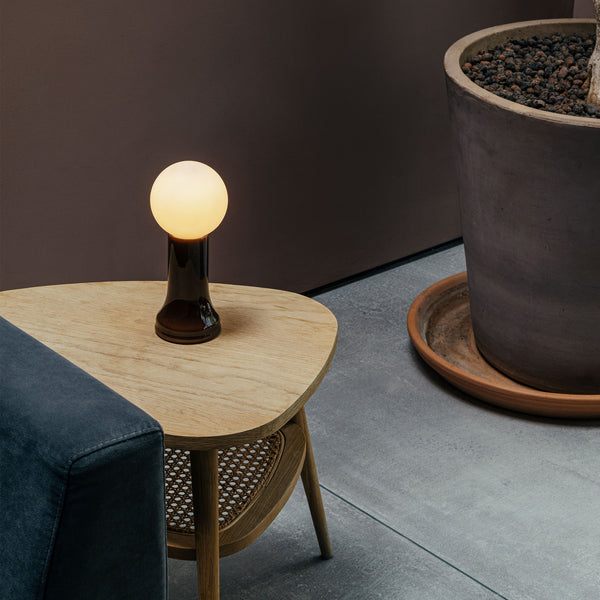
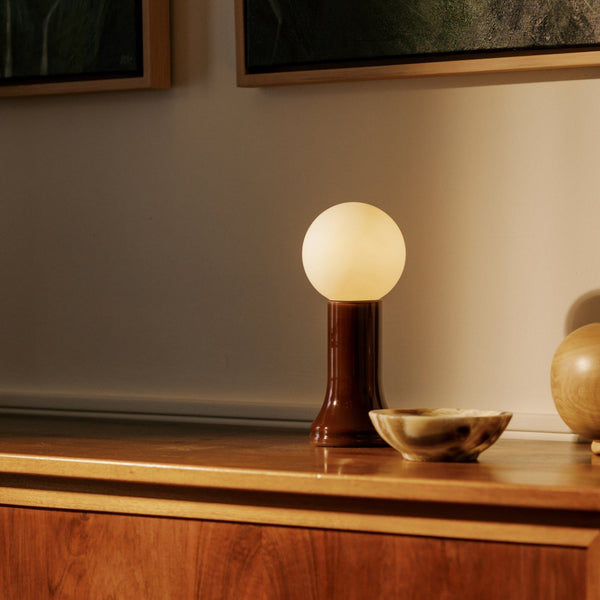
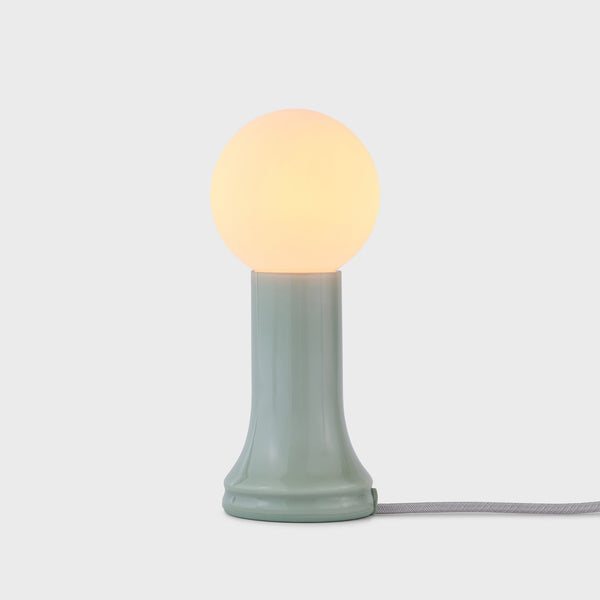
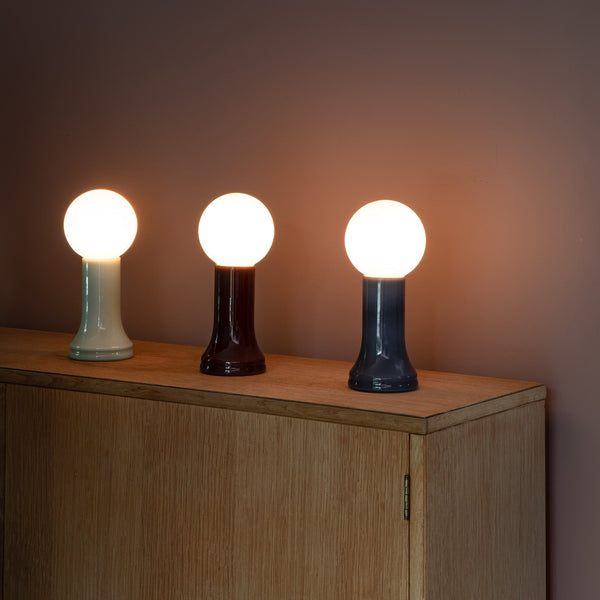
For a compact desk that sits in a room where material presence matters, a Shore Table Lamp made from recycled glass can fit into a softer residential setting while still serving as a clear light source on or near the work surface.
Power Access and Cable Routing for Better Lamp Placement
A great lamp position can be ruined by poor cable routing. If the cord crosses the writing area, pulls at the base, or forces the lamp to sit on the wrong side, the desk becomes less comfortable.
Outlet location should not control the lighting plan
The best place for the lamp is where the beam works, not automatically where the nearest wall outlet happens to be. Compact desks benefit from power access that supports the layout instead of dictating it.
This matters most when the lamp needs to sit opposite the dominant hand, in a back corner, or away from the wall. Good cable planning protects the lighting strategy.
Keep cords outside the active work zone
A lamp cord should move behind or beside the main work area whenever possible. It should not cross under a notebook, wrap around the keyboard, or interfere with mouse movement.
The cable path should also account for daily habits. If the user frequently moves the chair, opens drawers, changes devices, or clears the desk at night, the cord should not be in the way.
Edge-mounted power can protect the best lamp location
When the outlet is inconvenient, edge access can keep the desk functional without dragging cords across the top. A clamp-on desk power for edge-mounted access can support a cleaner arrangement when the lamp, laptop, and charging needs all compete for limited space.
The goal is not to add more accessories for their own sake. It is to keep power reachable while preserving the lamp position that gives the desk the cleanest light.
Common One-Lamp Mistakes That Make Compact Desks Harder to Use
Small lighting mistakes become obvious on compact desks. Because the user sits close to the lamp, screen, and work surface, every glare point and shadow has a stronger effect.
Placing the lamp directly behind the laptop
A lamp behind the laptop often creates a bright background or screen reflection. This can make the display harder to read and cause the eyes to constantly adjust between the screen and the surrounding light.
A side or rear-corner position usually works better. The light should support the keyboard and desk surface while staying out of the screen’s reflective path.
Choosing a bulb that is too bright for close work
More brightness is not always better. On a small desk, an overly bright bulb can create paper glare, shiny hotspots, and strong contrast between lit and unlit areas.
A comfortable setup uses enough light for the task without overwhelming the surface. Dimming, diffusion, or a better angle can often improve comfort more than increasing brightness.
Letting objects block the beam
Plants, cups, speakers, stacked notebooks, and monitor stands can all interrupt the lamp’s path. The result is a desk that appears to have a lamp but still feels unevenly lit.
Place taller objects outside the beam path. Keep the area between the lamp head and the main work surface clear.
Ignoring the desktop finish
Glossy white, black, glass, and polished surfaces reflect light differently. A lamp angle that works on a matte wood desk may create glare on a reflective one.
If the desktop is shiny, use a softer angle and keep the brightest part of the beam away from the most reflective area. A desk mat can also help reduce harsh reflection while defining the active work zone.
A Practical One-Lamp Setup Formula for Compact Desks
A compact desk becomes easier to light when the setup follows a clear sequence. Start with the work surface, then place the lamp, then adjust the beam, and only then add accessories.
Step 1: Clear the desktop before placing the lamp
Remove anything that is not used during focused work. This reveals the true active zone and prevents clutter from determining the lamp position.
Step 2: Place the lamp opposite the writing hand or in a rear corner
For writing, use the opposite side of the dominant hand. For laptop-first work, try the rear corner opposite the dominant hand. This creates a strong starting point for shadow control and glare reduction.
Step 3: Aim the beam diagonally across the active surface
The beam should cross the keyboard, notebook, or document area without pointing into the screen. Diagonal light is flexible and usually more comfortable than straight-on light.
Step 4: Check for screen reflection from the normal seated position
Do not test glare from above or from the side of the desk. Sit where work actually happens. If the lamp appears in the screen, change the angle or location.
Step 5: Adjust brightness until the screen and desk feel balanced
The screen should not feel like the only bright object in the room. The desk should not be so bright that the screen looks dull. Balanced contrast is the final sign that the lamp is working correctly.
Compact desk lighting checklist
-
The bulb is not directly visible from the seated position.
-
The lamp does not reflect in the laptop or monitor screen.
-
The writing hand does not cast a heavy shadow.
-
The beam reaches the keyboard, notebook, or reading area.
-
The lamp base does not crowd the mouse or paper zone.
-
The cord routes behind or beside the active work surface.
-
The desk still has open space after the lamp is placed.
-
The light feels comfortable during both daytime and evening work.
One Well-Placed Lamp Can Turn a Small Desk into a Focused Work Zone
A compact desk setup works best when light, surface space, and daily movement are planned together. One well-placed desk lamp can make a small workstation feel brighter, calmer, and more capable without adding unnecessary clutter.
The strongest placement rule is simple: keep the lamp opposite the writing hand when paper tasks matter, use a rear-corner angle for laptop work, aim the beam diagonally across the active surface, and protect the screen from reflection. From there, the lamp’s size, shade, brightness, and cable route refine the experience.
A small desk does not have to compromise comfort. With one intentional lamp position, the surface can support focused work, relaxed reading, cleaner video calls, and a more polished room presence. The right light does not compete with the compact setup. It completes it.
Related Articles
-
 Shore Table Lamp Ideas That Make Desk Lighting Feel Softer
-
 How to Choose a Table Lamp That Adds Warmth Without Reducing Visibility
-
 Can a Table Lamp Support Evening Work Better Than Overhead Lighting?
-
 How to Use a Table Lamp to Make a Home Office Feel Less Harsh and More Lived In
-
 Best Table Lamp Options for Creating a Relaxed But Productive Workspace
-
 What Size Table Lamp Works Best in Small Offices and Compact Rooms?

