























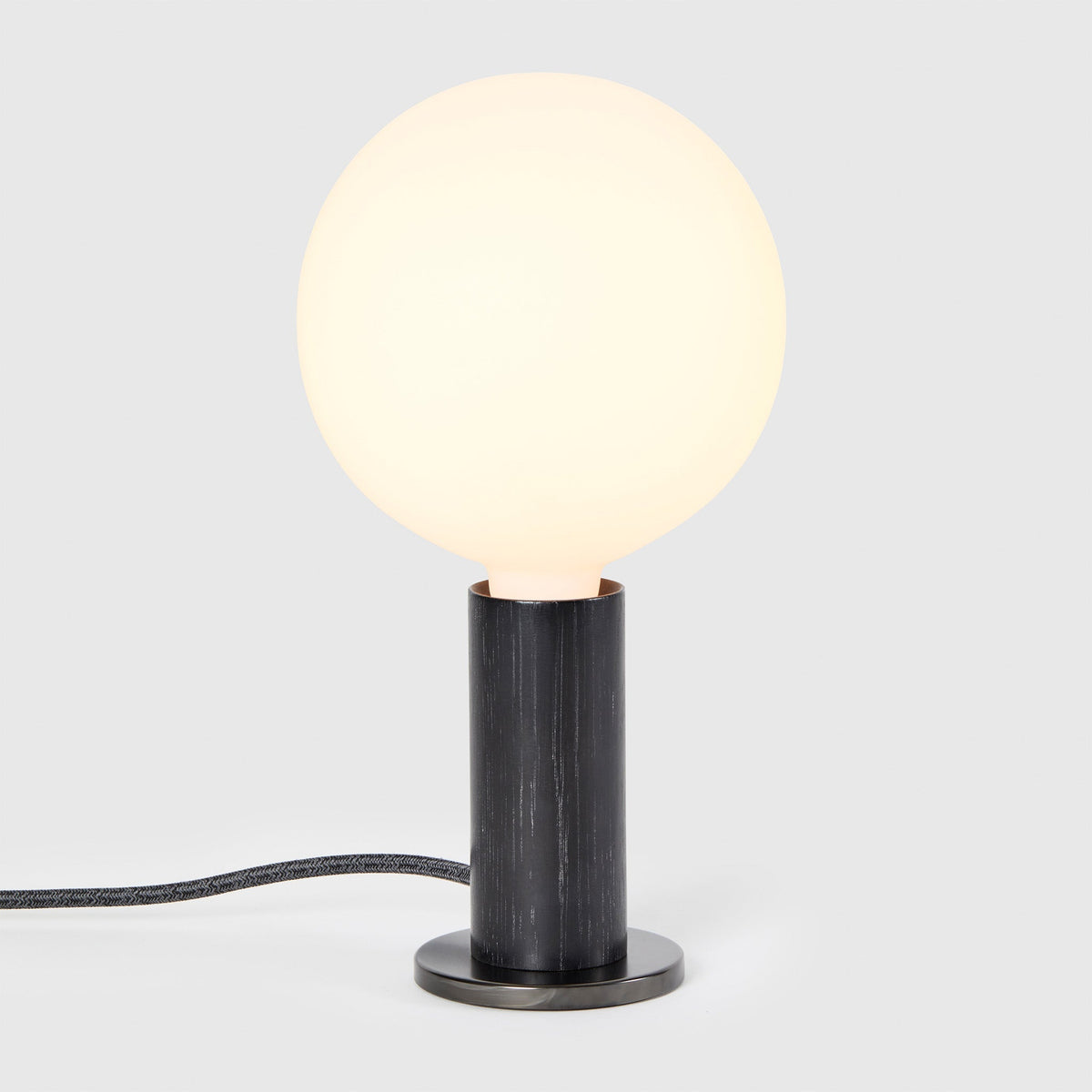
How Bright Should a Desk Lamp Be for Reading, Writing, and Computer Work?

A desk lamp for reading, writing, and computer work should usually provide 450 to 1,000 lumens, depending on the task, the amount of room light, the desk surface, and how the lamp is positioned. For casual reading or laptop work, 450 to 700 lumens is often enough. For handwriting, studying, and paperwork, 600 to 900 lumens usually feels more comfortable. For detailed documents, small print, or darker rooms, 800 to 1,000 lumens can be helpful when the lamp is adjustable and not pointed directly into the eyes.
Brightness is only one part of a comfortable desk setup. A lamp that is too intense, too close, too cool in color, or aimed at the wrong surface can create glare and eye fatigue even if the lumen rating looks ideal. A softer lamp placed correctly can feel more useful than a stronger lamp placed poorly. The best desk lighting makes text clear, keeps shadows away from the active work area, and supports focus without making the desk feel harsh or overlit.
For desks used throughout the day, an adjustable lamp is usually the safest choice. A flexible option such as the Alumina multi-use LED lamp can support different lighting needs because reading, writing, and screen work rarely require the exact same brightness at every hour.
The Right Desk Lamp Brightness Starts With Lumens, Not Watts
Lumens measure how much visible light a lamp produces. Watts measure how much energy a bulb uses. Older lighting habits often made people think in watts, but LED lamps changed that comparison. A low-watt LED can produce enough light for a desk, while an older bulb with a higher wattage may be less efficient and less useful for task lighting.
For desk work, the practical range is usually easier to understand when grouped by activity:
| Desk Task | Suggested Brightness | Best Use Case | Main Risk to Avoid |
|---|---|---|---|
| Casual reading | 450 to 600 lumens | Short reading sessions, light notes | Dim corners or weak contrast |
| Focused reading | 600 to 800 lumens | Books, printed pages, studying | Harsh light directly on glossy pages |
| Writing by hand | 600 to 900 lumens | Journaling, note-taking, forms | Hand shadows across the page |
| Laptop work | 300 to 600 lumens | Screen support and keyboard visibility | Lamp glare on the display |
| Desktop monitor work | 400 to 700 lumens | Balanced screen and desk lighting | Bright light behind or on the monitor |
| Detailed paperwork | 800 to 1,000 lumens | Small print, dense documents | Overlighting the surface |
| Evening reading | 300 to 600 lumens | Relaxed reading before winding down | Cool, intense light late at night |
These ranges are practical starting points, not rigid rules. A 600-lumen desk lamp may feel bright on a white desk in a small room but modest on a dark wood desk in a larger office. A 900-lumen lamp may be excellent for detailed paperwork but uncomfortable if the beam is narrow, exposed, or reflected into the eyes.
Why a Brighter Desk Lamp Is Not Always Better
A lamp with more lumens can help when text looks faint or shadows make the work surface unclear. However, stronger light can also make problems worse when glare, reflection, or contrast is the real issue.
A desk lamp can feel too bright when:
-
The bulb or LED source is visible from your seated position
-
The lamp points directly at glossy paper or a screen
-
The surrounding room is dark and the desk surface is intensely lit
-
The beam is narrow and creates a hot spot
-
The lamp is too close to the work surface
-
The color temperature feels too cool for the time of day
The goal is not maximum brightness. The goal is easy visibility. Good desk lighting should make the page, notebook, keyboard, or work surface clear without forcing your eyes to constantly adjust.
Desk Lamp Brightness for Reading, Writing, and Studying
Reading, writing, and studying all happen at close range, but they do not place the same demand on the eyes. Printed text, handwriting, paper finish, and desk position all affect how bright a lamp should be.
Reading at a Desk Needs Clear Contrast Without Page Glare
For most reading at a desk, 450 to 800 lumens is a useful range. Casual reading in a room with decent ambient light may only need 450 to 600 lumens. Dense textbooks, small print, or long reading sessions may feel better closer to 700 or 800 lumens.
The lamp should illuminate the page evenly. A bright center spot surrounded by dim edges forces the eyes to keep adjusting as they move across the page. A diffused beam or adjustable shade helps spread light across the reading area.
Paper type matters too. Matte pages usually handle stronger task light well. Glossy pages, laminated sheets, and bright white paper can reflect light back toward the eyes, making a moderate lamp feel too intense. In those cases, lowering the brightness or shifting the lamp angle often works better than changing the lamp itself.
Writing by Hand Needs Side Lighting and Shadow Control
For handwriting, journaling, forms, and note-taking, 600 to 900 lumens often works best. Writing usually needs a little more light than casual reading because the eyes track both the page and the movement of the pen or pencil.
Placement matters as much as the lumen rating. Right-handed writers usually benefit from placing the lamp on the left side of the desk. Left-handed writers usually benefit from placing it on the right. This reduces the chance that the writing hand will cast a shadow over the page.
A lamp aimed from the side and slightly forward tends to create a cleaner writing zone than a lamp placed directly behind the notebook. Direct overhead light can still leave shadows if the hand blocks the beam. A desk lamp should cross the page at an angle, not fight the natural movement of the hand.
Studying Benefits From Adjustable Brightness
Studying often combines reading, highlighting, handwriting, screen use, and printed notes. A single fixed brightness level may not feel right for every part of the session. A dimmable desk lamp in the 600 to 1,000 lumen range gives more flexibility.
For example, reading a printed chapter may require more brightness than typing a summary on a laptop. Reviewing handwritten notes may need focused light on paper, while watching a lecture on-screen may need softer side lighting. Adjustability keeps the lamp useful as the task changes.
Computer Work Requires Supportive Light, Not Screen Competition
Computer work usually needs less desk lamp brightness than paper-based work. A screen already produces light, so the desk lamp should support the surrounding workspace rather than compete with the monitor.
For laptop work, 300 to 600 lumens is often enough. For desktop monitor work, 400 to 700 lumens usually provides comfortable support, especially when the room is not completely dark.
Lamp Placement Should Protect the Screen From Reflections
The lamp should not point directly at the display. Light bouncing off a glossy monitor or laptop screen can make text harder to read and increase visual strain. Place the lamp beside the screen, slightly forward of the monitor, or angled toward the keyboard and work surface.
A raised screen can also make lamp placement easier. When a laptop sits too low, the lamp may end up aimed awkwardly at both the keyboard and screen. A slim laptop stand can help lift the screen to a more comfortable working height, which gives the lamp a clearer role: lighting the desk surface instead of reflecting into the display.
Match Lamp Brightness to Screen Brightness
A bright screen in a dark room creates strong contrast. A desk lamp can reduce that contrast by adding soft light around the workspace. However, the lamp should not be so bright that it makes the screen look dim or washed out.
A practical computer-work setup usually includes:
1. Moderate ambient room light
2. A desk lamp angled away from the screen
3. Screen brightness adjusted to the room
4. Minimal reflections from glossy surfaces
5. Enough keyboard and desk visibility to avoid working in darkness
This balance helps the eyes move between screen, keyboard, notes, and desk surface without abrupt changes in brightness.
Color Temperature Changes How Bright a Desk Lamp Feels
Two lamps with the same lumen rating can feel very different if their color temperatures are different. Color temperature is measured in Kelvin. Lower numbers look warmer and softer. Higher numbers look cooler and crisper.
Warm White Light Supports Evening Reading
Warm white light, often around 2700K to 3000K, feels softer and more relaxed. It works well for evening reading, casual writing, and desks that share space with living areas or bedrooms.
Warm light can make a desk feel calmer, especially when the goal is comfort rather than high alertness. It may not make tiny print look as crisp as cooler light, but it is often easier to live with during long evening use.
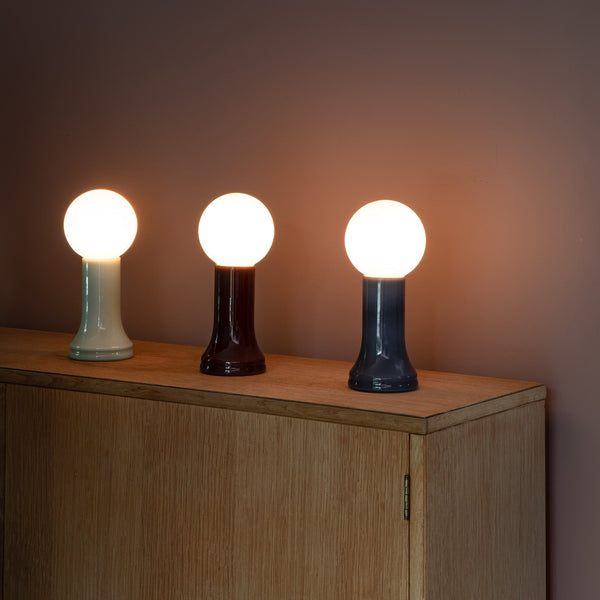
For desks that need a softer surrounding glow, a piece such as the Shore recycled glass table lamp can contribute to a layered lighting setup where the task lamp does not have to carry the entire room alone.
Neutral White Light Works Well for Mixed Desk Tasks
Neutral white light, usually around 3500K to 4000K, is a balanced choice for reading, writing, and computer work. It keeps paper readable without feeling as warm as a living room lamp or as cool as a clinical task light.
For home offices, study corners, and desks used at different times of day, neutral white often provides the most versatile feel. It supports focus without making the room feel harsh.
Cool White Light Can Help Detail Work but Should Be Used Carefully
Cool white light, often around 5000K to 6500K, can make details feel sharper. It may help with drafting, technical reading, drawing, or reviewing dense documents. However, it can feel intense at night and may be uncomfortable when paired with a high-lumen lamp in a dark room.
Cool light works best when it is dimmable, diffused, or balanced by ambient lighting. It should support visual clarity, not make the desk feel stark.
Desk Lamp Placement Makes Brightness More Effective
A well-placed 600-lumen lamp can outperform a poorly placed 1,000-lumen lamp. Position determines whether the light reaches the task area cleanly or creates glare and shadows.
Put the Lamp Opposite Your Writing Hand
For handwriting, place the lamp on the opposite side of the writing hand. This keeps the hand from blocking the light source.
Right-handed users usually place the lamp on the left side. Left-handed users usually place it on the right. The lamp should aim across the page at a comfortable angle, not straight into the eyes.
Keep the Light Source Below Eye Level
The bulb or LED source should not sit directly in your line of sight. If you can see the light source while working, the lamp may feel harsher than its lumen rating suggests. A shade, diffuser, or angled head helps direct light toward the desk instead of the face.
Adjust the Lamp Before Increasing Brightness
When a desk feels dim, the first response is often to buy a brighter lamp. Sometimes the better fix is simpler:
-
Move the lamp closer to the active work area
-
Raise or lower the lamp head
-
Change the angle to reduce glare
-
Add ambient light to the room
-
Clear objects that block the beam
-
Shift glossy paper away from direct reflection
Brightness should solve a visibility problem. It should not compensate for poor placement.
Room Lighting Affects the Desk Lamp Brightness You Need
A desk lamp does not work in isolation. The surrounding room changes how bright the lamp feels.
A 700-lumen lamp may feel comfortable in a room with soft ambient light. The same lamp may feel harsh in a dark room because the eyes must adjust between a bright work surface and dark surroundings. This is why a balanced lighting environment is often more comfortable than one intense task lamp.
Layered Lighting Reduces Eye Fatigue
A good desk setup usually includes more than one light source. Ambient room light gives the eyes a base level of brightness. The desk lamp focuses attention on the task. Accent or background lighting softens the contrast around the workspace.
This approach is especially helpful for desks used for multiple tasks. A home office that combines furniture, lighting, power access, and storage thoughtfully can make everyday work feel more natural. Well-planned workspace furniture for ergonomic offices supports that broader setup because lighting performs best when the desk, chair, monitor, and accessories are arranged with comfort in mind.
Small Desks Need Control More Than Extra Lumens
Small desks can become uncomfortable quickly if the lamp is too large, too bright, or poorly angled. A compact workspace usually benefits from a lamp with precise direction, dimming, and a stable footprint.
In a small setup, a lower brightness level with better control often feels better than a powerful lamp that floods the whole surface. The lamp should illuminate the active zone, not overpower the desk.
Power Access Can Improve Lamp Placement
The best lamp position is not always near the nearest wall outlet. When cords dictate placement, the lamp may end up behind the monitor, too far from the page, or angled across the desk in an uncomfortable way.
Better Outlet Access Helps the Lamp Sit Where It Works
A lamp should be placed where it improves visibility. If power access is inconvenient, users may compromise by placing the lamp where the cord reaches instead of where the light belongs.
An in-desk power outlet can help keep power access closer to the work surface, making it easier to position a lamp, charger, or device without pulling everything toward the wall.
Flexible Power Supports Changing Desk Layouts
Some desks shift between laptop work, reading, writing, and meetings. A fixed outlet location may not support all of those tasks equally well. A clamp-on power outlet can support a flexible desk arrangement by keeping power access closer to where devices and lamps are actually used.
Cable management also affects visual comfort. A cluttered desk can make even good lighting feel chaotic because the eyes have more objects, shadows, and lines to process. Keeping cords controlled helps the lit area feel calmer and more focused.
Desk Surface and Clutter Change Perceived Brightness
The surface under the lamp affects how much light bounces back. This is why the same lamp can feel different on two desks.
White and Glossy Surfaces Reflect More Light
White desks, glossy paper, glass tops, and polished surfaces reflect more light. This can make a lamp feel brighter than expected. If the desk surface is reflective, a lower setting or warmer color temperature may be more comfortable.
Glossy paper can also create hot spots. When this happens, angle the lamp so the reflection moves away from your eyes rather than simply lowering brightness too much.
Dark Desks Absorb More Light
Dark wood, matte black, and deep-toned surfaces absorb more light. They can make the desk feel calmer, but they may also require a stronger lamp setting for reading and writing.
On a dark desk, beam spread becomes important. A narrow light beam may create a bright island surrounded by shadow. A wider or better-diffused beam can make the work area feel more even.
Paper Clutter Blocks the Useful Light Zone
Stacks of paper, loose notebooks, chargers, and accessories can block the lamp beam and create uneven shadows. The active document should sit in the clearest part of the light zone. Items not being used should move away from the central work area.
A compact filing cabinet can support a cleaner desktop by giving documents and office items a dedicated place away from the immediate reading and writing zone.
Age, Vision, and Work Duration Affect Brightness Comfort
Desk lamp brightness should also account for the person using the desk. Eyes change over time, and tasks that feel easy in bright daylight can become more demanding in the evening.
Older Eyes Often Need More Light, Not Harsher Light
Many people need more task light as they get older. That does not mean the best choice is the brightest lamp available. Higher brightness should still be diffused, adjustable, and positioned to avoid glare.
A dimmable lamp is especially useful because it allows gradual adjustment. More light can improve readability, but too much direct brightness can create discomfort.
Long Sessions Need Softer, More Even Lighting
A lamp that feels acceptable for a quick note may feel tiring during an hour of reading. Long work sessions benefit from even illumination across the page or keyboard. The fewer brightness jumps the eyes need to handle, the better.
For long reading or writing sessions, avoid a single intense hot spot. Use a comfortable lumen level, add ambient room light, and keep the lamp angled across the surface.
Headaches Are Not Always a Sign of Low Brightness
Eye strain or headaches can come from glare, flicker, contrast, screen reflection, or poor posture. A brighter lamp may not fix the problem if the light source is visible, the screen reflects the lamp, or the desk is surrounded by darkness.
Before increasing brightness, check the full setup: lamp angle, room light, monitor brightness, paper finish, and seating position.
A Practical Desk Lamp Brightness Checklist
The most reliable way to choose desk lamp brightness is to match the lamp to the task and then fine-tune the environment around it.
Match Brightness to the Primary Task
Use this practical checklist:
-
Choose 450 to 600 lumens for casual reading, light notes, and evening desk use
-
Choose 600 to 800 lumens for focused reading and studying
-
Choose 600 to 900 lumens for handwriting and paperwork
-
Choose 300 to 700 lumens for computer work, depending on room light
-
Choose 800 to 1,000 lumens for detailed documents, small print, or low-light spaces
-
Choose dimming when the desk is used for more than one task
Look for Features That Improve Light Quality
Brightness is easier to control when the lamp has practical design features. Useful features include:
-
Adjustable brightness
-
A movable head or arm
-
A shade or diffuser
-
Stable base or secure mounting
-
Color temperature suited to the task
-
A beam wide enough for the active work area
-
Simple placement that does not crowd the desk
These qualities matter because the lamp needs to support real work habits, not just look bright in a product description.
Better Desk Lighting Comes From Balance, Not Maximum Brightness
A desk lamp should be bright enough to make reading, writing, and computer work comfortable, but not so bright that it creates glare, harsh contrast, or visual fatigue. For most people, the right range sits between 450 and 1,000 lumens, adjusted by task and environment.
Reading usually works well around 450 to 800 lumens. Writing often benefits from 600 to 900 lumens. Computer work usually needs a softer supporting light around 300 to 700 lumens. Detailed paperwork may call for 800 to 1,000 lumens, especially in lower ambient light.
The most comfortable desk lighting comes from a complete setup: the right lumen range, good lamp placement, suitable color temperature, balanced room light, clear desk surfaces, accessible power, and organized workspace tools. When those parts work together, the lamp does not dominate the desk. It simply makes every task easier to see, easier to start, and easier to sustain.
Related Articles
-
 Shore Table Lamp Ideas That Make Desk Lighting Feel Softer
-
 How to Choose a Table Lamp That Adds Warmth Without Reducing Visibility
-
 Can a Table Lamp Support Evening Work Better Than Overhead Lighting?
-
 How to Use a Table Lamp to Make a Home Office Feel Less Harsh and More Lived In
-
 Best Table Lamp Options for Creating a Relaxed But Productive Workspace
-
 What Size Table Lamp Works Best in Small Offices and Compact Rooms?

