
























Best Desk Lamp Setups for Small Desks and Minimalist Workspaces

A small desk has to work harder than a large workstation. Every inch matters, every object becomes more visible, and even a well-designed lamp can feel oversized if it takes over the surface. The best desk lamp setups for small desks and minimalist workspaces are not built around adding more. They are built around placing the right light in the right position, preserving open space, and choosing accessories that quietly support the way work actually happens.
Good lighting changes how a compact desk feels. It can make a narrow writing surface feel more usable, reduce screen glare during long laptop sessions, soften the look of a workspace tucked into a bedroom, and give a living room desk enough polish to look intentional after the workday ends. A lamp should not simply sit on the desk. It should help define the work zone without crowding it.
Minimalist desk lighting depends on balance. A setup needs enough brightness for reading, typing, writing, or video calls, but not so much visual noise that the desk starts to feel busy. The lamp, power access, laptop height, storage, and cable path all influence whether the workspace feels calm or cramped.
Small Desk Lighting Starts With Surface Economy
The first rule of lighting a small desk is simple: protect the usable surface. A compact desk is usually responsible for several tasks at once. It may hold a laptop, notebook, keyboard, mouse, phone, water glass, and task light. When the lamp has a wide base, thick cord, or oversized shade, it can push everything else into awkward positions.
A good desk lamp setup begins by asking how much of the desktop should remain open. On a minimalist workstation, the lamp should support work without becoming the largest obstacle on the surface. This is especially important for desks used in apartments, bedrooms, studio spaces, or shared home offices where the desk may also need to look clean when not in use.
Why Lamp Footprint Matters More Than Lamp Height
Many people focus on lamp height first, but base size often matters more on a small desk. A tall lamp with a slim base may take up less practical room than a short lamp with a wide foundation. The base controls where the laptop can sit, whether a notebook can open fully, and how freely the mouse can move.
A compact lamp base should leave a clear primary work zone. For laptop users, that zone is usually centered in front of the body. For writers, it is the area where the notebook or paper rests. For dual-use desks, it is the open area that changes between keyboard, book, sketchpad, and device.
The lamp should sit outside that zone whenever possible. A side position near the back corner often works best because it keeps light close enough to the work surface without cutting into the middle of the desk.
Minimalist Lighting Needs One Clear Visual Role
A minimalist desk does not need to be empty. It needs to be edited. The lamp should have a clear role, either as a quiet task light, a sculptural accent, or a warm ambient source. Problems appear when the lamp competes with too many other objects: trays, speakers, stacked notebooks, tangled chargers, decorative items, and desk organizers.
One strong lighting choice usually works better than several small accessories. A lamp with a clean silhouette can become the visual anchor of the workspace, while the rest of the desk remains open. This is why multi-position or visually refined lighting can work well in compact rooms. A piece such as the Alumina LED table and wall lamp fits naturally into this kind of planning because it supports a clean lighting presence without requiring the desk to carry unnecessary extras.
Task Lighting Placement That Reduces Glare and Shadows
Even the best lamp can feel wrong if it is placed poorly. Small desks leave less room for adjustment, so placement must be intentional from the start. The goal is to brighten the active work area while keeping light away from the eyes and screen.
For most workstations, the best lamp position is slightly to the side and toward the back of the desk. This gives the light enough distance to spread across the surface without shining directly into the laptop or monitor. It also keeps the front edge of the desk open for typing, writing, or reading.
The Opposite-Hand Rule for Writing and Note-Taking
Hand shadows are one of the easiest problems to fix. If you write with your right hand, placing the lamp on the left side usually prevents your hand from blocking the light. If you write with your left hand, placing the lamp on the right side often works better.
This rule matters more on small desks because there is less space to reposition the notebook. When the lamp is on the wrong side, the user often compensates by twisting the notebook, moving the laptop off-center, or leaning closer to the page. Over time, the desk feels less comfortable because the lighting forces the body into small adjustments.
Screen Comfort Depends on Side Lighting
Laptop glare often comes from placing the lamp directly behind the screen or pointing the light toward the display. A better setup directs light toward the keyboard, notebook, or desk surface. The screen should remain readable without bright reflections or a glowing halo around the display.
Glossy screens need extra care. A softer light angle, dimmable lamp, or side placement can reduce reflections. Matte screens are more forgiving, but they still benefit from light that lands on the work area rather than the screen itself.
A quick placement test can help before settling on a final arrangement:
1. Turn on the laptop or monitor.
2. Place the lamp near the back corner of the desk.
3. Angle the light toward the keyboard or notebook.
4. Check the screen for glare.
Move the lamp a few inches at a time until the surface is bright and the display stays comfortable.
Lamp Profiles That Work Best in Minimalist Small Desks
Different lamp styles solve different small-space problems. The right choice depends on desk depth, outlet access, room style, and how permanent the setup needs to be. A minimalist workspace should not be limited to one type of lamp, but the lamp profile should match the actual constraints of the desk.
Slim Table Lamps for Everyday Laptop Desks
A slim table lamp is one of the easiest solutions for a small desk with a little side clearance. It works well for laptop-only setups, writing desks, and bedroom workstations where the lamp needs to look pleasant even after work ends.
The ideal slim lamp has a narrow base, controlled shade width, and enough height to spread light across the desk. It should not block the laptop screen or crowd the front edge. Simple finishes, such as metal, matte tones, or soft neutrals, usually blend well with minimalist furniture.
Clamp Lamps for Micro Workstations
Clamp lamps are useful when the desktop is too small for a traditional base. By attaching to the desk edge, they free the surface for the laptop, keyboard, and writing tools. This can work especially well on narrow desks, shared workstations, or renter-friendly setups where wall mounting is not preferred.
The main requirement is a suitable desk edge. The clamp needs a stable grip and enough clearance underneath. If the desk has a thick apron, rounded edge, or unusual profile, the clamp may not sit correctly. When it works, however, this setup keeps the lamp out of the way while still offering useful task light.
Wall-Usable Lamps for Floating Desks and Tight Corners
Floating desks and shallow wall-mounted work surfaces benefit from lighting that moves off the desktop completely. Wall-mounted or wall-usable lamps keep the surface open and make the workspace feel more architectural.
This setup is strongest when the desk has a permanent location. It works well in a hallway nook, bedroom corner, or built-in office zone. The main consideration is cord visibility. A wall light can look clean and intentional, but only if the cord path is managed carefully.
Sculptural Table Lamps for Workspaces That Share a Room
Some small desks are not hidden inside a dedicated office. They sit in living rooms, guest rooms, bedrooms, and open-plan apartments. In these spaces, a purely technical task lamp may feel out of place. A sculptural table lamp can soften the look of the desk while still supporting light for everyday work.
Material matters here. Glass, metal, and simple forms can add presence without heaviness. A piece like the mouth-blown recycled glass table lamp is better suited to a visible desk corner than a bulky office-style fixture because its material quality supports the room as well as the workstation.
Compact Desk Layouts for Real Work Habits
A desk lamp setup should match the work pattern, not just the room style. A person who uses a laptop for focused writing needs a different arrangement than someone who sketches, studies, attends video calls, or shares the desk with another household member.
The most successful small-desk setups start with the primary task. Once that is clear, the lamp, laptop position, power access, and storage can be arranged around it.
The 30-Inch Laptop Desk Setup
A narrow laptop desk works best with a simple formula: one lamp, one elevated screen, one open surface. The laptop should sit centered or slightly back from the front edge. The lamp should sit near the back corner, angled toward the keyboard or notebook area. The front portion of the desk should remain open for wrists, notes, or a small external keyboard.
Laptop elevation can make the setup feel more spacious because it lifts the screen out of the clutter zone. A slim laptop stand for screen height fits this purpose well when the goal is to improve screen position without adding a bulky structure to the desk.
The Bedroom Work Nook
A bedroom desk needs lighting that supports work without making the room feel harsh. Warm or neutral light often works better than cool, clinical light in this setting. The lamp should provide enough visibility for evening tasks while maintaining a soft room atmosphere.
For bedroom desks, avoid oversized shades and bright exposed bulbs. A compact lamp with a controlled glow keeps the work zone defined without making the bed area feel like an office. Cable control is especially important because loose cords can quickly make a calm bedroom feel unfinished.
The Living Room Desk
A living room desk has to transition gracefully between work hours and personal time. The lamp should look like part of the room, not like equipment left behind. This is where material, proportion, and storage become especially important.
A living room setup works well when the lamp carries some design presence and the office items disappear when not needed. Keep only the essentials visible: lamp, laptop, perhaps one notebook. Everything else should have a home outside the desktop.
The Floating Desk Setup
A floating desk often has limited depth, so a traditional lamp base may not work. Clamp lighting, wall-usable lighting, or a very slim table lamp positioned at the far corner is usually more effective. The power cord should travel down one clean vertical line instead of crossing the desktop.
The key is to avoid treating the floating desk like a full-size workstation. It needs lighter objects, fewer accessories, and a lamp that respects the shallow surface.
Desk Lamp Setup Comparison for Small and Minimalist Workspaces
The right lamp setup depends on how the desk is used, how much surface area is available, and how visible the workspace is within the room.
| Desk Lamp Setup | Best Workspace Fit | Space-Saving Strength | Watch-Out | Minimalist Design Tip |
|---|---|---|---|---|
| Slim table lamp | Laptop desk, writing desk, bedroom nook | Small base preserves usable surface | Still needs side clearance | Choose a simple finish and narrow base |
| Clamp lamp | Micro desk, shared desk, renter setup | Frees the desktop completely | Needs a compatible desk edge | Route the cord along the desk leg |
| Wall-usable lamp | Floating desk, permanent nook | Keeps light off the surface | Placement is less flexible | Keep the cord path visually quiet |
| Sculptural table lamp | Living room desk, design-forward workspace | Adds warmth and room presence | Can overpower a tiny desk | Keep surrounding objects minimal |
| Ambient lamp with task support | Multi-use room | Softens the desk after work | May not be enough alone for detail work | Pair atmosphere with practical brightness |
Choosing by Desk Depth
For desks under 20 inches deep, prioritize clamp or wall-oriented lighting. A standard lamp base may consume too much space and force the laptop too close to the user. For desks between 20 and 24 inches deep, a slim table lamp or compact task lamp can work well. For desks deeper than 24 inches, there is more flexibility to use a sculptural lamp or combine ambient room light with focused desk light.
Minimalist lighting should not mean under-lighting. A bare desk that strains the eyes is not functional. The best approach is clean, focused, and adaptable.
Power Access Is Part of the Lamp Setup
A desk lamp does not function alone. It needs power, and so do the devices around it. On a small desk, poor power planning can ruin the cleanest lighting arrangement. Cords, adapters, and charging bricks can become more visually dominant than the lamp itself.
Power should feel close, calm, and controlled. The fewer visible cord paths, the more intentional the desk feels.
Built-In Power for Permanent Desk Setups
For a permanent workstation, integrated access can make the desk feel more resolved. Instead of running multiple chargers across the surface, power can be placed where devices naturally connect. An in-desk power module with AC and USB access belongs in this conversation because it supports a cleaner relationship between lighting, charging, and daily device use.
Built-in power is most useful when the desk has a consistent layout. If the lamp, laptop, and main devices stay in the same general position, the power plan can be arranged around those habits.
Clamp-On Power for Flexible Workspaces
Not every small desk should be modified. Renters, shared workstations, and flexible home offices often need power access that can move or be removed. A clamp-on desk power outlet with USB ports supports this kind of setup because it brings access to the desk edge without requiring a built-in installation.
This works especially well when the lamp and laptop both need reliable access but the desktop must stay open. Keeping power at the edge also prevents chargers from spreading into the center of the workspace.
Cable Routing Rules for a Cleaner Lamp Setup
A minimalist desk should have a clear cable strategy. The goal is not to hide every cord perfectly. The goal is to prevent cords from becoming the first thing people notice.
Use these rules:
-
Send the lamp cord behind the nearest desk leg.
-
Keep only one visible cable path when possible.
-
Avoid placing power strips on the desktop.
-
Use clips or ties beneath the desk rather than across the surface.
-
Keep charging cables away from the writing zone.
-
Match visible cable color to the desk, wall, or lamp finish when possible.
Storage Planning Helps Desk Lighting Look Intentional
Clutter affects light. Paper stacks create shadows. Office tools crowd the lamp base. Loose items force the lamp into a less effective position. On a small desk, storage is not separate from lighting. It directly influences whether the lamp can do its job.
The cleanest minimalist desks move storage below, beside, or away from the surface. The desktop should support active work, not long-term storage.
Keep the Lighting Zone Clear
The area around the lamp should stay open enough for light to spread. If the lamp is surrounded by notebooks, cables, pens, and small devices, the light becomes uneven and the desk feels visually crowded.
A good rule is to leave breathing room around the lamp base and keep the brightest part of the light directed toward the task area. This makes the lamp look chosen rather than squeezed into leftover space.
Move Office Supplies Off the Surface
Small desks often become cluttered because there is no secondary storage. When papers, chargers, and personal items remain on the desk, the lamp has to compete with them. A lockable compact filing cabinet is relevant for this kind of workspace because it keeps practical storage nearby while allowing the desktop to remain focused on light, work, and movement.
This approach is especially useful for hybrid workspaces where the desk must reset quickly after use. The less that lives on the surface, the easier it is for the lamp to define a clean work zone.
The One-Lamp, One-Device, One-Open-Surface Rule
For small minimalist desks, a simple rule works well:
1. One primary lamp for the work zone.
2. One main device area for the laptop or monitor.
3. One open surface for writing, reading, or daily movement.
This rule prevents the desk from becoming a display shelf. It also helps maintain visual balance. The lamp has a role, the device has a role, and the empty space has a role.
Color Temperature and Material Choices for Minimalist Desk Lighting
Light quality changes the mood of a workspace. A lamp can have the right shape and still feel wrong if the color temperature is too harsh or too dim for the task. Small spaces make this more noticeable because the light reflects off nearby walls, screens, and furniture.
Warm Light for Evening and Shared Rooms
Warm light works well in bedrooms, living rooms, and evening work zones. It creates a softer atmosphere and prevents the desk from feeling too clinical. Warm light is especially useful when the workspace is visible from other parts of the room.
The tradeoff is that very warm light may not feel crisp enough for detailed tasks. It works best for reading, planning, light laptop use, and relaxed work sessions.
Neutral Light for Daily Productivity
Neutral white light is often the most versatile choice for desk work. It supports typing, writing, reading, and general focus without making the room feel overly sharp. For minimalist desks, neutral light also tends to pair well with a wide range of materials and finishes.
A neutral lamp can serve as the daily work light, while softer ambient lighting in the room can support mood and comfort.
Cool Light for Detail, Used With Care
Cooler light can help with detailed visual tasks, but it can feel harsh on a small desk if it is too bright or too direct. It is best used sparingly, especially in rooms that also serve as bedrooms or living spaces.
If a cool light is needed, choose a lamp with controlled direction or adjustable brightness. This keeps the workspace useful without making the room feel sterile.
Materials That Keep the Desk Visually Light
Minimalist lamp materials should support the furniture rather than compete with it. Aluminum can feel clean and modern. Glass can add visual lightness. Matte black creates contrast without shine. White, beige, or soft neutral finishes blend into calm interiors.
Avoid overly ornate lamps on very small desks unless the rest of the surface is extremely restrained. A decorative lamp can work beautifully, but only when it has enough room to breathe.
Modern Workspace Planning for Small Desk Lighting
A strong desk lamp setup borrows ideas from well-planned offices: scale, power, light, posture, and storage all work together. The lamp is not selected after everything else. It is part of the system.
Modern workspaces are usually more successful when they use fewer, better-coordinated pieces. A desk, lamp, chair, storage element, and power solution should feel related. They do not need to match perfectly, but they should share a sense of proportion and purpose.
Furniture Scale Shapes the Lighting Plan
A small desk paired with a large lamp creates imbalance. A compact desk paired with a slim lamp, hidden storage, and accessible power feels more intentional. The same principle applies to chairs, monitor stands, and accessories.
Workspace planning should begin with the desk size and the main task. After that, the lamp should be chosen for reach, surface impact, brightness, and room fit. A curated source for showroom-quality office furniture online can support this kind of planning when the goal is a cohesive workspace rather than a desk assembled from unrelated parts.
Professional Office Logic Works at Home
Commercial workspaces often succeed because they reduce friction. Power is reachable. Screens sit at workable heights. Lighting supports tasks. Storage has a place. The same logic can improve a small home desk.
A home setup does not need to feel corporate. It only needs to respect the same practical relationships. The lamp should illuminate the work surface. The laptop should not force a hunched posture. Cords should not cross the main work area. Supplies should not block the light. Each piece should make the desk easier to use.
Desk Lamp Mistakes That Make Small Workspaces Feel Smaller
Small desk lighting problems are usually easy to diagnose. The desk feels cramped, the screen reflects light, the notebook sits in shadow, or the lamp looks like it was added without a plan. A few common mistakes create most of these issues.
Placing the Lamp Directly Behind the Screen
A lamp behind the laptop often creates glare or a bright outline around the display. It may look symmetrical, but it usually performs poorly. Side placement is better because it lights the surface while leaving the screen more comfortable to view.
Choosing a Base That Steals the Work Zone
A wide lamp base can disrupt the entire desk. It pushes the laptop off-center, crowds the mouse area, or leaves no room for writing. On a small desk, base depth should be evaluated as carefully as lamp height.
Relying Only on Overhead Lighting
Overhead lighting can make a minimalist room look clean, but it rarely gives the desk enough focused illumination. It can create shadows across the keyboard and make reading less comfortable. A desk lamp adds localized light exactly where the work happens.
Letting Cords Become the Visual Center
A beautiful lamp loses impact when its cord runs across the desk or coils beside the laptop. Cable planning should happen before the final lamp position is chosen. One clean cord path is better than several hidden lines that constantly reappear.
Matching the Room but Ignoring the Task
A lamp can look perfect in the room and still fail at the desk. Decorative lamps may not provide enough direct light. Technical task lamps may feel too harsh in shared spaces. The strongest setup balances both needs: it supports the work and belongs in the room.
A Minimalist Desk Lamp Setup That Stays Useful
The best desk lamp setups for small desks and minimalist workspaces feel calm because every element has a reason. The lamp preserves surface area. The light lands where work happens. The laptop sits at a comfortable height. Power is reachable but not visually loud. Storage stays close without taking over the desk.
A dependable small-desk formula looks like this:
1. Start with the desk depth and the main work task.
2. Choose a lamp profile that keeps the active surface open.
3. Place the lamp opposite the dominant writing hand when possible.
4. Angle the light toward the work surface, not the screen.
5. Elevate the laptop or monitor to improve visibility and posture.
6. Keep power access close to the edge or built into the desk.
7. Move papers, chargers, and supplies away from the surface.
8. Leave negative space around the lamp so the setup feels deliberate.
A well-planned lamp setup should almost disappear during work. The desk feels brighter, clearer, and easier to use, but the lighting does not demand constant attention. That is the real strength of minimalist workspace design. It does not remove comfort or personality. It removes the distractions that make small desks feel smaller than they are.
Related Articles
-
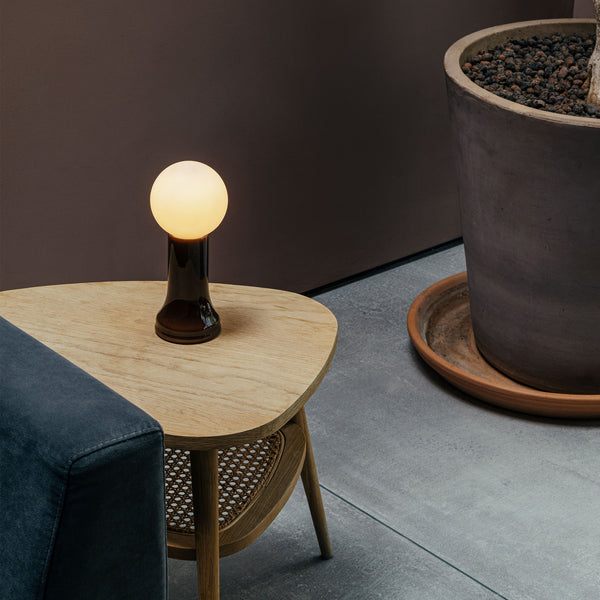 Shore Table Lamp Ideas That Make Desk Lighting Feel Softer
-
 How to Choose a Table Lamp That Adds Warmth Without Reducing Visibility
-
 Can a Table Lamp Support Evening Work Better Than Overhead Lighting?
-
 How to Use a Table Lamp to Make a Home Office Feel Less Harsh and More Lived In
-
 Best Table Lamp Options for Creating a Relaxed But Productive Workspace
-
 What Size Table Lamp Works Best in Small Offices and Compact Rooms?

