
























When Office Chair Headrests Help or Hurt

Office chair headrests sit at the intersection of comfort, posture, and expectation. They are often assumed to be an automatic upgrade, something that makes a chair more ergonomic by default. In practice, headrests can either support healthy movement or quietly undermine it, depending on how, when, and why they are used. From our perspective as a seating brand focused on long-term comfort and honest ergonomics, the question is not whether headrests are good or bad. The real question is whether they are appropriate for the posture and tasks a chair is meant to support.
Understanding when office chair headrests help or hurt requires looking beyond surface comfort and into how people actually sit, work, and move throughout the day.
Why Office Chair Headrests Are Not a Universal Standard
The divide between task seating and executive seating
Office chairs were not originally designed with headrests as a core feature. Early task chairs focused on upright posture, freedom of movement, and proximity to the desk. The goal was stability through the pelvis and torso, not passive support for the head. Executive chairs, by contrast, evolved from boardroom and conference settings where sitting back, listening, and observing were more common than continuous typing.
Headrests entered the category through this executive lineage. Over time, visual cues associated with comfort began to blur the distinction between chairs built for focused desk work and chairs intended for relaxed, reclined use. This history explains why headrests remain more common in executive seating than in performance-driven task chairs.
Why more support is not always better support
A common assumption is that adding more points of contact automatically improves ergonomics. In reality, healthy sitting relies on active muscular engagement, especially through the core and upper back. When support replaces engagement rather than complementing it, posture often deteriorates. Headrests are a clear example of this tension. Used incorrectly, they can encourage slouching or forward head posture instead of reducing strain.
How the Neck and Upper Spine Behave During Desk Work
Cervical spine neutrality during active sitting
During desk work, the head naturally floats slightly forward of the shoulders. This position allows the eyes to align with the screen and the hands to reach the keyboard and mouse. In a neutral seated posture, the neck muscles remain lightly engaged, supported indirectly by the thoracic spine and shoulder girdle.
When a headrest makes contact during this active phase, it often disrupts that balance. Instead of the upper back carrying the workload, the neck may be pushed forward or compressed backward, depending on the headrest’s position.
Head position during typing and screen-focused tasks
Typing, reading, and mouse use all involve subtle forward reach. A headrest that meets the head too early can interfere with this movement, leading users to round their shoulders or crane their necks. Over time, this posture can increase tension rather than relieve it.
The supporting role of the upper back
Healthy neck posture starts lower than most people realize. When the upper back is well supported and encouraged to stay upright, the neck follows naturally. Chairs that prioritize thoracic support often reduce the perceived need for headrests altogether.
Why passive head support can increase discomfort
Neck discomfort associated with headrests often stems from muscle deactivation. When the head is constantly supported, the small stabilizing muscles of the neck may disengage. This can lead to stiffness, pressure points, or a heavy sensation at the base of the skull, especially during extended desk work.
Situations Where Office Chair Headrests Provide Real Value
Reclined postures during breaks and calls
Headrests tend to work best when the chair is reclined. During phone calls, video meetings where typing is minimal, or short mental breaks, leaning back shifts the workload from the arms and neck to the backrest. In these moments, a headrest can reduce strain by supporting the head in alignment with the reclined spine.
The distinction is important. These are recovery postures, not primary working postures. Using a headrest intermittently allows it to serve as a tool rather than a constant point of contact.
Chair designs that account for headrest integration
Some chairs are engineered from the outset to accommodate a headrest without compromising posture. In these designs, the backrest angle, recline mechanism, and frame height work together to determine where the headrest sits in relation to the body.
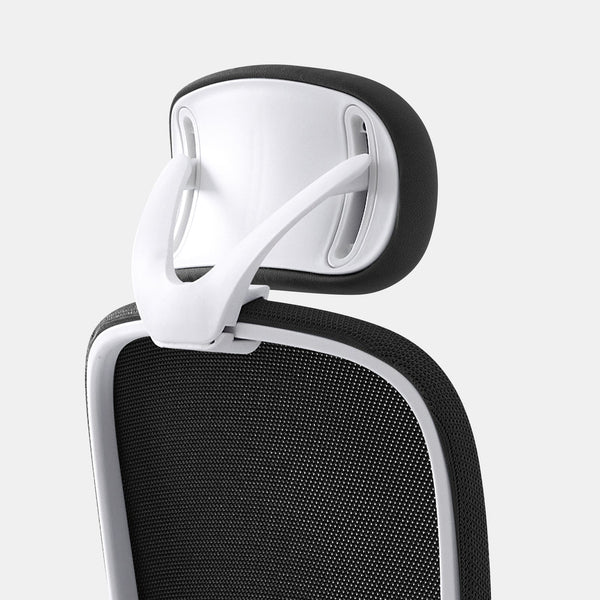
An example of this approach is an optional headrest designed for the Muse chair. Because it is specific to the chair’s geometry, it supports reclined use without forcing head contact during upright desk work.
When Headrests Interfere With Healthy Desk Posture
Forward-leaning tasks and unintended neck flexion
Most desk work involves some degree of forward lean. When a headrest sits too close to the head in an upright position, it can encourage users to push forward against it. This often leads to subtle neck flexion, where the chin drops slightly toward the chest. Over time, this posture can increase strain in the neck and shoulders.
Fixed or poorly adjustable headrests
Not all headrests offer meaningful adjustability. Limited height ranges or fixed angles make it difficult to accommodate different body proportions. A headrest that fits one person well may be misaligned for another.
Why adjustability matters more than presence
A headrest that cannot move out of the way when not needed is often worse than no headrest at all. Proper adjustability allows the headrest to support reclined postures while staying clear during active work. Without this flexibility, users are forced to adapt their posture to the chair rather than the chair adapting to them.
Why Many Ergonomic Chairs Exclude Headrests by Design
Encouraging active posture through upper-back support
Many ergonomic chairs are intentionally designed without headrests to promote upright sitting. By supporting the upper back and shoulders, these chairs allow the neck to remain neutral without direct contact. This approach emphasizes movement and engagement rather than passive support.
High-back task chairs that stop below the head
A well-designed high-back chair can provide substantial support without touching the head. This design leaves room for natural head movement and reduces the risk of forward head posture.
Chairs such as an ergonomic task chair focused on upright posture and a full-back ergonomic chair without integrated head support reflect this philosophy. Both prioritize spinal alignment and freedom of movement over added accessories.
How Body Type and Desk Setup Influence Headrest Outcomes
Height differences and headrest reach
Body proportions play a major role in headrest effectiveness. Taller users may find that a headrest sits too low, contacting the neck instead of the head. Shorter users may struggle to reach a headrest at all. These mismatches are common when headrests offer limited vertical adjustment.
The relationship between monitor height and neck angle
Desk setup often determines whether a headrest feels helpful or harmful. A monitor positioned too low encourages forward head posture. In this situation, a headrest may feel comforting initially, but it can mask the underlying issue rather than solve it.
When headrests compensate for poor setup
Some users rely on headrests to offset low screens or deep desks. While this may reduce discomfort temporarily, it does not address the root cause. Proper monitor height and keyboard positioning usually reduce the perceived need for head support.
When headrests amplify ergonomic mistakes
If the workstation is already misaligned, a headrest can lock the neck into an awkward position. This is why headrests should be considered only after the desk setup itself has been addressed.
Executive and Lounge Seating Where Headrests Make Sense
Seating designed for observation and rest
Executive seating traditionally prioritizes comfort during meetings and conversations. These chairs are often used in contexts where leaning back is the default posture. In such cases, headrests align well with how the chair is meant to be used.
Lounge-style chairs and relaxed postures
Some chairs are designed specifically for relaxed seating rather than productivity. A lounge chair designed for relaxed seating postures supports the body in a way that encourages leaning back and resting. In this context, a headrest is not an add-on but part of the overall design intent.
What Makes an Adjustable Headrest Ergonomically Sound
Meaningful ranges of movement
For a headrest to be genuinely useful, it must adjust vertically, move forward and back, and adapt to different recline angles. Small changes in position can significantly affect comfort during longer periods of use.
Chair-specific headrests versus universal accessories
Headrests designed for a specific chair generally perform better than universal options. They account for the chair’s backrest shape and movement patterns, reducing the risk of misalignment.
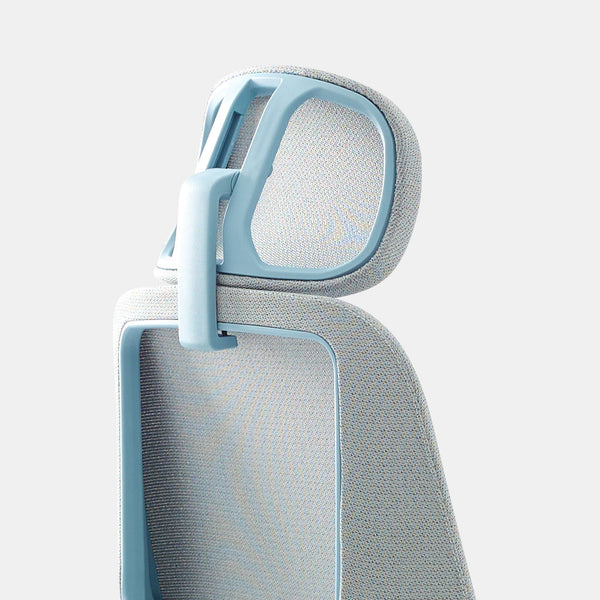
A headrest accessory engineered specifically for the Novo chair demonstrates this approach by working with the chair’s structure rather than against it.
Choosing the Right Chair Before Deciding on a Headrest
Why backrest design comes first
The effectiveness of a headrest is largely determined by the backrest beneath it. A chair that provides stable pelvic support and encourages an upright torso creates the foundation for healthy neck posture. Without this foundation, a headrest is unlikely to perform well.
Chairs that allow flexibility over time
Work habits change throughout the day. A chair that functions well with or without a headrest allows users to adapt. A modern task chair with optional ergonomic accessories reflects this adaptable approach, supporting focused work while allowing head support when tasks shift toward reclined use.
Why In-Person Testing Matters for Headrest Decisions
The limits of short-term impressions
Headrests often feel comfortable during brief trials. Issues typically emerge after hours of use, when small misalignments accumulate. Evaluating a chair only by initial comfort can be misleading.
Experiencing real work scenarios before committing
Testing a chair while sitting, typing, reclining, and transitioning between tasks provides a clearer picture of how a headrest will perform. Access to hands-on office chair testing and ergonomic guidance allows users to assess whether a headrest truly supports their work style or simply feels comfortable at first contact.
Rethinking Office Chair Headrests as Optional Tools
Headrests as situational support
Office chair headrests are most effective when treated as optional tools rather than default features. They can support rest, reflection, and reclined moments, but they are not essential for every task or every user.
Better outcomes through informed choices
Understanding when office chair headrests help or hurt leads to better seating decisions. By focusing on posture, movement, and realistic use cases, it becomes easier to choose chairs and accessories that support long-term comfort without compromising healthy work habits.
Related Articles
-
 Best Setup for Laptop and 2 Monitors With Less Neck Strain
-
 Laptop Stand vs Flat Desk Setup: Which Is Better for Posture and Comfort?
-
 Monitor Stand vs No Stand: What Changes for Posture, Screen Height, and Focus
-
 When Office Chair Headrests Help or Hurt for Neck Alignment
-
 Office chair headrest pros and cons and when it helps or hurts
-
 Dual monitor desk setup rules that keep your posture aligned all day

