























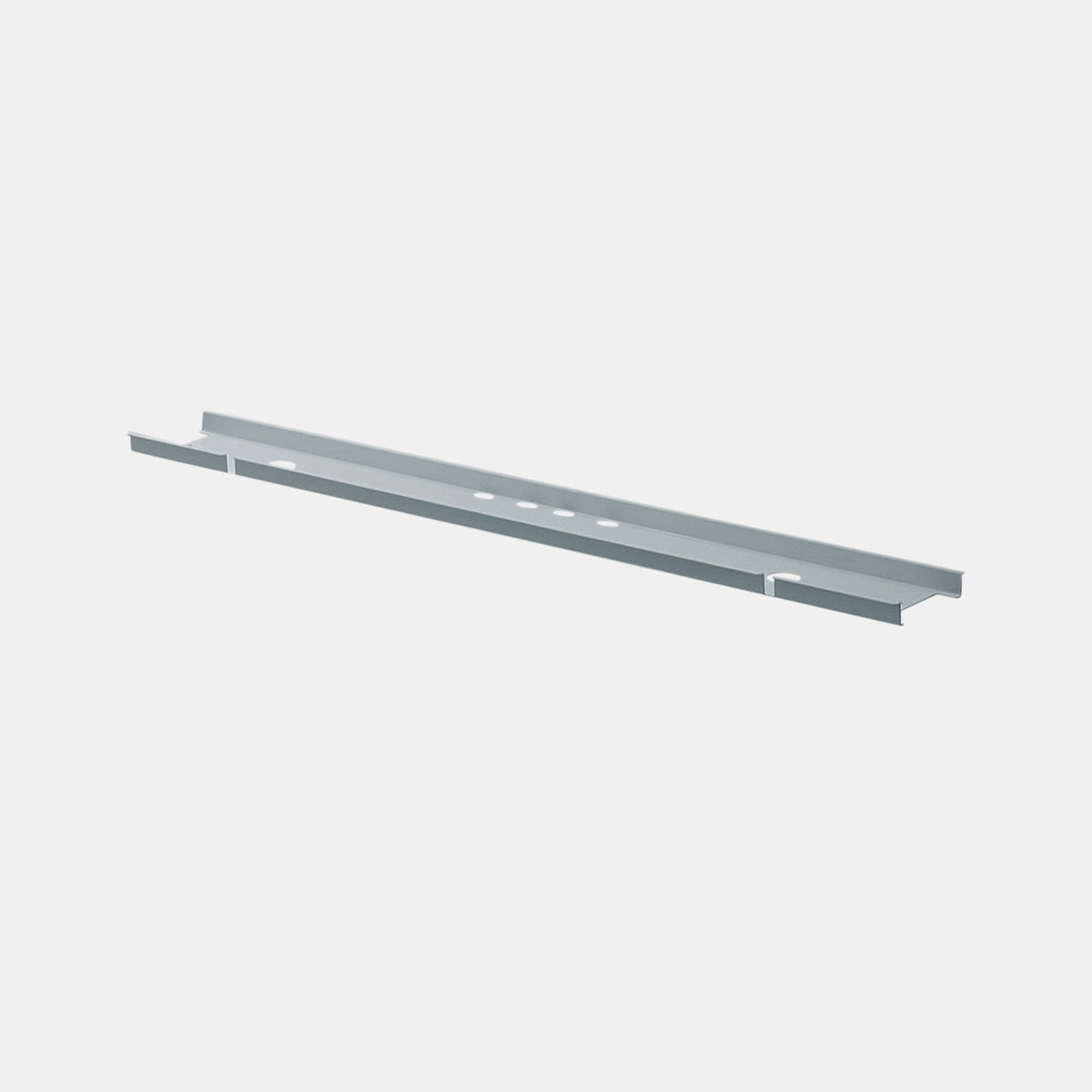
Under Desk Cable Management That Stays Hidden

The Visibility Standard That Separates “Neat” From “Truly Hidden”
Why hidden cables feel like part of the furniture
A desk can be technically organized and still look messy. The difference usually comes down to one detail: whether cables are still visible from normal angles. “Hidden” means cords are not dangling in peripheral vision, not looping down the back edge, and not forming a visible ladder between desktop and outlet. When cable routes disappear into the desk’s structure, the workspace reads as intentional, calm, and finished.
The three sightlines that expose most setups
Most cable “fails” happen because the setup was only evaluated from a single position. A hidden system has to work from multiple viewpoints:
-
Seated front view: what’s visible beneath the front edge and between legs.
-
Standing side view: what appears when someone walks past the desk.
-
Rear view: what a camera, coworker, or client sees behind the workstation.
A practical definition of “stays hidden”
A cable plan stays hidden when it meets three conditions in daily use:
1. No visible slack: cords do not hang below the lowest visual line of the desk.
2. No exposed transitions: cables do not “float” from device to floor without a guided path.
3. No cable drift: routine movement (rolling chairs, shifting monitors, plugging in devices) does not gradually pull cords back into view.
The Most Common Reasons Cables Reappear After You “Cleaned Everything Up”
Floor-first power creates unavoidable cable drops
When the primary power source is on the floor, every device must travel downward before it can travel horizontally. That vertical distance is the hardest segment to hide because it crosses open space. Even tightly bundled cords remain visible if they are suspended in the open.
Adhesive fixes fail because the desk is a high-motion environment
Adhesive clips and stick-on raceways often look great on day one, then gradually loosen. Desks experience constant micro-movements: cable tension from device repositioning, vibration from typing, heat from power adapters, and friction from dust. The failure mode is predictable: clips shift, channels sag, and a once-tight route becomes a visible loop.
The “one dimension” mistake: managing only under the desk or only down the leg
Hidden cable management is a system with two linked paths:
-
Horizontal containment that holds slack, adapters, and bundled runs under the desktop.
-
Vertical routing that guides the remaining lines down to the floor without exposure.
When either path is missing, the other does not stay hidden for long. A tray alone still leaves a visible drop. A vertical sleeve alone still leaves a messy underside.
Under-Desk Architecture That Keeps Wires Out of Sight
Horizontal containment that prevents hanging cables
The underside of a desk needs a defined “cable zone,” not a tangle of cords zip-tied to random points. A dedicated tray provides an intentional surface where cables can rest, adapters can sit, and bundles can be routed cleanly.
A strong foundation is an under-desk cable tray designed for wire containment, which creates a consistent area beneath the desktop for organizing slack and keeping components above the visual line.
How to choose tray placement for maximum invisibility
Tray placement matters as much as tray selection. Two rules keep it hidden:
-
Mount it behind the front edge: placing it slightly toward the rear reduces visibility from a seated angle.
-
Keep the lowest point above knee-level sightlines: if anything dips below the desk’s lowest “shadow line,” it becomes visible when standing.
Managing adapters without creating a “brick wall”
Power bricks and inline adapters are often the bulkiest items in the system. A hidden setup keeps these components:
-
Resting flat, not hanging by the cord.
-
Distributed, not stacked into a heavy cluster.
-
Positioned so cables exit in controlled directions rather than splaying outward.
Vertical routing that eliminates the “cable waterfall”
Even a perfect underside can be ruined by a loose bundle that drops to the floor. Vertical routing is the bridge that keeps everything visually cohesive.
A vertical cable spine for routing wires from desk to floor creates a guided path so cords stay grouped, aligned, and visually quiet all the way down.
Where vertical routing should start and end
A clean path begins where cables naturally converge (often near the rear center of the desk) and ends at a predictable floor point that does not interfere with foot traffic. When the spine lands too close to where chairs roll, cables get tugged and the route slowly drifts back into view.
Desk Selection That Makes Concealment Easier
Structural features that support hidden routing
Some desks naturally support hidden cable management because they offer:
-
Stable underside surfaces for mounting.
-
Leg geometry that provides a clear vertical route.
-
Rear edges that conceal tray lines from front-facing angles.
Choosing office desks built for modern workspaces makes it easier to execute a concealed route because the overall form factor often supports cleaner cable paths and more predictable mounting zones.
Open-frame vs. panel-based desks: what changes in the cable plan
Open frames can look lighter and more architectural, but they demand more discipline in routing. Without a panel or modesty surface, the cable plan becomes part of what people see. In those cases, the system must be:
-
More symmetrical.
-
More centralized.
-
More disciplined in vertical drops.
Panel-based desks provide natural hiding surfaces, but they can also trap cables if routes are improvised. The safest approach is to define the path before mounting anything.
Pass-through holes and grommets: helpful only when they “disappear” immediately
A pass-through helps when the cable drops through the surface and immediately enters a hidden zone beneath. If the cable exits the desktop and travels across open air before reaching containment, the grommet becomes a spotlight rather than a solution.
Power Access That Reduces Cable Length and Visual Exposure
Clamp-mounted power when flexibility matters
Clamp-mounted power can be a practical choice for evolving setups because it avoids permanent modifications and keeps outlets reachable. The key to keeping it visually quiet is routing the cords downward immediately into under-desk containment rather than letting them drape.
A clamp-mounted desk power outlet can work well when paired with disciplined routing so the top-side convenience does not turn into a visible cord cluster beneath the surface.
The hidden-cable rule for clamp power
Clamp power stays visually clean when the cable path is treated like a chute:
-
A short, direct drop from the unit.
-
Immediate entry into a tray or channel.
-
No slack visible from the side.
Integrated desk power for cleaner routes
When power access is built into the desk surface, cables can take the shortest possible route from device to power. Shorter runs mean fewer opportunities for cords to cross visible space.
A built-in desk power access solution supports a concealed setup by allowing device cables to enter the desk at the point of use, then disappear into the underside system.
How to avoid creating a “busy” desktop around power access
Built-in power looks best when the immediate area remains intentional:
-
Keep only the cables you actively use plugged in.
-
Route excess length downward, not across the surface.
-
Avoid leaving adapters and dongles on top where they become visual clutter.
Device Placement That Prevents Desktop Cable Sprawl
The geometry problem: cable angle creates visibility
Cables become visible when they leave a device at a shallow angle and travel across open desk space. Changing the device’s position changes the cable’s behavior. Elevation and alignment help cords drop into concealment with less exposure.
A height-adjustable laptop stand for desk setups can reduce messy cable lines by lifting the laptop and helping cords descend more directly toward the hidden routing zone.
Consolidation reduces the number of visible paths
A desk with five separate cables will almost always look busier than a desk with one consolidated connection. Docking and hub strategies reduce the number of routes you have to hide. The goal is not more accessories, but fewer independent cable paths competing for space.
Monitor and peripheral placement that keeps cables inside the silhouette
Cables stay hidden more reliably when devices are aligned so their exits point toward the same concealed zone. A simple, effective principle:
-
Place devices so cable exits face the rear center rather than the outer edges.
-
Keep the “messy” side of peripherals facing inward, not toward the room.
A System Approach for Shared Offices and Client-Facing Spaces
Consistency is what makes multi-desk environments look intentional
In shared offices, a single messy desk can visually undermine the entire space. Hidden cable management becomes a repeatable standard when each workstation uses the same routing logic: same containment location, same vertical path, same cable lengths where possible.
Maintenance is easier when routes are predictable
A predictable system makes it easier to:
-
Swap devices without rebuilding the entire setup.
-
Identify which cable belongs to which device.
-
Keep the underside organized even after months of changes.
When planning spaces that must look composed from every angle, workspace furniture solutions for commercial offices are most effective when cable routing is treated as part of the furniture plan, not an afterthought added after the desks arrive.
Camera angles and the “background test”
Video calls reveal what day-to-day use hides. A hidden cable system should pass a quick test: stand where a camera might capture the desk behind you and verify that vertical drops and underside components do not appear in frame.
Comparison Table for Hidden Cable Management Choices
The right setup is often a combination. This table clarifies what each component contributes so the overall system stays invisible in real use.
| Component type | What it solves best | What it does not solve alone | Best use case for “stays hidden” |
|---|---|---|---|
| Under-desk tray | Hides slack, adapters, and horizontal runs | Visible drops to the floor if vertical path is unmanaged | Foundation layer for any desk with multiple devices |
| Vertical spine routing | Keeps the desk-to-floor path aligned and discreet | Messy underside if slack and adapters are unmanaged | The finishing layer that prevents cables from reappearing |
| Clamp-mounted power | Adds accessible outlets without permanent modification | Can create visible desktop cords if not routed immediately | Flexible workstations that still need clean lines |
| Built-in desk power | Shortens cable runs and reduces surface clutter | Needs a solid underside plan to manage what drops below | Permanent setups aiming for minimal visible wiring |
| Elevation and consolidation | Reduces the number of cable paths and improves routing angles | Does not contain slack by itself | Aesthetic-focused desks that must look clean from all angles |
A Step-by-Step Installation Sequence That Keeps Cables Hidden Long-Term
Route planning that prevents rework
Before mounting anything, list every device that requires power or data. Then decide where each cable should travel:
-
From device to entry point (desktop or rear edge).
-
From entry point to under-desk containment.
-
From containment to the floor route.
The clean installation order
A hidden system is easiest to build when installed in a logical sequence that keeps components accessible during setup.
1. Establish the convergence point under the desk
Choose the spot where most cables will meet, typically near the rear center, and keep it consistent.
2. Mount horizontal containment and define cable lanes
Reserve one lane for power and another for data where possible, so future changes do not disturb everything at once.
3. Place adapters and power bricks flat inside the containment zone
Position them so cords exit cleanly toward the devices they serve, avoiding crossovers that create tangles later.
4. Create the vertical path as a final, clean drop
Align all cables into a single guided route down to the floor so no loose bundles remain visible.
5. Set cable lengths intentionally
Store excess length inside the containment zone, not in visible loops behind monitors or along desk edges.
6. Test from three angles and adjust immediately
Sit, stand, and view the rear. Any visible cord is a routing issue, not a cosmetic issue.
The maintenance habits that keep “hidden” from drifting into “messy”
Hidden cable management fails slowly, then suddenly. The best prevention is simple:
-
Any time a device is added, removed, or moved, re-seat slack into the containment zone.
-
Avoid letting temporary charging cables become permanent drapes.
-
Keep the vertical route clear of chair movement so tension does not pull cords out over time.
Designing a Desk Where Technology Disappears Into the Environment
The goal is visual calm, not complexity
A hidden cable system should not feel high-maintenance or overbuilt. The most reliable setups are simple: one concealed horizontal zone, one controlled vertical route, and device placement that supports clean angles.
Future-proofing without overpromising
Devices will change. Ports will change. Power bricks will change. A trustworthy cable plan is one that can absorb those changes without requiring a full rebuild. That means leaving space in containment, keeping routes readable, and choosing components that support adjustments without making the desk look busy.
When cable management becomes part of craftsmanship
The cleanest desks feel “finished” because nothing looks improvised. Cables do their job quietly, and the desk’s lines remain uninterrupted. When concealment is treated as part of the workspace design, the result is not just tidy, but visually stable day after day, even as the technology on top evolves.
Related Articles
-
 Desktop Power Outlet Planning Without Visible Cable Mess
-
 How In-Desk Power Helps Desks With Charging Stations Work
-
 How In-Desk Power Makes Charging Easier During Workdays
-
 In-Desk Power Ideas That Make Shared Tables Feel Cleaner
-
 Best In Desk Power Outlet Placement Tips for a More Efficient Workspace
-
 Clamp On vs Built In Desk Power Outlet: Which One Works Best for Your Desk?


