























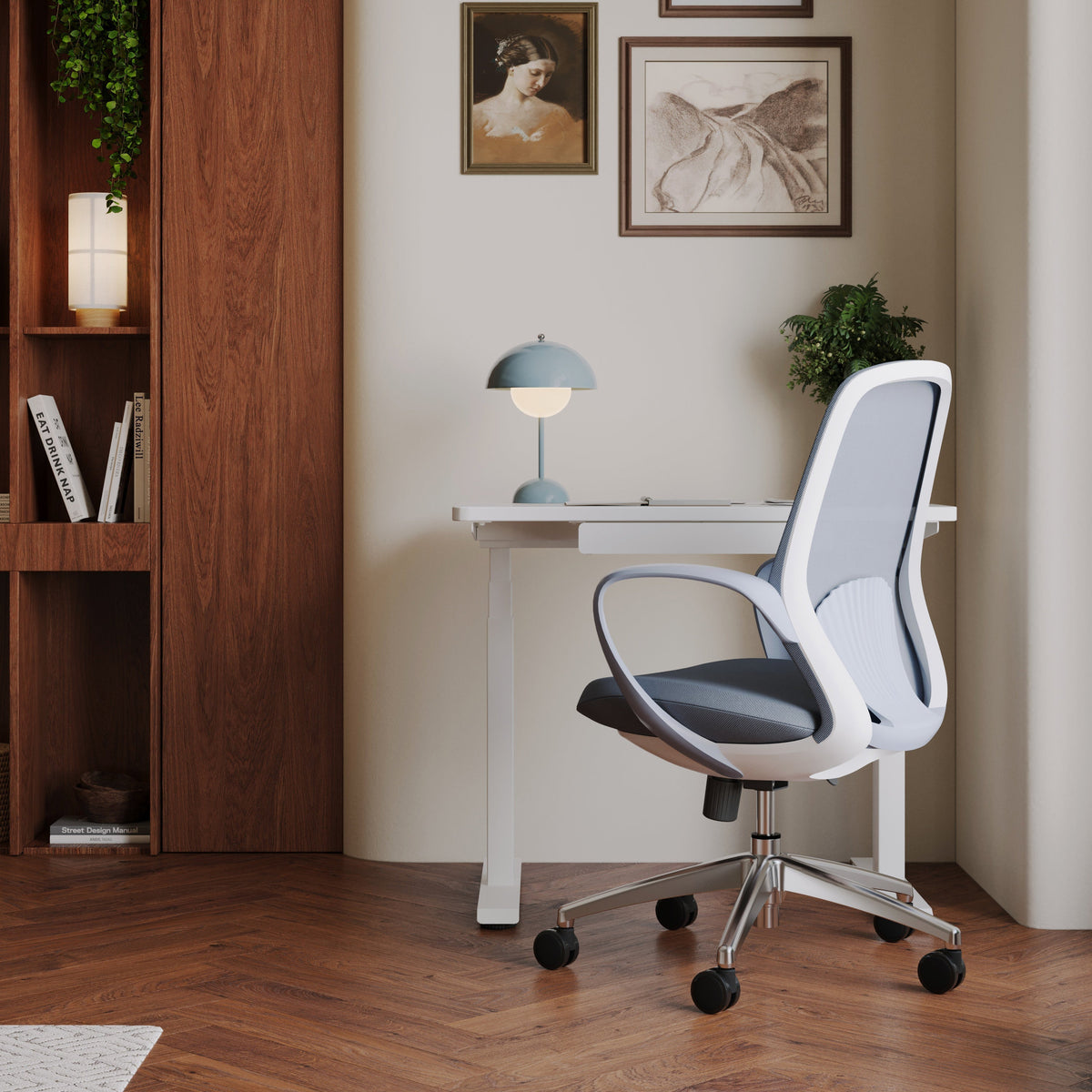
Office Chair Measurements That Actually Matter

Office chairs are often judged by how they look or how soft they feel in the first few minutes of sitting. From a brand perspective, long-term comfort, physical support, and sustained productivity are shaped far more by precise measurements than by surface impressions. When dimensions align with the human body and the surrounding workspace, a chair supports focus and well-being quietly and consistently. When they do not, even the most visually appealing chair becomes a source of distraction and strain.
Understanding office chair measurements is not about memorizing numbers. It is about recognizing how each dimension interacts with posture, movement, and daily work habits. The sections below explain the measurements that truly matter, how they function together, and how to evaluate them realistically when selecting seating for home offices or professional environments.
Why Office Chair Measurements Define Comfort More Than Style
How dimensional mismatch affects posture and focus
The body adapts quickly to poor seating, often in unhealthy ways. When a chair is too tall, too deep, or improperly proportioned, muscles begin compensating to maintain balance and reach. Over time, this compensation shows up as tension in the neck, shoulders, lower back, or hips. These effects rarely appear immediately, which is why measurement errors are often overlooked during short trials.
Correct dimensions allow the body to remain neutral. Feet rest firmly on the floor, the pelvis stays stable, and the spine maintains its natural curves without conscious effort. This alignment reduces physical distraction and allows attention to stay on work rather than discomfort.
Why adjustability cannot fix incorrect proportions
Adjustable features are valuable, but they have limits. A chair with the wrong core dimensions cannot be fully corrected by levers and knobs. If the seat pan is too deep, changing recline tension or armrest height will not eliminate pressure behind the knees. Measurement accuracy sets the foundation upon which adjustability can function effectively.
Building measurement awareness before browsing options
Approaching seating with measurement literacy shifts the buying process from guesswork to informed evaluation. Exploring modern and ergonomic office seating options becomes more productive when the focus is on how specific dimensions support real bodies and real work patterns, rather than on appearance alone.
Seat Height as the Foundation of Proper Sitting
Matching seat height to leg length and foot contact
Seat height determines whether the feet can rest flat on the floor while the thighs remain roughly parallel to it. When this relationship is correct, body weight distributes evenly between the seat and the feet. Circulation remains unobstructed, and balance feels natural rather than forced.
Most users benefit from a seat height that allows the knees to bend comfortably without the hips dropping below knee level. Individual leg length and footwear still matter, which is why a usable height range is more important than a single fixed measurement.
The interaction between seat height and desk height
Seat height must work in harmony with desk height, keyboard placement, and monitor position. A seat set too high relative to the desk leads to shoulder elevation and wrist strain. A seat set too low encourages slouching and forward head posture. Correct seat height is only effective when the rest of the workstation supports it.
When foot support indicates a mismatch
Footrests can be useful tools, particularly in shared work environments. However, consistent reliance on foot support often signals that the chair or desk height range is not ideally suited to the user. In well-matched setups, footrests are optional rather than necessary.
Seat Depth and Its Role in Circulation and Stability
Why seat depth affects comfort more than cushioning
Seat depth determines how much of the thigh is supported. Too little depth concentrates pressure under the sitting bones. Too much depth presses into the back of the knees, restricting blood flow and encouraging users to perch forward.
A properly sized seat supports most of the thigh while leaving a small gap between the seat edge and the knee joint. This balance allows circulation without sacrificing stability.
Translating body measurements into usable depth
A practical approach is to sit fully back against the backrest and check for space between the seat edge and the calves. A small clearance usually indicates appropriate depth. This clearance allows movement and reduces pressure during long sitting periods.
Fixed versus adjustable seat pans
Adjustable seat depth is especially valuable in environments serving users with varied leg lengths. Chairs like the Novo ergonomic office chair model illustrate how depth adjustment can accommodate different proportions while maintaining consistent support. Fixed-depth seats can still work well when proportions closely match the primary user.
Seat Width and Shape for Balanced Support
Functional width versus perceived space
Seat width influences stability and pressure distribution. A seat that is too narrow compresses the hips and encourages constant shifting. A seat that is excessively wide can reduce lateral support, making posture feel less grounded.
The goal is a width that supports the hips comfortably while allowing natural movement without excessive side-to-side play.
Flat and contoured seat surfaces
Flat seats provide neutral support and accommodate varied sitting styles. Contoured seats guide posture more actively, which some users appreciate and others find restrictive. Understanding how seat shape interacts with daily habits is as important as understanding raw dimensions.
Edge design and extended sitting
Rounded or waterfall seat edges reduce pressure under the thighs during long sitting sessions. The Muse office chair seating profile demonstrates how thoughtful seat shaping contributes to comfort without relying on exaggerated padding or claims.
Backrest Dimensions and Spinal Support
Backrest height categories and their functions
Backrests are commonly described as task, mid-back, or high-back. These categories relate to how much of the spine and shoulders the chair supports. Shorter backrests allow greater freedom of movement, while taller backrests provide more upper-body contact during recline.
The appropriate height depends on how often the user leans back and how much upper-back support feels natural during work.
Backrest width and shoulder movement
A backrest should support the torso without interfering with shoulder motion. Narrow backs may restrict movement, while overly wide backs can feel less supportive. Balanced width supports the ribcage and spine while allowing the arms to move freely.
Recline and posture variation
Recline encourages posture changes throughout the day. While recline range varies by design, its effectiveness depends on how well the backrest dimensions align with the user’s spine in both upright and reclined positions.
Lumbar Support Placement and Function
Understanding natural lumbar positioning
The lumbar curve sits higher on the spine than many people expect. Support placed too low fails to engage the curve, while support placed too high pushes the torso forward. Accurate vertical placement matters more than firmness alone.
Fixed and adjustable lumbar designs
Adjustable lumbar systems allow users to fine-tune support height, which can be especially helpful in shared workspaces. Designs like the Onyx ergonomic office chair design show how adjustability can support different spinal shapes without overstating its impact.
Recognizing misaligned lumbar support
Common signs of poor lumbar alignment include persistent lower-back fatigue, forward pelvic tilt, or frequent repositioning. These signals indicate a mismatch between lumbar placement and the user’s anatomy.
Armrest Measurements and Upper-Body Comfort
Armrest height and elbow alignment
Armrests should support the forearms lightly when the shoulders are relaxed. If armrests are too high, shoulders lift and tension accumulates. If too low, arms lack support and strain transfers to the neck.
Armrest spacing and task performance
Proper spacing allows the arms to move inward for typing and outward for other tasks without obstruction. Overly wide armrests push the elbows outward, while narrow spacing crowds the torso.
When minimal or no armrests make sense
Certain workstyles benefit from unobstructed movement or closer desk access. Seating such as the Seashell chair without armrests suits environments where arm support is provided by the desk surface or where flexibility and visual lightness are priorities.
Coordinating Chair Measurements With Desk Dimensions
Seat height and work surface relationship
The relationship between seat height and desk height determines wrist angle and shoulder position. Even a well-designed chair can feel uncomfortable if paired with an incompatible desk.
Under-desk clearance and leg movement
Adequate clearance allows legs to move freely and prevents contact with desk components. Restricted clearance forces awkward postures and limits circulation during long sitting periods.
Selecting desks with measurement compatibility in mind
Pairing seating with an appropriate work surface is essential. Reviewing a workstation and office desk selection alongside chair options helps ensure that all components work together cohesively.
Measurement Priorities in Shared and Individual Workspaces
Adjustment range for multi-user environments
Shared offices benefit from chairs with broader adjustment ranges, allowing different users to achieve acceptable fit without complex setup. Measurement flexibility becomes more important than fine-tuned personalization.
Balancing consistency and individual comfort
Visual consistency matters in professional spaces, but it should not come at the expense of basic ergonomic fit. Measurement-driven selection allows aesthetic cohesion without sacrificing physical support.
Evaluating seating solutions in context
Seeing chairs in person and discussing layout considerations helps clarify how measurements translate into real environments. A professional office furniture showroom and planning services setting supports this evaluation without relying solely on specifications.
Office Chair Measurement Reference Table
| Measurement Area | General Consideration | Practical Impact |
|---|---|---|
| Seat Height | Adjustable range | Foot contact and circulation |
| Seat Depth | Fixed or adjustable | Thigh support and knee comfort |
| Seat Width | Proportional to hips | Stability and pressure distribution |
| Backrest Height | Task to high-back | Upper-body support |
| Lumbar Position | Fixed or adjustable | Lower-back alignment |
| Armrest Height | Adjustable range | Shoulder and neck comfort |
Measuring the Body for Better Chair Fit
Simple at-home measurements
A few basic measurements provide useful guidance. Floor-to-knee height informs seat height needs. Hip width helps estimate seat width comfort. Seated elbow height guides armrest positioning relative to the desk.
Interpreting product dimensions realistically
Product dimensions describe the framework within which adjustability operates. Understanding how those numbers relate to the body helps set realistic expectations and prevents overreliance on feature lists.
Office Chair Measurements as a Long-Term Well-Being Decision
Supporting sustained focus and comfort
Correct measurements reduce the need for constant posture correction. Over time, this supports steadier focus and more comfortable workdays without dramatic interventions.
Designing workspaces around real bodies
From a brand perspective, responsible seating design acknowledges variation in human proportions and avoids exaggerated promises. Measurement-driven choices respect the body’s needs and create work environments that feel supportive rather than demanding.
Related Articles
-
 How to Arrange Two Monitors and a Laptop Without Clutter
-
 Chair and Desk Height Guide for Students Who Sit All Day
-
 How to measure a chair and choose the right office chair height
-
 The Desk Height Factor Most Workspaces Get Wrong
-
 Desk for two monitors: what matters most for daily comfort
-
 Ergonomic Furniture That Pays Off Every Day


