























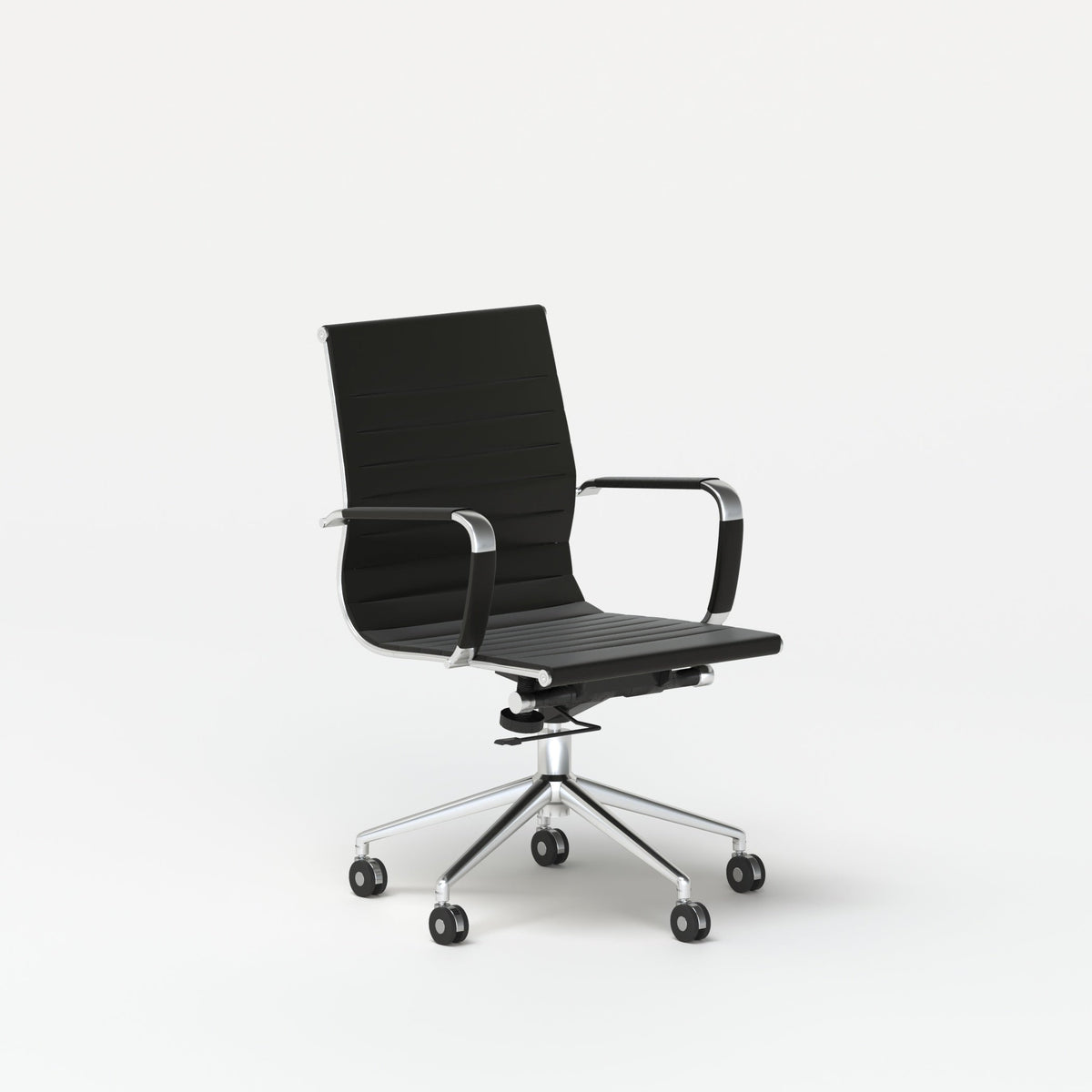
Make Long Meetings Feel Easier With a Conference Chair Now

Long meetings do not become difficult only because of packed agendas, complex decisions, or too many voices in the room. They often become harder because the space itself works against the people using it. A stiff seat, cramped table clearance, poor posture support, distracting noise, and awkward laptop positioning can turn a necessary discussion into a physically draining experience.
A conference chair sits at the center of that experience. It is the piece of furniture every person physically interacts with for the longest stretch of time. The right chair helps people sit upright, shift naturally, listen comfortably, take notes, speak clearly, and stay more present through the full discussion. The wrong chair encourages slouching, fidgeting, leaning away from the table, or mentally checking out before the meeting reaches its most important point.
A better meeting room starts with seating that respects the body and supports the purpose of the room. Comfort does not need to feel excessive or complicated. It needs to feel steady, practical, and appropriate for the real way teams meet, share ideas, review work, and make decisions.
Why Long Meetings Feel Harder When the Chair Works Against the Body
The body rarely stays silent during a long meeting. When a chair does not support natural posture, discomfort usually shows up in small ways first. Someone shifts every few minutes. Another person leans forward with elbows locked on the table. A guest crosses and uncrosses their legs repeatedly. A team member starts standing before the conversation is finished. These signals are easy to overlook, but they often point to a room that is not supporting the length or intensity of the meeting.
Poor seating can make people more aware of their discomfort than the conversation. Even when the topic is important, physical strain competes for attention. A chair that feels too hard, too narrow, too low, too deep, or too rigid can make a meeting feel longer than it actually is.
The Physical Discomfort That Quietly Reduces Focus
Long sitting sessions create pressure on the hips, back, shoulders, and legs. When a chair lacks balanced support, people compensate by shifting into less stable positions. They may slump to relieve back tension, lean forward to reach the table, or twist slightly to see a screen or speaker.
Those small adjustments can become distracting over time. A person who is trying to find a comfortable position is also spending mental energy managing the discomfort. That can affect how well they listen, how clearly they contribute, and how patient they feel during detailed discussions.
A meeting room chair does not need to feel like a personal task chair with many adjustment controls. It does, however, need to support a wide range of users in a predictable, comfortable way. In shared spaces, dependable comfort matters more than highly personalized settings.
Why Meeting Room Seating Has Different Responsibilities Than Desk Seating
A personal office chair is usually selected for one primary user. A conference chair serves many people, often in the same day. Employees, executives, clients, vendors, interview candidates, remote-call facilitators, and visitors may all use the same seat.
That means the chair must balance several needs at once. It should look clean and professional, fit neatly around the table, allow easy entry and exit, support upright sitting, and remain comfortable enough for longer sessions. It also needs to work with the room layout, not compete with it.
For rooms used for planning sessions, presentations, reviews, and collaborative decisions, dedicated conference seating for meeting rooms gives the space a clearer purpose. The chair signals that the room is designed for focused discussion, not just filled with extra seats from elsewhere in the office.
Conference Chair Features That Support Longer Discussions
A comfortable conference chair is not defined by one feature alone. Long-meeting comfort comes from how the chair’s back, seat, proportions, height, and movement work together. When those elements are balanced, people are more likely to remain settled and engaged.
Back Support That Encourages Natural Upright Posture
Back support matters because long meetings often pull people into poor posture. A screen at one end of the room, a laptop on the table, or a long presentation can encourage attendees to lean, slump, or round their shoulders.
A supportive backrest helps people sit upright without feeling forced into a stiff position. The goal is not rigid posture. The goal is a seated position that feels stable enough for listening, speaking, and note-taking without constant readjustment.
Slight Movement Helps People Stay Comfortable
People are not designed to sit perfectly still for long periods. A chair that allows small posture changes can make a long meeting feel more manageable. Attendees may need to turn toward a speaker, shift back during a presentation, lean slightly forward while reviewing documents, or reposition during a discussion.
A chair that supports these natural movements helps reduce the trapped feeling that often comes with rigid seating. Comfort improves when people can adjust subtly without disrupting the room.
Seat Cushioning That Balances Support and Softness
Cushioning is another key factor, but softer is not always better. A seat that is too soft can cause people to sink in, which may make it harder to maintain an upright posture. A seat that is too firm can create pressure points and restlessness.
Balanced cushioning should feel supportive at the start of the meeting and remain comfortable as the discussion continues. In shared meeting rooms, the seat should also feel approachable for different body types and sitting preferences.
Chair Proportions That Work for Shared Spaces
Seat width, depth, and height influence how comfortable a chair feels. If the seat is too narrow, people may feel restricted. If it is too deep, shorter users may struggle to sit back comfortably while keeping their feet grounded. If the chair is too low or too high for the table, posture can suffer.
A conference room should feel welcoming to a range of users. That means chairs need proportions that support general comfort, easy movement, and a clear relationship to the table surface.
Arm Clearance and Table Fit Around the Meeting Surface
A conference chair does not exist by itself. Its comfort depends heavily on how it fits under and around the table. Chair arms, seat height, table height, and leg clearance all affect the experience.
When chairs do not fit well, people may sit too far from the table or feel crowded against it. That can affect writing, typing, eating during working sessions, or simply resting arms comfortably. The best meeting room layouts consider the chair and table as one system.
How Chair and Table Pairing Changes the Energy of Long Meetings
A conference chair supports the body, but the table shapes the conversation. The wrong chair and table combination can make a room feel cramped, overly formal, or hard to navigate. The right pairing makes participation easier.
Round Tables Encourage Balanced Participation
Round tables can help create a more equal conversation pattern because everyone can see one another more easily. There is no obvious head of the table, which can make the layout feel more collaborative and less hierarchical.
This type of setup works especially well for small team planning, interviews, feedback sessions, project reviews, and leadership check-ins. A round meeting table for group discussions can support a room where the goal is shared attention rather than one-direction presentation.
Linear Layouts Support Structured Conversations
Rectangular and linear table layouts still have an important place in meeting room design. They work well when the meeting has a clear presenter, decision-maker, screen direction, or formal structure. Client presentations, board-style meetings, training sessions, and department updates often benefit from a more directional arrangement.
In these spaces, conference chairs should still support comfort without making the room feel heavy. Clean sightlines, predictable spacing, and easy access to the table help keep longer sessions organized.
Chair Spacing Prevents the Crowding That Makes Meetings Feel Longer
A meeting room can technically fit a certain number of chairs and still feel uncomfortable. True comfort requires space for people to pull out a chair, sit down, adjust their position, place a bag, and stand up without disrupting others.
Crowding becomes especially noticeable during long meetings. When elbows overlap, knees hit table legs, or people cannot leave without several others moving, the room starts to feel tense. Proper spacing gives each person a small sense of control, which makes the entire meeting feel more relaxed.
| Meeting Type | Seating Priority | Table or Layout Priority | Why It Helps Longer Meetings |
|---|---|---|---|
| Leadership review | Upright support and composed appearance | Clear sightlines and balanced spacing | Keeps discussion focused and professional |
| Creative brainstorm | Flexible posture and easy movement | Round or open layout | Encourages participation and idea flow |
| Client presentation | Comfortable guest seating | Directional layout with screen visibility | Supports attention and confidence |
| Hybrid call | Stable posture for speaking and listening | Good camera, screen, and device placement | Reduces awkward positioning |
| Training session | Consistent comfort for many users | Adequate space between seats | Helps attendees remain attentive |
Meeting Room Layout Choices That Reduce Fatigue Before Anyone Sits Down
Comfort begins before a person touches the chair. A room that feels crowded, noisy, dim, cluttered, or hard to move through can make meetings feel tiring from the start. The chair is still central, but the surrounding environment determines whether that chair can perform well.
Visual Calm Makes Seating Feel More Intentional
A meeting room with too many objects, mismatched furniture, crowded surfaces, and tangled cables can make people feel distracted. Clean design helps the eye settle. When the table, chairs, lighting, and storage feel coordinated, the room becomes easier to use.
Thoughtful furniture planning also supports the impression that the room has been designed for real work. Offices that prioritize cohesive, practical pieces often create meeting spaces that feel calmer and more useful. Choosing design-first office furniture options can help create a more consistent environment where conference chairs, tables, accessories, and work areas feel connected.
Noise Control Helps People Stay Present
Long meetings become more exhausting when attendees have to compete with background noise. Nearby conversations, printers, hallway movement, and open-office activity can make people work harder to listen. That extra effort builds fatigue.
Acoustic and visual boundaries can help define meeting zones without fully closing off a workspace. In open or flexible offices, modular panels for workspace definition can support a more focused setting by giving collaborative areas clearer edges.
Lighting, Temperature, and Airflow Shape Meeting Comfort
A chair can be comfortable, but the room can still feel difficult if the lighting is harsh, the air feels stale, or the temperature is distracting. Long meetings amplify these issues because people remain in the same space for an extended period.
Good lighting should support reading, screen visibility, and face-to-face conversation. Airflow should make the room feel fresh without creating discomfort. Temperature should be managed with the understanding that meeting rooms often feel different once several people are seated together.
A No-Friction Meeting Room Checklist
A comfortable meeting room should remove small points of resistance. The following details help the chair, table, and room work together:
-
Chairs support upright sitting without forcing rigid posture.
-
Every seat has adequate table clearance.
-
Screens are visible from the main seating positions.
-
Walkways remain usable when chairs are pulled out.
-
Power access does not create distracting cable paths.
-
Lighting supports notes, screens, and faces.
-
The room has enough separation from surrounding noise.
-
Extra seating is available without overcrowding the main layout.
Conference Seating for Hybrid Meetings and Device-Heavy Workflows
Modern meetings often involve more than conversation. People bring laptops, tablets, phones, notebooks, chargers, and video call equipment. The chair must support this behavior without encouraging poor posture.
Laptop Height Can Make Long Calls More Comfortable
Many people look downward at laptops during hybrid meetings. Over time, that position can strain the neck and shoulders. Even a good chair cannot fully compensate for a screen that sits too low.
A slim laptop stand for screen height can help position a laptop more comfortably during video calls, note-taking, and presentation-heavy sessions. This type of accessory works best when paired with a chair and table setup that allows the user to sit upright instead of leaning toward the device.
Device Placement Should Support Posture
Laptops and notebooks should not force people into awkward positions. When devices are too far away, users reach forward. When they are too close, the table feels crowded. When screens sit at poor angles, people twist or hunch.
The meeting surface should allow enough space for elbows, notes, water, and devices while still leaving the body relaxed. Chair comfort improves when the table supports natural arm placement and clear device visibility.
Hybrid Meeting Chairs Need to Support Several Roles
During one meeting, a person may listen quietly, speak to the room, turn toward a remote participant, type notes, review a document, and look at a shared screen. A conference chair should support those shifts without becoming distracting.
Stability matters here. A chair that wobbles, squeaks, sticks too close to the table, or feels awkward to reposition can interrupt the rhythm of the meeting. The best seating quietly supports the person using it.
Every Seat Should Feel Usable
Hybrid rooms sometimes create one or two “good” seats and several weaker ones. Some attendees may have better screen visibility, better camera positioning, or more table space. That imbalance can make participation feel uneven.
A stronger layout gives every seat a fair chance to work. Chair placement, screen angles, table shape, and device access should be planned together so comfort is not limited to the most convenient spot.
Where Conference Chairs Fit Beyond the Formal Boardroom
Conference chairs are not limited to traditional meeting rooms. Many workplaces now rely on flexible spaces where conversations shift between focused work, quick updates, longer planning sessions, and informal collaboration.
Team Workstations Where Quick Check-Ins Become Real Collaboration
Shared work areas often become meeting zones naturally. A quick question turns into a project review. A status update becomes a planning conversation. A team gathers around a shared surface to compare ideas or solve a problem.
In these environments, furniture should support both individual focus and group interaction. A six-person workstation for larger teams can help define a collaborative work area where people have room to work while staying close enough for discussion.
Compact Huddle Areas for Conversations That Run Longer Than Expected
Not every meeting needs a full conference room. Some of the most productive conversations happen in smaller huddle areas, coffee corners, or informal review spaces. These spaces still need real comfort because brief conversations often become longer than planned.
A bistro table for compact office conversations can support smaller workplace interactions without taking over the room. Paired with comfortable seating, this kind of setup can create a useful spot for interviews, quick planning, casual check-ins, or one-on-one discussions.
Reception, Interview, and Client Areas Shape First Impressions
Guest seating matters because it communicates care. A client, candidate, or visitor may judge the office partly by how the space feels to use. If the chair feels unstable, cramped, or temporary, the room can feel less professional.
Comfortable conference-style seating can help these areas feel more intentional. The goal is not to overdesign the space. The goal is to make guests feel expected, supported, and able to participate in the conversation without physical distraction.
Training and Onboarding Spaces Need Repeatable Comfort
Training sessions and onboarding meetings can require extended sitting from people who are already processing a lot of information. Seating discomfort adds unnecessary friction.
Consistent chair quality helps create a smoother learning environment. When people are physically comfortable, they can pay more attention to instructions, introductions, and discussion. For teams that onboard regularly or host workshops, seating is part of the learning experience.
How to Choose the Right Number of Conference Chairs Without Crowding the Room
One of the most common meeting room mistakes is adding too many chairs. More seats may seem practical, but overcrowding can make every meeting less comfortable.
Start With the Meeting Size That Happens Most Often
A room should be planned around its typical use, not only its maximum capacity. If a room usually hosts four to six people, it should not feel packed every day just to accommodate an occasional larger meeting.
Designing for everyday comfort creates a better experience for the people who use the room most. Extra chairs can be available nearby when needed, but the main layout should remain open and usable.
Leave Space for Chairs to Move
A chair that fits under the table is not always a chair that works well in the room. People need space to pull it out, shift during the meeting, and stand up without bumping into walls, furniture, or other attendees.
Movement space becomes especially important during long meetings because people naturally adjust their posture. A room that allows small movements feels more comfortable and less restrictive.
Plan Extra Seating Without Turning the Room Into Storage
Overflow seating can be useful, but it should not dominate the primary meeting area. Too many spare chairs around the wall can make the room feel like storage instead of a focused workspace.
A more thoughtful approach is to keep the main layout clean and bring in additional seating only when the meeting requires it. This protects everyday comfort while preserving flexibility.
Make Every Seat Equally Functional
No seat should feel like an afterthought. A poor seat might have blocked screen visibility, weak lighting, limited table access, or an awkward exit path. Over time, those weak spots affect how people experience the room.
Good conference chair planning means every attendee has reasonable access to the table, a clear view of the discussion, and enough space to sit comfortably. That consistency helps meetings feel more inclusive and less physically frustrating.
Materials, Maintenance, and Durability in Meeting Room Seating
Conference chairs are shared furniture, so their long-term performance matters. A chair must not only feel good on day one. It should remain presentable, stable, and comfortable through repeated use.
Breathable Materials Matter During Back-to-Back Sessions
Meeting rooms often host several sessions in a row. Breathable materials can help seating feel fresher and more comfortable across repeated use. This is especially important in rooms where people sit for extended discussions or where the space fills with several attendees at once.
Material choice should support comfort without making maintenance difficult. A meeting chair needs to look professional while handling everyday use.
Easy-Clean Surfaces Protect Shared Seating
Shared chairs encounter coffee, pens, dust, bags, food, and frequent handling. Surfaces that are easier to maintain help the room stay polished and ready for the next meeting.
Cleanliness affects trust. When seating looks cared for, the room feels more professional. When chairs show neglect, the meeting space can feel less organized even if the agenda is well prepared.
Professional Style Should Support the Room Without Dominating It
Conference chairs should contribute to the room’s tone without becoming visually overwhelming. A clean silhouette can make the space feel open, calm, and modern. Bulky or mismatched chairs may make the room feel heavier than necessary.
Style should coordinate with tables, panels, lighting, and nearby workstations. The room should feel cohesive rather than assembled from unrelated pieces.
Durability Is Also a Comfort Issue
Durability is often treated as a budget concern, but it directly affects comfort. A chair that wobbles, sags, creaks, or feels unstable distracts the person sitting in it. Over time, small signs of wear can reduce confidence in the entire room.
Reliable seating helps meetings feel smoother. People should be able to sit, move, listen, and contribute without noticing the chair for the wrong reasons.
A Practical Framework for Upgrading Meeting Room Comfort
Improving a meeting room does not require changing everything at once. A systematic approach helps identify the choices that will make the biggest difference.
Step 1: Identify the Meetings That Feel the Longest
Start by looking at the recurring meetings that cause the most fatigue. These might include planning sessions, client reviews, leadership discussions, hybrid calls, or training meetings.
Pay attention to physical behaviors. Do people stand before the meeting ends? Do they lean forward constantly? Are they shifting in their seats? Are laptops pulling everyone into a hunched posture? These patterns reveal where the room is creating friction.
Step 2: Audit the Chair Before Replacing the Entire Room
Since the chair is the piece people experience most directly, it should be evaluated early. Check whether the seating supports upright posture, gives enough room, fits the table, and feels stable through a longer conversation.
This step helps avoid unnecessary changes. Sometimes the room does not need a full redesign. It may need better seating, more thoughtful spacing, or a better table and chair relationship.
Step 3: Pair Seating With the Right Table and Room Flow
A chair upgrade works best when the table and room flow support it. Consider how people enter, where they place devices, how they see the screen, and how easily they can move.
The chair, table, walkways, and presentation points should work together. When they do, the room feels intuitive rather than forced.
Step 4: Add Accessories and Boundaries Only Where They Solve Real Problems
Accessories and layout elements should reduce friction, not create clutter. Laptop stands, panels, power access, storage, and additional surfaces are useful when they solve specific issues.
A good meeting room is not the one with the most pieces. It is the one where every piece supports comfort, focus, and conversation.
Better Conference Chairs Create Meeting Rooms People Can Actually Use Longer
Long meetings feel easier when the room respects the people sitting in it. A supportive conference chair helps reduce physical distraction, encourages better posture, and makes it easier for attendees to stay involved from the opening agenda item to the final decision.
The chair is only one part of the room, but it is the part people feel most directly. When seating works with the table, layout, lighting, acoustics, and device setup, the entire meeting experience becomes smoother. People can listen without constantly shifting, speak without fighting the space, and collaborate without feeling boxed in.
A meeting room should not ask people to endure discomfort just to finish a conversation. With the right conference chair and a thoughtful surrounding setup, longer discussions can feel more focused, more comfortable, and more worth the time people give to them.
Related Articles
-
 Round Meeting Table Choices for Smarter Shared Work Spaces
-
 How to Style a Round Meeting Table for Focused Work Talks
-
 Round Meeting Table Setups That Make Small Talks Easier
-
 Make Client Seating Feel Easier Around a Round Meeting Table
-
 Why Shared Teams Work Better Around a Round Meeting Table
-
 Round Meeting Table Ideas That Make Team Talks Smoother


