























Better Guest Seating Ideas Around a Round Meeting Table

Guest seating around a round meeting table does more than fill a room with chairs. It shapes how people enter the space, where they naturally settle, how easily they participate, and whether the conversation feels balanced or awkward. A round table already sends a subtle message: no single person owns the head of the table. Everyone has a clearer line of sight, fewer hard edges divide the group, and the layout can support a more open exchange of ideas.
That advantage only works when the seating is planned with care. Too many chairs can make the table feel crowded. Oversized seats can block movement. Poor sightlines can make one guest feel detached from the discussion. A chair pushed too close to a wall can make a polished meeting area feel improvised.
A well-planned guest seating layout starts with the meeting experience itself. The right table, chair count, clearance, and room flow should all support the type of conversation the space is meant to host. For compact huddles, consultations, and guest-facing discussions, a small round meeting table can create the right foundation for a more equal and approachable meeting setup.
Guest Seating Around a Round Meeting Table Should Begin With Meeting Intent
A round meeting table can support many office interactions, but guest seating should never be planned only by asking how many chairs can physically fit. A better question is what kind of meeting the table needs to support most often.
Client conversations, interviews, internal huddles, vendor reviews, and informal check-ins all create different seating needs. A client consultation may require calm, balanced seating with enough room for documents. A hiring conversation may need a layout that feels professional without becoming tense. A quick team huddle may call for chairs that are easy to shift, pull in, and move away.
When seating is tied to meeting intent, the room becomes easier to use. Guests immediately understand where to sit. Hosts can guide the interaction naturally. The table remains functional rather than crowded.
Client Meetings Need Comfortable Equality
Round tables work well for client-facing meetings because they reduce the feeling of hierarchy. Instead of placing one person at the head of a rectangular table, everyone sits within the same visual circle. That helps support a collaborative tone, especially during discovery conversations, proposal reviews, planning sessions, and creative consultations.
The seating should reinforce that balance. Every chair should look intentional, comfortable, and equally appropriate for a guest. Avoid placing one polished chair for the host and less comfortable chairs for visitors. Around a round table, differences in seating quality become more obvious because everyone is part of the same visual arrangement.
The strongest client seating layouts usually leave a little open space near the entry side of the table. This keeps the room from feeling blocked and gives the host a natural way to invite guests into the conversation.
Interview Seating Should Feel Professional Without Feeling Severe
A round table can make interviews feel more conversational than confrontational. Instead of sitting directly across a desk, the host and candidate can sit at a slight angle. This still allows strong eye contact, but it softens the pressure that can come from a rigid face-to-face setup.
For interviews with more than two people, a triangular seating arrangement is often more comfortable than placing everyone evenly around the table. The candidate can sit where they have a clear view of both interviewers, while the host maintains an open posture and easy access to notes.
The goal is not to make the setting casual. The goal is to make the conversation feel clear, respectful, and focused.
Team Huddles Need Seating That Can Move With the Conversation
Internal team meetings often shift quickly. One person may pull up a laptop, another may stand to sketch an idea, and a third may move closer to review a document. For these moments, guest seating should be light enough to reposition without disrupting the room.
This does not mean the chairs should feel temporary or mismatched. It means the seating should support natural movement. Chairs that are too heavy, too wide, or too deep can make a small round meeting area feel stiff. Chairs with a slimmer profile often preserve the circular layout and make quick transitions easier.
Chair Count and Spacing Determine Whether Guests Feel Comfortable
The most common mistake around a round meeting table is trying to maximize seating. A chair may technically fit, but that does not mean a guest will feel comfortable using it. Guest seating depends on personal space, pull-back room, tabletop access, and the ability to enter and exit without forcing others to move.
A round table needs breathing room because each seat shares the same edge. If one chair is too close to another, the entire circular arrangement starts to feel compressed. Guests may turn sideways, avoid placing their arms on the table, or feel hesitant to open a notebook or laptop.
A Comfortable Seat Count Is Better Than a Full Seat Count
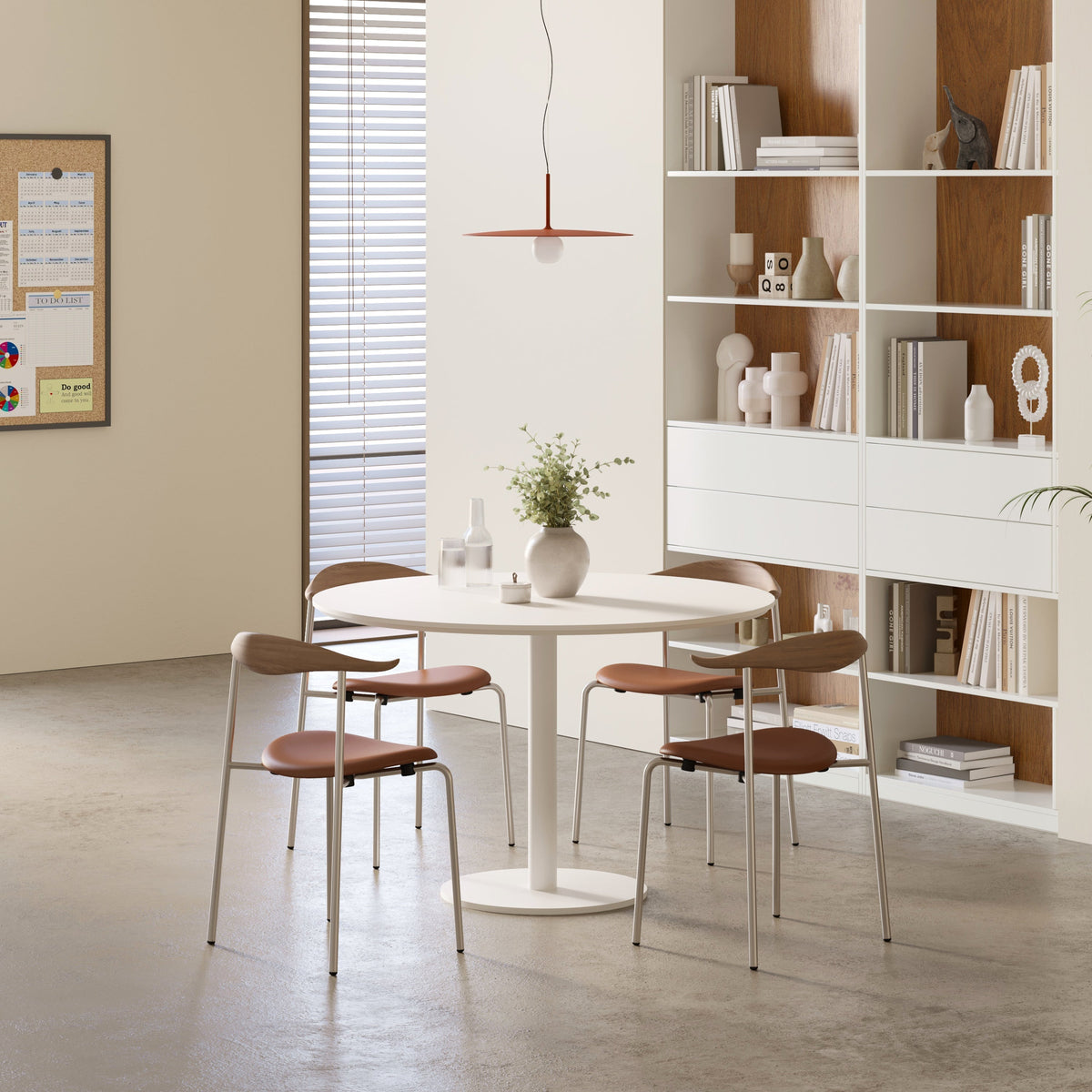
For many small meeting rooms, three or four chairs around a round table create the strongest balance. Four seats allow each person to occupy a clear quadrant, which supports eye contact and gives everyone enough table access. Three seats work especially well for interviews, coaching sessions, and smaller consultations.
Five seats can work in some settings, but only when the table surface, chair width, and room clearance can support it. It is usually better for short collaborative sessions than for longer meetings where people need laptops, documents, samples, or personal items.
The room should never feel as if the chairs are competing for space. A round meeting table should make participation easier, not force guests to negotiate elbows, chair legs, and bags.
Clearance Behind Chairs Protects the Flow of the Room
The space behind each guest chair matters as much as the space on the tabletop. Guests need room to pull out a chair, sit down naturally, and move away without brushing against a wall, cabinet, or another person.
Clearance also affects the host’s ability to manage the room. A blocked walkway can make hospitality feel awkward. A guest seated too close to a door swing may feel exposed or in the way. A chair pinned against the wall can become the “bad seat” that no one wants.
Before finalizing a layout, test every chair as a real guest would use it. Pull it out. Sit down. Place a notebook or laptop on the table. Check the view to the host, screen, whiteboard, and door. Then walk behind the occupied chair. This simple test reveals problems that a floor plan may miss.
Meeting Chairs Should Support the Full Guest Experience
Guest seating should look appropriate, but appearance alone is not enough. Around a round meeting table, chairs need to support posture, movement, comfort, and visual consistency. Since guests often sit facing one another, every chair becomes part of the room’s communication style.
Well-chosen meeting room conference chairs can help create a more intentional guest experience because the seating is selected for office meetings rather than borrowed from unrelated work zones.
Chair Scale Matters Around a Circular Table
Round tables make chair scale especially noticeable. Oversized chairs can crowd the table edge and reduce the clean circular rhythm that makes this setup appealing. Chairs that are too small or lightweight may feel out of place in a professional guest-facing area.
A good chair scale gives each person enough room to sit comfortably without overwhelming the table. The seat should align naturally with the table height. The back should provide support without blocking sightlines across the room. The chair should also be easy to reposition when guests arrive, leave, or shift toward a screen.
Armchairs, Armless Chairs, and Mixed Seating Each Send a Different Signal
Armchairs can feel supportive and polished, but they require more width. Around a smaller round table, they may reduce the number of comfortable seats. Armless chairs are more flexible and can make it easier for people to turn, enter, and exit. They also help preserve spacing when the room is compact.
Mixed seating can work in informal environments, but it should be used carefully. If one chair feels clearly better than the others, the room can unintentionally create a hierarchy. Round tables are strongest when every seat feels equally considered.
Guest Chairs Should Be Easy to Use Without Instruction
A guest should not have to wonder which chair is appropriate. The room should make the seating logic clear. Chairs should be pulled close enough to signal use, but not so close that guests have to struggle to sit. There should be room for bags, coats, and personal items without blocking circulation.
Small details make a meeting area feel more welcoming. A stable chair, clear floor area, and uncluttered table edge tell guests that the space was designed with their comfort in mind.
Layout Ideas for Better Seating Around a Round Meeting Table
A round table offers flexibility, but the best layout depends on how people will actually interact. The strongest arrangements create clear participation, easy movement, and comfortable sightlines.
Four-Seat Circular Layout for Balanced Conversations
A four-seat layout is one of the most reliable options for round meeting tables. Each chair occupies a natural quadrant, which gives every person a clear place in the conversation. This setup works well for client meetings, internal planning, vendor conversations, and collaborative reviews.
To make this layout work, avoid pushing one chair directly against a wall. The table may need to shift slightly toward the center of the room so each seat has enough pull-back space. If the room includes a screen or whiteboard, angle the chairs so guests do not have to twist uncomfortably.
A four-seat layout feels complete without feeling overcrowded. It also allows the host to welcome one, two, or three guests without the room appearing too empty.
Three-Seat Triangle Layout for Interviews and Focused Discussions
A three-seat triangle works well when the conversation needs to feel personal and focused. Instead of spacing chairs evenly in a square-like pattern, place them so each person can see the others clearly without creating a confrontational line.
This layout is useful for interviews, manager check-ins, coaching sessions, and private reviews. It gives the guest a clear position while keeping the host and any second participant connected to the discussion.
The triangle layout also leaves more open table space for notes, resumes, portfolios, or shared documents. That makes it especially useful when the meeting involves review rather than group brainstorming.
Two-to-Three Seat Layout for Informal Meeting Corners
Not every guest conversation requires a full meeting room. Some offices benefit from a smaller touchpoint near reception, a lounge-adjacent area, or a quiet corner of an open workspace. In those settings, a compact bistro table for informal meetings can support quick check-ins, short conversations, or casual collaboration without making the space feel overly formal.
The seating should remain intentional. Two chairs can create a simple one-on-one setup, while three chairs can support a brief conversation with a colleague, visitor, or project partner. Keep the area visually clean so it reads as a meeting spot rather than a waiting area.
Five-Seat Layout for Collaborative Sessions With Limits
Five chairs around a round table can support collaborative meetings, but the layout requires restraint. It is best for shorter sessions where people are mainly talking, reviewing one shared object, or discussing a focused topic.
It becomes less effective when everyone needs a laptop, printed materials, samples, or drinks. In those cases, the table can quickly feel cluttered and the guest experience may suffer. If five seats are necessary, use slimmer chairs, keep the tabletop clear, and make sure no one is trapped against the wall.
Seating Decisions Should Match the Meeting Scenario
Different meeting types place different demands on the table. Some need privacy. Some need movement. Some need screen visibility. Some need a comfortable place for materials. Matching the seating plan to the meeting scenario creates a more reliable guest experience.
| Meeting Scenario | Strong Seating Approach | Guest Experience Goal | Common Mistake to Avoid |
|---|---|---|---|
| Client consultation | Four evenly spaced chairs | Balanced eye contact and comfortable discussion | Placing one guest with their back to the main entry |
| Candidate interview | Three-seat triangle | Professional conversation with less pressure | Sitting directly across in an overly rigid setup |
| Vendor review | Four seats with extra surface awareness | Room for notes, samples, or shared materials | Filling the table edge with too many chairs |
| Quick internal huddle | Three to four flexible chairs | Easy movement and fast participation | Using bulky seating that blocks circulation |
| Informal guest chat | Two or three seats | Relaxed but purposeful interaction | Making the area feel like leftover space |
| Hybrid discussion | Four seats with screen-aware orientation | Clear view of people and display | Seating guests with their backs to the screen |
The Best Layout Is the One Guests Can Use Naturally
A good seating plan should not require explanation. When a guest enters, the right seat should feel obvious. The host should be able to gesture naturally toward the table. People should sit without bumping into walls, shifting other chairs, or asking whether they are in the way.
This is where round meeting tables can be especially effective. Because the shape is already inviting, a clean seating layout can make the room feel open and prepared. The key is to resist overfilling the table and instead design for the most common meeting behaviors.
Sightlines and Tabletop Use Shape the Quality of the Conversation
Round tables encourage eye contact, but sightlines still need planning. A poorly positioned screen, whiteboard, or host seat can make one side of the table less functional. The goal is to keep every guest connected to both the people in the room and the materials being discussed.
Guests Should See the Speaker, Screen, and Shared Materials
If the meeting room includes a display, avoid placing a guest chair directly with its back to the screen. Guests should not have to twist their necks or turn completely away from the table to follow a presentation. If a whiteboard is central to the room, keep the most active seats angled toward it.
The host’s position also matters. In a round table layout, the host does not need to dominate the room, but they should remain easy to identify. A seat near the entry side can help the host welcome guests and guide the meeting without taking over the table.
Laptop Use Requires More Space Than People Expect
Laptops change the seating equation. A meeting that feels spacious with notebooks may feel crowded once screens open. Laptops take up surface area, create visual barriers, and can reduce eye contact. They also introduce cables, chargers, and posture concerns.
When laptops are part of the meeting, reduce the chair count or keep accessories minimal. A slim laptop stand can support a cleaner laptop setup when a host or guest needs better screen positioning without filling the table with bulky equipment.
The Center of the Round Table Should Stay Visually Clear
The center of a round table naturally becomes the shared focus zone. It may hold a speakerphone, a document, a small sample, or a single presentation object. When the center becomes cluttered, the table loses clarity.
Avoid oversized décor, loose cables, unused accessories, and extra office supplies. A clear center keeps attention on the conversation and makes the table easier for guests to use.
Guest Flow Before and After the Meeting Matters
A round meeting table does not exist in isolation. Guests experience the entire path: entering the office, approaching the meeting area, choosing a chair, participating, gathering belongings, and leaving. Better seating accounts for that full movement pattern.
The Arrival Path Should Feel Open and Welcoming
The entry path should not lead guests into the back of a chair. Ideally, guests should see the table, understand the seating arrangement, and reach their chair without squeezing behind others.
This is especially important in compact meeting rooms. If the table is too close to the door, the first guest may block entry for everyone else. If chairs are too close to nearby storage, guests may hesitate before sitting. A slightly more open layout can make the room feel more professional and easier to use.
Personal Item Space Protects Comfort and Cleanliness
Guests often arrive with bags, laptops, coats, folders, or product samples. If the seating plan does not account for these items, they end up on the floor, under chair legs, or in walkways.
A strong guest seating layout leaves subtle space beside or behind chairs for personal belongings. This does not require adding unnecessary furniture. It simply means avoiding a layout where every inch around the table is already occupied.
Easy Exit Flow Supports Back-to-Back Meetings
Meetings often end with people gathering items, exchanging final comments, and moving toward the door. If one chair blocks the exit, the ending becomes awkward. Guests may need to wait for others to move, or they may have to slide sideways between chairs.
Good exit flow is especially important for interviews, client visits, and shared conference rooms. A guest should be able to leave smoothly without disrupting everyone still seated.
Round Meeting Areas Should Fit the Larger Office Plan
A round meeting table works best when it feels connected to the rest of the workspace. The table, chairs, adjacent desks, panels, lighting, and circulation paths should support one cohesive office experience.
This does not mean every piece of furniture has to match exactly. It means the meeting area should feel intentional, not dropped into an unused corner. Teams planning a more cohesive workspace can benefit from modern ergonomic office furniture support that considers seating, workstations, meeting areas, and daily office flow together.
Nearby Workstations Should Complement the Meeting Area
In active offices, meeting spaces often sit near team workstations. That can be convenient, but the relationship needs planning. A round meeting table should remain a clear conversation zone, not an extension of someone’s desk.
Nearby work areas can support overflow, quick transitions, and team collaboration. For example, a six-person office workstation desk belongs in the broader planning conversation when teams need dedicated work surfaces near collaborative meeting spaces.
The distinction matters. Workstations are designed for focused daily tasks. Round meeting tables are designed for conversation, decision-making, and shared discussion. When each zone has a clear role, the office works better.
Visual Boundaries Help the Meeting Table Keep Its Purpose
A round meeting table can lose impact if it is surrounded too closely by desks, storage, or traffic. Guests may feel as if they are sitting in the middle of someone else’s workspace.
Visual boundaries help preserve the table’s purpose. These boundaries can come from spacing, furniture orientation, plants, lighting, or panel placement. The goal is not to close off the space completely. The goal is to signal that this is a guest-ready meeting area.
Privacy and Focus Make Guest Seating Feel More Considered
Guest seating around a round meeting table should account for comfort beyond the chair itself. Privacy, distraction control, and orientation all affect how people feel in the space.
Open offices can make guest meetings feel exposed. People walking nearby, monitors in the background, or conversations from adjacent desks can pull attention away from the table. Seating should help guests focus on the discussion rather than the activity around them.
Panels Can Define Nearby Work Areas and Reduce Visual Distraction
In open or semi-open offices, office workstation panels can help organize surrounding work zones and create clearer visual separation. This can make a nearby round meeting area feel more intentional without requiring a fully enclosed room.
Panels should be used honestly and thoughtfully. They can help define space and reduce visual overlap between workstations and meeting areas. They should not be treated as a complete substitute for a private conference room when confidential conversations require stronger separation.
Chair Orientation Is a Privacy Tool
Privacy is not only about walls or panels. Chair orientation plays a major role. A guest seated facing heavy foot traffic may feel distracted or exposed. A guest seated beside noisy equipment may struggle to stay engaged. A guest with their back to an active workspace may feel uncomfortable.
Place guest chairs so the main attention points are the table, host, and meeting materials. Avoid orienting the most important guest seat toward distractions. A small adjustment in angle can make a round table feel calmer and more focused.
Common Seating Mistakes That Make Round Tables Less Effective
Round meeting tables are forgiving, but they are not immune to poor planning. A few common mistakes can weaken the guest experience and make the room feel less professional.
Too Many Chairs Make the Table Feel Smaller
Overcrowding is the fastest way to reduce comfort. When chairs are packed too tightly, guests lose elbow room, tabletop access, and freedom of movement. The meeting may technically accommodate more people, but the quality of participation drops.
A better approach is to keep the primary seating count comfortable and use nearby seating only when needed. The table should support conversation first.
Decorative Choices Should Not Undermine Function
A meeting area can look polished and still be difficult to use. Chairs may look attractive but feel awkward for longer discussions. A table centerpiece may look stylish but block views. A room may photograph well but leave no room for guests to pull out chairs.
Function should lead the design. A guest seating layout succeeds when people can enter, sit, talk, take notes, view shared materials, and leave without friction.
Every Round Table Still Needs a Clear Focal Point
A round table supports equality, but meetings still need direction. The focal point may be the host, a screen, a whiteboard, a shared document, or a prototype. Without a focal point, the room can feel visually balanced but operationally unclear.
The seating should support that focus. Guests should know where attention belongs without feeling forced into a rigid arrangement.
A Better Round Table Seating Plan Creates a Stronger Meeting Experience
Better guest seating around a round meeting table comes from thoughtful choices working together. The table shape creates openness. The chair count protects comfort. The spacing supports movement. Sightlines keep people engaged. Privacy details help guests focus. Nearby office furniture gives the meeting area context without overwhelming it.
The strongest layouts do not try to impress through excess. They make the room easy to use. Every guest has a clear place to sit, enough space to participate, and a comfortable view of the conversation. The host can guide the meeting naturally, and the table remains open enough for notes, laptops, documents, or shared materials.
A round meeting table can become one of the most welcoming and productive places in an office when the seating is planned with intention. Instead of treating guest chairs as an afterthought, the entire layout works as a quiet signal of care, clarity, and professional hospitality.
Related Articles
-
 Round Meeting Table Choices for Smarter Shared Work Spaces
-
 How to Style a Round Meeting Table for Focused Work Talks
-
 Round Meeting Table Setups That Make Small Talks Easier
-
 Make Client Seating Feel Easier Around a Round Meeting Table
-
 Why Shared Teams Work Better Around a Round Meeting Table
-
 Round Meeting Table Ideas That Make Team Talks Smoother


