























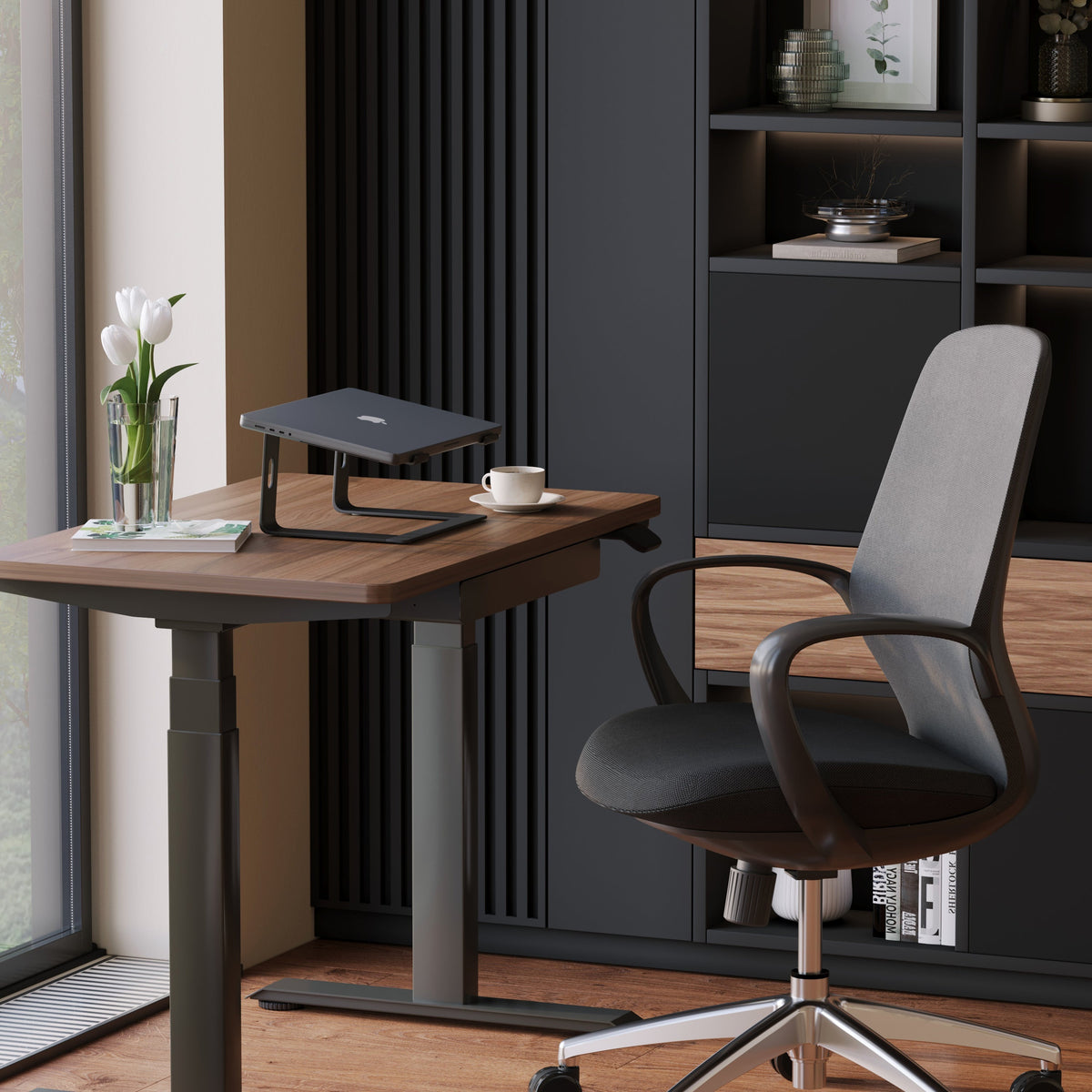
Laptop Stand Buying Guide: What Actually Matters Before You Buy

A laptop stand can look like a simple desk accessory until daily use exposes everything that a flat laptop position gets wrong. The screen sits too low, the neck drops forward, the shoulders tighten, and the desk begins to feel cramped long before the workday is over. That is why buying a laptop stand should never come down to appearance alone. The right choice needs to fit the way the laptop is used, the desk it sits on, and the rest of the workspace around it.
A good stand does not need to promise anything dramatic to be worth buying. It simply needs to solve the right problem honestly. That usually means creating a more comfortable viewing position, supporting airflow under the laptop, improving how the desk functions, and helping the overall setup feel more deliberate. Buyers who focus only on product photos or a short feature list often end up with a stand that looks appealing but feels inconvenient in practice.
The better approach is to evaluate what actually matters before the purchase is made. Screen height matters. Stability matters. Footprint matters. Desk compatibility matters. Work style matters. Even lighting can matter more than expected once the laptop screen is raised. When all of those factors are assessed together, the right stand becomes much easier to identify.
What a Laptop Stand Actually Changes in Daily Use
A laptop stand changes the relationship between the body, the screen, and the desk. That sounds straightforward, but the effect is broader than most buyers expect. The main improvement is visual positioning. Raising the screen reduces the constant downward gaze that often leads to neck and upper-back discomfort during long sessions. That benefit becomes even more noticeable when the laptop is used for focused work, calls, writing, research, or multitasking across several windows.
The second change is spatial. A laptop placed flat on the desk takes up more usable working room than people realize. Once lifted, the desk can feel cleaner and more organized, especially when notebooks, a mouse, charging cables, and other tools share the same surface. A better setup often starts with gaining back control over how the desk is used.
The third change is thermal. Many stands create more open space beneath the laptop, which can support airflow better than a flat desk surface. That does not turn the stand into a cooling system, but it can contribute to a more practical setup for longer work sessions.
The problem most buyers are really trying to solve
Most buyers are not searching for a stand because they want another accessory. They are trying to fix a setup that already feels off. Sometimes the issue is obvious, such as neck strain from looking down all day. Sometimes it shows up as a desk that feels cluttered no matter how often it is tidied. In other cases, the screen angle feels awkward during video calls or long periods of reading and writing.
A laptop stand is most useful when it addresses one or more of these real problems. It becomes less useful when it is purchased as a generic upgrade without clear purpose.
Why some laptop stands disappoint after purchase
The most common mistake is assuming that any elevation is good elevation. A stand can raise the laptop and still feel wrong if the screen becomes too close, the keyboard angle becomes awkward, or the base shifts during normal use. Some stands also take up more desk depth than expected, which can make an already compact workstation harder to use.
That is why a stand should be judged not by whether it lifts the laptop, but by whether it improves the setup without creating new friction.
Start With Your Work Setup, Not the Product Listing
The best laptop stand for one person may be a poor choice for another, even when both use similar laptops. The deciding factor is often the setup itself.
A dedicated desk setup usually benefits from a sturdier solution with dependable support and a stable base. A flexible setup that moves between rooms or work surfaces may need something lighter and simpler. A shared workstation may need easier adjustability so different users can reposition the screen quickly without hassle.
Fixed workstations need stronger everyday support
If the laptop stays on one desk most of the time, stability becomes one of the most valuable qualities. A stand in this type of setup does not need to disappear into a drawer or travel in a bag. It needs to feel reliable every day. That makes build quality, support, and ease of placement more important than portability.
This kind of setup also tends to benefit most from improved ergonomics because the laptop is used for longer stretches at a time. The more hours spent working at the desk, the more noticeable the difference becomes.
Flexible setups need simplicity and ease of movement
For people who work in more than one space, a heavier or more complex stand may not always be the smartest choice. A lighter, lower-profile option can make more sense when the priority is quick setup and easier movement between work areas. In that context, a stand does not need to do everything. It needs to fit smoothly into a routine that changes often.
Shared desks benefit from adjustability
When more than one person uses the same workstation, fixed positioning can become a limitation. An ergonomic adjustable laptop stand can be a better fit in this situation because it aligns more naturally with changing screen-height preferences and different working positions. That kind of flexibility is also useful in hybrid work environments where the desk may serve different tasks throughout the week.
Screen Height, Viewing Comfort, and Typing Position Matter Most
Laptop stand shopping often becomes too focused on design language and not focused enough on basic usability. The core question is simple. Does the stand create a more comfortable screen position without making the rest of the setup harder to use?
That balance is where good decisions happen.
Useful elevation is better than maximum elevation
A stand does not need extreme lift to be effective. It needs enough elevation to reduce the need to look downward constantly. For many buyers, moderate screen lift brings more value than dramatic height changes because it improves posture while keeping the setup practical.
A stand that raises the laptop too far can become awkward if the user still types directly on the built-in keyboard. That is why the best amount of lift depends partly on whether the laptop will be paired with separate peripherals.
External keyboard and mouse use changes the equation
Once an external keyboard and mouse are part of the setup, the laptop can function more like a screen than a typing surface. That opens the door to choosing a stand with stronger elevation and a more dedicated ergonomic purpose. Without external peripherals, the buyer needs to be more careful. Raising the screen too much can improve neck angle while worsening wrist and arm position.
Neutral viewing is the real goal
The right stand helps the screen sit in a more natural line of sight. It does not need to turn the setup into a perfect workstation in technical terms. It simply needs to reduce strain and make the screen easier to engage with over time. A more neutral head position, less hunching, and a better visual angle are the outcomes that matter most.
Stability Is Often the Difference Between a Good Purchase and a Regret
A stand can look refined in a product image and still become frustrating within minutes of real use. Stability is where many stands separate themselves.
Screen wobble during typing can make a setup feel temporary and distracting. Small shifts on the desk can become annoying quickly. Even subtle movement can reduce confidence in the workspace and make the laptop feel less secure than it should.
What stability looks like in practical terms
A stable stand stays planted during ordinary work. It does not rock when hands return to the keyboard. It does not slide easily on a smooth surface. It does not make the screen bounce every time the desk is touched. These are basic expectations, but they have a major effect on whether the stand feels worth keeping.
Build quality matters more than visual minimalism
Thin lines and lightweight forms can look appealing, especially in modern workspaces. But slim design should never come at the cost of support. Larger laptops and longer work sessions tend to expose weak points quickly. That is why base design, contact points, hinge quality, and overall sturdiness deserve more attention than styling alone.
Material, Weight, and Form Shape Long-Term Satisfaction
The feel of a laptop stand in everyday use is influenced heavily by its material and structure. Metal designs are often chosen because they feel more substantial and pair well with modern desks and accessories. Lighter designs may offer visual simplicity and easier movement. Neither approach is automatically better. The right one depends on how the setup is used.
Heavier stands can support a more anchored setup
A more substantial stand often makes sense when the laptop stays in one place. It can provide stronger support and a more settled feeling on the desk, which becomes especially important with larger devices or more active typing habits.
Lighter designs fit cleaner, simpler routines
For buyers who want a more streamlined workstation, a lightweight laptop stand can be the smarter option. A lower-profile design often suits compact desks, calmer visual layouts, and routines where the stand is repositioned more often. The key is to choose that simplicity intentionally, not assume that less structure will work for every type of setup.
Airflow still deserves attention
Laptop stands are not a replacement for responsible device care, but the shape of the stand can influence how much open space sits beneath the computer. More airflow around the underside can be helpful during longer sessions, especially when compared with placing the laptop flat on a desk all day. Open support structures often make more sense than designs that create broad, uninterrupted contact with the laptop base.
Desk Compatibility Is One of the Most Overlooked Buying Factors
A laptop stand does not exist in isolation. It has to work with the desk, the surrounding accessories, and the actual area available for hands-on work.
Desk depth affects how comfortable the screen feels
Once the laptop is raised, the screen may sit closer to the user than expected. On a shallow desk, that can make the setup feel cramped. On a deeper desk, it often feels more balanced. Buyers who skip this consideration sometimes choose a stand that would have worked well on another surface but not on their own.
The stand should not consume the whole workflow area
A good desk setup still needs room for a keyboard, mouse, notebook, charger, and any other essentials used throughout the day. A stand that takes over the entire center of the desk can make work feel more restricted instead of more organized.
Match the stand to the desk, not just the laptop
This is why it helps to think about the stand alongside adjustable ergonomic desks. The desk determines available depth, working posture, and the overall range of motion within the setup. A stand that feels right on one desk may feel too tall, too narrow, or too visually heavy on another. Choosing with the full desk environment in mind leads to fewer compromises later.
The Best Laptop Stand Depends on How You Actually Work
Buying decisions become clearer when the setup is matched to a work style rather than a category label.
For focused desk work
Daily desk work benefits from reliable elevation, consistent support, and materials that feel durable over time. In this environment, the stand should help the workstation feel settled and capable of handling long sessions without distraction.
For part-time or multi-purpose use
Some desks serve as workstations only part of the day. In these cases, visual lightness and ease of repositioning may matter more. The best stand may be the one that integrates neatly without making the space feel permanently occupied.
For system-minded workspace planning
A laptop stand performs better when it is treated as one part of a broader desk environment. The layout, lighting, storage, and accessory choices all affect how useful the stand becomes. That is why browsing a wider workspace accessory collection can help buyers think more clearly about how the full setup should function, rather than solving one isolated problem at a time.
Raising the Laptop Also Changes the Lighting Experience
One of the most overlooked parts of laptop-stand buying is what happens to the screen once it is elevated. Better posture does not automatically mean better visual comfort. In fact, raising the screen can reveal lighting problems that were less obvious before.
Elevated screens can expose glare and shadow issues
Overhead light reflections may become more visible. Side lighting may create uneven brightness during reading or calls. A workspace that felt acceptable before can suddenly feel off-balance once the screen sits higher.
Task lighting and ambient lighting serve different purposes
Task lighting helps when the desk is used for note-taking, reading, paperwork, or focused keyboard work around the laptop. Ambient lighting shapes the atmosphere of the room more broadly and can make the workspace feel calmer and more intentional.
A multi-use LED desk lamp fits naturally into a setup where directed light is needed without overwhelming the desk. For buyers who want a softer visual layer around the workstation, a recycled glass table lamp can support a more relaxed and design-conscious workspace atmosphere. Both belong in the conversation because laptop comfort depends on what the eyes experience as much as what the neck and shoulders experience.
Home Office and Professional Workspace Needs Are Not the Same
A stand chosen for a personal home office may not be the right choice for a more polished or shared work environment.
Home office setups often prioritize comfort and space efficiency
At home, the main goal is usually to create a workspace that feels comfortable, uncluttered, and easy to maintain. That often means choosing a stand that solves the practical problem without making the desk feel too technical or crowded.
Professional workspaces need stronger visual cohesion
In more curated environments, accessories are part of the overall impression of the space. A laptop stand becomes one visible element within a larger design language. Materials, form, and compatibility with the surrounding furniture all matter more in this context.
That is where the broader standard of modern ergonomic office furniture becomes relevant. Buyers increasingly want workspaces that support comfort without sacrificing refinement, and a laptop stand should contribute to that balance rather than interrupt it.
Laptop Stand Comparison Table: What to Evaluate Before You Buy
| Buying Factor | What to Check | Why It Matters |
|---|---|---|
| Screen elevation | Whether the stand raises the laptop enough to improve viewing comfort | Useful lift can reduce constant downward gaze |
| Stability | Base support, grip, wobble resistance, hinge confidence | A steady setup feels safer and more practical every day |
| Material and structure | Overall build, weight, and support design | Material affects durability, portability, and long-term feel |
| Desk footprint | How much usable desk space remains after placement | The stand should not crowd keyboard, mouse, and writing space |
| Workstyle fit | Whether the stand suits fixed, flexible, or shared use | A mismatch here often leads to frustration after purchase |
| Airflow design | How much open space sits beneath the laptop | Better openness can support a more practical long-session setup |
| Lighting relationship | Whether screen height will change glare or visibility | Visual comfort is part of workstation comfort |
A Smarter Pre-Purchase Filter for Choosing the Right Laptop Stand
The strongest buying decisions come from asking better questions before adding a product to the desk. Instead of comparing dozens of features at once, it helps to focus on the practical conditions the stand needs to serve.
Use this decision checklist before buying
1. Measure the usable depth of the desk, not just the width.
2. Decide whether the laptop will be typed on directly or used with external peripherals.
3. Identify whether the setup is fixed, flexible, or shared.
4. Prioritize stability if the laptop is used for long daily sessions.
5. Choose a lighter form only when portability or visual simplicity is genuinely important.
6. Consider how raising the screen may affect glare and surrounding light.
7. Make sure the stand fits the desk as a whole, not just the laptop itself.
A laptop stand is a small product with a large effect on how a workspace feels. The best one is rarely the one with the longest feature list. It is the one that fits the real desk, the real work routine, and the real expectations of daily use. When those factors line up, the result is a setup that feels more comfortable, more functional, and easier to return to every day.
Related Articles
-
 How Filing Cabinet Storage Supports Office Desk Must Haves
-
 Filing Cabinet Ideas for Better Office Furniture Accessories
-
 Best File Cabinet for Home Office Storage That Feels Easy
-
 Better Multiple Monitor Desk Setup Starts With One Stand
-
 Make Laptop and 2 Monitor Setup Work With Better Stands
-
 Why Dual Monitor Comfort Needs a Monitor and Laptop Stand


