























Are standing desks better for you if you already sit all day

“Better for you” starts with what changes: sedentary time is the real target
When work requires hours at a computer, the biggest health variable is not whether the body is seated or upright. It is how long the body stays still. Long, uninterrupted sitting is a hallmark of modern desk work, and it often stacks up quietly across a day. Meetings run long, messages pile up, deep-focus tasks stretch for hours, and the body settles into a single position because it is efficient.
A standing desk can be better for you if it helps you change positions more often and move a little more throughout the day. It is not a magic fix for the effects of being sedentary. The goal is not to replace sitting with standing for the same number of hours. The goal is to reduce long blocks of stillness and make posture changes easier to sustain.
Why long, unbroken sitting is the problem even when posture looks “fine”
The human body tolerates many postures when they are temporary. Problems tend to accumulate when a posture becomes the default and never changes. Sitting for long stretches can reduce muscle activity in the lower body, limit joint movement at the hips and ankles, and create a persistent low-load demand on the spine and surrounding tissues. Even when someone sits “upright,” the body is still experiencing static loading.
The trick is that static loading is not unique to sitting. Standing still can be static too. That is why posture is only part of the story. What matters most is whether the day includes frequent position changes and small bouts of movement.
How standing desks help when they create position change and light movement
The most consistent benefit of a standing desk is that it makes it easier to switch between sitting and standing without turning it into a project. If the desk transitions easily, you are more likely to change posture when you feel stiffness creeping in, when you take a call, when you are reading, or when you need a reset between tasks.
Standing also tends to encourage small movements. Weight shifts, short steps, and subtle calf and ankle motion can add up. Those micro-movements are not a replacement for walking or exercise, but they can help break the “frozen” pattern that defines sedentary workdays.
What evidence tends to support: breaks from sitting matter more than standing longer
Standing desks are often discussed as if the only question is whether standing is healthier than sitting. In reality, many of the meaningful improvements come from interrupting sitting time, not from standing for hours. The healthiest routine is usually a blend of sitting, standing, and short movement breaks.
Cardiometabolic signals that can improve when you interrupt sitting
Small breaks can influence how the body handles blood sugar, especially after meals. Light movement and frequent transitions can support circulation and reduce the “sluggish” feeling that appears when the body stays still for too long.
Post-meal blood sugar: why short movement breaks can outperform long standing blocks
For many people, a short movement break after eating is more practical and more effective than trying to stand for a long stretch. A few minutes of easy movement can help the muscles in the legs use glucose, supporting steadier energy. Standing can contribute, especially if it includes gentle movement, but the strongest pattern is frequent interruptions of sitting, not heroic blocks of standing.
Circulation and energy: why frequent change beats perfect posture
Circulation benefits when the legs and ankles move. The day feels better when the body is not pinned to one angle. A standing desk can support this by making posture changes frictionless. The desk is not the intervention by itself. The intervention is the routine the desk enables.
Where standing can backfire and why balance matters
Standing can create discomfort when it becomes static. Feet, calves, knees, and the lower back can start to complain if the body is upright for long spans without enough variation. Some people also notice swelling or heaviness in the legs, especially if they stand still on hard surfaces.
A realistic approach is to treat standing as one position in a rotation. If standing creates symptoms that worsen over time, the answer is not to push through. It is to adjust the setup, shorten standing bouts, and lean into movement breaks.
The real ergonomic advantage: variability that reduces repetitive strain when setup is correct
Standing desks shine when they make it easier to vary posture without compromising alignment. A poor standing setup can create new discomfort in the wrists, shoulders, or lower back. A tuned setup can reduce the stress that accumulates from repeating the same joint angles for hours.
Neutral alignment cues that matter more than standing vs sitting
Most desk-related aches come from the same few issues: the screen is too low or too far, the keyboard and mouse position forces reaching, or the desk height causes shoulders to creep upward.
Screen position that reduces neck strain
A comfortable screen position supports a neutral head and neck. If the monitor is too low, the head tilts forward and down for long stretches, increasing neck and upper back strain. If it is too far, the body tends to lean in.
A quick check is whether you can read comfortably without leaning forward. Another is whether your gaze naturally falls toward the top third of the screen when you are sitting or standing in a neutral posture. Small adjustments can make a big difference.
Keyboard and mouse placement that prevents shoulder tension
When the keyboard is too high, shoulders elevate and the upper traps do extra work. When the mouse is too far to the side, the shoulder abducts and the forearm reaches, increasing strain over time.
The most sustainable position keeps elbows close to the body, forearms supported when possible, and wrists neutral. If you feel your shoulders rising while typing, the desk height is likely too high or the input devices are positioned too far forward.
Wrist neutrality and the “too-high desk” trap
Wrists tend to suffer when the desk height forces them to bend upward. Neutral wrists usually come from a desk height that allows elbows to rest at roughly a right angle, with forearms parallel to the floor. A slight negative tilt on the keyboard can help some people, but the foundation is correct height.
Low-back comfort: why switching positions can reduce static load
Low-back discomfort often comes from staying in one posture long enough that muscles fatigue and passive structures carry the load. Alternating between sitting and standing changes spinal angles and distributes stress across tissues.
Standing without dumping into the low back
A common standing posture problem is “hanging” on the lower back. When the pelvis tilts forward and the ribcage flares, the low back compresses. A more comfortable stance keeps ribs stacked over hips, knees soft, and weight distributed through the whole foot.
A subtle cue is to shift weight slightly and change stance occasionally. Another is to keep one foot slightly forward and alternate, which reduces the urge to lock into one rigid position.
A sit-stand rhythm that works for people who already sit all day
If you already sit all day, standing desks can feel great at first and then become uncomfortable if you increase standing time too quickly. The safest strategy is a gradual ramp-up paired with consistent movement breaks.
A comfort-first ramp that prevents early foot and calf fatigue
Start small and tie standing to tasks that naturally fit the posture. If you stand only when it makes sense, the routine tends to stick.
Week 1 and 2: short standing bouts paired with existing tasks
Stand for short periods during natural transitions. Examples include reading an email thread, reviewing a document, organizing a to-do list, or taking a call. Keep the goal modest. The win is consistency, not duration.
Week 3 and 4: extend only if recovery feels normal
Add time only if feet, calves, and low back recover without lingering soreness. If discomfort stacks day after day, reduce standing time and focus on movement breaks. A standing desk is not a test of willpower.
Ratios that match the work, not the trend
Deep focus often pairs better with sitting because it reduces fidgeting and supports steady hand control. Standing can work well for tasks that are lighter on precision.
Standing works well for calls, reading, and quick admin
Standing can support alertness for short bursts, especially during phone calls or light coordination. Many people find it easier to stay engaged when upright during brief tasks.
Sitting supports precision work and long drafting
Writing, design work, and detailed spreadsheets often feel steadier when seated. The key is to avoid sitting for hours without interruption. The chair is not the enemy. The unbroken block is.
Twelve movement prompts that do not disrupt productivity
-
Stand for phone calls and voice notes.
-
Take a short walk after meals if possible.
-
Refill water regularly so breaks happen naturally.
-
Batch printing or scanning and walk to the device once per hour.
-
Set a gentle reminder every 45 to 60 minutes to change posture.
-
Do a quick shoulder reset when opening a new tab or switching tasks.
-
Make one daily meeting a standing meeting when appropriate.
-
Do calf pumps during loading screens or while reviewing.
-
Alternate stance with one foot slightly forward, then switch.
-
Do ankle circles before returning to sitting.
-
Pair short mobility moves with routine events, like sending a report.
-
Create an end-of-day reset where you stand, tidy, and shut down deliberately.
Standing desk ergonomics that prevents swapping sitting pain for standing pain
Standing is only comfortable when the desk and accessories support it. The most common problems come from height, reach, and surface friction. The second category is foot and leg support. The third is cable clutter, which affects how you move and whether you avoid changing positions.
Height, reach, and stability: the three constraints that decide comfort
A stable work surface supports fine motor work and reduces the instinct to brace or lean. Correct height keeps shoulders relaxed and wrists neutral. Appropriate reach keeps the mouse and keyboard within a comfortable zone.
The shrug test for desk height
If your shoulders rise when you type, the surface is too high or the keyboard is positioned too far away. Adjust until you can type with relaxed shoulders and elbows near your sides.
Mouse travel and forearm support
Many people develop shoulder and forearm fatigue from long mouse reach or high mouse use. Keep the mouse close, reduce the need for exaggerated lateral movement, and consider supporting the forearm on the desk surface to reduce load.
Monitor positioning for progressive lenses
If you use progressive lenses, monitor height can be tricky. Too high can force neck extension. Too low can force neck flexion. A slightly lower monitor placement than standard recommendations may feel better, but comfort and neutral neck posture should guide the setup.
Foot and leg management that makes standing sustainable
Standing is easier when the surface under you reduces pressure and encourages subtle movement.
When footwear and mats help
Supportive shoes can make standing more comfortable, especially on hard floors. An anti-fatigue mat can reduce pressure points and encourage small foot movements. Neither is a cure, but both can reduce discomfort.
Why stance alternation matters more than perfect stillness
Standing with feet planted evenly for long stretches can feel tiring. A small platform or footrest helps by letting you shift the pelvis and reduce low back load. Even a small change in stance can prevent static fatigue.
When to sit down right away
Sit down if you notice numbness, tingling, sharp pain, or swelling that does not improve quickly with movement. Adjust the routine and consider professional guidance if symptoms persist. A standing desk should support comfort, not create new problems.
Cable routing is an ergonomic variable, not just an aesthetic choice
Cable clutter changes how you move. Dangling cords can limit where you place your feet, make you hesitant to shift stance, and create tiny frustrations that lead to avoiding transitions.
A tidy underside reduces friction in sit-stand transitions
When cords are controlled, you can move the chair freely, change height smoothly, and avoid snagging. An Under-Desk Cable Management solution supports a cleaner underside so your standing routine is not interrupted by tangled cords or dangling power bricks.
Choosing the right desk when you want to stand more: fit, range, and real work needs
Not every desk worker needs a sit-stand desk. The right choice depends on how often you will stand, what tasks you do, how many monitors you use, and how stable you need the surface to feel.
When a true sit-stand desk is the right tool
A dedicated sit-stand desk is most useful when you expect to alternate positions throughout the week and want the transition to be fast and repeatable.
Height range that fits your body and your setup
Adjustability matters because a desk that is too high or too low can create shoulder, wrist, or low back issues. A desk that accommodates your needs makes standing feel natural rather than forced.
Surface space for real work, not just a laptop
Many people underestimate how much space the mouse needs for comfortable work. Add a notebook, a drink, and a second monitor, and the surface gets crowded fast. A standing desk works best when it supports the full workflow without cramped reach.
Stability that supports precision and comfort
If the surface wobbles, people tend to brace, tense, or avoid standing for focused tasks. A stable platform supports better mechanics and reduces fatigue.
For teams and individuals who want a dedicated sit-stand solution, the Urbanica Standing Desk is the product page that outlines that specific desk option.
When a fixed desk still supports a healthier day
If you plan to stand only in short bursts or prefer walking breaks as the main interruption method, a fixed desk can still be an excellent choice. The difference comes down to whether the desk enables good seated ergonomics and whether your routine prevents marathon sitting.
Matching desk type to your environment: home office, hybrid corner, or team floor plan
The desk is not only a personal object. It is also part of an environment. Layout influences movement habits. A well-planned space makes it easier to stand, walk, and reset without thinking about it.
A simple workstation that supports posture and movement breaks at home
A home setup often benefits from simplicity. A desk that supports stable seated work, adequate surface space, and comfortable leg clearance can make breaks feel restorative rather than disruptive.
Depth and leg clearance that make seated work comfortable
Adequate depth helps keep the monitor at a comfortable distance and reduces forward head drift. Good leg clearance allows natural posture changes without bumping into supports.
Pairing a fixed desk with movement prompts
A fixed desk can still support a movement-forward day if you build a routine of short breaks, occasional standing tasks, and posture resets. For a straightforward workstation option, the Urbanica Office Desk page is the relevant reference for that desk model.
Team layouts that make movement easier for everyone
In shared environments, movement habits are shaped by layout. If people have to weave through clutter or feel like standing draws attention, they stand less. If pathways are clear and shared zones exist, micro-movement happens naturally.
Shared zones, walk paths, and stand-ready collaboration spots
Teams benefit from spaces where quick conversations happen without sitting down. A small standing zone for brief collaboration can reduce long seated meetings and encourage natural posture variation.
Four-person configurations that support consistent workflows
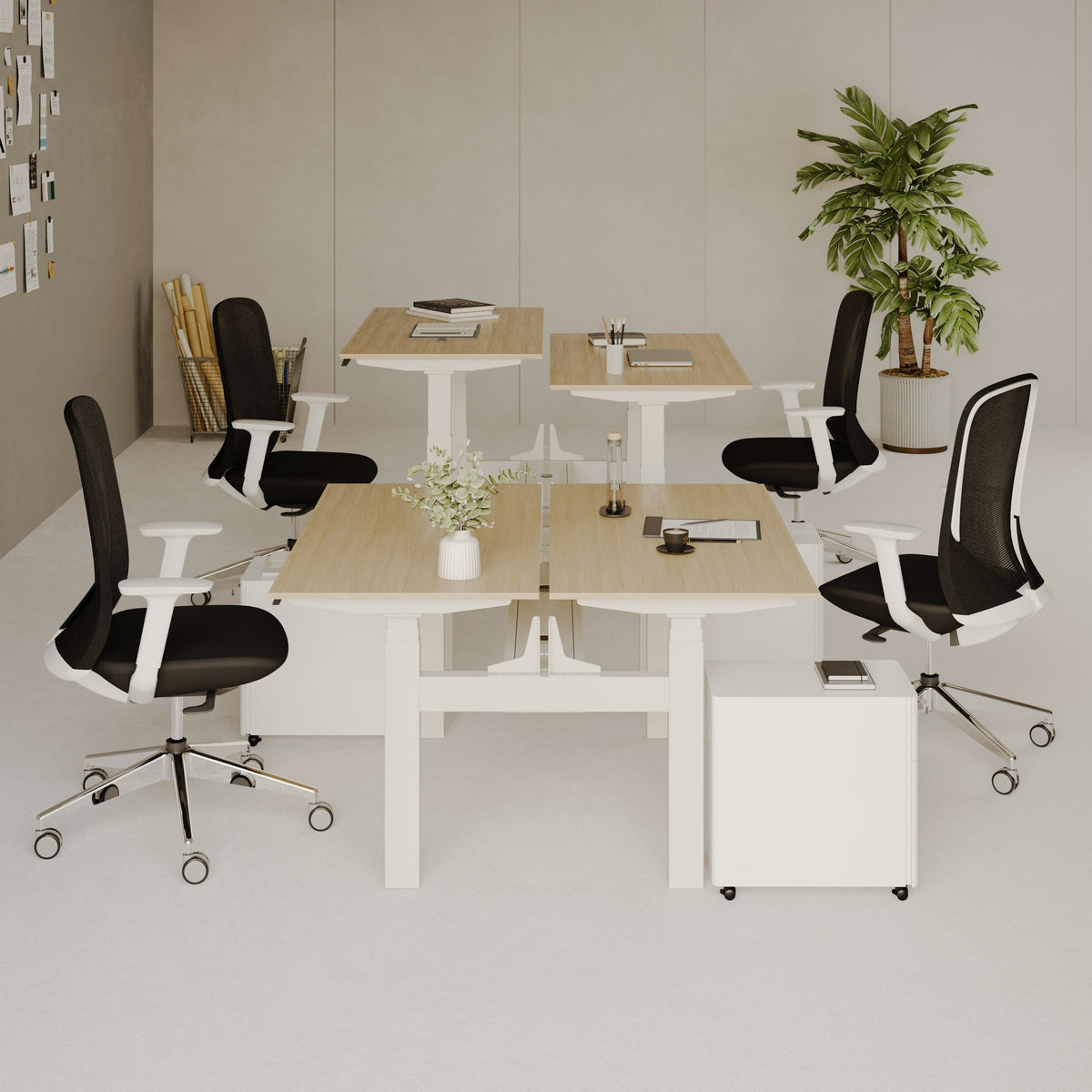
For teams working in close proximity, a four-person setup can balance collaboration and individual focus while keeping equipment organized. The Quad Workstation Desk page is the accurate reference for that workstation configuration.
Browsing desk styles and sizes before committing
Selecting a desk is easier when you can compare shapes, surface sizes, and styles in one place. The Urbanica desks collection provides a broader view of desk options for different spaces and work styles.
Cable management that makes standing easier to maintain because friction kills habits
Standing routines often fail for a simple reason: small annoyances add up. If raising the desk snags cords, if power bricks dangle, or if you constantly have to reposition equipment, you will stand less even if you like standing.
Why micro-friction ends standing habits
When standing requires extra steps, people default to sitting. The habit that survives is the one that feels easy during busy days, not the one that looks best on paper.
Snagging cords and power sprawl create subtle avoidance
Cords that catch create worry about damaging equipment. That worry changes behavior. People stop adjusting the desk height, leave the desk in one position, and the sit-stand benefit disappears.
Sit-stand travel needs controlled slack and a clean vertical drop
When a desk moves, cables need a predictable path. Controlled slack prevents tension. A clean vertical drop keeps cords out of the way and reduces the chance of tangling.
A clean vertical drop that keeps height changes smooth
A vertical organizer helps guide cables in a controlled line from the desktop down to the floor or power source. The Spine Cable Organizer page is the relevant reference for that style of cable routing accessory.
When standing desks are not the best lever and what works better
Standing desks are tools. They are not mandatory for a healthier workday. If standing creates discomfort that worsens, if your work requires long precision sessions, or if your space makes standing impractical, there are other effective strategies.
If standing increases symptoms, the plan should change rather than intensify
Pain and numbness are signals. A better approach is to shorten standing bouts, increase sitting quality, and add brief walking breaks that restore comfort.
Swap longer standing blocks for shorter transitions
Short transitions can offer many of the benefits without triggering foot or low back fatigue. Standing for five to ten minutes more often can be more sustainable than standing for an hour at a time.
Focus on walking breaks and seated ergonomics first
Walking breaks provide muscle activity that standing still does not. Seated ergonomics that support a neutral posture can reduce strain and make breaks more restorative.
Active workday alternatives that outperform standing still
The body benefits from movement variety. The most realistic alternatives include short walks, simple mobility resets, and task design that prevents marathon sessions.
Two-minute walks, mobility snacks, and posture resets
A short walk, a set of ankle circles, a hip stretch, and a shoulder reset can change how the next hour feels. These are small actions, but they change the day’s movement pattern in a meaningful way.
Using task design to prevent marathon sitting
Batching tasks, scheduling short breaks, and using natural transitions between work blocks can prevent the “accidental three-hour sit” that happens when focus is high and the calendar is packed.
Getting help with fit, planning, and delivery without turning it into guesswork
A desk that is better for you is a desk that fits your work, your room, and your body. The most reliable path is systematic: measure the space, clarify the workflow, and decide what you need the desk to support day after day.
Why selection is easier when you start with measurements and work tasks
A desk decision becomes clearer when you define monitor count, keyboard and mouse needs, storage constraints, and how often you plan to change posture.
Room constraints, equipment load, and cable needs
Tight spaces can limit chair movement and standing comfort. Multiple monitors can require more depth and better cable routing. Cable needs matter because they influence whether standing transitions feel easy or annoying.
Aligning furniture choices with how work actually happens
Some roles require hours of detailed input work. Others rotate between calls, documents, and collaboration. A standing desk is more likely to be helpful when the role naturally includes task transitions that can become posture transitions.
Region-specific service information that supports confident planning
For people coordinating office furniture decisions within a specific service area, accurate service details matter for planning and logistics. The regional office furniture service details page is the relevant reference for understanding that location-specific support information without turning the anchor into a place name.
The real answer: standing desks are better when they enable repeatable movement patterns you can sustain
For someone who already sits all day, a standing desk can be better for comfort and routine when it makes posture changes easier and reduces long, uninterrupted sitting blocks. The benefits are typically modest and practical rather than dramatic. That is a good thing, because realistic improvements are the ones people keep.
What success looks like after a month of consistent use
A sustainable routine feels less like a health project and more like a normal workday. The signals are practical: less stiffness, fewer end-of-day aches, and more stable energy.
End-of-day comfort and fewer stiffness spikes
When posture changes are consistent, many people notice that stiffness is less intense at the end of the day. The body feels less “compressed,” and transitions into after-work activities can feel easier.
Consistent transitions without flare-ups
If standing causes foot pain or low-back fatigue, the routine is too aggressive or the setup needs adjustment. Success is not standing longer. Success is standing comfortably, sitting comfortably, and moving often enough that neither position becomes a strain.
A durable setup is a system: desk fit, transitions, and low-friction cable routing
A standing desk works best when it fits the workflow, supports neutral alignment, and makes transitions easy. When cable routing is clean, the desk can move without snagging, and habits survive busy days. When the routine is built around small, repeatable posture changes, the desk becomes a practical tool that supports healthier work patterns without overpromising what any single piece of furniture can do.
Related Articles
-
 Our Conference Chairs and Meeting Tables Compared, so You Can Furnish a Huddle Room, a Meeting Room, or a Boardroom for Eight in One Order
-
 This Is How To Build A Small Home Office You Actually Want To Work From, And How To Pick Desks For Small Spaces - Urbanica Furniture's Full Guide
-
 Best Setup for Laptop and 2 Monitors With Less Neck Strain
-
 Round Meeting Table Ideas That Make Team Talks Smoother
-
 What Makes a Chair Comfortable for Studying When You Sit All Day
-
 Best Chair Features for Students Who Sit All Day


