























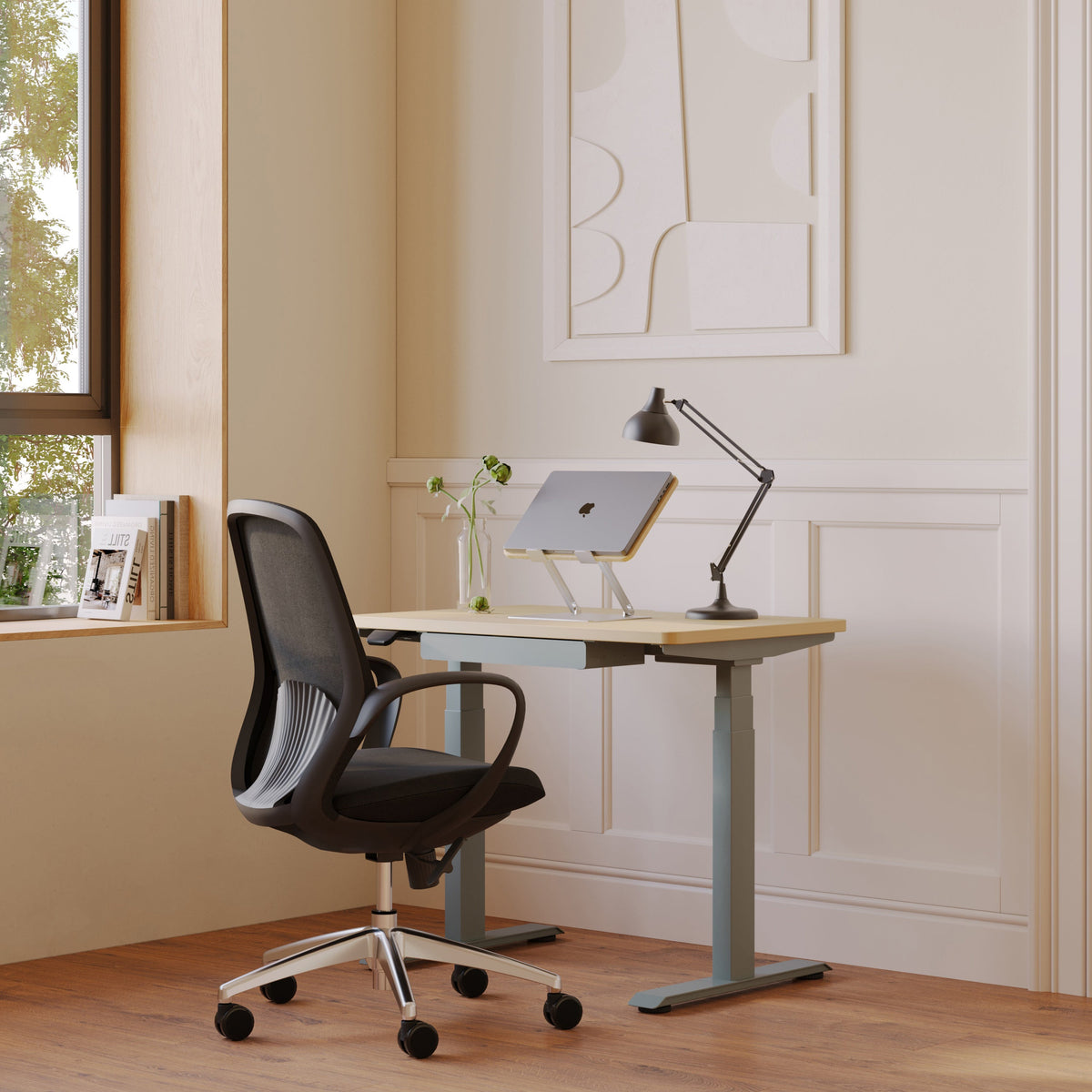
What Type of Laptop Stand Works Best for Long Hours at the Desk?

Long hours at the desk reveal the difference between a laptop setup that simply works and one that supports real focus. A laptop is compact by design, but that convenience often comes with a tradeoff: the screen sits low, the keyboard stays attached to the display, and the user is pulled into a folded posture that becomes harder to ignore as the workday continues.
The best laptop stand for long desk hours is not automatically the tallest, the most complex, or the most visually dramatic. It is the stand that raises the screen to a more comfortable viewing position, keeps the laptop stable, leaves enough room for a separate keyboard and mouse, and fits naturally into the desk environment. For most people who spend several hours at a workstation, an adjustable laptop stand offers the best balance of flexibility and support. For smaller desks or cleaner setups, a slim laptop stand can be the better fit. Fixed risers can also work well when the entire workstation is already dialed in.
Choosing well means looking beyond the stand alone. Desk size, chair height, screen distance, lighting, cable flow, and the way tasks change throughout the day all shape whether a laptop stand feels helpful after five minutes or genuinely comfortable after five hours.
Why Long Desk Hours Make Laptop Stand Choice More Important
A laptop is built around portability. The screen, keyboard, and trackpad are connected into one compact device, which is useful when moving between rooms, meetings, or work locations. At a desk, however, that same structure creates an ergonomic compromise. If the laptop is low enough for comfortable typing, the screen is usually too low for comfortable viewing. If the laptop is raised high enough for the eyes, the built-in keyboard becomes awkward to use.
That conflict is the main reason a laptop stand matters. It helps separate screen position from hand position. Once the screen is raised, the keyboard and mouse can sit independently on the desk surface where the arms and shoulders are more relaxed.
The Screen-Height Problem Behind the Laptop Hunch
Most laptop screens encourage users to look down. Over time, that downward angle can lead to a rounded upper back, forward head position, and shoulder tension. The issue may not feel dramatic during a short task, but long work blocks make it more noticeable. Reading, writing, designing, coding, attending video calls, and managing documents all require sustained visual attention. If the screen is too low, the body often adapts by leaning forward.
A good laptop stand helps bring the screen closer to a natural viewing range. The goal is not to force a perfectly rigid posture. The goal is to reduce the need to collapse toward the device. A more comfortable screen height allows the head and neck to stay more neutral while still letting the body shift naturally.
Stability Becomes More Noticeable Over Time
A stand that seems acceptable during a quick setup may become irritating during a full day. Small amounts of wobble can become distracting during video calls, typing, or adjusting the laptop angle. A secure base, supportive contact points, and a material that does not flex easily all contribute to a steadier experience.
Stability also affects confidence. People should be able to open the laptop, adjust the screen, plug in a charger, and move around the desk without feeling like the device is precarious. Long-hour work favors stands that feel settled and predictable.
Adjustable Laptop Stands Usually Work Best for Long, Varied Desk Sessions
For most all-day desk users, an adjustable stand is the strongest choice because work is rarely static. A person may start the morning answering emails, move into video meetings, spend midday reviewing documents, and end the day doing focused production work. Each task can call for a slightly different screen angle or height.
An adjustable design gives the setup more range. Rather than forcing the body to adapt to one fixed laptop position, the stand can adapt to the task, the chair height, or the person using the desk.
Height and Angle Control Support Real Work Patterns
Adjustability matters because long desk sessions include different kinds of attention. During a video call, the laptop screen may need to sit higher for better framing and a more natural gaze. During research, the screen might need a slightly different tilt to reduce glare. During writing or spreadsheet work, the display may need to align more closely with an external keyboard and mouse.
A product such as the coated steel adjustable laptop stand fits this kind of setup because it is specifically meant to elevate and position a laptop with adjustable support. That makes it relevant for users who want a workstation that can shift with the day rather than stay locked into one position.
Adjustable Does Not Mean Complicated
A good adjustable stand should make the desk easier to use, not more fussy. The best setup is one that can be changed when needed but does not require constant tinkering. Many people find one or two preferred positions and return to them throughout the day.
For long hours, the most useful adjustments are practical: raising the screen enough to reduce downward gaze, angling the display to improve visibility, and keeping the laptop steady while the user works. Extreme positioning is less important than repeatable comfort.
When an Adjustable Stand May Not Be the Best Fit
An adjustable laptop stand is not always the right answer. A very shallow desk may not have enough room for a larger stand plus an external keyboard and mouse. A user who moves between several locations might prefer a lighter, slimmer stand. A permanent workstation with a laptop used only as a secondary screen might work well with a fixed riser.
The deciding question is simple: does the workstation change during the day? If the answer is yes, adjustability usually has real value. If the setup is stable and already comfortable, a simpler stand may be enough.
Slim Laptop Stands Suit Small Desks, Minimal Setups, and Hybrid Work
A slim laptop stand works best when the user wants elevation without adding visual or physical weight to the desk. It can be especially useful in apartments, compact offices, shared workspaces, and hybrid setups where the workstation needs to stay flexible.
The strongest reason to choose a slim stand is surface efficiency. Small desks can feel crowded quickly, especially when a laptop, keyboard, mouse, notebook, lamp, phone, and charger all need space. A low-profile stand can improve screen position while keeping the desk open.
Compact Elevation Keeps the Desk Usable
A slim stand does not usually offer the same range as an adjustable model, but it can still make a meaningful difference. By lifting the laptop slightly and creating a more intentional screen position, it can reduce the sense of working flat on the desktop.
The anodized aluminum laptop stand is a relevant choice for this kind of workstation because the page identifies it as a slim laptop stand made with anodized aluminum. That kind of product fits users who want a cleaner desktop footprint and a simple way to raise the laptop without introducing a bulky structure.
Portability Matters When the Desk Changes
Hybrid workers often need consistency across inconsistent environments. The desk may change from home to office to coworking space. A slim stand can help create a familiar laptop angle without requiring a full workstation reset.
This matters because small setup changes compound throughout the day. When the laptop sits too low in one location and too far away in another, the user has to keep adjusting their body. A portable or low-profile stand helps recreate a more predictable screen position wherever work happens.
Slim Stands Still Need Real Stability
Slim should not mean flimsy. A laptop stand still needs enough structure to hold the device securely. Material, base width, grip, and contact points all influence whether the laptop feels safe on the stand.
For long desk sessions, users should consider how often they touch the laptop, whether they use an external keyboard, and how much screen adjustment they need. A slim stand is often best when the laptop is placed, opened, and left alone while the user works from separate input devices.
Fixed Laptop Risers Work When the Workstation Is Already Consistent
A fixed laptop riser can be effective when the desk setup rarely changes. It is most useful for someone who sits at the same desk, uses the same chair, and already knows the height that feels comfortable. In that case, simplicity becomes an advantage.
Fixed risers are often stable because they have fewer moving parts. They can create a clean, dependable setup for users who do not need frequent adjustments.
A Dedicated Desk Can Benefit From Simplicity
When a workstation is used the same way every day, a fixed riser can support a reliable routine. The laptop sits in one spot, the keyboard and mouse stay in front, and the user does not have to reset the setup repeatedly.
This works best when the laptop screen height happens to match the person’s seated position. It also works well when the laptop is used alongside an external monitor, or when the laptop screen serves as a secondary display.
The Limitation Is Personal Fit
The main weakness of a fixed riser is that it cannot adapt. A height that works for one person may feel too high or too low for another. A chair adjustment, a different laptop size, or a change in desk height can make the fit less comfortable.
For long hours, small mismatches become more obvious. If the screen is just slightly low, the neck may still bend forward. If the screen is too high, the user may lift the chin or strain the eyes. Fixed risers work best when the setup has already been tested and feels right.
Desk Size and Surface Layout Shape the Best Laptop Stand Choice
A laptop stand does not exist in isolation. It sits inside a workstation. The desk surface determines whether the stand improves comfort or creates new problems.
A good laptop stand should leave enough room for the keyboard, mouse, lighting, documents, cables, and natural arm movement. If the stand forces everything else into awkward positions, it has not truly improved the setup.
Desk Depth Controls Viewing Distance
Desk depth affects how far the laptop screen sits from the eyes. A shallow desk can push the laptop too close or leave too little room for an external keyboard. A deeper desk gives more flexibility, but it can also make the screen too far away if the stand is placed at the back edge.
The right desk helps the laptop stand do its job. Pairing a stand with well-proportioned adjustable office desks can make it easier to manage screen distance, keyboard placement, and open surface space without feeling crowded.
Keyboard and Mouse Placement Complete the Setup
Once a laptop is raised, the built-in keyboard should usually stop being the main typing surface for long sessions. Using it after elevation can place the hands too high and pull the shoulders upward.
A separate keyboard should sit close enough that the elbows remain relaxed. The mouse should stay near the keyboard, not far off to the side. The laptop screen should be centered with the body unless it is clearly being used as a secondary display.
A Practical Desk Fit Test
Before choosing a laptop stand, it helps to imagine the full layout:
1. Place the laptop where the screen feels readable.
2. Add the keyboard and mouse in front of it.
3. Check whether the shoulders can stay relaxed.
4. Leave room for charging and cable movement.
5. Confirm that the screen is not so far back that leaning becomes necessary.
6. Make sure a lamp, notebook, or phone does not crowd the input area.
This simple test prevents a common mistake: choosing a stand based on the laptop alone instead of the entire working surface.
Materials Affect Stability, Cooling, Durability, and Workspace Feel
Material choice influences how a laptop stand behaves and how it feels within the room. Long-hour work benefits from materials that feel steady, durable, and appropriate for the rest of the desk.
Metal, wood finishes, and plastic each have a place, but they do not create the same working experience.
Metal Stands Often Feel Strong and Desk-Ready
Aluminum and steel are common choices because they can provide firmness without unnecessary bulk. A metal stand can feel planted, resist flexing, and visually align with modern workspace tools.
Metal can also support airflow around the laptop, depending on the stand design. It is safest to think of this as ventilation support rather than a guaranteed cooling solution. A stand may help create space around the device, but laptop temperature still depends on the computer model, workload, vents, room conditions, and usage habits.
Warm Finishes Can Help a Desk Feel More Settled
A workspace is not only a functional zone. It is also a place where people spend a large part of the day. Materials and finishes influence whether the desk feels harsh, cluttered, calm, or cohesive.
Wood tones and warm finishes can soften a technology-heavy setup. This can matter in home offices where the desk sits in a living room, bedroom, or studio. A stand that visually belongs with the furniture is more likely to stay in use because it feels integrated rather than temporary.
Plastic Stands Are Usually Best for Light or Temporary Use
Plastic laptop stands can be useful for occasional work, travel, or budget-conscious temporary setups. They are often lightweight and easy to move. For long hours at a primary desk, however, many users prefer a stand that feels more substantial.
The issue is not that plastic cannot work. The issue is whether it provides enough stability, grip, and long-term confidence for the way the laptop is used every day.
Laptop Stand Types Compared for Long Desk Sessions
Different laptop stands solve different problems. The right choice depends on the user’s work habits, desk size, and need for adjustment.
| Laptop Stand Type | Best Fit | Long-Hour Strength | Practical Limitation |
|---|---|---|---|
| Adjustable laptop stand | All-day desk users and changing tasks | Offers more control over height and viewing angle | May take more desk space than slim options |
| Slim laptop stand | Small desks and minimal setups | Keeps the surface cleaner while adding screen lift | Usually offers less range than adjustable models |
| Fixed laptop riser | Dedicated workstations | Simple, stable, and predictable | Fit depends heavily on desk and chair height |
| Foldable portable stand | Travel and hybrid work | Easy to carry and reset | May feel less stable for extended sessions |
| Vertical laptop holder | Docked laptop with external monitor | Frees surface space | Not useful when the laptop screen is needed |
The key is not to treat one type as universally superior. Adjustable stands are often best for long hours because they offer more flexibility. Slim stands are often best for tight spaces. Fixed risers work when the workstation is already stable and well matched to the user.
Lighting Can Determine Whether a Raised Laptop Screen Feels Comfortable
A laptop stand changes the screen’s position, which can also change how light hits the display. A screen that looked fine flat on the desk may catch glare once raised. Overhead lighting, windows, and desk lamps can all become more noticeable.
Long hours require visual comfort as much as physical comfort. Even a well-positioned laptop can feel tiring if the display reflects bright light or sits in a poorly balanced room.
Task Lighting Should Support the Desk Surface, Not Hit the Screen
A desk lamp should illuminate the keyboard area, notes, or reading material without shining directly into the display. Positioning the light slightly to the side often works better than placing it directly behind or in front of the laptop.
The Alumina desk lamp or wall sconce fits naturally into this part of the workstation conversation because the linked page presents it as a lighting piece that can function as a desk lamp or wall sconce. For a laptop stand setup, the relevant point is not decoration alone. It is controlled light placement that supports the work surface.
Ambient Light Helps During Late-Day Desk Work
Evening work can feel harsher when the laptop screen is the brightest object in the room. Balanced ambient light can reduce the contrast between the display and the surrounding space.
A piece such as the recycled glass Shore Table Lamp belongs in this context because the linked page describes a table lamp made with recycled glass. Used thoughtfully, a table lamp can help soften the broader workspace while the laptop stand handles screen elevation.
Glare Checks for a Raised Laptop Screen
A simple lighting check can improve comfort:
-
Avoid aiming a lamp directly at the laptop display.
-
Keep strong window light from reflecting across the screen.
-
Use task lighting for the keyboard, notebook, or paperwork.
-
Balance screen brightness with the room instead of working in a dark corner.
-
Recheck glare after raising or tilting the laptop.
Lighting does not replace ergonomic positioning, but it can make the difference between a setup that looks correct and one that feels comfortable for sustained work.
The Best Laptop Stand Setup Includes Accessories That Reduce Friction
A laptop stand works better when the surrounding desk is organized. Cables, chargers, hubs, notebooks, lamps, and small tools can either support the setup or interfere with it.
Long-hour comfort depends partly on repeatability. When the workstation can return to the same useful layout each day, the user spends less energy adjusting and more energy working.
Cable Placement Can Protect the Stand’s Stability
Charging cables and adapters can pull against the laptop if they are routed poorly. A cable stretched across the desk may shift the computer, crowd the mouse area, or make the stand feel less secure.
Good cable placement gives the laptop enough slack to stay stable. It also keeps the keyboard and mouse zones clear. This is especially important when using external monitors, USB hubs, drives, or other connected tools.
Desk Organization Keeps the Ergonomic Zone Open
The space directly in front of the body should remain the cleanest part of the desk. That is where the keyboard, mouse, and hands need room to move. When accessories crowd that zone, the body compensates by reaching, twisting, or typing at an angle.
Well-chosen office accessories for desk organization can help support a cleaner workstation because the linked collection is centered on workspace accessories, including items that belong around a desk setup. The best accessories are the ones that make the primary work area easier to use, not more visually busy.
A Repeatable Layout Supports Better Work Habits
A laptop stand should become part of a dependable workstation rhythm. The laptop goes on the stand, the keyboard sits centered in front, the mouse stays close, the lamp supports the work surface, and the cables stay out of the way.
This kind of repeatability matters because comfort is easier to maintain when the setup is not reinvented every day. A desk that resets quickly is more likely to be used correctly.
Local Workspace Needs Can Influence the Right Stand and Desk Combination
Work environments vary widely. Some people have a dedicated home office. Others work from a bedroom corner, a studio apartment, a shared creative space, or a compact office. The best laptop stand should respect those real constraints rather than assume unlimited room.
A compact workstation may need a slim stand and a smaller desk lamp. A larger desk may benefit from an adjustable stand, external monitor, and wider accessory layout. A shared desk may need pieces that are easy to move and reset.
Smaller Rooms Reward Efficient Furniture Choices
In compact living and working environments, every object has to earn its place. A laptop stand should not consume more space than it saves. It should support the screen while leaving the rest of the desk available.
That is why broader workstation planning matters. A page focused on workspace furniture for city apartments and studios is relevant here because it connects office furniture choices to space-conscious working environments rather than treating the desk as an isolated product.
The Stand Should Match How the Room Is Used
A home desk may also be a reading area, creative surface, dining overflow, or shared family workspace. In those settings, a laptop stand that is easy to move or visually quiet can be more practical than a large technical structure.
For a private office, adjustability and full workstation support may matter more. For a multipurpose room, compactness and clean organization may take priority. The best choice follows the way the space is actually used.
Common Laptop Stand Mistakes That Make Long Hours Harder
A laptop stand can improve a workstation, but only when used correctly. Several common mistakes can undermine the benefits.
Typing on the Built-In Keyboard After Raising the Laptop
This is one of the most common problems. Raising the laptop improves screen position, but it also raises the keyboard. Typing at that height can lift the shoulders and angle the wrists uncomfortably.
For long sessions, a separate keyboard and mouse are usually the better pairing. This allows the laptop screen to stay raised while the hands remain at a more comfortable level.
Choosing Height Without Considering Screen Distance
A laptop stand that raises the screen but pushes it too far away may cause leaning. A stand that brings the laptop too close may feel visually cramped. Height and distance need to work together.
Users should be able to read comfortably without jutting the head forward. Font size, laptop screen size, and desk depth all influence this balance.
Prioritizing Looks Over Fit
A stand can look beautiful and still be wrong for the user. Visual design matters, especially in a home office, but it should not override stability, screen position, desk fit, and ease of use.
The best laptop stand feels natural during ordinary work. It supports the screen, stays steady, and leaves room for the rest of the desk to function.
Ignoring Laptop Size and Weight
Not every laptop has the same footprint. A larger device may need a wider or stronger stand. A smaller laptop may sit comfortably on a compact surface. The stand should match the device’s size and how it is used.
Users who frequently open, close, dock, or move the laptop should pay extra attention to base stability and contact points.
Which Laptop Stand Works Best for Your Desk Habits?
The best laptop stand depends on the work pattern. Long hours do not look the same for every person.
Best for All-Day Desk Workers
An adjustable stand is usually the best choice for people who spend full workdays at the desk. It offers more control over height and angle, which helps when tasks shift between meetings, reading, writing, and production work.
The best pairing is an adjustable stand, external keyboard, external mouse, stable desk surface, and lighting that does not create glare.
Best for Small Desks
A slim laptop stand is often the better choice for compact desks. It adds useful lift without dominating the surface. It also keeps the workstation visually lighter, which matters when the desk sits in a bedroom, apartment, or shared area.
A slim stand works especially well for users who value simplicity and do not need frequent height changes.
Best for Permanent Workstations
A fixed riser can work well when the user already knows the right laptop height and does not need regular adjustments. This setup is best for dedicated desks where the chair, keyboard, mouse, and screen arrangement stay consistent.
The key is fit. If the fixed height matches the body and desk, the simplicity can be an advantage.
Best for Hybrid Workers
Hybrid workers usually benefit from a stand that is easy to move, set up, and store. A slim or portable stand can help create a more consistent laptop position across different work locations.
The goal is not to recreate a full office everywhere. The goal is to avoid working flat on the desk every time the location changes.
Best for External Monitor Users
When an external monitor is the main screen, the laptop stand may serve a different role. It can position the laptop as a secondary display beside the monitor or keep it elevated for occasional reference.
In this case, the stand should align the laptop screen with the broader monitor arrangement without crowding the main keyboard and mouse area.
A Long-Hour Laptop Stand Should Fit the Body, the Desk, and the Workday
The best laptop stand for long hours at the desk is the one that supports how work actually happens. For most people, that means an adjustable stand with strong stability, comfortable screen elevation, and enough flexibility to handle different tasks throughout the day. For smaller spaces, a slim laptop stand may be the better solution because it improves screen position while preserving desk space. For permanent setups, a fixed riser can work well when the height already matches the user, chair, and desk.
A laptop stand should never be judged alone. Its value depends on the full workstation: the desk depth, keyboard and mouse placement, lighting, cable flow, chair relationship, and surrounding accessories. When those pieces work together, the laptop stops feeling like a temporary device sitting on a desk and starts functioning as part of a comfortable, focused workstation.
The strongest setup is stable, clear, and easy to return to each day. It raises the screen without crowding the surface. It supports the hands without lifting the shoulders. It manages light without glare. Most importantly, it allows long desk hours to feel more intentional, less strained, and better aligned with the way people actually work.
Related Articles
-
 How Filing Cabinet Storage Supports Office Desk Must Haves
-
 Filing Cabinet Ideas for Better Office Furniture Accessories
-
 Best File Cabinet for Home Office Storage That Feels Easy
-
 Better Multiple Monitor Desk Setup Starts With One Stand
-
 Make Laptop and 2 Monitor Setup Work With Better Stands
-
 Why Dual Monitor Comfort Needs a Monitor and Laptop Stand


