























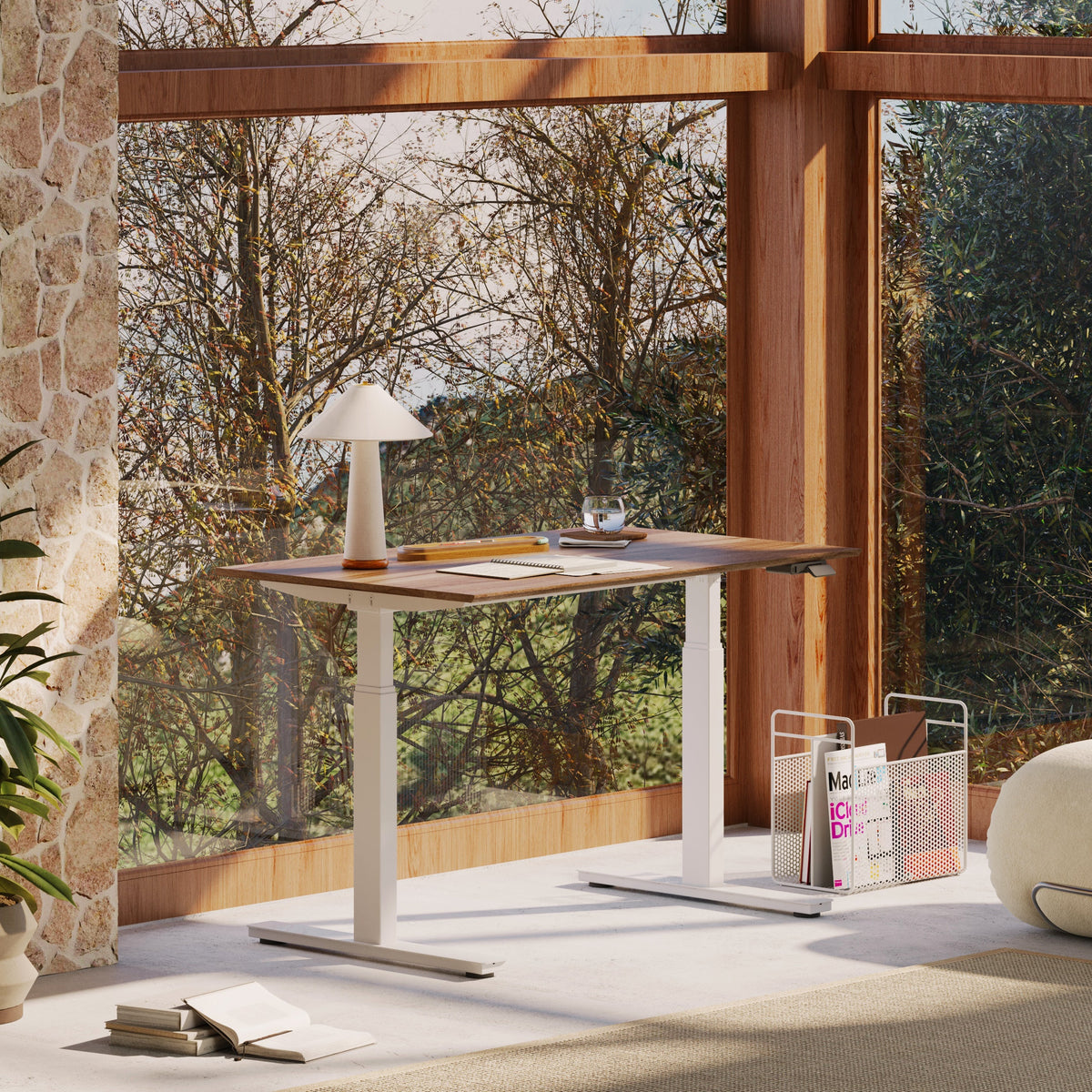
The Desk Height That Saves Your Wrists

The Desk Height Detail That Quietly Protects Your Wrists
Typing should feel effortless. Yet for many people, it slowly leads to wrist pain, forearm tension, and even numbness in the hands. These issues often appear without a clear cause, making them easy to ignore until discomfort becomes disruptive. In most cases, the root of the problem is not the keyboard or the mouse. It is the height of the desk.
Desk height determines how your arms, wrists, shoulders, and spine interact while typing. When it is wrong, the body compensates in subtle ways that build strain over time. When it is right, typing feels lighter, more controlled, and far less taxing. Understanding proper desk height is one of the most effective ways to protect your wrists and improve comfort during long work sessions.
Why Desk Height Has a Direct Impact on Wrist Health
Wrist discomfort rarely comes from the wrists alone. It is usually the result of poor alignment throughout the upper body. Desk height sets the foundation for how your arms rest, how your shoulders position themselves, and how much pressure lands on your wrists during typing.
When a desk is too high, the wrists bend upward and shoulders lift unconsciously. When it is too low, the body slouches forward and the wrists bend downward. Both scenarios increase strain on tendons and nerves that pass through the wrist. Over time, this strain can lead to inflammation, reduced grip strength, and chronic discomfort.
A well-proportioned workspace that includes a Small Standing Desk California demonstrates how correct desk height supports natural wrist alignment by allowing the forearms to rest comfortably and the hands to remain neutral while typing.
The Ideal Desk Height for Typing Comfort
Neutral Wrist Position Is the Goal
Typing comfort starts with wrist neutrality. This means the wrists remain straight rather than bent upward or downward.
How Arm Position Determines Desk Height
Desk height should be based on elbow position, not overall desk size.
Key Measurements to Aim For
-
Elbows bent at roughly ninety degrees
-
Forearms parallel to the floor
-
Wrists straight, not angled
-
Hands floating lightly over the keyboard
-
Shoulders relaxed and level
When these conditions are met, the wrists experience less compression and the muscles of the forearm work more efficiently.
Common Desk Height Mistakes That Harm the Wrists
Why Most Desks Are Set Incorrectly
Many people adjust their chair but never adjust the desk.
How Poor Desk Height Creates Hidden Strain
Misalignment forces the wrists to compensate.
Desk Height Errors to Avoid
-
Desk surface above elbow height
-
Keyboard pushed too far back
-
Leaning forward to reach keys
-
Using wrist rests to mask poor height
-
Locking arms in one position
A properly scaled office desk allows the arms to rest naturally without forcing wrist angles that lead to discomfort.
Sitting, Standing, and Desk Height Consistency
Typing comfort should remain consistent whether you are sitting or standing. Many people experience wrist pain when transitioning between positions because desk height changes are not properly adjusted.
Sitting requires the desk to align with seated elbow height. Standing requires a slightly higher surface that still keeps the wrists neutral. The mistake is assuming one height works for both positions.
When desk height adapts correctly to posture changes, typing remains comfortable and controlled instead of strained.

Why Adjustable Desk Height Protects Wrists Long Term
Static Desk Height Limits Comfort
Fixed desk heights force the body to adapt instead of the furniture.
Adjustability Supports Natural Movement
Height flexibility allows posture resets.
Wrist-Friendly Benefits of Adjustable Desks
-
Maintains neutral wrist angles
-
Supports seated and standing typing
-
Reduces repetitive strain
-
Encourages posture variation
-
Improves long-term comfort
A height-adjustable standing desk allows desk height to follow the body throughout the day, protecting wrists during extended typing sessions.
Screen Position and Its Effect on Wrist Alignment
Wrist discomfort is often influenced by screen placement. When screens sit too low or too far away, people lean forward and reach, changing wrist angles without realizing it.
Proper screen alignment allows the arms to remain close to the body, keeping wrists neutral. Guidance from this ergonomic workstation setup explains how desk height, screen position, and typing posture work together to reduce strain.
When screens are aligned correctly, typing becomes more relaxed and controlled.
Desk Height Scenarios and Their Effects
|
Desk Height Setup |
Wrist Position |
Result |
|
Too high |
Bent upward |
Wrist strain |
|
Too low |
Bent downward |
Tendon stress |
|
Proper height |
Neutral |
Comfort |
|
Fixed height |
Inconsistent |
Fatigue |
|
Adjustable |
Adaptive |
Protection |
Accessories That Improve Wrist Protection
Small Adjustments Make a Big Difference
Accessories help fine-tune desk height and reach.
Supporting Upper-Body Alignment
Wrist comfort depends on arm support.
Tools That Reduce Wrist Strain
-
Adjustable screen positioning
-
Clear desk surface for closer reach
-
Flexible arm placement
-
Stable seating alignment
-
Consistent posture support
An ergonomic arm allows screens to move with posture changes, while a supportive ergonomic chair ensures the arms remain properly positioned relative to desk height.
How Proper Desk Height Feels Over Time
When desk height is correct, typing feels lighter. Wrists remain relaxed instead of tense. Fingers move with more precision, and fatigue builds more slowly. Many people notice reduced soreness within days of adjusting desk height properly.
Over weeks, improved alignment leads to better endurance and fewer pain flare-ups. Desk height does not just prevent injury. It improves how typing feels hour after hour.
Comfort becomes the baseline instead of something you chase.

Protect Your Wrists by Letting the Desk Do Its Job
Desk height is not a small detail. It is a major factor in wrist health and typing comfort.
A Desk Height Checklist for Wrist Protection
-
Align desk height with elbow position
-
Keep wrists neutral while typing
-
Adjust height for sitting and standing
-
Position screens to reduce reach
-
Support arms with proper seating
When desk height supports your body, typing becomes easier and pain fades into the background. Wrist protection starts at the desk, not the hands.
Related Articles
-
 Our Conference Chairs and Meeting Tables Compared, so You Can Furnish a Huddle Room, a Meeting Room, or a Boardroom for Eight in One Order
-
 This Is How To Build A Small Home Office You Actually Want To Work From, And How To Pick Desks For Small Spaces - Urbanica Furniture's Full Guide
-
 Best Setup for Laptop and 2 Monitors With Less Neck Strain
-
 Chair too low for desk fixes that improve wrist and elbow alignment
-
 Gaming chair armrest not high enough: FAQs with simple answers
-
 Office chair armrest too low: what to check before you buy online


