























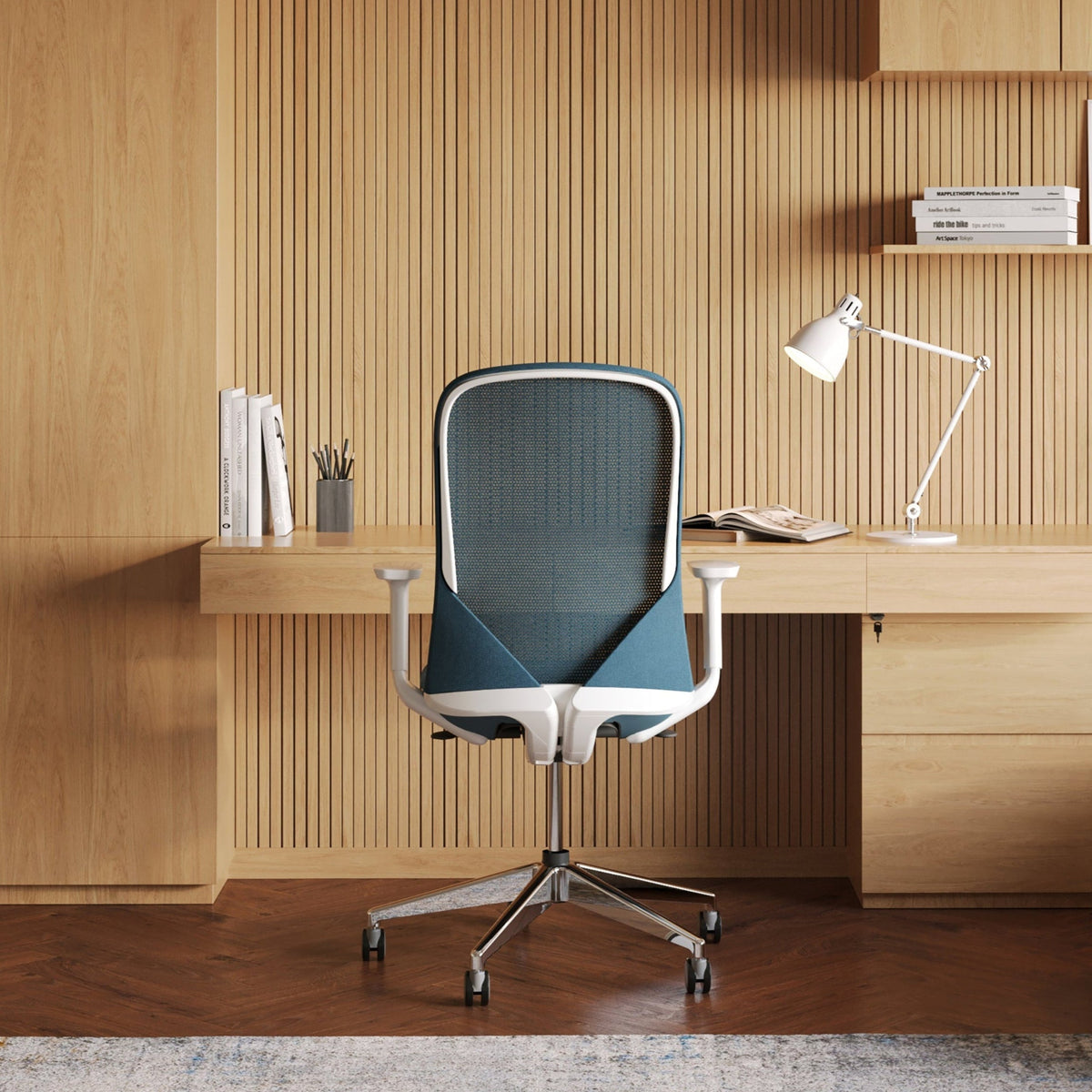
Desk Finishes That Reduce Glare and Eye Strain

Why desktop glare turns normal workdays into visual fatigue
Specular reflection vs. diffuse reflection and what your eyes are really reacting to
Glare is not just “brightness.” It is the way a surface returns light back toward your eyes. A high-sheen desktop behaves like a shallow mirror. It creates specular reflections, meaning you get concentrated bright patches from overhead fixtures, window light, and even white walls. Those bright patches compete with your screen for attention and can make your eyes work harder to maintain focus.
A low-sheen or matte surface pushes light in many directions instead of one strong beam. That diffusion lowers the intensity of hotspots, so your gaze is not constantly pulled away from text and interface elements on your monitor.
The bright patch problem that quietly increases eye strain
Your visual system is excellent at adapting, but it pays a cost when your field of view has extreme contrast. A glossy hotspot beside your keyboard can be brighter than your display background, especially in daylight. Your pupils and focus are repeatedly nudged to adjust, even if you do not consciously notice it. Over time, that micro-effort shows up as squinting, tension around the eyes, and that “dry and tired” feeling at the end of the day.
Two quick tests that isolate desk glare from screen glare
Phone-light angle check
Turn on a phone flashlight, hold it at about head height, then sweep it around the desktop. If you see a sharp, bright reflection that stays well-defined, the surface is producing strong specular glare.
Paper overlay check
Place a sheet of plain paper where your hands usually sit. If your eyes immediately feel calmer and reflections soften, the desktop finish is a meaningful contributor to strain.
Sheen levels that actually reduce glare in real rooms
Matte finishes that diffuse glare aggressively, with some tradeoffs
Matte surfaces can be excellent for glare control because they scatter light. They tend to reduce sharp reflections from ceiling fixtures and window streaks. The tradeoff is that ultra-matte coatings can show oils, scuffs, and “polished” spots over time where hands and mouse movement repeatedly contact the same area. That localized shine can slowly bring glare back.
Satin finishes that balance diffusion and day-to-day maintenance
Satin is often the most forgiving choice for mixed lighting. It usually diffuses light enough to avoid strong hotspots while staying easier to wipe clean than an ultra-matte surface. In workspaces with both daylight and overhead LEDs, satin commonly keeps reflections softer without feeling overly delicate.
Gloss and high-sheen finishes that amplify reflections
High-gloss desktops produce strong, directional reflections. They tend to mirror overhead lights and window lines, and those reflections shift as you move. If the workspace is bright or the desk sits near a window, gloss can turn into a constant visual distraction.
How we think about finish selection across a desk lineup
At Urbanica, we treat finish selection as part of comfort design, not a purely decorative decision. If you want to compare desk types and configurations while keeping glare in mind, start with our Urbanica office desk collection and evaluate each surface under the lighting you actually use.
Desktop color and eye comfort, choosing brightness and contrast on purpose
Light surfaces that can bounce too much ambient light
Very light desktops can feel airy and minimal, but they also reflect more of the room’s available light. In bright spaces, a white or near-white top can become a secondary light source, especially if walls are also light. That can make your screen feel comparatively dim, encouraging you to raise brightness, which can contribute to fatigue over long sessions.
Dark surfaces that reduce reflection intensity but can increase contrast strain
Dark finishes usually make reflections less bright, which can help. The catch is contrast. A very dark desktop next to white paper, bright UI backgrounds, or a pale keyboard can create hard edges that some people find tiring. Dark can be great when paired with balanced ambient lighting and a screen brightness that is not pushed too high.
Mid-tone woods and neutrals that often feel calmer for long screen days
Mid tones are frequently the comfortable middle. They do not bounce as much light as white surfaces, and they do not create the same hard contrast boundaries as very dark tops. Wood tones and warm neutrals can also make a workspace feel less clinical, which matters when you spend hours looking at the same area.
A practical rule we use: keep the desk from outshining the display
Your monitor should remain the brightest intentional element in your primary gaze, not the desktop beside it. If you notice the desk pulling your eyes away from the screen, the finish sheen and color are worth adjusting before you assume you need a new monitor or different glasses.
Surface texture and coating behavior, the details that determine glare
Smoothness is not the same as comfort
A perfectly smooth surface often reflects more cleanly. Even when the color is muted, a smooth topcoat can create crisp reflection lines. Small amounts of microtexture can break up those lines, reducing the sharpness of glare without making the desk feel rough.
Optical diffusion vs. tactile texture
A desk can feel smooth to the touch and still diffuse light if the surface has fine optical texture. That is the goal for many people: less glare without a gritty feel. On the other hand, heavy tactile texture can trap dust, show debris, and create cleaning frustration.
The “cleaning shine” problem that sneaks up over time
Many people accidentally polish their desk with the wrong cleaning approach. Abrasive pads, harsh chemicals, and repeated buffing can change the sheen in high-contact zones. Over months, the keyboard and mouse area can become shinier than the rest of the desk, and glare returns in exactly the spot you look at most often.
Cleaning habits that protect a low-glare finish
Use a gentle cleaner appropriate for the surface and a soft cloth, then wipe in a consistent pattern rather than aggressively scrubbing one small area. If a spot feels stubborn, it is usually better to soften it with a damp cloth and time than to grind it off.
Lighting geometry, because the finish and the room always work together
Overhead LEDs and the glare-bar effect
Ceiling lights are a common culprit because they are directly above the desktop. When a desktop has sheen, the reflection can appear as a bright band that sits near your hands or under the monitor. If you cannot move fixtures, shifting the desk position and choosing a diffusing finish becomes more important.
Window daylight that changes by hour
Daylight glare is often misdiagnosed because it moves. Morning light can be low and directional, and late-day light can skim across the desk at a different angle. A finish that looks fine at night under overhead lighting might become reflective when the sun hits it from the side.
Task lighting that supports reading without skimming the desktop
A desk lamp is helpful when it is positioned to illuminate documents without shining across the desktop toward your eyes. If a lamp beam grazes the surface, even a satin finish can show a noticeable reflection line.
A quick “glare map” we recommend
Sit at your desk, then note where reflections appear in three zones: near the keyboard, under the monitor, and off to your dominant hand side. Those zones tell you where diffusion matters most and where a change in sheen can produce the biggest comfort improvement.
Ergonomics meets optics, how posture changes what the desk reflects
Seated posture and why glare lands near the keyboard zone
When seated, your gaze typically angles slightly downward between screen and hands. A reflective desk can create hotspots in that exact transition area. If you notice discomfort when you look down to type, finish diffusion matters as much as monitor settings.
Standing posture and the shifting reflection angles
When you stand, your viewing angle changes. Reflections that were low and out of sight when seated can move upward into your peripheral vision. That is one reason we think about finish choices alongside adjustability, not after the fact.
If you are considering an adjustable setup, our Standing Desk is a useful reference point for how posture shifts between seated and standing work and why surface behavior needs to stay visually calm at both heights.
Desktop depth and keeping high-glare zones out of your working area
A deeper work surface can help because it gives you more placement flexibility. You can keep reflective zones farther from where your eyes naturally move between keyboard, notebook, and monitor.
Worksurface layouts that reduce glare in common daily setups
Single monitor setups and the monitor-base reflection trap
A common glare pattern is a bright patch just beneath the monitor, especially if a ceiling light reflects toward the screen area. A diffusing finish helps, but so does placing the monitor so its base is not centered on the brightest reflection path.
Dual monitor setups that can double glare if the surface is reflective
Two monitors mean a wider visual field. If the desk has sheen, you can end up with two hotspot zones, one for each screen angle. A calmer finish reduces the intensity of those zones, and a balanced color choice prevents the desktop from becoming visually dominant.
Laptop plus monitor setups and the two-source brightness issue
With a laptop and an external monitor, your eyes already adapt between two brightness levels and two display angles. A reflective desktop adds a third brightness pattern. Choosing a low-glare finish and keeping the laptop slightly offset from the strongest overhead reflections can make the setup feel more stable.
For a clean, fixed-height workstation footprint, the Office Desk can serve as a baseline example for placing screens and accessories so reflections stay out of your primary sightline.
Compact rooms and home offices, preventing glare without making the space feel heavy
Desk near a window and the best sheen strategy when the desk cannot move
Small rooms often force the desk into a position near a window. In those cases, a surface that diffuses side light is often more important than a surface that simply looks matte in a product photo. Satin or lightly textured finishes frequently handle changing daylight better than a finish that is ultra-smooth.
White walls and shelving that amplify bounce light
A bright room can be a comfort advantage, but it can also create bounce light that hits the desk from many angles. If everything around the desk is white, a pure white desktop can feel visually loud. A mid-tone surface can lower that bounce intensity without making the room feel dark.
Small desks put your eyes closer to the surface
When your workspace is compact, your eyes are physically closer to the desktop. That makes glare more noticeable, even at the same level of sheen. Low-glare finishes matter more in small setups because there is less distance for reflections to soften.
If you are optimizing a tight footprint, the Mini Standing Desk is a relevant reference for compact work zones where finish and lighting decisions have outsized impact on comfort.
Shared workstations, reducing glare for two sightlines at once
Two users means two reflection angles
A finish that seems fine for one person can throw glare at the second person, especially under overhead fixtures. In shared environments, the safest approach is usually a finish that diffuses light broadly rather than a finish that relies on a single “good angle.”
Coordinating desk orientation, screens, and accessories
Shared desks benefit from small choices that reduce reflective clutter. Monitor arms can lift screens and free surface space. Cable routing keeps glossy device edges and bright cords from creating visual noise. Even a consistent accessory color palette can reduce contrast, which supports visual steadiness through the day.
Shared sit-stand setups and glare stability
When two people share an adjustable workstation, reflections move as the desk height changes. A finish that remains visually calm at different heights reduces the need for constant re-tuning of lamp placement and screen brightness.
For two-user collaboration, the Two-Person Standing Desk connects naturally to the reality of managing glare across multiple positions and daily height changes.
Open-plan glare control at scale, stopping glare corridors across a floor
Uniform finishes reduce visual fatigue in larger spaces
In open-plan layouts, glare can become a repeated pattern. Rows of reflective desks can create bright corridors that sit in peripheral vision all day. A consistent, diffusing finish across workstations can reduce that repeating visual stimulus, which is one reason finish standardization matters beyond aesthetics.
Row orientation relative to windows matters more than people expect
When desks align with a window wall, daylight can skim across many surfaces at once. If those surfaces are reflective, the room can feel visually active even when people are sitting still. A finish with diffusion helps, and so does orienting desks so the strongest daylight falls across the work surface instead of along it.
Maintenance consistency protects the original glare behavior
Open offices see more frequent cleaning. If cleaning methods vary, sheen can change unevenly from desk to desk. The most comfortable plan is a finish that tolerates gentle cleaning well and a simple maintenance routine that keeps the surface behavior consistent over time.
For multi-seat environments, the Quad Workstation Desk is a practical reference for thinking about how finish choices scale when several people share the same lighting conditions.
A finish-selection workflow that stays honest, practical, and repeatable
Low-glare finish selection checklist
1. Identify your strongest light sources: overhead fixtures, window direction, and any desk lamp.
2. Note when glare is worst: morning, mid-day, or evening under ceiling lights.
3. Decide whether you need maximum diffusion or a balance of diffusion and easy cleaning.
4. Choose a color family that reduces bounce without creating harsh contrast against your accessories.
5. If you print or write often, avoid extremes that make white paper feel overly bright or overly stark.
6. Test a small area with a paper overlay or desk mat to estimate how a more diffusing surface will feel.
7. Place a light at typical angles and look for sharp reflection lines or bright patches near the keyboard zone.
8. Consider how your posture changes, especially if you alternate between seated and standing work.
9. Plan your cleaning approach so you do not slowly polish the highest-contact zones.
10. If multiple people use the desk, test glare from more than one seating position.
Desktop finish comparison table for glare behavior and maintenance reality
| Finish type | Typical glare behavior | Smudge visibility | Wear pattern risk | Best fit when eye comfort is the priority |
|---|---|---|---|---|
| Ultra-matte coating | Strong diffusion, low hotspot intensity | Often higher | Can develop shiny contact zones | Bright rooms with overhead lighting and consistent gentle cleaning |
| Satin finish | Balanced diffusion, fewer sharp reflections | Moderate | Lower than ultra-matte | Mixed lighting, daily use, and frequent wipe-downs |
| Semi-gloss | Noticeable reflections, softer than gloss | Lower than matte | Moderate | Controlled lighting or darker rooms where reflections stay out of sight |
| High-gloss | Strong specular reflections, visible hotspot lines | Lower, but glare dominates | Moderate | Spaces where lighting is fully controlled and reflections are minimal |
| Light microtexture surface | Diffuses light without heavy tactile texture | Moderate | Often lower | Rooms with windows, multiple light angles, and long screen sessions |
Sampling and evaluation, confirming a finish stays low-glare beyond day one
What to test on a sample or a small area
A good evaluation checks three conditions: daylight from the side, overhead lighting at night, and the after-cleaning appearance. Look for hotspot sharpness, not just brightness. A comfortable surface tends to make reflections softer and less defined.
The cleaning-response test that prevents surprises
Wipe a small area using your intended cleaning method. When it dries, check whether the surface looks shinier than the surrounding area. If it does, glare can slowly return through normal maintenance.
Getting support without overpromising outcomes
Sometimes the best decision is not a dramatic change, it is a clear-eyed match between your lighting and your surface. If you want help aligning desk selection, finish expectations, and the realities of online shopping, our office furniture delivery and remote planning support page outlines how we guide customers through product choices and what to expect from the overall shopping experience.
Designing a low-glare workstation that stays comfortable through long screen days
The three-part stabilizer: finish, lighting geometry, and screen settings
Glare reduction works best when the desk finish supports the lighting plan and the screen is set to a comfortable level. A diffusing surface reduces visual spikes. Thoughtful lamp placement reduces reflection angles. Sensible brightness settings reduce the urge to “fight the room” with your display.
Maintenance habits that preserve the finish you chose
Low-glare surfaces stay comfortable when they stay consistent. Use gentle cleaning, avoid abrasive tools, and spread cleaning pressure evenly across the surface. If you notice a shinier patch developing near your mouse area, adjust the cleaning approach early, before that patch becomes a persistent hotspot.
Upgrading intelligently when eye strain persists
If you already have good lighting and reasonable monitor settings, the desktop finish can be the missing piece. A surface that diffuses light and a color tone that avoids extremes can reduce visual noise in the area you look at most. That is the kind of comfort upgrade that feels grounded and real because it changes what your eyes deal with every minute, not just what the workspace looks like in a photo.
Related Articles
-
 Shore Table Lamp Ideas That Make Desk Lighting Feel Softer
-
 How to Choose a Table Lamp That Adds Warmth Without Reducing Visibility
-
 Can a Table Lamp Support Evening Work Better Than Overhead Lighting?
-
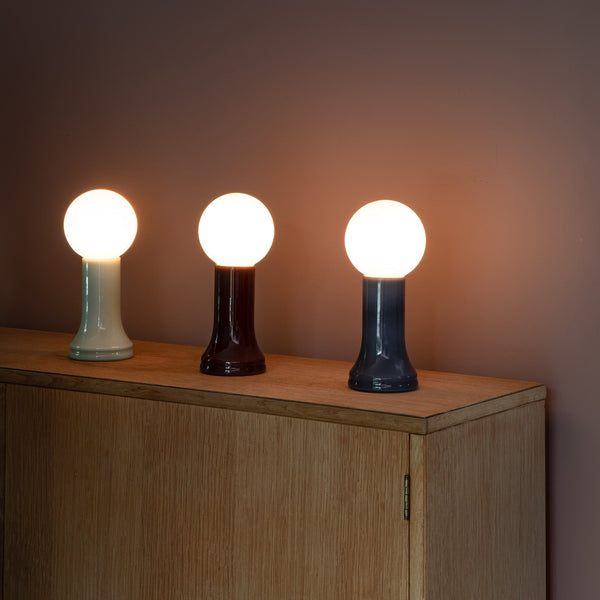 How to Use a Table Lamp to Make a Home Office Feel Less Harsh and More Lived In
-
 Best Table Lamp Options for Creating a Relaxed But Productive Workspace
-
 What Size Table Lamp Works Best in Small Offices and Compact Rooms?

