























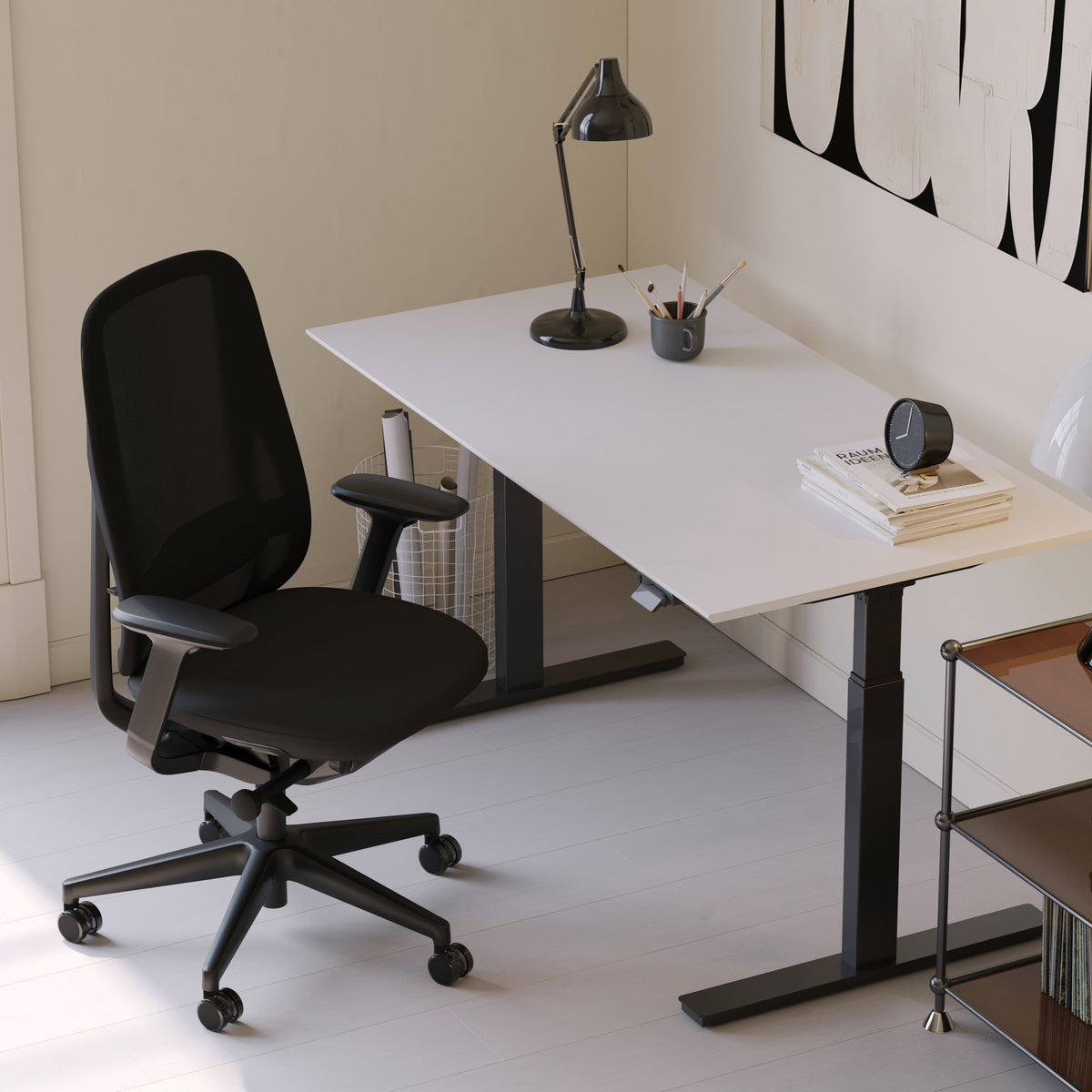
Office or gaming chair: what matters most for daily comfort

Daily comfort is a three-way match between body, chair mechanics, and real sitting habits
Daily comfort is rarely about a single feature. It is the result of fit, adjustment, and how a chair behaves across the hours you actually sit. At Urbanica, the goal is not to push a label like office or gaming. The goal is to help people land on a chair that supports their day without creating new tension somewhere else.
Task posture and recline posture require different kinds of support
A chair can feel great for one posture and quietly fail in another.
Task posture: eyes-forward, hands-forward, frequent reach
Task posture shows up during typing, mouse work, writing, and video calls. Comfort here depends on neutral pelvis position, steady lumbar support that does not shove, and shoulders that can relax while the arms stay supported.
Recline posture: pelvis stability, pressure distribution, head and neck alignment
Recline posture shows up during long reading sessions, controller play, or breaks between focused tasks. Comfort here depends on a backrest that maintains support as you tilt, plus a seat that does not pitch you forward or create pressure along the thighs.
The comfort triad that predicts whether you will feel good at hour six
Most comfort complaints trace back to one of these three areas.
Support: pelvis and spine stability without rigidity
Support means your pelvis is not constantly searching for a place to land. It also means the lumbar curve is encouraged, not forced.
Pressure management: seat, edges, and contact points
A chair can be supportive but still uncomfortable if the seat edge compresses the thighs, if the armrests create shoulder elevation, or if the backrest shape creates pressure on the shoulder blades.
Movement permission: micro-adjustments that do not break posture
Bodies are built to move. A chair should let you shift, reach, and reset without losing support. Movement is not a luxury feature. It is part of how comfort stays consistent.
Use real product variety to calibrate what chair categories look like in practice
Before comparing “office chair” vs “gaming chair,” it helps to see how many designs exist inside everyday seating categories. Backrest shapes, seat profiles, arm styles, and materials all influence comfort, sometimes more than the label does. A quick scan of the ergonomic office chair lineup makes the category differences visible, from mesh-backed task chairs to more sculpted silhouettes.
Office chair and gaming chair comfort differ because the design intent differs
The cleanest way to compare office and gaming chairs is to look at what each style is designed to prioritize. Neither is universally superior. The right choice depends on the posture you spend most of your day in.
What office chairs are built to support
Office chairs are typically built around task posture and frequent transitions. They aim for a neutral base position with stable support that holds up when you lean forward, swivel to a side monitor, or reach for a notebook.
Forward reach without collapsing the lower back
Typing and mousing bring the hands forward. When chair support is well matched, the pelvis stays stable and the spine does not collapse into a rounded shape as you reach.
Desk compatibility that keeps shoulders relaxed
Many people feel discomfort in the neck and upper traps because the chair does not cooperate with desk height, keyboard height, or armrest position. Office chair comfort tends to focus on those details.
What gaming chairs are built to support
Gaming chairs often prioritize recline comfort and a more contained sitting feel. Many models are shaped to feel stable during long reclined sessions, with head and upper-back presence that can feel comforting when lounging.
Recline-first comfort and back angle variety
The backrest is often designed to support long periods at open hip angles. This can be helpful for downtime posture, but it can also change how well the chair supports task posture.
A contained seat feel that can be stabilizing or restrictive
Some people like a snug, guided seat position. Others find that containment creates pressure at hips or shoulders over time. Comfort depends on body shape and how much you shift during the day.
Where category labels cause comfort disappointment
People often buy the label and miss the fit.
When a recline-friendly chair is used as an all-day task chair
If most hours are spent upright typing, a chair that mainly excels in recline can encourage pelvic tuck, slouch drift, and shoulder tension.
When a task-forward chair is expected to feel like a lounge recliner
If someone wants deep recline comfort, a chair engineered around task posture may feel too upright or too “present” in the lumbar zone during downtime.
Setup fundamentals that make any chair feel better, even before adjustments
Comfort does not live in the chair alone. A chair and workstation form a system. When the system is off, even a well-made chair can feel wrong.
Seat height and foot contact are the first anti-fatigue feature
A stable base starts with the feet. When feet float or barely touch, the body searches for support through the pelvis and spine.
The foot-to-floor test
Feet should rest flat, with the knees roughly level with or slightly below the hips. This position reduces thigh pressure and helps the pelvis stay neutral.
What to do if you are between heights
A footrest can solve a surprising number of “chair problems,” especially for petite users or for desks that cannot be lowered. A footrest is not an add-on. It is a tool that helps the chair do its job.
Keyboard and monitor placement shape neck and shoulder comfort
A common comfort complaint sounds like a chair problem but starts at the desk. If the keyboard is too high, shoulders lift. If the monitor is too far, the head creeps forward.
Armrests help when they match the desk, and hurt when they fight it
Armrests that are too high can trap the shoulders upward. Armrests that are too low can leave the arms unsupported, increasing neck load. The goal is support that keeps shoulders down while wrists stay neutral.
Desk height can make a chair feel “wrong” even when the chair is right
Desk height influences whether you sit tall or sink into a rounded posture. This matters for both office and gaming chair styles.
Match posture to the work surface
For typing-heavy work, a surface that allows elbows to rest near 90 degrees and wrists to stay neutral is a comfort multiplier. For mixed use, adjustability helps the chair stay comfortable across postures. The adjustable desk collection provides a range of work surfaces that can support better alignment with your chosen chair.
The nine comfort-critical adjustments that decide whether a chair stays comfortable past lunch
Adjustments matter most when they change how support feels after time passes. The goal is not to dial every knob to maximum. The goal is to create steady support, reduce pressure points, and make movement feel natural.
Seat depth: the knee-gap rule that protects circulation
Seat depth is one of the most underappreciated comfort variables. Too deep and the front edge presses into the back of the knees. Too shallow and the thighs lack support.
The knee-gap rule
Aim for a small gap between the seat edge and the back of the knee. This reduces pressure and makes long sitting more sustainable.
Lumbar support: supportive versus intrusive
Lumbar support should encourage the natural curve of the lower back. If it feels like a hard push, comfort can degrade over hours.
Too little lumbar often leads to slouch drift
Without enough support, the pelvis rolls back and the spine rounds. This tends to show up as lower-back fatigue and upper-back tension.
Too much lumbar can create “fighting the chair” fatigue
If you constantly feel pushed forward, the body resists, and that resistance becomes fatigue.
Backrest shape and shoulder blade freedom
A chair can feel comfortable until you reach forward or rotate. If the backrest shape interferes with the shoulder blades, the upper body can tense.
Tilt tension and recline: movement that reduces stiffness without collapsing posture
Tilt is not only for lounging. Controlled tilt supports micro-movement, which reduces stiffness.
Why locked upright can backfire
Staying rigid often leads to fatigue because the body stops moving. A chair that allows small, supported shifts can feel better over a full day.
Armrests: how arm support changes neck and wrist comfort
Armrests should support the arms without lifting the shoulders or forcing the elbows outward.
Height
Height should allow shoulders to relax. If shoulders rise, the armrests are too high.
Width
Width should let elbows sit close to the body. If elbows flare outward, shoulder strain can increase.
Pivot angle
Some users need one angle for keyboard work and a different angle for controller or phone use. Versatility matters when the day includes multiple tasks.
Headrest: helpful for recline, distracting for task posture
Headrests can improve recline comfort when positioned correctly, but they can also push the head forward during upright work. Comfort depends on whether the headrest supports the neck at rest without changing natural head position.
Swivel and base stability are part of comfort
A chair that wobbles or resists movement can create subtle strain. Easy swivel and stable rolling support natural reach patterns, especially in multi-monitor setups.
A two-minute dial-in sequence that keeps adjustments practical
1. Set seat height so feet are flat and hips feel stable.
2. Set seat depth using the knee-gap rule.
3. Adjust lumbar until it feels supportive, not pushy.
4. Set tilt tension so you can lean back slightly without losing support.
5. Adjust armrest height so shoulders stay relaxed.
6. Check screen height and distance so the head stays stacked over the spine.
Cushioning and materials: why “soft” can fail after two hours
Materials influence heat, pressure distribution, and long-session comfort. The most comfortable chair is not necessarily the softest one at first sit.
Foam and mesh behave differently over time
Foam can feel plush and supportive, but the experience depends on density and shape. Mesh can feel cooler and lighter, but support depends on tension and frame design.
Temperature and airflow affect focus and fatigue
Heat buildup changes how often you shift, and frequent shifting can feel like restlessness. Breathable materials can reduce heat-related discomfort.
Pressure distribution is about the seat shape, not just the material
A well-shaped seat can distribute pressure even with firmer cushioning. A poorly shaped seat can create pressure points even if it is soft.
Seat edge design protects thigh comfort
A rounded or “waterfall” front edge can reduce pressure at the thighs, which helps circulation.
Fabric friction changes micro-movement
Some fabrics feel grippy and stabilize posture, while others allow easier shifts. For daily comfort, the best choice is the one that supports natural movement without sliding.
Frame stiffness and controlled flex influence back fatigue
A chair that is too rigid can feel tiring. A chair that is too flexible can feel unsupported. Controlled flex can support micro-movement while keeping the spine stable.
Test chairs in two modes: work mode and recline mode
A chair should be evaluated across the postures you will actually use, not only the posture that feels good for thirty seconds.
Work mode test: 10 minutes of real desk behavior
Sit as you would during a typical session. Type, mouse, swivel to the side, and reach for something on the desk.
Shoulders-down checkpoint
If your shoulders rise when you rest on the armrests, arm support needs adjustment or the chair may not fit your workstation.
Wrists-neutral checkpoint
If wrists bend upward to reach the keyboard, the desk or keyboard height may be the issue, not the chair.
Recline mode test: 10 minutes of relaxed posture
Lean back and allow the chair to support you.
Does lumbar support disappear during recline
Some chairs feel supportive upright but lose lumbar contact during recline. If recline is a daily posture, this matters.
Does the seat pitch you forward
If you feel like you are sliding or being tipped, the seat and tilt design may not match your preferred recline angle.
Transition test: switching modes without readjusting everything
Daily comfort improves when you can move between focus and rest without a complicated reconfiguration. Look for controls that are intuitive and changes that feel stable.
Gaming-chair geometry, decoded for daily comfort
Gaming chairs can be comfortable, especially for users who spend meaningful time in recline. Comfort improves when the chair is used intentionally and adjusted for the workstation.
Side bolsters can stabilize posture or create pressure points
A contained seat can feel secure, but it can also press into hips or shoulders depending on body shape and how much you shift.
High recline ranges support downtime, but task posture needs a different setup
Recline comfort is valuable, but if most hours are spent typing, it is worth checking whether upright support stays consistent and whether the seat encourages pelvic stability.
Head and neck support must align with your natural posture
A headrest should support the head without pushing it forward. If the head is pushed forward, neck tension can build even if the chair feels initially cozy.
Arm support needs to match how you play and work
Controller posture and keyboard posture load the arms differently. A chair can feel perfect for one and uncomfortable for the other if arm support is not adjustable enough.
Avoid the slouch drift pattern
Slouch drift often starts with pelvic tuck. When the pelvis rolls back, the upper back rounds and the head moves forward. The remedy is not willpower. It is chair fit, seat depth, and lumbar feel that support a neutral pelvis.
Office-chair comfort, decoded for daily use
Office chairs often win daily comfort when task posture dominates the day. The right office chair feels like steady support that fades into the background.
Invisible support means you stop thinking about the chair
A well-matched office chair supports the pelvis and spine while allowing movement. The chair feels present only when you need it, such as during a long typing session.
Micro-movement support helps prevent stiffness
Small shifts are healthy. A chair that supports micro-movement without losing lumbar contact can reduce the “locked in” fatigue that builds over hours.
Fit-first cues that matter more than marketing labels
Backrest curve alignment, seat depth range, and armrest behavior tend to predict comfort better than the category name.
A reference point for ergonomic task seating
When comparing office-forward ergonomics, it helps to look at a chair page that clearly positions itself around everyday support and adjustment. The Novo ergonomic office chair is a useful reference point for this category because it centers on ergonomic support and daily-use positioning.
Three daily-use comfort personas that make chair choice clearer
Instead of asking “office or gaming,” comfort improves when the chair matches how the day is actually spent.
The Desk-Heavy Day persona: deep work, calls, and frequent switching between tasks
This persona spends most hours upright. Comfort depends on stable support and easy reach.
Prioritize stable lumbar and reach-friendly movement
The chair should support neutral pelvis position, allow easy swivel, and keep shoulders relaxed during typing and calls.
A task chair reference point for desk-forward setups
A chair designed for task use can help align expectations around upright comfort, arm support, and day-to-day usability. The Muse adjustable office chair serves as a reference for a task-oriented profile.
The Hybrid Day persona: work, play, and downtime in the same seat
This persona needs a chair that supports both focus and relaxation, plus the transitions between them.
Prioritize transition-friendly tilt and arm versatility
Look for a chair that supports you upright without feeling rigid, and that reclines without losing support.
An ergonomic reference point for mixed-use comfort
The Onyx ergonomic chair can be used as a reference for an ergonomics-led chair that is positioned for extended sitting.
The Reliable Everyday Setup persona: shared spaces and multi-user comfort
This persona values practicality, breathable comfort, and a chair that feels approachable for different body types.
Prioritize breathable support and simple adjustability
A chair that stays comfortable for multiple users usually benefits from breathable materials, a forgiving backrest shape, and adjustments that are easy to set.
A mesh-forward office chair reference point
For users who prefer a breathable feel and a lighter visual profile, the Seashell mesh office chair provides a reference for mesh-based everyday seating.
Fit and sizing signals for petite, tall, and broad-shouldered sitters
Chair comfort depends on proportions. Two people can sit in the same chair and have completely different experiences because their femur length, torso length, and shoulder width change the pressure map.
Petite sitters: seat depth and foot contact come first
Petite users often struggle with seats that are too deep. When the seat edge presses behind the knees, comfort fades quickly. Foot support and seat depth adjustment are high priority.
Tall sitters: backrest height and lumbar position must match the spine
Tall users often need a backrest that supports the upper back without forcing the shoulders forward. Seat depth also matters because longer femurs need adequate thigh support without knee pressure.
Broad shoulders and wider frames: avoid forced containment
Chairs that narrow at the shoulder area or create strong side containment can cause pressure over time. Comfort improves when shoulders can move freely and the backrest does not pinch during reach.
Shared chairs: adjustments that make multi-user comfort realistic
If multiple people use the same chair, quick adjustment ranges matter. Seat height, armrest height, and lumbar feel are usually the most important for shared comfort.
Durability is part of comfort: what still feels good after months of daily use
Daily comfort is not only about how the chair feels on day one. It is also about whether the chair maintains its support and movement behavior over time.
Foam compression and material wear can change pressure distribution
Seats can become less supportive as cushioning compresses. This does not mean a chair is “bad,” but it does mean long-term comfort depends on materials chosen for everyday use.
Cylinder stability and base feel influence fatigue
If the chair height slowly slips or the base feels unstable, the body compensates. Those micro-compensations add up.
Casters and floor interaction affect movement comfort
A chair that rolls smoothly supports reach and reduces awkward twisting. A chair that drags or catches can create subtle strain during repeated movements.
Correct assembly and adjustment habits protect comfort
Chairs perform best when assembled correctly and adjusted to the user. A chair is not a static object. It is an adjustable tool that supports the body’s changing needs.
Comfort comparison table: office chair vs gaming chair factors that change daily experience
| Comfort factor | Office-chair tendency | Gaming-chair tendency | Best fit when daily comfort depends on |
|---|---|---|---|
| Upright task support | Tuned for typing and desk reach | Can vary widely by model | Long desk sessions and frequent reach |
| Seat depth flexibility | Often designed for task-fit range | Often fixed or more contoured | Preventing thigh pressure over hours |
| Lumbar behavior during recline | Some maintain support through tilt | Often geared toward recline angles | Switching between focus and relaxation |
| Arm support for desk work | Often designed for workstation use | Often designed for mixed posture | Keeping shoulders down and wrists neutral |
| Head and neck presence | Often minimal or optional | Often more pronounced | Frequent recline or relaxed posture needs |
| Breathability focus | Common in mesh and task designs | Depends on upholstery and build | Reducing heat-related discomfort |
| Transition ease | Often quick to switch postures | Sometimes requires more repositioning | Moving between work and downtime smoothly |
| Containment feel | Usually open and neutral | Often more “hugged” or guided | Preference for freedom vs stability |
| Desk compatibility | Typically the primary design target | Can be secondary | Workstation-driven comfort priorities |
Buying with confidence using a comfort-first decision system
Daily comfort improves when the decision is structured around how you sit, not around a label.
Choose office-chair ergonomics when task posture dominates your hours
If most time is spent upright typing, chair comfort tends to improve with stable lumbar support, seat depth fit, and arm support that matches the desk.
Choose gaming-chair geometry when recline comfort is a daily requirement
If recline is a meaningful part of daily use, look for consistent support through recline and a setup that still allows neutral desk posture when you switch back to work.
When neither label is the best answer, prioritize fit and usable adjustments
Many people land in the middle. The chair that feels best is the one that supports both comfort modes and fits the body’s proportions.
Validate comfort in person when possible
Fit and feel can be difficult to predict from photos alone. Seeing materials, testing adjustments, and sitting through both work mode and recline mode can clarify the decision. For those who prefer to try seating and desk setups hands-on, our in-person workspace shopping options are designed to make it easier to match chair comfort to real daily use.
Related Articles
-
 What Makes a Chair Comfortable for Studying During Exam Weeks
-
 Study Chairs That Balance Comfort and Budget Without Regret
-
 Comfortable Chair to Study for Long Sessions: What Features Matter Most
-
 Chairs for standing workstations: simple guide for home offices
-
 How Climate and Flooring Affect Chair Choice
-
 How to Choose a Study Chair for Long Hours


