























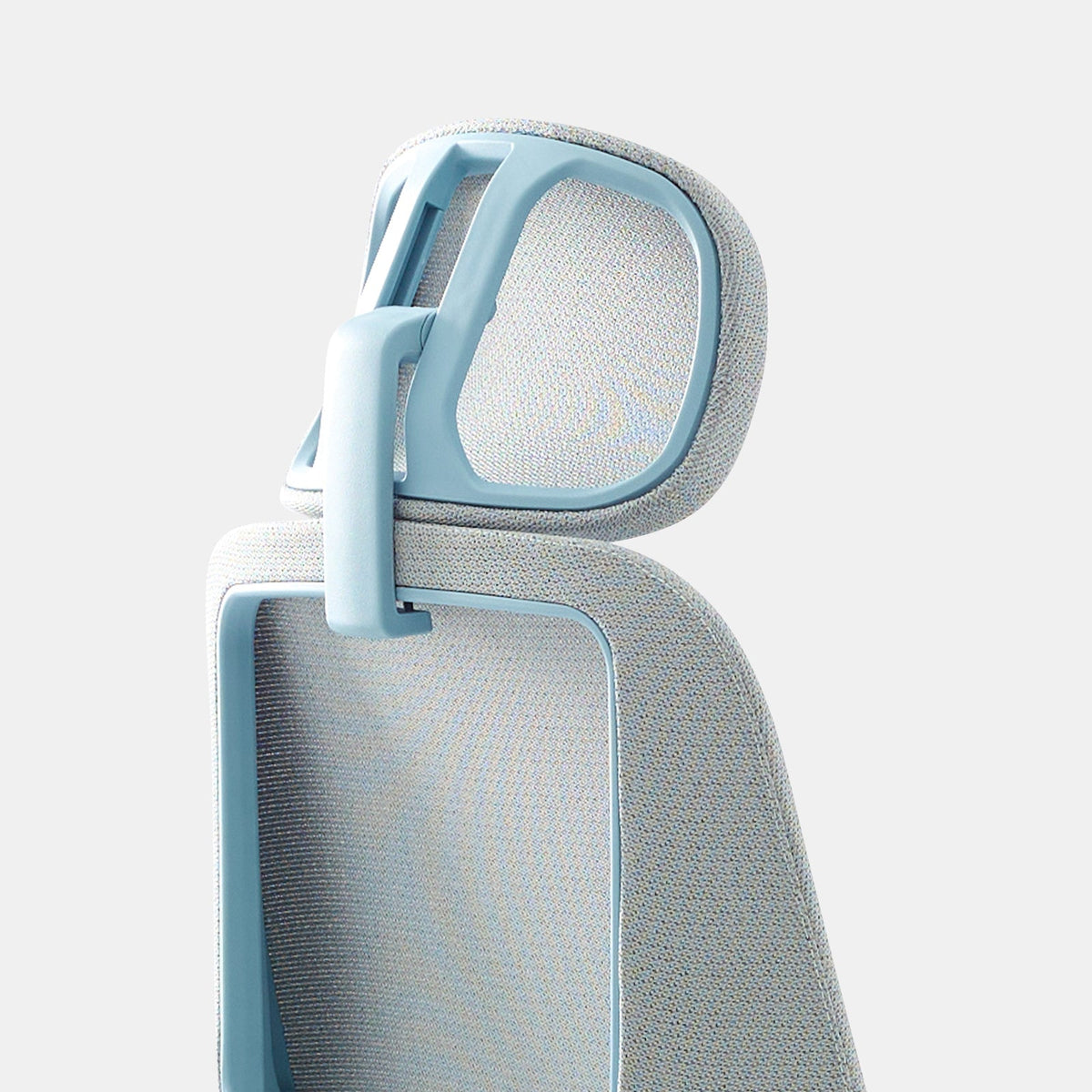
Office chair headrest pros and cons and when it helps or hurts

What a chair headrest truly supports, and what it cannot fix
A headrest is not a magic add-on that automatically makes a chair ergonomic. It is a support surface that interacts with how your head, neck, ribcage, and pelvis stack while you work. When that stack is stable, a headrest can feel like relief. When the stack is unstable, a headrest often magnifies the problem.
The “stack” that decides whether a headrest helps
Neutral posture is less about sitting rigidly and more about keeping the head balanced over the ribcage, with the ribcage balanced over the pelvis. If your pelvis rolls backward and your ribcage collapses, your head usually drifts forward. A headrest placed behind a forward-drifting head can create a tug-of-war: your body reaches forward to see the screen while the headrest nudges you backward.
Occipital contact vs neck contact
The most useful headrest contact typically happens at the occiput, the bony area at the back of the skull. When the headrest presses into the soft tissues of the upper neck instead, it can encourage awkward extension or pressure hot spots. The difference is subtle, but your body feels it quickly.
Why upper-back support changes the headrest experience
A headrest performs best when the upper back is already supported by the backrest. If the backrest ends low and the upper back floats, the headrest has to “catch” the head without the upper torso as a stable platform. That often feels like a push rather than support.
Backrest height changes headrest behavior
Higher backrests tend to stabilize the upper thoracic area better, which makes head support more natural during recline. Mid-back designs can still work, but headrest comfort becomes more dependent on precise adjustment and how you use recline.
Lumbar position moves your head upstream
When lumbar support is set too aggressively, it can drive the ribcage up and forward. When lumbar support is too low or absent, the pelvis often slumps and the head moves forward. Either way, headrest “fit” changes even if the headrest itself never moved.
When a headrest reduces neck fatigue in real life
At Urbanica, we see headrests deliver the most value when they support recovery moments rather than acting as an all-day brace. The goal is to lower neck muscle workload at the right times without pulling you out of neutral when you are actively working.
Micro-rest support that eases neck extensor fatigue
Even in a good setup, your neck extensors work to keep your gaze steady. Over hours, small loads add up. A headrest can offer intermittent contact that lets those muscles downshift. The key is “intermittent.” Constant pressure often leads to new tension patterns.
Recline synergy: when head support makes sense
Headrests shine when recline is part of your work rhythm. If you recline during calls, reading, or thinking, head support can reduce the feeling that your neck is holding your head up against gravity. When you stay upright and forward-focused all day, a headrest often becomes irrelevant or intrusive.
Listening mode for long meetings
When you are primarily listening, your posture tends to drift. A gentle recline with head support can keep you comfortable without collapsing into a full slump.
Reading and review mode
Reviewing documents, scanning, or reading on-screen often happens with a slight lean back. A headrest can make that lean back feel supported rather than precarious.
Who tends to benefit most
Headrests tend to help people who naturally use recline, people with longer torsos, and people whose chair back already supports the upper back well. They can also help when your workday includes planned recovery moments, not just nonstop typing.
How headrests create problems when fit and use are mismatched
A headrest can cause discomfort in ways that feel confusing because the discomfort may show up in the neck, jaw, shoulders, or headaches rather than at the headrest itself.
The forward-head trap
If the headrest is set too far forward, it can encourage your chin to jut and your head to translate forward as you “meet” the headrest. If it is too far back, you may crane your head to reach it, then end up compressing the back of your neck when contact finally happens.
Unwanted neck extension and the chin-lift pattern
When a headrest is too high or angled poorly, it can lift the chin. That increases extension at the upper cervical spine. Some people interpret this as “opening the chest,” but many feel it later as neck tightness or base-of-skull pressure.
Shoulder hiking and upper-trap burn
A headrest can change how you stabilize your upper body. If you feel “held” at the head, you might unconsciously brace with the shoulders, especially if armrests are too high or your desk encourages reaching. The result is upper-trap tension that builds through the day.
Headaches and jaw tension signals to respect
Headrest problems often announce themselves through symptoms that feel unrelated:
-
Pressure hot spot at the base of the skull
-
Clenching or jaw tightness during long listening sessions
-
Forehead heaviness or temple headaches after “relaxing” in the chair
-
A sense that your eyes are fighting to stay level
Those are cues to adjust or change how you use the headrest, not cues to push through.
Task-by-task: when a headrest helps and when it hurts
A headrest is not universally “good” or “bad.” It is situational. The same headrest can support you beautifully in one task and disrupt you in another.
Focus typing and precise mousing
During deep-focus desk work, most people are slightly forward and active. In that posture, a headrest usually provides little benefit and can pull you backward, which can lead to reaching at the shoulders and wrists. If you feel forced to choose between seeing your screen clearly and touching the headrest, choose the screen and let the headrest be “available” rather than mandatory.
Meetings and passive attention
Meetings are the most reliable headrest use case. You are typically listening, less engaged through the hands, and more likely to recline. A headrest can reduce the slow creep of neck fatigue here.
Reclined thinking and reading
Planning, reviewing, and ideation often happen best with a slight recline. Head support can make that recline feel effortless, especially if your chair back supports the upper thoracic area.
Forward-lean creative and detail work
Drafting, design work, editing, and other forward-lean tasks often collide with a headrest. In these moments, the headrest may become a nuisance because it interrupts the freedom to lean and return.
Quick reference table: typical outcomes by task
| Work situation | Headrest usually helps when | Headrest usually hurts when |
|---|---|---|
| Long calls and webinars | You recline slightly and keep your gaze level | It lifts your chin or forces contact upright |
| Reading and review | Upper back is supported and contact is broad | It creates a single pressure point |
| Deep typing and mousing | Headrest stays “in the background” | It pulls you backward and you reach forward |
| Forward-lean creative work | You can move freely without interference | It blocks movement and encourages shrugging |
| Short recovery breaks | You exhale, recline, and let the neck relax | You brace against it and tense the jaw |
A body-based decision checklist that beats guessing
Comfort in the first minute is not a reliable predictor. A headrest can feel great immediately and still cause issues after hours if it changes your alignment. A more dependable approach is to decide based on your body, your work rhythm, and how you use recline.
Neck history that changes the equation
If you have a history of headaches, whiplash patterns, or neck sensitivity, the safest approach is often to treat a headrest as optional recovery support. Constant pressure and chin lift are the patterns most likely to backfire.
Height, torso length, and where your head lands
Two people of the same height can have very different torso lengths. What matters is where your occiput lands relative to the top of the backrest and the headrest adjustment range. If you cannot get broad occipital contact without chin lift, a headrest may be more trouble than it is worth.
Glasses, hair, and head shape
Small details become big over long sessions. Some people dislike headrests because of friction, hair snagging, or pressure on glasses arms. Those issues do not mean headrests are “bad.” They mean contact material and shape matter.
Your break style matters
If you never recline, you may never get meaningful value from a headrest. If you naturally take short recline breaks, a headrest can become a reliable recovery tool.
Adjustment logic that prevents most headrest mistakes
A headrest is the final touch, not the first fix. When we troubleshoot comfort issues, most headrest complaints disappear after adjusting the chair and desk relationship first.
The setup sequence that keeps you honest
Use this order so the headrest does not mask a deeper mismatch:
1. Set seat height so feet are stable and you are not reaching for the floor.
2. Set seat depth so you have support without forcing pressure behind the knees.
3. Set lumbar support to encourage a stable pelvis, not an exaggerated arch.
4. Set recline tension so you can lean back without collapsing.
5. Adjust the headrest last, after the torso is stable.
Height: support the occiput without lifting the chin
A useful headrest height supports the back of the skull while keeping your gaze level. If you feel your chin rise when you touch the headrest, it is too high, too angled, or too far forward.
Quick cue for height
Make contact, then look at the horizon line of your screen. If your eyes feel like they drift upward, the headrest is guiding you into extension.
Depth: available support beats constant pressure
Many people do best when the headrest is close enough to meet them during a recline, but not so close that they are pressed into it while upright.
The “light contact” rule
Aim for a setup where you can touch the headrest during a relaxed recline, but you can also sit upright without feeling compelled to keep contact.
Angle: match your recline habits
If you primarily recline for breaks, angle the headrest so it supports you in that reclined posture. If you try to make one angle perfect for both upright typing and recline, it often becomes mediocre for both.
Headrest design differences that change everything
Not all headrests behave the same. Shape, range, contact material, and stability matter more than most people expect.
Fixed headrests: simple and polarizing
Fixed headrests can feel excellent when your proportions match the geometry. When they do not, you will fight them all day. If you cannot adjust height, depth, or angle, fit becomes an all-or-nothing gamble.
Adjustable headrests: forgiving if the range is real
Adjustable headrests allow you to prioritize occipital support, depth control, and recline alignment. The downside is that weak mechanisms can drift. A headrest that does not stay where you set it becomes a constant distraction.
Mesh vs padded contact
Mesh can feel cooler and distribute pressure differently than a firm pad. Padded surfaces can feel softer but sometimes create a single pressure zone if the shape is too convex. Neither is universally better. The best choice is the one that gives broad contact without friction or hot spots.
Frame geometry: whether the chair “invites” head support
Some chairs position the upper back and shoulders in a way that naturally lines up the head with the headrest during recline. Others keep you more upright and forward. Headrests feel best when the chair’s recline path supports the upper back first, then the head.
Headrest-to-chair compatibility and why add-ons are not interchangeable
A headrest works best when it is compatible with the chair’s backrest shape and recline behavior. At Urbanica, we treat the chair as the primary ergonomic system and the headrest as a targeted accessory.
Start with the chair’s backrest and recline behavior
If you are comparing designs, it helps to scan different backrest heights and silhouettes in the Urbanica office chairs collection and think about how you actually work. A chair that supports your upper back well reduces the amount of “work” a headrest needs to do.
When an accessory headrest makes sense
An add-on headrest is most useful when you already like the chair’s base support and recline, but you want optional head support for calls and recovery breaks. In that case, a dedicated accessory such as the Novo Headrest accessory can be a practical way to add situational support without changing the chair you already rely on.
When a headrest add-on becomes a band-aid
If the chair’s backrest does not support your upper back well, adding head support can create the sensation of being “held” at the head while the torso floats. That often triggers bracing through the neck and shoulders. In this scenario, a different chair architecture is usually the more reliable fix.
Chair references that clarify how to evaluate headrest value
Choosing a chair with headrest compatibility is less about chasing a specific feature and more about evaluating the fundamentals that determine whether head support will feel natural.
Backrest contour and upper-back stability
If your upper back is supported, your head does not need to search for support. When you test a chair like the Urbanica Novo Chair, the useful question is whether the backrest makes your torso feel stable during a relaxed recline. If it does, head support becomes an optional comfort layer rather than a necessity.
Tilt mechanics and predictable recline
A headrest is easier to use well when the recline is smooth and controllable. When you try a chair such as the Urbanica Onyx Chair, pay attention to whether you can find a comfortable recline angle and stay there without feeling like you are sliding or collapsing. Stable recline makes it easier to set a headrest that meets you gently.
Situational headrest use on a task chair
Some users prefer a task-forward posture most of the day and only want head support occasionally. In those cases, a chair like the Urbanica Muse Chair can be approached with a “headrest when needed” mindset, where the headrest supports breaks rather than trying to be part of constant upright posture.
Matching the accessory to the moment
If you already use the Muse chair and want optional head support for specific periods, the Muse Headrest accessory is best treated as an intermittent support tool. The most successful setups allow you to move freely while working and meet the headrest when you recline to reset.
A three-minute testing protocol that reveals the truth quickly
Most people can tell whether a headrest will help or hurt without a long checklist. A short, structured test exposes the most common problems.
Exhale-and-recline test
Sit back, inhale, then exhale and let your shoulders soften. Recline slightly. A helpful headrest meets the back of the skull without lifting the chin. If you feel pushed forward or forced to look up, the fit is off.
Typing test
Sit in your normal typing posture for a minute. If you feel compelled to touch the headrest, it is likely too far forward. If you feel it pulling you away from your work, it is likely too close or too aggressively angled.
Pressure-map test
Shift slightly side to side during recline. Good headrests maintain broad contact without a sharp hotspot. A small hotspot usually becomes a bigger problem over time.
Confidence check for the purchase experience
Before committing, it helps to reference the brand’s practical policies and service information such as office furniture shipping and support details so expectations stay grounded in real-world support and assistance.
A smarter headrest strategy that supports both focus and recovery
The most reliable way to benefit from a headrest is to separate “work posture” from “recovery posture.” When a headrest tries to serve both at once, it often underperforms.
Focus posture: head floats, hands work, shoulders stay quiet
In focus mode, the headrest should be out of the way. Your gaze is level, your ribcage is stacked over the pelvis, and your arms work without shrugging. If the headrest interferes with this, reduce its depth or treat it as a recline-only feature.
Recovery posture: recline, broaden contact, let the neck downshift
In recovery mode, recline enough that the upper back is supported first, then allow your head to rest with broad occipital contact. This is where headrests earn their keep, especially during long listening periods or short reset breaks.
The long-term win: less neck fatigue without training forward-head habits
A headrest works best when it gives your neck a break without teaching your head to live forward. When the chair’s backrest supports your upper back, and the headrest is adjusted for light contact during recline, the result is a calmer end-of-day neck and fewer “mystery” tension patterns in the jaw and shoulders.
Related Articles
-
 Best Setup for Laptop and 2 Monitors With Less Neck Strain
-
 Laptop Stand vs Flat Desk Setup: Which Is Better for Posture and Comfort?
-
 Monitor Stand vs No Stand: What Changes for Posture, Screen Height, and Focus
-
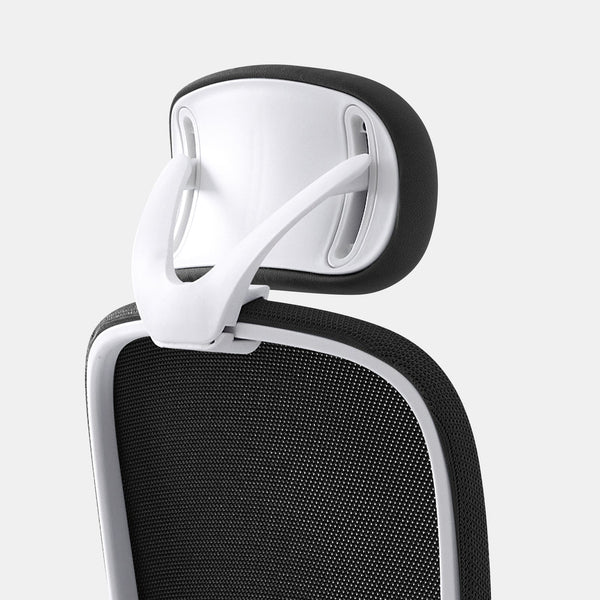 When Office Chair Headrests Help or Hurt for Neck Alignment
-
 Dual monitor desk setup rules that keep your posture aligned all day
-
 When Office Chair Headrests Help or Hurt

