























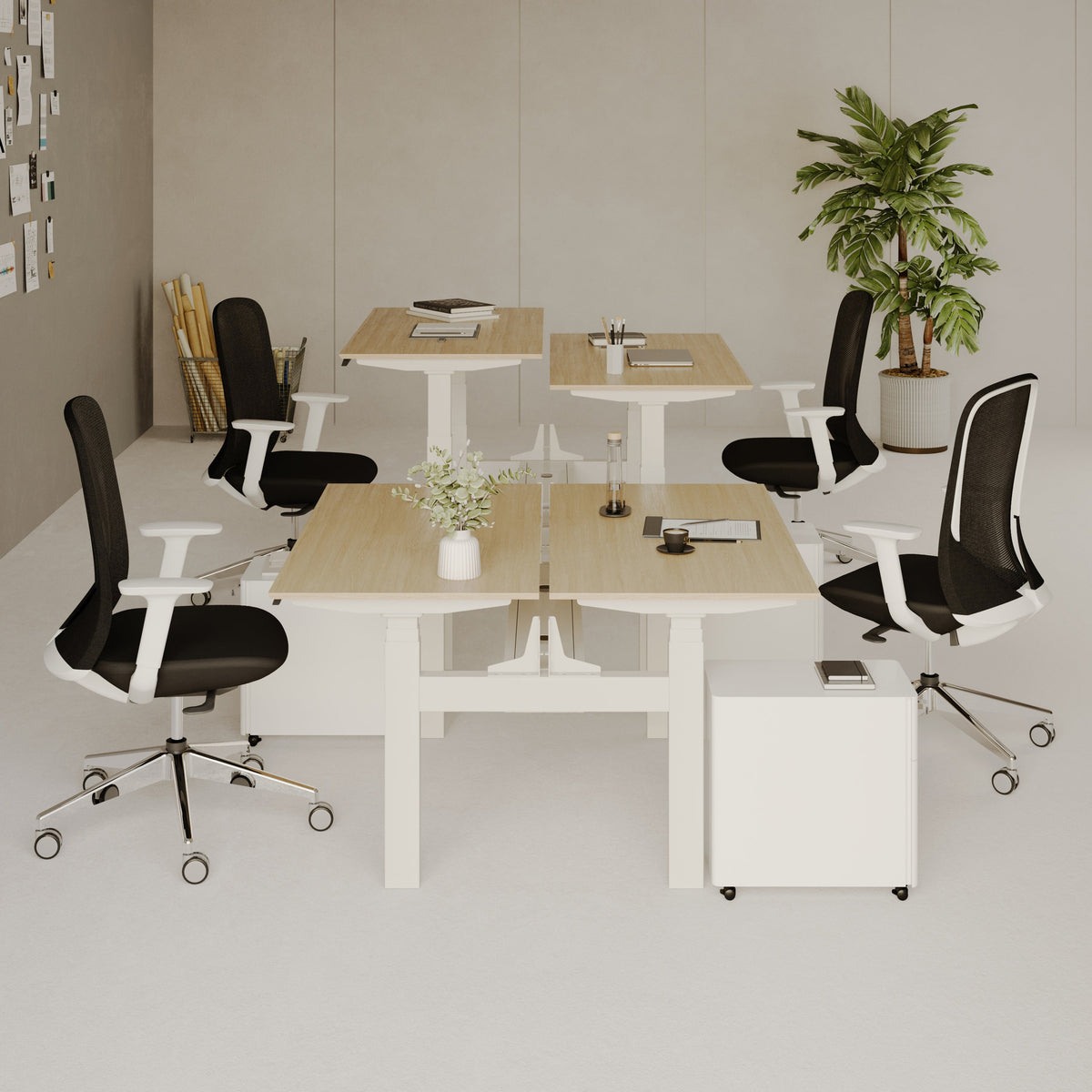
How to Place a Filing Cabinet for Better Workflow and More Legroom

A filing cabinet can either make a workspace feel organized and easy to move through, or it can quietly turn a comfortable desk into a cramped corner. The difference usually comes down to placement. A cabinet may look small compared with a desk, but once drawers open, a chair rolls, knees shift, and cords run across the floor, its position starts to shape the entire work experience.
The best filing cabinet location is not simply the empty spot beside the desk. It should support how work actually happens: reaching for active documents, sitting without restriction, moving between tasks, keeping the desktop clear, and maintaining enough open space for legs and chair movement. A well-placed cabinet can make the same desk feel larger, cleaner, and more efficient without adding more furniture.
Why Filing Cabinet Placement Directly Affects Workflow and Legroom
Filing cabinets are often treated as background storage, but they occupy some of the most valuable space in an office: the zone around the desk. That zone is where the body moves, where files are retrieved, where cords pass, where the chair turns, and where the workday repeats itself.
When a cabinet is too close to the chair, the user may start sitting at an angle to avoid it. When it is too far away, filing becomes inconvenient, and papers begin collecting on the desktop. When it sits under the desk without enough clearance, the knees and feet lose the freedom they need during long work sessions. Good filing cabinet placement solves these problems by giving every part of the workstation a purpose.
The Desk Zone Is More Than the Desktop
A productive desk setup includes three connected areas: the work surface, the seated movement area, and the storage access area. The work surface holds the laptop, monitor, documents, lamp, notebook, and other immediate tools. The seated movement area allows the chair to roll, swivel, and support natural posture. The storage access area gives files and supplies a reliable home.
The filing cabinet belongs in the storage access area, but it should never invade the seated movement area. This is where many layouts go wrong. The cabinet may technically fit under or beside the desk, but if it blocks feet, knees, drawer clearance, or chair movement, it reduces comfort every time the workstation is used.
Legroom Is a Daily Comfort Issue, Not a Minor Detail
Legroom affects posture, circulation, focus, and the ability to shift naturally throughout the day. A cabinet placed directly under the main sitting area may force the feet to one side or prevent the chair from pulling in comfortably. A cabinet positioned too close to the desk edge may also make it harder to turn or stand.
Better placement starts with one simple principle: the open leg zone should remain open. Storage should work around the body, not the other way around.
Start With the Chair, Desk, and Reach Pattern Before Choosing a Cabinet Position
Before moving the filing cabinet into place, consider how the workstation functions from the seated position. A cabinet location that looks balanced in the room may still be awkward in daily use if it ignores chair movement and reach patterns.
Identify the Primary Seated Zone
Sit at the desk naturally, with feet resting where they normally land and the chair pulled in to a comfortable working distance. This is the primary seated zone. It includes the space under the desk, the floor area around the chair base, and the clearance needed to roll slightly forward or backward.
No filing cabinet should interfere with this zone unless the desk is wide enough and the cabinet is narrow enough to sit off to one side without changing posture. Even then, the user should be able to move both feet comfortably and shift position without bumping the cabinet.
Separate Daily Files From Occasional Storage
Not every document deserves the same level of access. Current project folders, client paperwork, invoices, notebooks, and frequently used supplies should sit within easy reach. Archive files, older records, warranties, and rarely used paperwork can live farther away.
This distinction prevents the most common placement mistake: keeping every file close and sacrificing legroom in the process. When only the active files are near the desk, the cabinet can be placed more intelligently.
Match Cabinet Placement to Desk Size and Shape
Desk proportions matter. A compact desk leaves less side clearance, so a filing cabinet may work better against a wall or behind the chair. A wider desk can often support side placement without crowding. A height adjustable or larger work surface may allow more flexible storage planning, especially when paired with adjustable office desks for workspace planning that give the workstation a clearer foundation.
The goal is not to force the cabinet into the desk footprint. The goal is to let the desk, chair, and cabinet work as a complete system.
Best Filing Cabinet Positions for Better Workflow and More Legroom
There is no single correct filing cabinet position for every office. The right placement depends on room size, document frequency, chair clearance, and how much visual openness the workspace needs. The following positions cover the most practical options.
Beside the Desk for Fast Access Without Blocking Knees
Placing the cabinet beside the desk is one of the most efficient choices for people who use files throughout the day. It keeps active paperwork close while preserving the open space under the desk.
The best side placement usually sits slightly forward of the user’s shoulder line or just beside the desk edge, depending on drawer direction and chair movement. This allows the user to reach down or to the side without twisting sharply. A compact filing cabinet for office storage can support this type of arrangement when the surrounding space allows drawers to open cleanly and the chair can still move freely.
When Side Placement Works Best
Side placement works well when files are used often, the desk has enough width, and the user wants storage within seated reach. It is especially useful for active documents, notebooks, office supplies, printer paper, and administrative materials that need a consistent home.
When Side Placement Becomes Cramped
Side placement can become uncomfortable if the cabinet sits too close to the chair base or drawer path. The cabinet should not force the chair to remain in one fixed angle. It should also leave enough room for the drawer to open without hitting the chair, desk legs, wall, or another piece of furniture.
Under the Desk Only When the Knee Zone Remains Open
Under-desk placement is tempting in small offices because it saves visible floor space. However, it is also the position most likely to reduce legroom. A cabinet under the desk should sit to one side, not in the center of the seated area.
This option only works when the desk is wide enough to preserve natural foot placement. The user should be able to sit squarely, move both legs, and pull the chair in without feeling boxed in.
The Sit-First Test for Under-Desk Storage
Before settling on under-desk placement, sit at the workstation and work for a few minutes in a normal posture. Move the feet, swivel slightly, open the drawer, and pull the chair in and out. If the cabinet changes how the body sits, it is in the wrong place.
Why Long Work Sessions Expose Poor Placement
A cabinet that feels acceptable for a few minutes may become frustrating after several hours. Restricted foot movement, blocked knees, and awkward drawer access can all make the workstation feel smaller than it really is.
Behind the Chair for Occasional Files and Cleaner Desk Space
Placing the cabinet behind the chair works well for files that are useful but not constantly needed. This position opens the area around the desk and gives the workspace a cleaner front view.
The key is clearance. The chair should roll backward without colliding with the cabinet, and the user should be able to turn and access files without twisting uncomfortably.
The Swivel-and-Reach Rule
A behind-chair cabinet should be close enough to reach with a simple turn, but far enough to allow the chair to move. If reaching the cabinet requires leaning, stretching, or standing at an awkward angle, it may be better against a side wall.
Perpendicular to the Desk for a Side-Return Workflow
A filing cabinet placed perpendicular to the desk can create a compact side-return effect. This works especially well in small offices where a full L-shaped desk would feel too large.
This position supports people who alternate between screen work, paper review, and supplies. The cabinet becomes a secondary work zone rather than just storage. It can hold files, a tray, or a small surface for sorting documents, as long as the top remains uncluttered.
Against the Wall for Maximum Legroom
Wall placement is the safest option when legroom is the top priority. It keeps storage out of the seated zone and gives the chair more room to roll, turn, and support natural movement.
The tradeoff is access. Files stored against the wall may require standing, so this position works best for weekly or occasional paperwork rather than active daily folders.
Filing Cabinet Placement by Workspace Type
Different work environments create different space pressures. A cabinet location that works in a private office may feel intrusive in a bedroom workspace or shared room. Placement should respond to the setting.
Small Home Office Layouts Need a Clear Chair Path
In a small home office, every inch around the chair matters. The cabinet should rarely sit directly under the primary knee zone. Side-wall placement, behind-chair placement, or a perpendicular layout usually works better.
A useful approach is to keep one side of the desk open for movement and place storage on the less active side. This prevents the user from feeling trapped between the desk, wall, cabinet, and chair.
Bedroom Workspaces Benefit From Wall-Aligned Storage
When a desk sits in a bedroom, the office area should not overwhelm the room. A filing cabinet placed against the wall or at the far side of the desk can keep the workspace functional without making the room feel crowded.
Low-profile placement also helps reduce visual clutter. The cabinet should support work without becoming the first thing seen from the doorway or bed.
Shared Workstations Need Circulation Awareness
In a shared office, filing cabinet placement should protect both users’ movement. A cabinet between two chairs can become an obstacle if both people need to roll, stand, or access drawers.
A better arrangement is often to place storage at the outside edge of each workstation or along a shared wall. That way, file access does not interrupt another person’s chair path.
Larger Offices Can Separate Filing From Focus Work
A larger office allows the cabinet to support a dedicated paper-handling area. Instead of crowding the main desk, the cabinet can sit along a side wall with enough space for standing, sorting, and reviewing documents.
For workspaces that combine desks, chairs, lighting, and storage as a full environment, modern ergonomic office furniture options can help frame cabinet placement as part of a complete office layout rather than a single storage decision.
Ergonomic Rules for Cabinet Height, Drawer Access, and Chair Movement
A filing cabinet should support comfort as much as organization. Poor placement can create repetitive reaching, bending, twisting, or scooting that adds friction to the day.
Keep Daily Files Within a Comfortable Reach Zone
The most frequently used files should be reachable without leaning heavily or twisting the spine. Side placement often works well because it allows access from a seated position. Behind-chair placement can also work if the chair swivels easily and there is enough room.
The best reach zone is close enough to feel natural but not so close that the cabinet blocks movement.
Place Low-Frequency Files Outside the Leg Zone
Low-frequency files should earn less valuable space. Tax folders, warranties, old project documents, and archive materials do not need to occupy the premium zone beside the chair. Moving these items to a wall cabinet location or behind-chair area can free the desk zone for more active work.
Test the Drawer Path Before Finalizing the Layout
A filing cabinet needs more room open than closed. Measure the drawer’s full extension by actually opening it in place. Check whether it hits the chair, desk leg, power strip, wall, or nearby furniture.
A cabinet that cannot open fully is more difficult to use and more likely to create messy filing habits. When access is frustrating, papers tend to pile up elsewhere.
Make Room for Chair Swivel and Rolling Movement
The chair is part of the storage plan. A cabinet that blocks the chair’s movement will make the workstation feel tight even if the room is technically large enough.
This is especially important when using ergonomic office chairs for active workstations, since rolling, swiveling, and posture changes are part of how the seating supports daily work. Storage should leave space for those movements instead of limiting them.
Workflow Mapping: Place the Cabinet Based on What You Use Most
The most effective cabinet placement starts with the contents. Files used daily should be closest. Items used rarely can sit farther away. This prevents storage from competing with legroom unnecessarily.
Daily Access Items Belong Closest to the Desk
Daily access items include current work folders, meeting notes, active client documents, frequently used forms, printer paper, and small office supplies. These items are best placed in a side cabinet, a nearby drawer, or a cabinet that can be reached without interrupting the work rhythm.
Weekly Access Items Can Sit in a Secondary Zone
Weekly access files can be stored slightly farther away. These might include reference documents, receipts, internal paperwork, printed reports, or forms that support routine tasks but do not require constant attention.
A cabinet behind the chair or perpendicular to the desk often works well for this level of access.
Archive Files Should Not Take Prime Legroom
Archive materials belong away from the main seated zone. If a file is rarely opened, it should not force the user to sacrifice daily comfort. Wall placement is often the best option for these records.
A Practical Priority Order for Filing Cabinet Contents
Use this order to decide which items deserve the most accessible drawers:
1. Active project files
2. Current client or administrative documents
3. Frequently used office supplies
4. Weekly reference materials
5. Important long-term records
6. Archive folders and backup paperwork
This simple order helps prevent every document from competing for the same valuable reach zone.
Cabinet Placement Mistakes That Make a Desk Feel Smaller
A workstation can feel cramped even when the furniture technically fits. Most of the time, the problem is not the cabinet itself. It is how the cabinet interrupts movement.
Treating the Open Leg Zone as Storage Space
The space under the desk is not empty space. It is body space. Filling it with a cabinet may create a cleaner-looking room at first, but it often leads to poor posture, limited foot movement, and a desk that feels uncomfortable over time.
Ignoring the Chair’s Turning Radius
A cabinet can look perfectly positioned while the chair is still. The real test happens when the chair swivels, rolls back, or shifts to one side. If the cabinet blocks those movements, it is too close.
Blocking Full Drawer Extension
Partial drawer access is a common frustration. If the drawer only opens halfway, files become harder to see, organize, and maintain. Over time, this can turn a filing system into a cluttered storage box.
Placing Frequently Used Files Too Far Away
A cabinet placed across the room may keep the desk visually open, but it can also discourage filing. When active documents are inconvenient to reach, they often end up stacked on the desktop. A balanced setup keeps important files close enough to use while protecting legroom.
Creating Heavy Visual Weight Near the Desk
A cabinet placed at the front of the desk, near the doorway, or beside the main sitting area can make a workspace feel visually crowded. When possible, place storage along a side wall, under a secondary surface, or in a lower-traffic area to preserve openness.
How Filing Cabinet Placement Connects With Screens, Cables, and Lighting
Filing cabinet placement affects more than paper access. It also influences cable paths, laptop position, task lighting, and the ability to keep the desktop clear.
Keep Cords Away From Drawers and Chair Casters
Lamp cords, laptop chargers, monitor cables, and power strips should never cross a drawer path or rolling chair route. A drawer can pinch a cable, and a chair caster can damage or tangle cords.
Before finalizing the cabinet location, check where outlets are located and how cords travel from the desk to power sources. A clean cable path helps preserve both safety and visual order.
Use Vertical Desk Organization to Protect Surface Space
When a cabinet sits beside a desk, the surface above and around that area can quickly collect papers, devices, and accessories. Raising a laptop can make the desk feel more organized and leave clearer space for documents. A slim laptop stand for desk organization supports this kind of cleaner layout by helping the screen area occupy less horizontal attention on the work surface.
Position Task Lighting So Storage Does Not Cast Shadows
A filing cabinet can interfere with light when it sits between the lamp and the paper-review area. This matters most for people who read printed documents, mark up files, or work in the evening.
A multi-use LED table and wall lamp fits naturally into a cabinet-aware lighting plan because the lamp position can support the work surface without letting storage cast shadows across documents.
Create a Secondary Reading Area When Files Move Away From the Desk
If files are stored against a wall or on a side surface, it can help to create a small review area nearby. This does not need to be elaborate. A clear surface and a focused light source can make it easier to review papers without bringing every folder back to the main keyboard area.
A recycled glass table lamp can support this type of secondary surface when file review happens away from the primary desk zone.
Filing Cabinet Placement Comparison for Workflow and Legroom
| Filing Cabinet Position | Best Use Case | Effect on Legroom | Workflow Strength | Placement Risk |
|---|---|---|---|---|
| Beside the desk | Daily files, office supplies, active paperwork | Good if placed outside chair path | Fast seated access | Drawer can block chair movement |
| Under the desk | Very compact rooms with wide desks | Risky if it narrows knee space | Saves visible floor area | Can restrict feet and posture |
| Behind the chair | Occasional files and cleaner front view | Good with enough clearance | Keeps desk zone open | May require twisting or rolling back |
| Perpendicular to the desk | Paper-heavy work and small offices | Moderate depending on room width | Creates a side-return workflow | Can narrow walking paths |
| Against the wall | Archive files and supplies | Best for open legroom | Keeps chair zone clear | Less convenient for frequent access |
Step-by-Step Method to Find the Best Filing Cabinet Location
A practical placement process prevents guesswork. Instead of starting with the cabinet, start with the body, then the work pattern, then the room.
Step 1: Sit Naturally at the Desk
Pull the chair in, place your feet where they normally rest, and notice the space your body uses. This is the area that should remain open.
Step 2: Mark the Chair Movement Zone
Roll slightly back, swivel to each side, and stand up. The cabinet should not interfere with these movements. If it does, move it farther from the chair path.
Step 3: Open Every Drawer Fully
Check the real operating space of the cabinet. A filing cabinet is not fully placed until the drawers can open without conflict.
Step 4: Sort Files by Frequency
Place active files in the easiest drawers and archive files farther away. This keeps the most valuable cabinet location from being filled with rarely used paperwork.
Step 5: Check Lighting and Cable Paths
Look for shadows, cord crossings, blocked outlets, and drawer conflicts. Good cabinet placement should support the entire workstation, not just storage.
Step 6: Adjust After Real Use
A layout can look right immediately but reveal problems during daily work. If the chair keeps hitting the cabinet, if files are still piling up on the desk, or if legroom feels restricted, the placement needs refinement.
Small-Space Filing Cabinet Scenarios That Preserve Legroom
Small offices require more precision because there is less margin for error. In compact rooms, the best filing cabinet location is often the one that protects movement first and storage access second.
Narrow Desk Against a Wall
When a desk sits against a wall and has limited width, avoid placing the cabinet directly underneath the center. A side-wall or behind-chair location usually preserves better posture.
Desk Near a Window
If the desk sits near natural light, avoid placing the cabinet where it blocks the window area or creates glare on papers and screens. Side placement away from the light source often works better.
Shared Wall Desk
For two workstations on one wall, avoid placing a cabinet between the chairs unless there is generous spacing. Outside-edge placement usually protects both users’ movement.
Printer and File Combination
If the cabinet supports printer paper, forms, and records, consider placing it near the printer rather than directly beside the chair. This keeps occasional paper tasks grouped together and protects the main desk zone for focused work.
A More Comfortable Office Starts With an Open Leg Zone and a Reachable File Zone
The best filing cabinet placement balances three needs: open movement, easy access, and a calm visual layout. A cabinet should be close enough to support the way files are used, but not so close that it crowds the knees, feet, drawers, chair, or walking path.
A well-planned cabinet location can make the desk feel larger without changing the desk itself. Side placement supports frequent filing. Wall placement protects legroom. Behind-chair placement keeps the main desk area open. Perpendicular placement creates a compact side-return workflow. Under-desk placement can work, but only when the seated zone remains genuinely comfortable.
A filing cabinet is most effective when it respects the body’s movement and the rhythm of the workday. Keep the leg zone open, keep active files reachable, and let storage support the desk instead of competing with it.
Related Articles
-
 Our Conference Chairs and Meeting Tables Compared, so You Can Furnish a Huddle Room, a Meeting Room, or a Boardroom for Eight in One Order
-
 This Is How To Build A Small Home Office You Actually Want To Work From, And How To Pick Desks For Small Spaces - Urbanica Furniture's Full Guide
-
 Best Setup for Laptop and 2 Monitors With Less Neck Strain
-
 Round Meeting Table Ideas That Make Team Talks Smoother
-
 Better Guest Seating Ideas Around a Round Meeting Table
-
 Hot Desking Furniture Solutions Need More Flexible Seating


