























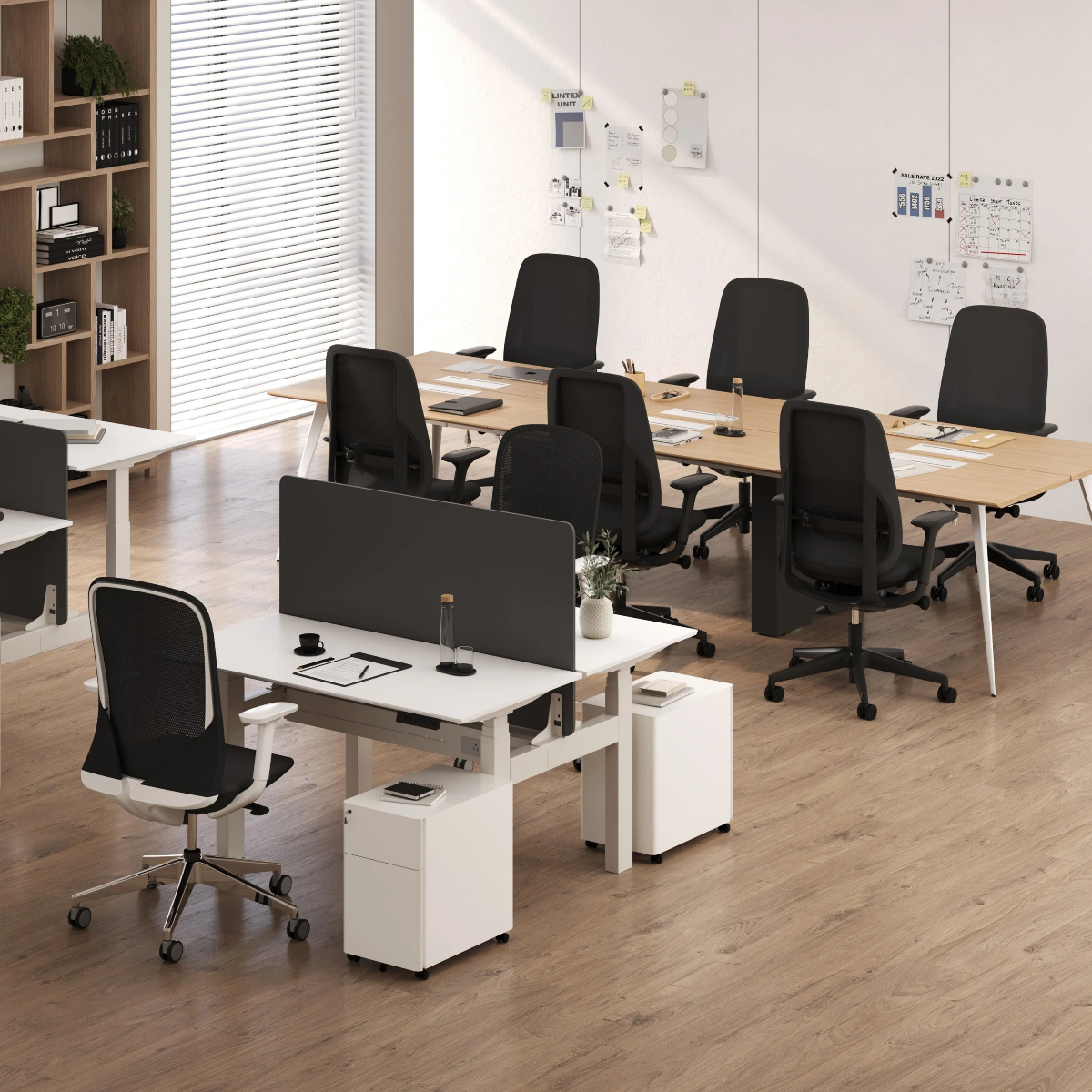
Can a Filing Cabinet Double as a Printer Stand or Side Storage Unit?

Yes, a filing cabinet can double as a printer stand or side storage unit when the setup is planned around stability, surface fit, drawer access, cable routing, and daily workflow. The best use case is not simply placing a printer on top and hoping it works. The cabinet should support the way the office actually functions, giving documents, paper, supplies, and devices a defined home without making the desk feel crowded.
For compact offices, hybrid workstations, apartment work zones, and shared rooms, a filing cabinet can become one of the hardest-working pieces in the layout. It stores what needs to stay close, hides what does not need to be seen, and creates a secondary surface for office tools that do not belong on the main desk. A lockable filing cabinet is especially useful when paperwork, supplies, or personal work materials need to stay organized and contained rather than scattered across the desktop.
The key is to treat the cabinet as part of the workstation, not as leftover storage. When its size, position, and purpose are chosen intentionally, it can support printing, filing, lighting, paper management, and side storage in a clean, practical way.
Why a Filing Cabinet Can Work as More Than Paper Storage
A filing cabinet is often underestimated because people associate it with old paperwork and traditional office layouts. In a modern workspace, its value comes from combining hidden storage with a usable top surface. That combination makes it different from a basic side table, open shelf, or printer cart.
A side table may offer surface space, but it usually lacks enclosed organization. A printer stand may support a printer well, but it may not offer the same level of document storage. A filing cabinet sits between both roles. It can hold files, office supplies, printer paper, and workday essentials while still giving the printer or another accessory a stable place to sit.
The Flat Surface Creates a Natural Printer Zone
The flat top of a filing cabinet is what makes printer placement possible. For a compact printer, the top surface can become a dedicated printing station beside or near the desk. This keeps the main desktop free for active work, such as typing, writing, reading, or video meetings.
A printer placed directly on a desk often competes with the monitor, keyboard, notebook, and task lighting. Moving it to a cabinet creates a secondary work zone. The printer stays close enough to use, but it no longer dominates the primary work surface.
Enclosed Drawers Reduce Visual Clutter
The drawers are what make a filing cabinet valuable as side storage. Paper stacks, spare cables, folders, labels, and notebooks can quickly make a home office look messy. Enclosed drawers give those items a defined location while keeping them out of sight.
This matters in shared spaces. A bedroom office, guest room workstation, or living room desk has to look calm when work is done. A filing cabinet helps contain the practical parts of office life without requiring a larger room or more furniture.
Why Hidden Storage Matters in Small Work Areas
Small offices rarely fail because of one large item. They usually become frustrating because of many small items with no assigned place. Printer paper lands on the desk. Receipts sit beside the keyboard. Cords collect near the floor. Files move from chair to table to shelf.
A filing cabinet solves that problem by giving everyday items a home within arm’s reach. It allows the office to function efficiently without making the room feel like a storage area.
Printer Stand Compatibility Starts With Size, Balance, and Access
A filing cabinet can support a printer only when the printer and cabinet are physically compatible. This is the most important part of the setup. A cabinet may look sturdy, but that does not automatically mean every printer belongs on top of it.
The printer should sit fully on the top surface. There should be no awkward overhang, no blocked paper tray, and no scanner lid hitting a wall or shelf. The cabinet should remain steady when the printer operates and when drawers are opened.
Measure the Printer Before Choosing the Cabinet Position
Start by measuring the printer’s full footprint. Include the width, depth, height, paper tray extension, rear feed area, and scanner lid clearance if it is an all-in-one model. Printers often need more space than their closed dimensions suggest.
A compact inkjet printer is usually easier to place on a filing cabinet than a large laser printer or high-capacity office machine. Heavier printers require more caution because they add weight to the top of the cabinet and may create vibration during printing.
The safest rule is simple: the printer should sit completely on the cabinet top with enough clearance for paper movement, ventilation, and normal use.
Weight Distribution Keeps the Cabinet Stable
A printer adds weight above the drawers. When a drawer opens, the cabinet’s balance changes slightly. This is why heavy items should usually be stored in lower drawers. Bulk paper, archived files, and heavier supplies belong lower in the cabinet, while lighter daily-use items can stay closer to the top.
This arrangement helps the cabinet feel grounded. It also reduces the chance of wobbling when the printer is operating or when a drawer is pulled open.
The Drawer-Open Test
Before settling on the final layout, place the printer on the cabinet and open each drawer fully. Check whether the cabinet shifts, blocks access, or feels unstable. Then print a test page and watch for vibration.
A setup that passes this simple test is more likely to work in everyday use. If the cabinet rattles, the printer overhangs, or the drawers become inconvenient, the arrangement needs to be adjusted.
Printer Motion and Noise Need a Steady Base
Printers move internally while printing. Some models are quiet and smooth, while others create noticeable movement. A stable cabinet helps reduce rattling and keeps the printer from feeling like it is perched on a temporary surface.
Avoid placing fragile decor, loose trays, or small stacked items next to the printer. The top surface should stay focused and practical, especially if printing is part of the daily routine.
Side Storage Works Best When It Supports Daily Workflow
A filing cabinet becomes a true side storage unit when it improves how work happens throughout the day. That means the drawers should not become random storage. They should be assigned according to how often items are used.
The goal is to reduce interruptions. Paper should be near the printer. Current files should be easy to reach. Supplies should not require leaving the desk every time a label, pen, or cable is needed.
Separate Active Supplies From Archived Documents
Not every document belongs in the same drawer. Active files are different from archived records. Daily supplies are different from backup materials. A useful cabinet separates these categories clearly.
The top drawer should usually hold frequently used items. The middle drawer can hold active documents, printer materials, or project folders. The lowest drawer is often best for heavier files, bulk paper, or records that do not need constant access.
What Belongs in a Desk-Side Filing Cabinet
A well-organized filing cabinet can hold:
-
Active household, client, tax, or project folders
-
Printer paper, envelopes, labels, and shipping materials
-
Ink, toner, cables, adapters, and small tech accessories
-
Notebooks, sticky notes, pens, and frequently used tools
-
Personal workday items that do not need to stay on the desktop
-
Backup documents that should stay protected but accessible
This kind of organization turns the cabinet into a practical work companion rather than a place where miscellaneous items disappear.
The One-Reach Rule for Side Storage
The most useful side storage follows the one-reach rule. Items used every day should be reachable while seated or with one small turn from the chair. Printer paper, current folders, and basic supplies should not require walking across the room.
Items used less often can sit lower, farther back, or in a drawer that takes more effort to access. This keeps the workspace efficient without overloading the most convenient areas.
The Cabinet Extends the Desk Without Enlarging It
A desk should support focused work. When it has to hold everything, the surface becomes crowded. A filing cabinet creates a secondary work zone that expands function without requiring a larger desktop.
The main desk can hold the screen, keyboard, mouse, notebook, and essential work tools. The filing cabinet can hold the printer, paper, supplies, and documents. When paired with adjustable office desks, side storage helps preserve the desk’s active work area while keeping essential office items nearby.
Filing Cabinet vs. Printer Stand vs. Side Table
Choosing between a filing cabinet, printer stand, and side table depends on what the workspace needs most. If the only goal is to support a printer, a dedicated printer stand may work. If the goal is a decorative landing surface, a side table may be enough. If the goal is printer support plus hidden organization, a filing cabinet often makes more sense.
| Support Piece | Best Use | Storage Value | Printer Support | Main Limitation |
|---|---|---|---|---|
| Filing cabinet | Printer, files, and supplies in one compact zone | High | Strong when properly sized and stable | Requires surface and balance checks |
| Printer stand | Dedicated printer placement | Moderate | Strong for printing tasks | Less flexible beyond printer use |
| Side table | Light surface use and decorative styling | Low | Limited depending on size and sturdiness | Usually lacks enclosed storage |
When a Filing Cabinet Is the Practical Choice
A filing cabinet is practical when the office needs both storage and surface function. A remote worker might use it for project folders, paper, and a compact printer. A household command center might use it for school forms, receipts, labels, and occasional printing. A small business setup might use it for active files and supplies that need to stay close to the desk.
In each case, the filing cabinet works because it removes pressure from the desktop. It creates a nearby support zone that keeps the primary workspace cleaner.
When a Printer Stand May Still Be Better
A dedicated printer stand may be better for oversized printers, heavy laser printers, shared office equipment, or high-volume printing setups. Some printers need more ventilation, deeper surfaces, or stronger support than a typical side cabinet can provide.
The right answer depends on the equipment. A filing cabinet is a strong solution for many compact and moderate printer needs, but it should not be forced into a role that does not fit the printer’s size or weight.
Why Side Tables Often Fall Short
A side table can look attractive, but it often becomes a pile zone. Without drawers, supplies stay visible. Paper stacks build up. Cables and accessories have nowhere to go.
For a workspace that needs practical storage, a filing cabinet offers more control. It can still be styled with restraint, but its main strength is organization.
Placement Strategy for a Real Office Layout
Where the filing cabinet sits determines how useful it becomes. A cabinet in the wrong location may technically hold a printer, but it can still interrupt movement, block drawers, or make supplies inconvenient to reach.
The best placement supports three things at once: easy printer access, comfortable chair movement, and clean storage flow.
Beside the Desk for Fast Access
The most common placement is beside the desk, either to the left or right. The better side depends on the user’s dominant hand, room layout, outlet location, and drawer direction.
A beside-the-desk setup works especially well because it keeps printer output, files, and supplies within close reach. It also makes the cabinet feel like a continuation of the workstation rather than a separate storage piece.
Leave enough room for the chair to move freely. The cabinet should not block the natural path into the desk or force the user to twist awkwardly.
Behind the Desk for Occasional Printing
A cabinet placed behind the desk can work well for a Wi-Fi printer or less frequent printing. This layout keeps the desk perimeter open while still giving the printer and paper a home.
The key is to store printer supplies in the same cabinet. If paper sits in one part of the room and the printer sits in another, the setup becomes inefficient. A printing zone should keep the machine, paper, and basic supplies together.
Along a Wall or Under a Window
A low cabinet can work along a wall or under a window if it does not block natural light, vents, curtains, or walking paths. This placement can make a compact office feel more open because the cabinet stays out of the main work area.
Lighting should also be considered. A multi-use LED lamp can support a compact workstation when the cabinet area needs additional task or ambient light without adding unnecessary visual weight.
Plan Cable Paths Before Loading the Cabinet
Cable planning should happen before the cabinet is filled and positioned. Printer cords should not cross walkways or interfere with drawers. Power access should be close enough to avoid stretched cords.
If the printer uses a USB connection, check the cable path to the computer. If it uses Wi-Fi, the layout can be more flexible, but power still matters. Cords should route behind or beside the cabinet in a clean, safe way.
Making the Cabinet Look Intentional, Not Improvised
A filing cabinet can function well and still look unfinished if the top becomes cluttered or the cabinet does not visually relate to the desk. The goal is to make it feel like part of the office design.
This does not require overstyling. In fact, the best cabinet tops are usually simple. One main function, a small supporting accessory, and clean cable management are enough.
Keep the Top Surface Focused
If the cabinet top holds a printer, let the printer be the main object. Avoid adding stacks of paper, multiple trays, plants, lamps, and loose accessories around it. Too many items can make the setup feel crowded and unstable.
If the cabinet is being used more as side storage than a printer stand, the top can hold a lamp, tray, or small organizer. The role should be clear at a glance.
Use Lighting to Soften a Functional Zone
A filing cabinet can look utilitarian, especially when placed beside a desk. A single lighting piece can make the area feel more considered. A recycled glass table lamp works as a relevant example of how a cabinet surface can support both function and atmosphere when it is not occupied by a printer.
The point is not to decorate heavily. It is to give the side unit a visual purpose so it blends naturally into the room.
Align the Cabinet With the Desk and Chair
Visual alignment matters. A cabinet that lines up with the desk edge often looks more intentional than one pushed into a random corner. Finish, height, and spacing should feel compatible with the rest of the workstation.
For workspaces where layout, scale, and furniture relationships are easier to judge in person, exploring modern ergonomic office furniture options can help connect the cabinet decision to the full office environment rather than treating it as a standalone purchase.
Ergonomic Flow Around the Filing Cabinet
A filing cabinet should improve movement, not create friction. If it blocks the chair, forces awkward reaching, or makes the printer hard to access, the setup will become annoying even if it looks organized.
Good ergonomic flow means the user can sit, work, print, file, and retrieve supplies with minimal strain.
Reach Zones Decide Whether the Setup Feels Natural
Frequently used items should live in the easiest reach zone. Printer paper should be near the printer. Current files should be easy to access. Backup supplies can sit lower or farther away.
A filing cabinet placed too far from the desk becomes storage, not support. A cabinet placed too close can block movement. The right position allows a small turn or short reach without twisting the body repeatedly.
Chair Clearance Is Part of Storage Planning
The cabinet should be tested with the chair in its normal working position. Can the user sit down easily? Can the chair swivel? Can drawers open without hitting the chair base? Can the user stand up without bumping the cabinet?
Coordinating side storage with ergonomic office chairs helps maintain comfortable movement around the desk. The cabinet should support the chair’s motion rather than compete with it.
Keep Knee Space and Drawer Space Separate
A cabinet should not occupy the area where legs need to move. Placing it directly under the main work surface can make the desk feel cramped, especially if drawers open toward the chair. Side placement is usually more comfortable because it keeps knee space clear while still keeping storage nearby.
Laptop Height and Side Storage Work Together
Desk clutter often builds when laptops, papers, monitors, accessories, and supplies compete for one surface. Raising a laptop and moving secondary items to a cabinet can make the workstation feel more organized.
A slim laptop stand supports vertical organization on the desk, while the filing cabinet handles side storage and printer placement. Together, these choices help the desk surface stay focused on active work.
Common Filing Cabinet Printer-Stand Mistakes
A filing cabinet can do double duty, but a few common mistakes can make the setup less useful. Most problems come from forcing the cabinet to carry too many roles at once or ignoring basic measurements.
Letting the Printer Overhang
A printer should not hang over the cabinet edge. Overhang can affect stability, make the setup look temporary, and interfere with paper trays or scanning lids. If the printer does not fit fully, the cabinet is not the right printer platform for that machine.
Loading the Top and Upper Drawers Too Heavily
Too much weight near the top can make the cabinet feel unbalanced. Store heavier materials low, especially bulk paper and dense files. Keep the top drawer for lighter, frequently used items.
Ignoring Ventilation and Paper Movement
Printers need clearance around vents, trays, and lids. A printer pushed tightly against a wall may be inconvenient to load or maintain. Leave enough room for paper to feed and exit without bending, catching, or forcing the printer into an awkward position.
Turning the Cabinet Into a Drop Zone
A side cabinet fails when the top becomes a catch-all surface. The top should have a defined role, and the drawers should absorb the clutter.
A simple drawer system works well:
1. Top drawer: daily supplies and small tools
2. Middle drawer: active files or printer materials
3. Lower drawer: heavier files, bulk paper, or archived documents
This structure keeps the cabinet useful without requiring a complicated organizing system.
Small Office Scenarios Where a Filing Cabinet Solves Multiple Problems
A filing cabinet works especially well in offices where space has to serve more than one purpose. It can make a small setup feel more complete without adding bulky furniture.
Apartment Desk Setup
In an apartment, the desk may be narrow and the room may also serve as a bedroom, dining area, or living space. A filing cabinet beside the desk can hold the printer, paper, and supplies while keeping the desktop open.
This setup is practical because it separates active work from support tasks. The desk remains clean, and the cabinet handles the items that would otherwise create clutter.
Guest Room Office
A guest room office needs to disappear visually when work is over. Enclosed drawers help hide paperwork and supplies so the room still feels calm. If the printer is compact and properly placed, the cabinet can support it without making the room feel like a full office.
The cabinet top should stay minimal in this setting. A clean surface helps the room remain flexible.
Creative Work Area
Creative work often involves drafts, samples, printed references, notebooks, and supplies. A filing cabinet can organize these materials while keeping them close to the desk. Compared with a side table, it offers better containment and clearer categories.
The cabinet becomes a practical support piece rather than a decorative surface with piles on top.
Shared Household Command Center
Many homes need a small station for forms, receipts, shipping labels, school documents, and occasional printing. A filing cabinet can serve as the hub for these materials without requiring a full office.
In this role, the cabinet works best when each drawer has a household category. The printer can sit on top if it fits safely, while the drawers keep the paper trail organized.
Practical Setup Checklist for a Filing Cabinet Printer Station
Before using a filing cabinet as a printer stand or side storage unit, run through a practical setup check. This prevents most daily frustrations.
-
Measure the printer width, depth, height, tray movement, and lid clearance.
-
Confirm the cabinet top supports the full printer footprint.
-
Check that each drawer opens fully.
-
Store heavier files and bulk paper in lower drawers.
-
Keep printer paper and everyday supplies close to the printer.
-
Route cords behind or beside the cabinet, not across walkways.
-
Leave space for ventilation and paper movement.
-
Test chair movement around the cabinet.
-
Print a test page and watch for vibration.
-
Keep the top surface focused and uncluttered.
The Daily Use Test
A good layout should feel natural after a few minutes of use. Sit in the chair, reach for paper, print a page, open the drawers, and move in and out of the workstation. If any action feels awkward, adjust the cabinet before committing to the placement.
The best setup is not dramatic. It is quiet, stable, and easy to use. The printer is close. The paper is nearby. The drawers open cleanly. The desk stays clear.
A Filing Cabinet Can Become the Most Useful Side Piece in a Compact Office
A filing cabinet can double as a printer stand or side storage unit when the printer fits securely, the cabinet remains stable, and the drawers stay accessible. Its strength comes from doing two practical jobs at once: creating a secondary surface and hiding the materials that would otherwise clutter the desk.
The most successful setup is measured, balanced, and intentionally placed. The printer should sit fully on the cabinet top. Heavy items should stay low. Cables should be routed safely. Drawer roles should be simple. The cabinet should support the chair, desk, and daily work rhythm rather than interrupting them.
As workspaces become more compact and flexible, furniture that performs more than one role becomes increasingly valuable. A well-placed filing cabinet does more than store paper. It can anchor a printer zone, organize supplies, protect documents, and help the entire office feel clearer, calmer, and more efficient.
Related Articles
-
 How Filing Cabinet Storage Supports Office Desk Must Haves
-
 Filing Cabinet Ideas for Better Office Furniture Accessories
-
 Best File Cabinet for Home Office Storage That Feels Easy
-
 Better Multiple Monitor Desk Setup Starts With One Stand
-
 Make Laptop and 2 Monitor Setup Work With Better Stands
-
 Why Dual Monitor Comfort Needs a Monitor and Laptop Stand


