























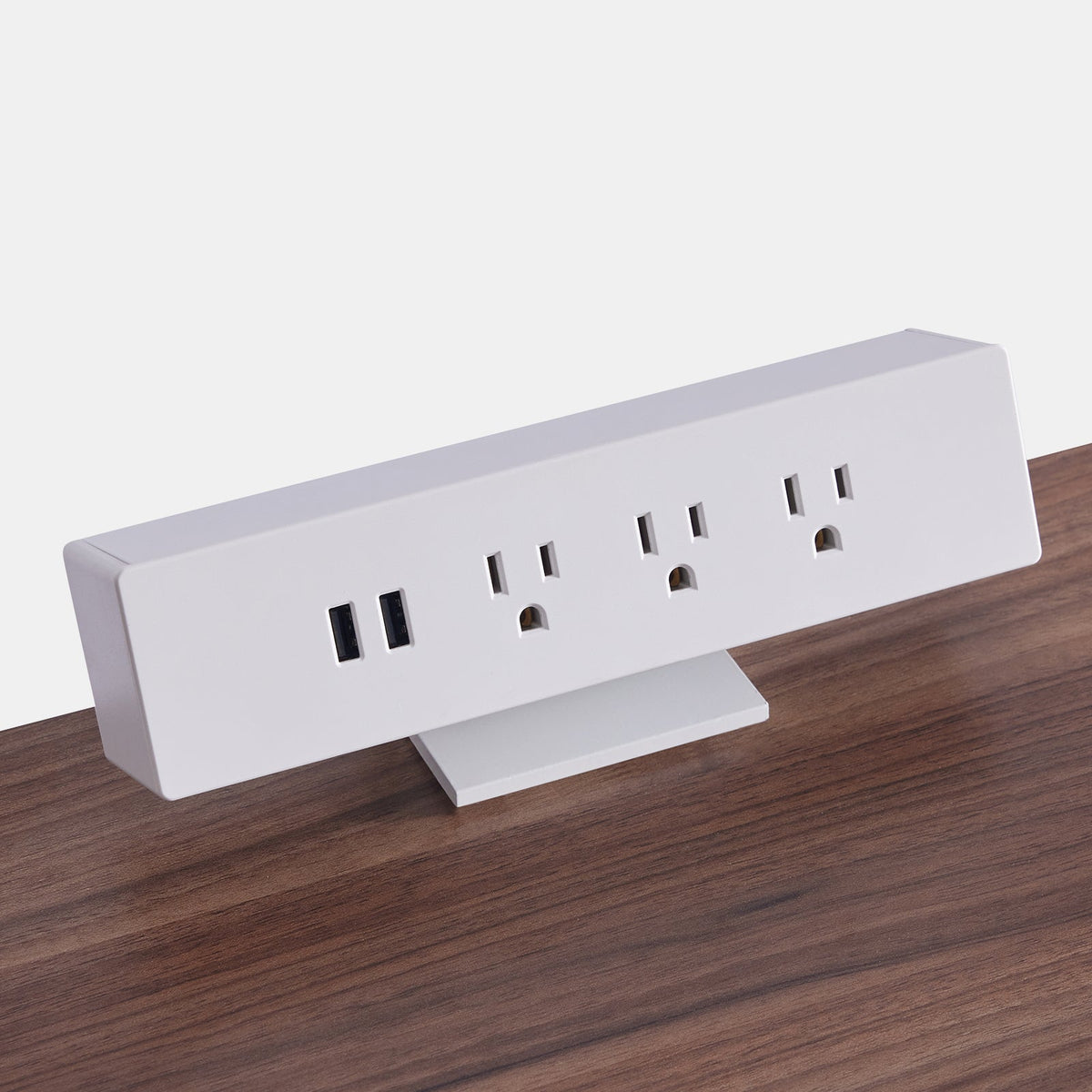
Desk Sockets With USB: Smarter Power Options

How USB Integrated Desk Sockets Became an Essential Workspace Upgrade
Modern work habits rely on multiple devices operating at once, and this shift has changed what people expect from their workspace. A desk is no longer just a surface to place a laptop on. It must support a workflow built around phones, tablets, earbuds, and accessories that all need reliable power. Brands focused on workspace design recognize that access to convenient charging significantly affects comfort, efficiency, and overall user satisfaction. Desk sockets with USB ports emerged as a direct response to these evolving needs, giving workers a way to stay powered without relying on bulky adapters or cluttered power strips.
The Multi Device Demands Driving Today’s Power Needs
Hybrid work has made the average desk a hub for personal devices, professional tools, and everything in between. Most users keep several items charging simultaneously throughout the day. Whether it is a phone that needs quick top ups, a tablet used for notes, or wireless headphones that constantly rotate between use and charging, workers expect immediate power access within arm’s reach. This shift also elevates the importance of ergonomically supportive seating, since device placement and posture directly affect comfort. Pairing modern power access with supportive seating such as an ergonomic work chair with adjustable support helps create a balanced environment that supports longer periods of focused work.
Why USB C Power Delivery Changed Expectations for Desk Power
USB C Power Delivery has become a central component of how people charge devices. Its higher wattage capacity offers faster charging for a wider variety of devices, which means fewer proprietary chargers are needed. Users appreciate the simplicity of plugging a single cable into a socket that can power a phone or a laptop without switching adapters. As more electronics transition to USB C, workers naturally expect desk sockets to support this universal format. Brands committed to improving workspace usability see this as a long-term direction that benefits both users and the future adaptability of a workspace.
The Growing Preference for Minimalist Workspaces Without Charging Bricks
Minimalism plays a major role in workspace well being. When a desk is crowded with chargers and cables, it becomes harder to stay organized or maintain visual calm. USB integrated desk sockets help eliminate charger blocks, which declutters the surface and emphasizes a cleaner aesthetic. Furniture elements also support this sense of simplicity. For example, a streamlined workstation like a modern office desk design pairs naturally with integrated USB power because it allows the user to charge devices without disrupting the visual harmony of the space. Brands that design furniture and accessories with this balance in mind create environments that feel intentional, efficient, and easy to use.
Understanding the Functional Differences Between Desk Socket Designs
Not all USB desk sockets are built the same. Differences in port types, mounting methods, materials, and safety features significantly affect the user experience. The chosen style should match how the workspace is used, how often the user interacts with devices, and the physical layout of the desk. Each approach has unique advantages that influence comfort and efficiency.
USB A vs USB C Ports and What Each One Offers
USB A ports continue to support a wide range of legacy devices, and many users still rely on them for accessories like keyboards, small electronics, and older charging cables. USB C offers faster charging rates and better compatibility with newer devices. A balanced desk socket usually includes both, allowing users to plug in modern equipment alongside older accessories. This dual support ensures that the workspace remains functional even as technology evolves, which helps users avoid frequent accessory upgrades.
Mounting Styles That Influence Desk Accessibility
The way a USB desk socket installs on a workstation determines how naturally it fits into daily routines. A user who spends long hours at their desk will benefit from an installation style that feels unobtrusive and ergonomic.
Clamp On Power Modules for Adjustable, Non Permanent Setups
Clamp mounted power units attach securely to the side or back edge of a desk without requiring drilling or permanent modification. This makes them ideal for rented homes or multi purpose environments where flexibility matters. A reliable option is an edge mounted power accessory, which fits securely while remaining easy to reposition whenever the desk layout changes.
In Desk Power Grommets for a Seamlessly Integrated Setup
Permanent in desk installations work best for dedicated office environments. They sit flush with the desk surface, reduce clutter, and provide an integrated look that appeals to users who value simplicity and clean lines. Since these installations require cutting into the desk, they are most appropriate for long term workstations.
Freestanding Power Hubs for Flexible Desk Layouts
Freestanding USB power stations sit on the surface and can be moved as needed. They suit collaborative environments, shared desks, or users who frequently rotate equipment. They also work well for desks without adequate mounting edges or those made of delicate materials.
Material Quality, Safety Mechanisms, and Build Durability
Desk sockets must prioritize safety and durability because they handle daily use and constant power flow. The choice of materials and safety features significantly impacts performance and longevity.
Metal vs Polycarbonate Housings
Metal housings tend to resist wear and provide a stable feel during frequent use. Polycarbonate versions can be lightweight and visually unobtrusive. Choosing between them depends on aesthetics, weight preferences, and how often the user interacts with the ports.
Surge Protection and Overload Safety
Surge protection helps safeguard connected devices by preventing damage from unexpected electrical fluctuations. Not all USB desk sockets include this protection, so users should be mindful of the product’s ratings and recommended use cases.
How Socket Build Quality Aligns With User Comfort
High quality power accessories work best with thoughtfully designed furniture and seating. When the workspace elements complement each other, the user experiences less strain and better overall comfort. Supportive seating like an upholstered task chair with soft contours makes long work sessions feel more natural, especially when paired with well placed USB power access.
Selecting USB Desk Sockets Based on Desk Style, Size, and Workspace Layout
Every workspace has unique characteristics that influence which USB socket design is the best fit. Desk dimensions, materials, orientation, and the user’s workflow shape the ideal placement and configuration.
Matching Power Solutions to Desk Materials and Cable Routes
Different desk materials accommodate cable routing in different ways. Wood desks often support under desk cable trays or drilling for integrated grommets. Metal or glass desks may require non invasive solutions like clamps or freestanding modules. Users who want a variety of furniture choices can explore a range of contemporary desks to see which styles naturally support the power configurations they prefer.
Positioning USB Sockets Within Reach Zones for Ergonomic Posture
Reach zones help define where power access should be placed so the body is not repeatedly stretching or twisting. USB sockets work best in primary or secondary reach zones where cables remain accessible without interrupting posture. Seating also plays a direct role in maintaining comfortable reach. An adjustable ergonomic seating option supports proper alignment, allowing the user to interact with power ports without strain.
Coordinating Socket Access With Movement, Rotation, and Seating Height
Movement patterns affect where a USB desk socket should sit. If a user frequently rotates or shifts between tasks, power access should remain stable and not require awkward reaching. A seating style such as a sculpted shell style chair supports varied postures and smooth transitions, making it easier to interact with nearby charging ports.
Best Practices for Installing USB Desk Sockets Safely and Efficiently
Safety and ergonomics should guide every installation. Proper placement prevents cable damage and helps maintain comfort throughout the day.
Placing Sockets to Avoid Legroom Conflicts and Cable Strain
Sockets should not interfere with leg movement or storage elements like drawers and cabinets. Cables should drape naturally without tension or friction. When placed thoughtfully, this helps prevent wear and improves safety.
Choosing the Right Installation Method
Different installation styles serve different workspace needs.
When In Desk Drilling Is Appropriate
In desk grommet installation is best for committed setups where stability and aesthetics are top priorities. The user should ensure that the desk material supports drilling and that the hole placement will remain practical long term.
When to Use Non Destructive Mounting
Clamp mounts and freestanding hubs work better for desks that cannot be drilled or for users who anticipate rearranging their workspace in the future.
Cable Management That Maintains Safety and Reduces Fatigue
Cable management systems keep power cords off the floor and away from areas where the user might trip or strain to reach. Proper organization also promotes long term comfort. Guidance such as official guidance on ergonomic workstation setup provides helpful insights into maintaining healthy posture and minimizing strain while interacting with desk accessories.
How USB Desk Sockets Support Future Ready Work Habits
Workspace habits continue to evolve, and USB desk sockets adapt well to these changing expectations. They support an ecosystem where devices may change over time, but the need for clean, accessible power remains constant.
Rising Power Requirements and the Adoption of USB C Across Devices
As more devices transition to USB C charging, workers benefit from having sockets that accommodate these needs. This helps keep the workspace ready for future equipment without frequent updates or accessory replacements.
Hybrid Wireless and USB Charging Modules
Hybrid units allow users to mix traditional cable charging with wireless pads. This combination suits people who alternate between quick surface charging and more stable wired connections.
Desk Surface Considerations for Wireless Pads
Not all surfaces work equally well with wireless charging. Some materials may cause heat retention or reduced efficiency. Users should consider where their devices naturally rest and whether the desk material supports reliable wireless contact.
Combination Units That Blend Power and Convenience
Combination units fit well in compact setups or shared environments. They support multiple device types without significantly expanding the desk’s footprint.
Modular Power Stations for Multi User Spaces
Modular systems appeal to families, collaborative teams, and creative professionals who rearrange their setups frequently. These stations adapt to new equipment without requiring structural changes to the workspace.
How Smarter Desk Socket Design Shapes Long Term Workspace Planning
Thoughtfully designed USB desk sockets influence how people plan their work environments for the future. As technology evolves, modular and adaptable power solutions help maintain comfort, organization, and efficiency.
Convergence of Charging, Connectivity, and Peripheral Management
Some systems integrate power with data connectivity or peripheral hubs. This convergence reduces the need for multiple accessories and supports smoother transitions between devices.
Sustainable Design Considerations for Power Accessories
Sustainability influences material choices, energy efficiency, and long term repair options. Durable materials reduce waste, and thoughtful design helps users maintain accessories longer.
Future Proofing Through Adaptable Power Infrastructure
Planning for USB evolution ensures that workspaces remain practical and efficient even as devices change. Adaptable layouts prevent users from feeling locked into outdated equipment and encourage long term workspace satisfaction.
Related Articles
-
 Desktop Power Outlet Planning Without Visible Cable Mess
-
 How In-Desk Power Helps Desks With Charging Stations Work
-
 How In-Desk Power Makes Charging Easier During Workdays
-
 In-Desk Power Ideas That Make Shared Tables Feel Cleaner
-
 Best In Desk Power Outlet Placement Tips for a More Efficient Workspace
-
 Clamp On vs Built In Desk Power Outlet: Which One Works Best for Your Desk?


