























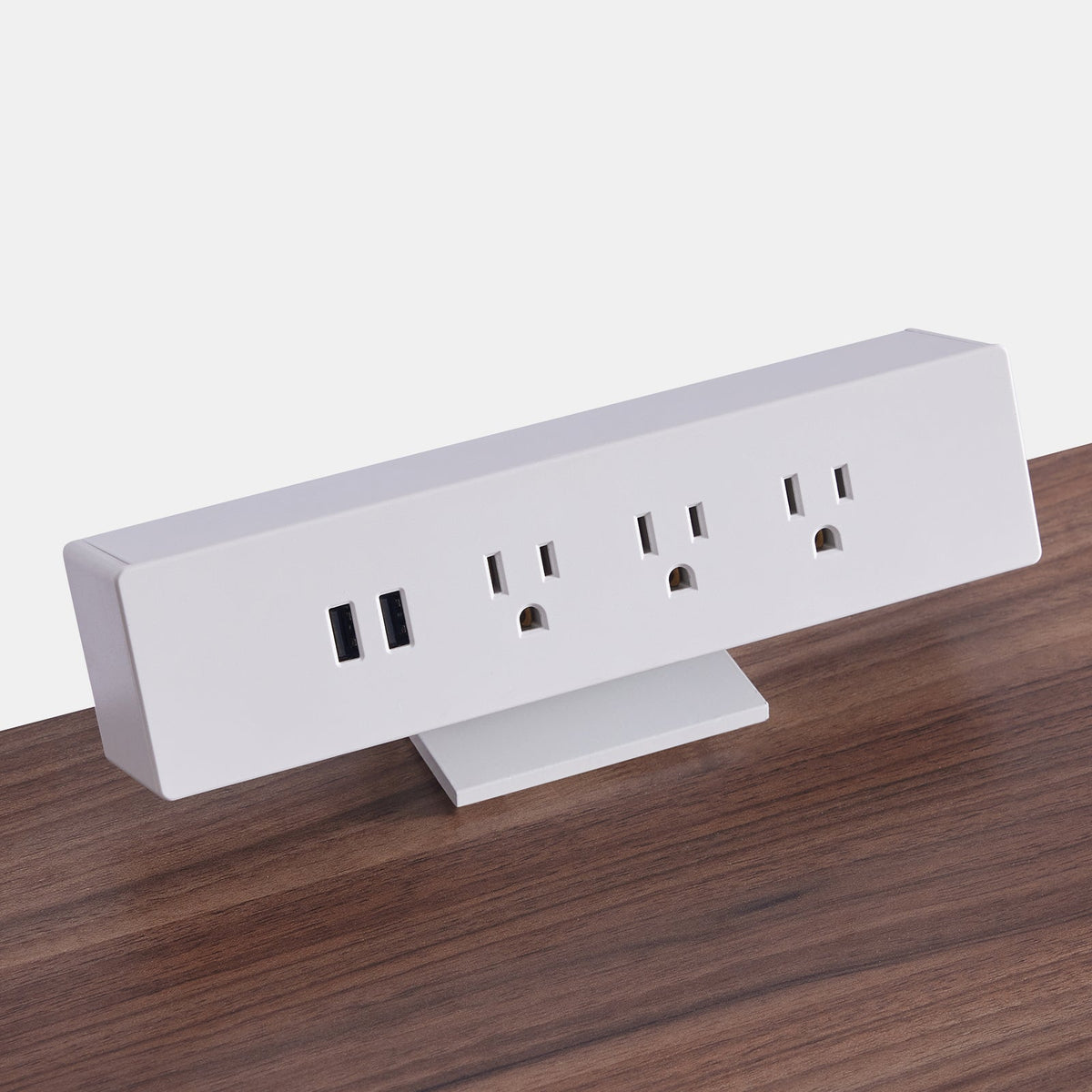
Desk Outlet and USB Combos for Easy Charging

The Growing Need for Integrated Desk Power in Modern Work Environments
The modern workspace relies on a steady supply of accessible power. Professionals use multiple devices throughout the day, from laptops and tablets to phones, headsets, and secondary screens. The traditional setup of locating a wall outlet behind furniture or across the room no longer supports the way people work. Integrated desk power brings the charging point directly to the workstation, which creates a smoother workflow and a more reliable daily routine.
Why Personal Workstations Now Require Built In Charging
As hybrid schedules and technology heavy roles continue to influence the design of workspaces, individuals expect their desks to function as central command stations. A surface that allows immediate connection to AC and USB power reduces interruptions and supports uninterrupted focus. People can keep their phones beside them, charge peripheral devices without leaving their seat, and avoid the inconvenience of rearranging furniture to locate a power source. This direct access creates an experience that feels intentional, supportive, and aligned with real work habits.
How Desk Power Systems Support Clutter Free Setups
Clutter has a strong impact on focus and comfort, and exposed cords often contribute to visual overwhelm. When outlets and USB ports are built into the desk, the surface remains open and easier to maintain. A structured environment also reduces tripping hazards and tangled wires. Workstations that integrate cable containment under the desktop allow power modules to work in harmony with the desk itself. As a result, the entire setup feels more polished and more in control.
Addressing Workspace Safety and Ergonomics
Accessibility is also a safety consideration. Frequent bending or reaching for distant outlets can strain the body throughout the day. A power source placed at a comfortable height reduces this repeated motion and aligns with ergonomic guidance for safer workstation layouts. By prioritizing posture friendly charging options, organizations and individuals can create healthier long term work habits.
Core Advantages of Desk Outlet and USB Combos
Desk power units work quietly in the background, yet the value they provide is significant. Their presence sets the foundation for a work environment that feels smooth, predictable, and visually organized.
Immediate Access to AC and USB Charging on the Work Surface
Direct access allows users to plug in devices within seconds. There is no guesswork about cable length or whether an outlet is available. Everything happens within a natural arm's reach, which makes powering devices feel as simple as placing them on the desk.
Reducing Downtime Through Fast, Multi Device Charging
Different devices have different power demands. A desk outlet with both AC and USB ports accommodates these needs at once. People can charge a laptop, power a lamp, and revive a phone without competing for a single socket. This blend supports uninterrupted productivity, especially when juggling work and personal tasks at the same station.
Boosting Productivity by Keeping Devices Within Reach
A charging location that sits on the desk encourages consistent access to crucial items such as phones or wireless accessories. Individuals stay aware of notifications, battery levels, and workflow tools without interrupting their seated position.
Key Specifications That Define High Quality Desk Power Modules
A durable and reliable desk outlet must support daily wear, efficient device performance, and long term stability. Understanding key specifications helps users choose solutions that align with their workspace design.
USB C and Fast Charge Support for Today’s Devices
USB C has become a standard for many modern devices. A high performing desk outlet should provide steady and efficient power delivery to support phones, tablets, and accessories that rely on this connection. USB A remains valuable for legacy devices, and many combo units include both to ensure compatibility with a wide range of equipment.
Surge Protection and Electrical Safety Considerations
Surge protection helps defend electronics against unexpected power fluctuations. A well constructed desk outlet should rely on reputable safety standards and materials that promote heat control. Fire safety and structural integrity are important factors for any workspace, especially for offices that run several devices simultaneously.
Installation Types That Influence Desk Compatibility
Power modules come in different forms, which makes it possible to match them with the right surface.
Clamp On Edge Modules
Clamp on modules attach to the side of the desk and can be repositioned as needed. They are popular for temporary setups or flexible workstations.
Grommet Mounted Units
Grommet installs sit flush with the surface and blend naturally with the desk design. They work well for permanent office layouts.
Under Surface Mounted Stations
Under desk modules keep outlets hidden but easily reachable. These options pair well with flexible cable channels that guide wires along the desk legs and maintain a clean appearance.
Choosing Desk Outlet Solutions Based on Workspace Configuration
Workspace design determines how power should be integrated. Each desk style has its own charging needs, and choosing a fitting power unit elevates both function and comfort.
Traditional Office Desks Requiring Clean, Integrated Power Access
A stationary desk works best with a power module that stays out of the way yet still provides fast access for computers and accessories. This type of environment benefits from surface level or grommet outlets that maintain a professional, streamlined appearance. Users who work at versatile office desk setups can integrate charging stations that support computing tasks and daily organization.
Power Needs in Standing Workstations
Standing desks introduce movement. Cables must adjust to height changes without pulling or creating strain.
Outlets That Remain Accessible at Any Height
Well placed outlets allow workers to transition from sitting to standing while maintaining the same convenient charging point.
Cable Slack Management During Movement
Cable routing is essential in preventing tension on plugs or cords. Solutions that pair well with adjustable standing work surfaces keep the desk functional at every height.
Compact Workspaces Demanding Small Footprint Power Options
Smaller rooms and micro offices benefit from furniture that maximizes available space.
Micro Offices and Dorm Setups
With limited room for external power strips, integrated charging becomes even more essential.
Minimalist Desks With Limited Surface Area
A compact desk still deserves a dependable charging point. Options designed for compact height adjustable desks for small rooms make it possible to maintain efficiency without overwhelming the workspace.
Scaling Power Access for Shared and Multi User Environments
As workplaces evolve, collaborative setups require charging stations that serve multiple people simultaneously without clutter or competition for outlets.
Two Person Workstations That Require Balanced Power Distribution
A dual user station functions best when each person has equitable access to power. Placing outlets along both sides of the desk prevents cable crossover and makes shared areas feel organized and considerate. Many teams benefit from the layout flexibility offered by shared standing workstations for two users which support movement and equal access to power.
Outlet Layouts for Four User Pods and Collaborative Work Zones
Larger pods support group work, focused tasks, and team based activities.
Preventing Congestion Across Device Heavy Teams
Distributed power modules help prevent crowding and make it easier for multiple users to work simultaneously.
Centralized vs Distributed Module Placement
Some work environments benefit from one central charging hub, while others prefer multiple modules spaced strategically. Teams that utilize multi user workstation layouts for team environments often choose distributed locations so every participant can charge devices without interruption.
Installation Strategy: How to Add Desk Outlet and USB Combos Without Creating Clutter
Proper installation ensures that power modules enhance the workspace rather than disrupt it.
Choosing the Ideal Location for Daily Charging Habits
Placement depends on how often and what type of devices the user charges.
Front Edge Placement for Phones and Peripherals
This location works well for items that need to be accessible throughout the day.
Rear Grommet Zones for Longer Term Laptop Charging
Rear placements keep essential power available for primary devices without occupying surface space.
Routing and Concealing Cables for a Minimalist Aesthetic
Even the most elegant power module requires thoughtful cable management. Cables should follow paths that avoid interference with drawers, seating, or foot traffic. When installed with intention, the charging system becomes a seamless element of the workstation.
Electrical Load, Ventilation, and Safety Reminders
A good installation balances electrical demand with proper ventilation around outlets and connected devices. Desk materials, such as wood or laminate, should have enough clearance to prevent unnecessary heat buildup. Ensuring an environment that supports safe power usage helps the workstation remain functional for the long term.
What Integrated Desk Charging Means for the Future of Workspaces
Desk outlet and USB combos are shaping the expectations of future work environments. Workers increasingly look for furniture that anticipates their needs. Integrated charging supports mobility, device diversity, and flexible office layouts.
GaN Powered USB Modules and Higher Output in Smaller Formats
Many workplaces will continue adopting compact, efficient power systems that save space while maintaining dependable performance. These technologies make it easier to accommodate multiple devices in both home and commercial offices.
Modular Power Systems for Reconfigurable Offices
As flexible spaces evolve, modular charging components will play a central role in keeping workstations adaptable. Users will be able to reposition outlets or expand charging availability as work patterns change.
Hybrid Charging Surfaces With Wireless, USB C, and AC Consolidation
Future desks may blend multiple types of charging into a single surface, allowing a more intuitive experience that supports a wide range of devices. This direction aligns with the ongoing shift toward workspace personalization and efficiency.
Related Articles
-
 Desktop Power Outlet Planning Without Visible Cable Mess
-
 How In-Desk Power Helps Desks With Charging Stations Work
-
 How In-Desk Power Makes Charging Easier During Workdays
-
 In-Desk Power Ideas That Make Shared Tables Feel Cleaner
-
 Best In Desk Power Outlet Placement Tips for a More Efficient Workspace
-
 Clamp On vs Built In Desk Power Outlet: Which One Works Best for Your Desk?


