























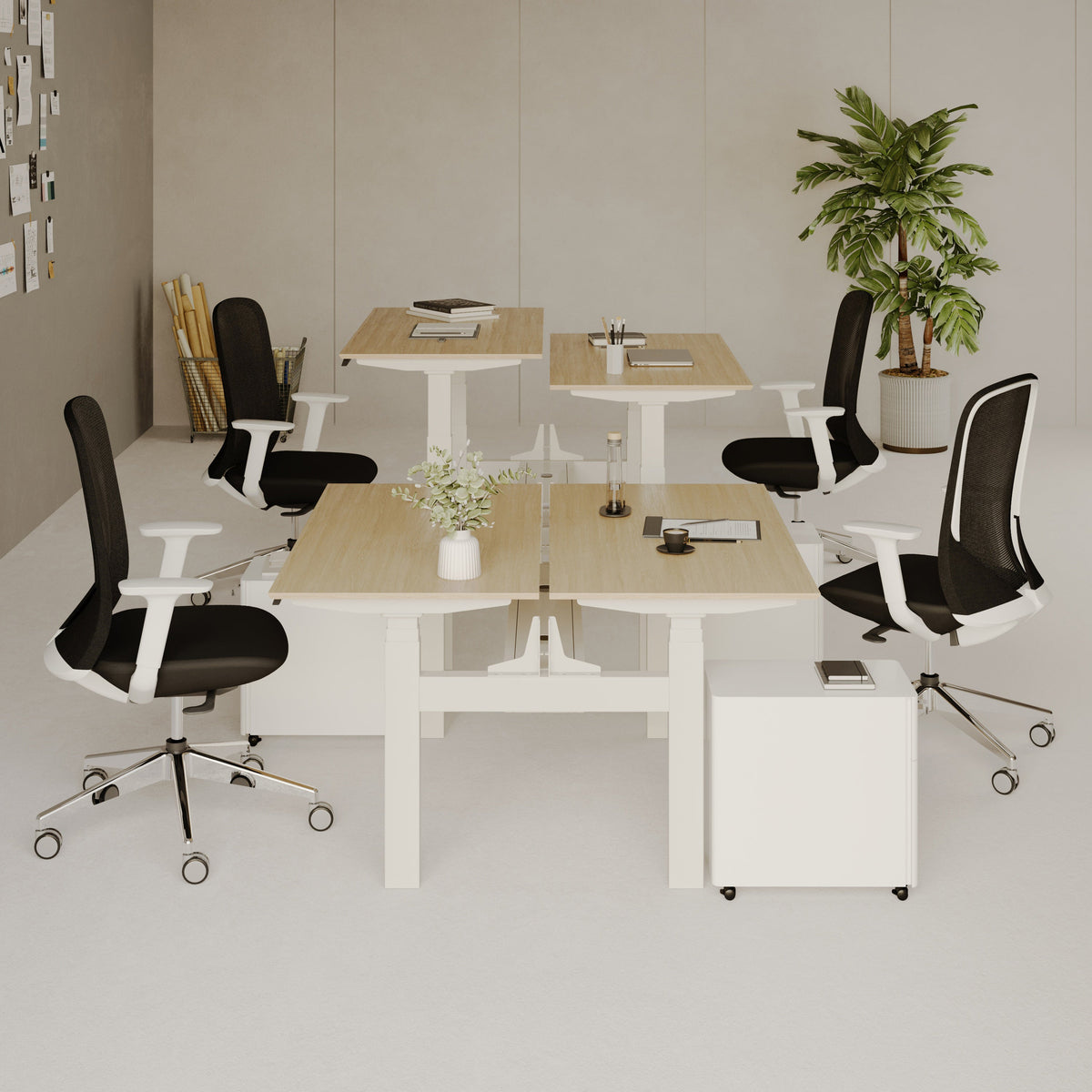
Desk for two persons: buyer checklist for comfort and fit

Two-Person Desk Planning Starts With Work Territories, Not Furniture Style
A desk for two people should feel like two complete workstations that happen to share the same footprint. That mindset changes the buying process. Instead of starting with a finish or a trendy silhouette, start by mapping two independent work territories. When each person has a defined zone for hands, screens, and daily tools, comfort improves and the desk stays usable even as work habits shift.
Map Two Primary Zones So Neither Person Works Half-On, Half-Off
A reliable way to plan is to treat the desktop as two rectangles that must each support real work. Every person needs a primary zone, which is the space where their hands do the work, and a screen zone, which is the space where their eyes spend the day.
Primary Zone Essentials: Hands, Tools, and Elbow Clearance
Each person needs enough width for a keyboard and mouse, plus an elbow buffer so arms do not collide during normal movement. If one person writes by hand, sketches, or takes calls with a notebook open, that primary zone expands quickly. Planning for that now prevents a common two-person problem where the desk technically fits two chairs, but only one person can spread out comfortably.
Screen Zone Essentials: Monitor Footprint and Viewing Distance
Screen placement is where two-person desks get tricky, especially with dual monitors, monitor arms, or a laptop plus display. If screens are forced too close because the desk is shallow, posture compensation starts. People lean forward, shoulders round, and neck tension follows. Depth is not just a number in the spec sheet. It is the buffer that keeps screens at a comfortable distance while still leaving room for hands and tools in front.
Define the Shared Middle Zone Before It Becomes a Clutter Zone
Most shared desks drift into conflict around the center. Without a plan, the middle becomes a dumping ground for chargers, mail, and random items that somehow belong to both people and neither person.
A practical approach is to define a shared middle zone that is intentionally limited. Put only low-importance, low-footprint items there. Think a small tray for shared chargers, a tissue box, or a compact organizer. Avoid placing task-critical items in the center. When something essential lives in the shared zone, it invites constant reaching and interruptions.
When a Center Divider Helps and When It Hurts
A divider can help when privacy and focus matter more than collaboration, such as two people on calls or in different time zones. It can hurt when you share documents, sketch ideas together, or need quick back-and-forth. If you want the desk to support both independent work and occasional collaboration, a soft boundary works better than a hard barrier. Use two small desk mats, two trays, or two cable lanes to signal ownership without blocking interaction.
Choose a Desk Style That Matches How Two People Actually Work
Two-person desk styles are not interchangeable. Each layout has a different ergonomics profile.
-
Side-by-side benching supports parallel work and shared screens for occasional collaboration.
-
Face-to-face setups support frequent handoffs but can increase distraction and reduce privacy.
-
Offset or L-shaped sharing supports mixed tasks but requires careful room measurement.
-
Two separate desks that visually match can be the cleanest solution when schedules and noise tolerance differ.
If you are still deciding which format suits your space and daily routines, browsing a curated range of desk styles and sizes helps clarify what you are choosing between. Urbanica maintains a broad selection of desk forms that can work for shared setups, including sizes that naturally support two users without forcing compromises: Urbanica desk collection
Room Math for Two Chairs: Clearances That Prevent Daily Friction
A desk that fits the wall is not always a desk that fits real life. Two chairs introduce movement, pull-back space, and walkways that need to stay usable when both people are seated. Planning with chairs first avoids the most frustrating outcome, which is a desk that looks right in the room but feels tight every day.
Use the Chair-First Measuring Method
Start with where the chairs will live, not where the desk will go. Place two chairs in the intended spots and simulate a normal work day. Slide them in, pull them out, and stand up. That movement footprint should dictate where the desk can sit.
Pull-Back Space for Sitting Down Comfortably
Most people underestimate how much space a chair needs to move. Even a slim profile chair needs pull-back room to stand up without bumping into a wall, sofa, or shelving. If the desk is placed too close to a barrier, the result is awkward twisting, chair scraping, and constant micro-annoyance that adds up.
Walkway Clearance Behind Chairs Matters More With Two People
With one workstation, you can sometimes accept a tighter walkway. With two, someone is always moving. A comfortable path behind chairs reduces interruptions and makes the desk usable when one person needs to get up during the other’s focused work.
Measure the Delivery Path, Not Just the Room
Two-person desks and sit-stand frames can arrive in large, rigid packaging. Before committing, measure the narrowest points on the route from the delivery entrance to the assembly area. Pay attention to tight turns and stair landings. This is not about the room’s square footage. It is about the smallest pinch point the package must pass through.
Match Desk Placement to Lighting and Screen Comfort
The best desk placement balances clearance, power access, and light control.
Against a Wall: Cable Access and Monitor Depth
A wall placement is efficient and keeps the room open. It also concentrates cables and power needs in one area. Check whether the desk design allows comfortable cable routing without forcing cords to bend sharply. If you plan to use monitor arms, confirm that the back edge and thickness can accept clamps.
Floating in the Room: Visual Cleanliness and Stability
A floating desk can look intentional and help two people share a workspace without crowding a wall. The tradeoff is cable management. A floating placement needs a plan for power and cable routing that stays tidy and safe. It also makes stability more noticeable because movement is visible from every angle.
Under a Window: Glare Control and Screen Angle
Natural light can be energizing, but glare can ruin screen comfort. If the desk is under a window, plan screen orientation and consider light-filtering solutions. A good shared desk should support both users without one person constantly shifting to avoid glare.
Width-Per-Person Rules: A Practical Sizing Ladder for Real Tasks
Comfort and fit are rarely about one single dimension. They come from the combination of per-person width, usable depth, and the way equipment sits on the surface. A two-person desk must handle two sets of tools without forcing either person into a cramped posture.
Set Width Targets Based on Each Person’s Setup
Start by listing what each person uses daily. A laptop-only setup needs less width than a dual-monitor setup, but even laptop work expands with notebooks, microphones, and desk lamps.
Laptop-Only Work
Laptop-only work can fit into a smaller footprint, but it still benefits from lateral space so hands can rest naturally and accessories do not pile up. If one person uses an external keyboard and mouse, treat that as a full desktop setup, not “just a laptop.”
Laptop Plus a Single Monitor
Adding a monitor usually improves ergonomics by letting the laptop become a secondary screen. That change increases the screen zone footprint and also increases cable needs. Plan for where the monitor stand or arm will sit, and keep the center shared zone clear.
Dual Monitors and Peripherals
Two monitors, a keyboard, a mouse, and a headset stand can quickly consume a desk. In a shared setup, this is where per-person width becomes non-negotiable. If both people have dual monitors, a deeper desktop and better cable routing become just as important as width.
Mixed Use: Writing, Craft, Gaming, or Creative Tools
If either person does creative work that spreads across the surface, like sketching, sewing patterns, product samples, or gaming peripherals, plan for a primary zone that supports that sprawl. In shared setups, the goal is to make each person’s spread predictable. Unpredictable spread is what pushes the shared zone into chaos.
Choose Depth That Supports Healthy Viewing Distance
Depth is the difference between screens sitting too close and screens sitting comfortably. With two people, depth also controls how cleanly you can keep the front working area while still having room for monitors, lamps, and cable routing behind.
A shallow desk forces compromises. It pushes keyboards to the edge, leaves little space for wrists, and brings screens closer than ideal. A deeper top creates a natural separation between the working edge and the screen edge, which supports better posture and makes the desk feel less crowded.
Plan Power and Cable Routing Before You Buy
Cable planning is not glamorous, but it is the backbone of a two-person desk that stays calm and organized. The easiest shared desk is the one where each person has a clear cable lane.
One Power Strip or Two, and How to Prevent Cord Crossing
In many shared setups, two power strips work better than one because each person can own their devices and routing. If you use one strip, create two distinct cable paths that do not cross in the middle. This prevents the shared zone from turning into a knot of cords.
Grommets, Clamp-Ons, and Under-Desk Routing
Look for a desk that supports cable routing without sharp bends. If you plan to use clamp-on accessories, check that the underside is compatible and that the rear edge allows clamping without interfering with a wall.
Sit-Stand Decisions for Two People: Height Range, Stability, and Turn-Taking
A sit-stand desk can be a strong solution for a two-person workspace, especially when the two users have different heights or different comfort needs. The key is choosing a setup that supports shared use honestly, without pretending it will feel effortless if the design does not match your routines.
Fixed-Height Desks Become the Wrong Height Twice as Fast
With one person, a fixed-height desk can be matched to a preferred chair and posture. With two people, the odds of one height fitting both are much lower. One person ends up raising their chair too high, or lowering it too far, or using improvised solutions to make the surface feel right. Over time, that mismatch shows up as shoulder tension, wrist discomfort, or a habit of leaning.
Build a Shared Sit-Stand Plan That Fits Real Schedules
Shared sit-stand desks work best when both people can use height changes without disrupting each other. There are two common patterns.
-
Alternating blocks where both people stand or sit together in agreed intervals.
-
Independent adjustment where each person changes height as needed, which requires a design that supports that independence.
If your day is call-heavy and both people need consistent positioning, alternating blocks can be simpler. If your work rhythms differ, independent adjustment matters more.
When a Purpose-Built Two-Person Sit-Stand Workstation Is the Cleanest Option
A purpose-built shared sit-stand workstation is designed around two users. It tends to address legroom, cable management, and stability more directly than trying to adapt a single-user sit-stand frame for two people.
For readers who want a desk created specifically for shared movement and shared use, the most direct reference point is the Two-Person Standing Desk product page. In a two-person environment, the goal is not novelty. It is consistent comfort, stable support, and a layout that keeps each person’s setup contained.
Compare Against a Single-User Adjustable Desk When Considering Two Matching Desks
Sometimes the best two-person solution is two matching desks placed side by side, especially when two users want independent height changes. Looking at a single-user sit-stand design helps clarify what you gain or lose with that approach.
Urbanica’s Standing Desk sit-to-stand model is useful as a comparison point because it frames how an adjustable desk is presented as an individual workstation. If you plan to build a shared workspace from two individual desks, compare the visual footprint, cable needs, and how the desks will align.
Comfort Add-Ons That Matter More When Both People Stand
Standing comfort is not just desk height. It is how the body feels after long sessions. Anti-fatigue mats can reduce pressure, and supportive footwear makes standing more consistent. The most important habit is height variety. Even with a sit-stand desk, changing positions periodically tends to feel better than staying locked into one posture.
Under-Desk Architecture: Legroom, Crossbars, and Knee-Space Fairness
A two-person desk succeeds or fails underneath the surface. Under-desk structure controls how freely both people can sit, swivel, and shift without bumping into supports.
Use an Under-Desk Checklist That Protects Both Users
Look for the elements that steal knee space or cause shin contact.
Crossbars and Support Rails: Helpful or a Shin Hazard
Support rails can improve stability, but their placement matters. If a crossbar sits where shins naturally move when a chair rolls in, it becomes a constant irritant. For two-person desks, this risk doubles because the desk must accommodate two seating positions and two patterns of movement.
Center Legs and Shared Pedestals Can Create Unequal Comfort
A center support can reduce wobble, but it can also force one person to sit off-center or tuck their legs awkwardly. In shared setups, fairness matters. One person should not get the “good side” while the other gets the knee-blocking side.
Expect Stability to Feel Different With Two People
Two people typing, shifting, and leaning creates more dynamic movement. Stability that feels acceptable for one person can feel less stable when both people use the desk at once. This is especially important for adjustable desks, where a higher height can amplify movement.
A stable desk does not need to feel immovable. It needs to feel consistent and predictable. That predictability supports focus and makes the workspace feel professional, even in a home setting.
Front Edge Comfort Affects Wrists and Forearms All Day
The front edge of a desk is where wrists and forearms rest during typing and writing. A harsh edge can create pressure points, especially when the desk is used for long sessions. A more comfortable edge profile can reduce strain and make the desk feel more welcoming to use.
Surface Materials and Edge Details: Durability for Two Sets of Daily Habits
A shared desk takes more wear because two people bring two routines. One person might drink coffee at the desk, the other might use markers, or keep a warm laptop in one spot for hours. Durability is not about hype. It is about selecting a surface and finish that can handle real habits without anxiety.
Think About Daily Cleaning and Real Use, Not Perfect Use
A desk should be easy to maintain. Choose a finish that can handle gentle cleaning and occasional spills without requiring special treatment. If writing by hand is common, confirm that the surface supports a smooth writing experience and that pressure will not cause visible marks over time.
Corner Shapes and Shared Edge Ergonomics
Corners affect comfort in shared work. Sharp corners can bump hips and make movement feel tight. Softer corners can improve flow around the desk, especially when chairs need to pass behind each other.
If two people sit close together, shoulder comfort becomes part of the surface story. A layout that forces inward shoulder rotation to avoid bumping can increase tension. A slightly wider per-person zone or a desk shape that naturally creates separation can reduce that strain.
What to Verify in Product Photos and Dimensions So Scale Is Accurate
Before buying, verify leg placement, underside structure, and overhang. Overhang matters because it affects how close chairs can tuck in and how much knee space exists. Under-desk photos can reveal crossbars, center supports, and how the desk is assembled. These details are often more predictive of comfort than the top view.
Storage and Shared Organization: Preventing Clutter Creep Before It Starts
The difference between a shared desk that stays clean and a shared desk that becomes stressful is usually organization. Storage and cable choices either reinforce order or invite clutter.
Choose a Storage Strategy That Feels Fair
Fairness reduces friction. There are three common approaches.
Mirror Storage Where Each Person Owns a Side
This is the simplest. Each person has a defined zone, and items stay in that zone. It supports long-term tidiness because it avoids negotiating every object.
Shared Storage With Defined Rules and Labeled Zones
Shared storage works best when the rules are clear. Use a small organizer with labeled sections or a drawer split system. The goal is to prevent a shared drawer from becoming the place where everything disappears.
Minimal Storage for Small Rooms and Clean Visuals
Minimal storage can work when you prioritize legroom and openness, but it requires disciplined habits. If minimal storage is the plan, add a separate storage piece nearby so the desktop does not become the storage by default.
Use Desktop Zoning to Keep the Surface Calm
A simple zoning method keeps the desk functional.
-
Daily tools stay within easy reach in each person’s primary zone.
-
Occasional tools live in a defined storage area.
-
Archived items move off the desk entirely.
This method creates a workspace that feels clear even when both people are busy.
Reduce Noise and Distraction With Small Physical Choices
Two people in one workstation can amplify small annoyances. Desk mats reduce the sound of typing and device placement. Headphone habits reduce cross-talk. Small hooks or stands keep headsets off the desktop, which protects space and keeps the shared zone tidy.
Picking a Shared Desk That Still Looks Intentional in the Room
A two-person desk is visually dominant. When it looks intentional, the room feels organized. When it looks like a compromise, the room feels crowded even if the measurements are technically correct.
Balance Visual Weight With Legs, Negative Space, and Proportions
The desk’s leg style and under-desk openness control visual bulk. A design with open leg space often feels lighter than a desk with heavy panels or bulky storage units. This matters in home offices, bedrooms, and living areas where the desk shares space with other functions.
Match Finish and Form to the Room’s Existing Lines
A desk should echo the room’s existing geometry. If the room has simple lines, a minimalist desk can feel cohesive. If the room has softer shapes, a desk with gentler edges may integrate better. The aim is not trend chasing. It is coherence.
Use a Minimalist Desk Format as a Reference Point
Even if you plan to buy a different model, looking at a clean, minimalist desk format helps you evaluate scale, leg placement, and how the desk might anchor a room.
Urbanica’s Office Desk with flared legs serves as a useful reference point for a streamlined silhouette. When a two-person workstation is large, a visually lighter design can prevent the workspace from feeling heavy or cramped.
Two Different Chairs Often Fit Better Than Two Matching Chairs
Desks get the attention, but chairs often decide comfort. In shared setups, matching chairs can look coordinated, but two different chairs frequently fit better because two bodies and two routines rarely match perfectly.
Use a Chair-to-Desk Fit Checklist So Armrests Do Not Collide
The desk and chair should work as a system. Start with the basics.
Seat Height Range and How It Pairs With Desk Height
A chair should allow feet to rest comfortably while keeping arms in a natural position at the desk. If the desk height is fixed, the chair needs enough adjustability to match it. If the desk height is adjustable, the chair still needs to support a stable, comfortable sitting posture.
Armrest Clearance for Side-by-Side Work
Armrests are a frequent source of friction at shared desks. If armrests are too wide or too high, they can bump the desk edge or prevent the chair from tucking in. For two people sitting close, that clearance matters even more.
Lumbar Support and Seat Depth for Long Sessions
Comfort during long sessions often comes from lumbar support and seat depth that fits the user’s body. One person might prefer a firmer, more structured feel. The other might prefer a different seat depth or armrest style. Matching chairs can force one person to compromise unnecessarily.
When Two Different Ergonomic Profiles Are the Smarter Choice
If two people differ in height, leg length, or work style, two different chairs can be the most honest solution. The goal is comfort and fit, not perfect visual symmetry. The room can still look cohesive through color and material choices, even with different chair models.
For a closer look at one ergonomic seating option, the Novo Chair product details provide a concrete reference for how Urbanica positions a dedicated ergonomic chair. For readers comparing seating profiles, the Onyx Chair product details offer a second option to evaluate against your own needs and desk height.
Space Two Chairs So Both People Can Enter and Exit Smoothly
Chairs have a hidden footprint, including the base diameter and caster sweep. Two chairs placed close can bump each other during entry and exit. When planning a two-person desk, treat chair bases as circles that need clearance. That helps prevent daily contact and keeps the workstation feeling calm.
Delivery, Setup, and Ordering Support: Avoiding Fit Headaches
Even the right desk can disappoint if it arrives and cannot be positioned cleanly or assembled accurately. Two-person desks can be larger and more complex. A little planning here protects the whole buying decision.
Plan Assembly Space and Basic Tools
Assembly is easier when you can lay parts out without crowding. If the desk uses a frame system, build it on a stable surface and level it carefully. That is not about perfection. It is about long-term stability and smooth daily use.
Understand Delivery Constraints Without Making Assumptions
Delivery and placement depend on access. Tight staircases, narrow doors, and sharp turns can affect what can be brought inside easily. Planning for that reality prevents frustration and protects the product from accidental damage during maneuvering.
Use Local-Style Support Resources When You Want Guidance
When readers want more confidence around ordering, delivery considerations, or workspace planning support, Urbanica provides a hub of assistance for local buyers through its delivery and ordering support for local buyers page. The most valuable part of this type of resource is clarity. Knowing how support works makes it easier to choose a desk that fits the space and the setup process.
The 10-Minute Two-Person Desk Buyer Checklist for Comfort and Fit
A shared desk feels right when measurement, ergonomics, and organization are planned as one system. Use the checklist below as a quick decision sequence that keeps the focus on comfort and fit.
A Print-Ready Decision Sequence
1. Place two chairs where the desk will go and simulate pull-back and entry.
2. Confirm walkway clearance behind chairs so movement stays comfortable.
3. List each person’s daily equipment and set per-person width needs.
4. Choose desk depth based on screen distance and the amount of front working space needed.
5. Decide between fixed height, shared sit-stand, or two matching adjustable desks based on height differences and daily rhythm.
6. Check under-desk structure for crossbars, center supports, and anything that steals knee space.
7. Plan cables as two separate lanes so cords do not cross into the shared center.
8. Confirm chair armrest clearance and seat height compatibility with the chosen desk height.
9. Verify the delivery path through doors and corners to the assembly area.
10. Finalize a storage approach that keeps each person’s daily tools within reach without turning the center into clutter.
Dealbreakers vs. Nice-to-Haves for Shared Desks
Dealbreakers that often create daily discomfort
-
One person has significantly less legroom due to center supports or storage placement.
-
Depth is too shallow for screens and hands to coexist comfortably.
-
Cable planning forces cords to cross into the shared center and never stays tidy.
-
Chair armrests collide with the desk edge or prevent proper seating position.
Nice-to-haves that genuinely improve day-to-day comfort
-
Easy cable routing that supports two distinct setups.
-
A front edge and surface that stay comfortable during long sessions.
-
A storage plan that keeps daily tools close without spreading across the middle.
-
A desk design that looks visually light enough to keep the room feeling open.
A Future-Ready Fit Mindset That Keeps the Desk Useful
Two-person workspaces evolve. A second monitor appears, a new microphone gets added, or one person changes roles and needs more writing space. A shared desk that is sized with a little flexibility and organized with clear zones stays functional as those changes happen. That is the most reliable path to comfort and fit, not a desk that assumes today’s setup will never change.
Two-Person Desk Options Compared at a Glance
| Decision Point | Shared One-Piece Desk | Two Matching Desks Side by Side | Purpose-Built Two-Person Sit-Stand |
|---|---|---|---|
| Best for | Consistent shared setup | Independent setups | Shared movement with structure |
| Key comfort risk | Unequal legroom if underside is poorly designed | Seam gap and misalignment if not planned | Requires cable planning and stable assembly |
| What to verify | Width per person, depth, under-desk supports | Total combined width, alignment, cable lanes | Stability, space for two zones, height usability |
This comparison is meant to keep expectations realistic and help shoppers choose the format that matches how two people actually work, not just what looks appealing in a photo.
Related Articles
-
 Desk Setup With Laptop and 2 Monitors Needs Better Height
-
 Desk Width Requirements for Dual Monitor Setups That Still Fit Small Rooms
-
 How Deep Should a Desk Be for 2 Monitors to Prevent Neck and Eye Strain
-
 Flexible Living: Why Modular Furniture Is Changing Modern Homes
-
 Where the Right Desk Design Makes Work Flow
-
 Computer desk for dual monitors that supports monitor arms without wobble


