























Best Monitor Stand Styles for Modern and Minimalist Home Offices

A monitor stand does more than lift a screen. In a modern minimalist home office, it shapes the entire desk composition. The right choice can open up visual space, support a healthier viewing angle, reduce surface clutter, and help the room feel composed instead of crowded. The wrong choice can make even a beautiful desk feel top-heavy, awkward, or overly busy.
That is why the best monitor stand styles are not defined by trend alone. They are defined by fit. A stand has to suit the size of the desk, the weight and scale of the monitor, the way the user works each day, and the visual language of the room around it. Some home offices benefit from a nearly invisible support system that frees the desktop completely. Others need a grounded riser that brings order to a fixed setup. Some need concealed utility, while others work best when the stand contributes warmth or architectural structure to the space.
Minimalist offices are often misunderstood as empty offices. In reality, the strongest minimalist workspaces are edited, not stripped. They hold fewer objects, but the objects that remain are more deliberate. A monitor stand belongs at the center of that decision-making because it influences posture, cable management, lighting relationships, and the overall rhythm of the workstation.
What Makes a Monitor Stand Feel Modern and Minimalist Instead of Merely Functional
The visual principles behind a cleaner workstation
Modern minimalist workspaces are usually built around proportion, restraint, and negative space. A monitor stand fits that language when it helps the screen feel integrated into the desk rather than sitting on top of it like an afterthought. Clean lines, controlled materials, and a low-clutter profile matter more than ornament or visual complexity.
A stand feels modern when it avoids unnecessary bulk and supports a clear layout. It feels minimalist when it allows the eye to rest. That can come from a slim riser, a floating arm, or a quiet storage platform, depending on the setup. The key is that the stand should contribute structure without creating noise.
Why monitor elevation changes the look of the whole desk
Screen height affects more than comfort. It changes what is visible below the monitor, how much usable surface remains, and whether the desk feels open or compressed. Raising a screen can create breathing room, but it can also expose clutter if cables, accessories, or loose items sit beneath it without intention.
In modern home offices, the monitor often becomes the visual center of the desk. That means the support beneath it becomes part of the composition. Even a simple riser changes the horizontal lines of the workspace and influences whether the desk reads as calm and balanced.
Minimalism works best when utility stays controlled
A minimalist office still needs to function well. Pens, notebooks, chargers, lighting, and ergonomic support do not disappear simply because the room is visually restrained. The goal is not removal for its own sake. The goal is keeping what serves the work and placing it in a way that feels deliberate.
How to Choose the Right Monitor Stand Style Before Comparing Designs
Start with screen size, desk depth, and viewing habits
Before comparing styles, it helps to define the physical demands of the workstation. A single-monitor writing setup has very different needs than a dual-screen layout used for design, research, or video calls. A shallow desk may not have room for a deep riser, while a wider surface can support a more grounded solution.
Desk scale is especially important because the stand should relate to the furniture below it. A broad, heavy riser on a visually light desk can feel out of place, while a compact arm may look undersized in a larger executive-style setup. The visual relationship becomes easier to assess when the stand is considered alongside ergonomic office desks.
Decide what matters most: lift, flexibility, storage, or simplicity
Most monitor stand decisions come down to one leading priority. Some users want maximum adjustability and cleaner desk access. Others want a fixed and stable screen position. Some need subtle storage. Others simply want the desk to feel lighter and more refined.
Once that main need is clear, the most suitable style usually becomes more obvious. Trying to force one product type to do everything often results in compromise, both visually and functionally.
Match the stand to the room, not only the monitor
A home office is part of a larger interior. In a bedroom office, a stand may need to feel softer and quieter. In a dedicated studio, it can be slightly more technical in appearance. In a shared family room workspace, the best choice is often the one that visually disappears fastest when the workday ends.
Floating Monitor Arm Setups for the Lightest Visual Footprint
Why monitor arms suit minimalist desks so well
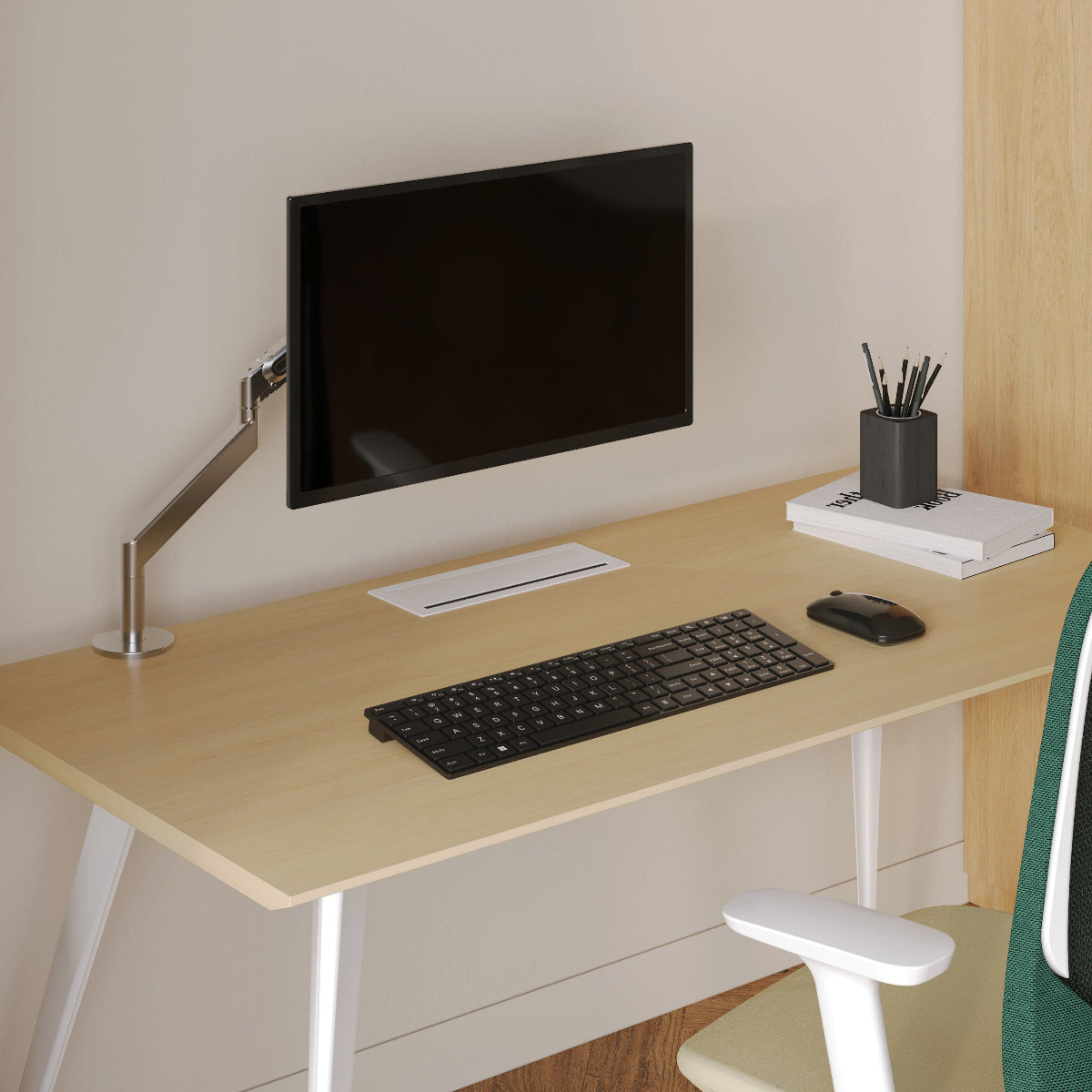
A floating monitor arm is often the cleanest option for a minimalist office because it removes the bulky base from the desktop. Instead of occupying surface area, it supports the screen from the edge or back of the desk, leaving more open space below. That open area strengthens the sense of lightness that modern workspaces rely on.
An arm setup also allows the monitor to be adjusted more easily for height, tilt, and distance. This flexibility is especially useful in home offices where one desk may serve different tasks throughout the day.
When an articulated support system makes the most sense
Monitor arms work especially well in compact rooms, multi-use spaces, and desks where every inch of visible surface matters. They are also useful for people who shift between focused work, reading, virtual meetings, and creative tasks. A screen can be repositioned as needed without introducing a second object on the desk to manage that change.
For setups that benefit from flexible positioning, an adjustable ergonomic arm fits naturally into a more refined workstation without forcing the desk to feel visually dense.
Common mistakes that make monitor arms look messy
A monitor arm only looks minimalist when it is installed with discipline. Poor cable routing, an awkward clamp location, or an overextended arm can make the desk look more mechanical than clean. The arm should support the monitor with quiet confidence, not become the most visually dominant element in the room.
Low-Profile Monitor Risers That Preserve Horizontal Clean Lines
Why simple risers still belong in modern home offices
A low-profile monitor riser remains one of the most effective styles for a minimalist office because it is easy to understand visually. It creates lift, introduces a stable line beneath the screen, and keeps the monitor centered. When the shape is restrained and the proportions are right, a riser can make the desk feel calmer rather than busier.
This style works well for users who do not need frequent adjustment and prefer a fixed workstation that stays consistent day to day. It is especially strong in single-monitor layouts where symmetry matters.
The best situations for a fixed riser
Low-profile risers tend to work best on desks with enough depth to hold the stand comfortably without pushing the monitor too close to the user. They also suit people who value visual order and want a surface that looks composed with minimal effort.
A simple riser can echo the architecture of the desk itself. If the desk has clean edges and a refined material finish, the stand can reinforce that horizontal rhythm and help the workstation feel more intentional.
Where a riser can fall short
A traditional riser offers less flexibility than an articulated arm. It can also become a clutter shelf if the space beneath it fills with neglected cables, papers, or objects that do not belong there. In minimalist offices, that area should either remain open or be used with strict discipline.
Monitor Stands With Integrated Storage for Minimalism That Still Works Hard
Why hidden function can support a cleaner desk
Storage-based monitor stands are useful when the desk needs to hold working tools without displaying them constantly. This style can be especially effective for home offices that handle both focused digital work and handwritten planning, where pens, notebooks, and charging accessories need to stay close by.
Used well, a storage stand does not fight minimalism. It supports it by reducing the number of loose items left in sight.
What belongs under or inside a storage stand
The most successful storage stands hold only the items used often enough to deserve a permanent place nearby. A compact keyboard, slim notebook, charging cable, or a few writing essentials can all make sense. Random paper piles, extra accessories, or rarely used devices usually do not.
The principle is simple. If the storage helps the daily workflow and keeps the top of the desk calm, it is doing its job. If it becomes a hidden holding area for excess, it is undermining the purpose of the setup.
Keeping storage stands visually quiet
The best storage-based styles for modern offices avoid heavy massing. Slim profiles, open leg structures, and controlled material palettes help keep the stand from looking blocky. A desk should still feel breathable after the stand is added.
Material Choices That Shape the Mood of a Minimalist Workspace
Powder-coated metal for crisp contemporary structure
Metal monitor stands often work well in modern home offices because they bring sharpness and precision. They pair naturally with neutral palettes, slim desk frames, and interiors that lean architectural rather than decorative. In the right room, metal can make the workstation feel more focused and deliberate.
The finish matters here. A softer matte surface often integrates more easily than anything overly reflective.
Wood for warmth and visual softness
Wood monitor stands introduce warmth, which can be valuable in offices that feel too cool or technical. A simple wood stand can soften a screen-heavy setup and create better continuity with residential furniture, especially in spaces that blend work with living.
Wood also tends to feel grounded and familiar. In minimalist interiors, that warmth can prevent the room from becoming sterile.
Mixed materials for balance and contrast
Mixed-material stands bridge the strengths of both worlds. Wood and metal together can create a cleaner modern profile while still maintaining warmth. This style often works best in transitional minimalist spaces where the goal is not strict industrial sharpness or pure natural softness, but balance.
| Stand Material | Visual Character | Best Fit for the Room | Maintenance Consideration | Ideal User |
|---|---|---|---|---|
| Powder-coated metal | Crisp, architectural, clean-lined | Monochrome or contemporary home offices | Usually benefits from regular dusting and fingerprint control | Users who want a sharper modern look |
| Wood | Warm, grounded, softer in appearance | Residential-style offices and calming workspaces | May require more attention to surface care depending on finish | Users who want warmth and simplicity |
| Mixed material | Balanced, layered, versatile | Offices that blend modern and natural elements | Depends on both material surfaces | Users who want contrast without visual clutter |
Matching the Monitor Stand to Your Chair, Posture, and Daily Work Rhythm
A beautiful stand still has to support comfort
Visual quality matters, but a monitor stand cannot be judged by appearance alone. If the screen height encourages a strained neck position or makes long work sessions uncomfortable, the setup is incomplete. Minimalism should never come at the expense of usability.
Why chair choice matters in the stand decision
Monitor height and seated posture are deeply connected. The stand should work with the user’s chair height, desk level, and natural viewing angle. A better workspace comes from treating these parts as one system rather than separate purchases. That relationship is easier to build thoughtfully when the broader seating context includes office seating designed for ergonomic support.
Different tasks often need different stand styles
A writer working for long uninterrupted stretches may benefit from a calm, fixed riser that keeps the screen stable and centered. A designer moving between windows and tools may prefer the flexibility of an arm. A professional on frequent calls may need a position that supports a more flattering and comfortable eye line. The best monitor stand style is often the one that matches the rhythm of the work, not just the look of the room.
Lighting and Accessories That Make the Monitor Zone Feel Intentional
Lighting changes how a monitor setup is perceived
The area around a monitor can feel harsh or inviting depending on how it is lit. Good task lighting helps define the workstation, softens contrast in evening hours, and makes the desk look more considered. It also keeps the stand from feeling isolated by giving the monitor zone a supporting visual structure.
Choosing lighting that complements a minimalist setup
Sculptural, restrained lighting tends to work best in modern home offices because it adds function without crowding the desk. In setups where lighting should feel integrated with the overall composition, the Alumina Lamp can be referenced naturally as part of a thoughtful monitor-area arrangement.
For softer visual warmth, the Shore Table Lamp fits well into discussions of ambient balance and texture around the workstation.
Accessory restraint keeps the desk from losing clarity
A monitor stand setup usually looks strongest when accessories are limited and purposeful. One lighting element, one utility element, and one restrained personal object are often enough. Beyond that, the desk can begin to lose definition. Supporting pieces should behave like extensions of the stand rather than visual competitors, which is why curated workspace accessories matter most when they reinforce order instead of adding noise.
Small-Space Monitor Stand Styles for Apartments and Multi-Use Rooms
Why compact rooms need stronger editing
In smaller homes, the office often shares space with sleep, storage, or living functions. That makes visual clutter more noticeable. A bulky monitor stand can make the whole room feel more crowded, even if the desk itself is organized.
The best stand styles for limited footprints
In tighter rooms, monitor arms usually perform well because they clear the surface and reduce visible mass. Slim risers can also work when they keep a low silhouette. Storage stands are useful only when they stay compact and prevent scattered objects from collecting across the desktop.
Choosing a style that still feels residential
A home office should work hard without feeling harsh. In apartment settings or mixed-use interiors, the stand should support productivity while still blending into the room as furniture, not just equipment. That broader approach to furnishing a compact workspace aligns well with modern home office solutions that prioritize cohesion, flexibility, and a cleaner footprint.
Styling Mistakes That Undermine a Modern Minimalist Monitor Setup
Choosing a stand that is too heavy for the desk
One of the most common mistakes is selecting a stand that overwhelms the furniture beneath it. A visually heavy support on a slim desk can make the entire setup feel unstable, even when the materials are high quality.
Mixing too many finishes at once
Minimalist offices rarely benefit from too many competing materials. If the desk, stand, lamp, chair, and accessories all introduce different finishes, the result becomes fragmented. A more restrained palette usually feels calmer and more resolved.
Letting cables remain part of the visual field
Even the best monitor stand style loses impact when cables are left fully visible. Cable discipline is one of the clearest markers of whether a setup feels considered. The goal is not sterile perfection, but reduced distraction.
The Best Monitor Stand Style Is the One That Clarifies the Whole Workspace
The strongest monitor stand styles do not call attention to themselves first. They make the desk easier to use, easier to look at, and easier to keep in order. They support posture without appearing clinical. They reinforce the room’s material palette without becoming decorative clutter. They give the monitor a more natural place in the workspace and improve how the entire desk reads at a glance.
For some home offices, that means a floating arm that opens up the surface entirely. For others, it means a low-profile riser that strengthens horizontal simplicity. In more utility-driven setups, it may mean concealed storage that keeps the essentials close but quiet. Material choice, room size, work habits, and furniture proportions all shape the final answer.
A modern minimalist home office feels finished when every object appears chosen with intention. The best monitor stand style brings that intention into focus by creating visual calm, practical support, and a more coherent relationship between the screen, the desk, and the room around them.
Related Articles
-
 Our Conference Chairs and Meeting Tables Compared, so You Can Furnish a Huddle Room, a Meeting Room, or a Boardroom for Eight in One Order
-
 Best Filing Cabinet Options for Minimalist Offices That Still Need Real Storage
-
 How to Make a Filing Cabinet Feel Like Part of the Room Instead of Extra Furniture
-
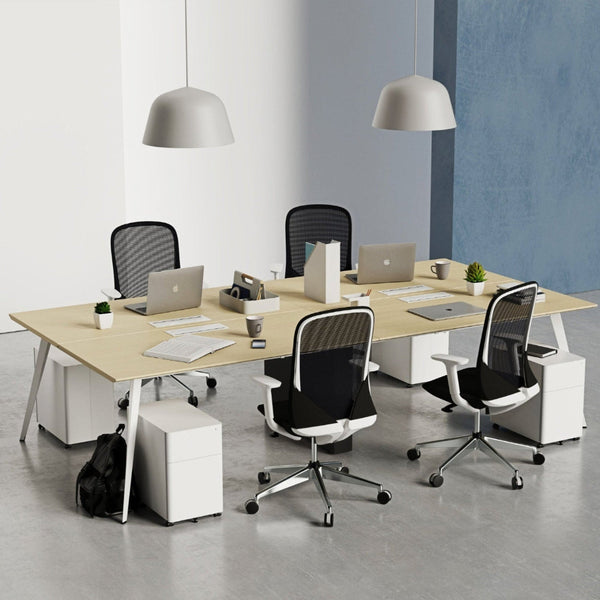 How to Match a Filing Cabinet with Your Desk for a Cleaner Office Look
-
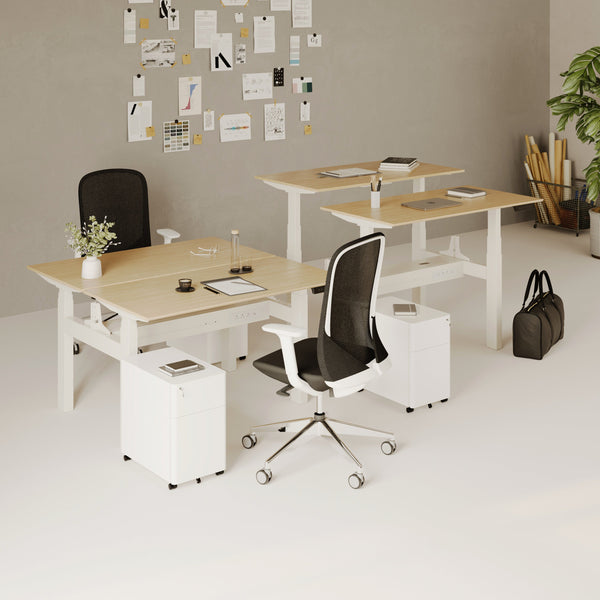 Best Filing Cabinet Styles for Modern Home Offices That Need Hidden Storage
-
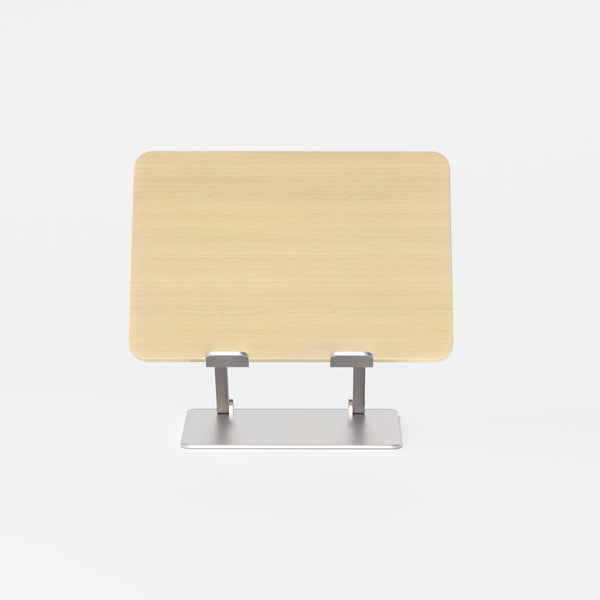 Best Laptop Stand Options for Minimalist Desk Setups
