










Why Shared Teams Work Better Around a Round Meeting Table

Shared teams rely on more than job titles, workflows, and project management tools. They depend on the quality of the conversations that happen between people who bring different responsibilities, opinions, priorities, and working styles into the same room. When those conversations are balanced, teams move with confidence. When they are uneven, the room can quietly divide into speakers, observers, decision-makers, and people who leave without feeling heard.
The physical setting plays a larger role than many teams realize. A meeting table is not only a surface for laptops, notebooks, samples, or coffee. It shapes where people look, how they sit, who feels central, who feels distant, and how easily the discussion moves from one person to another.
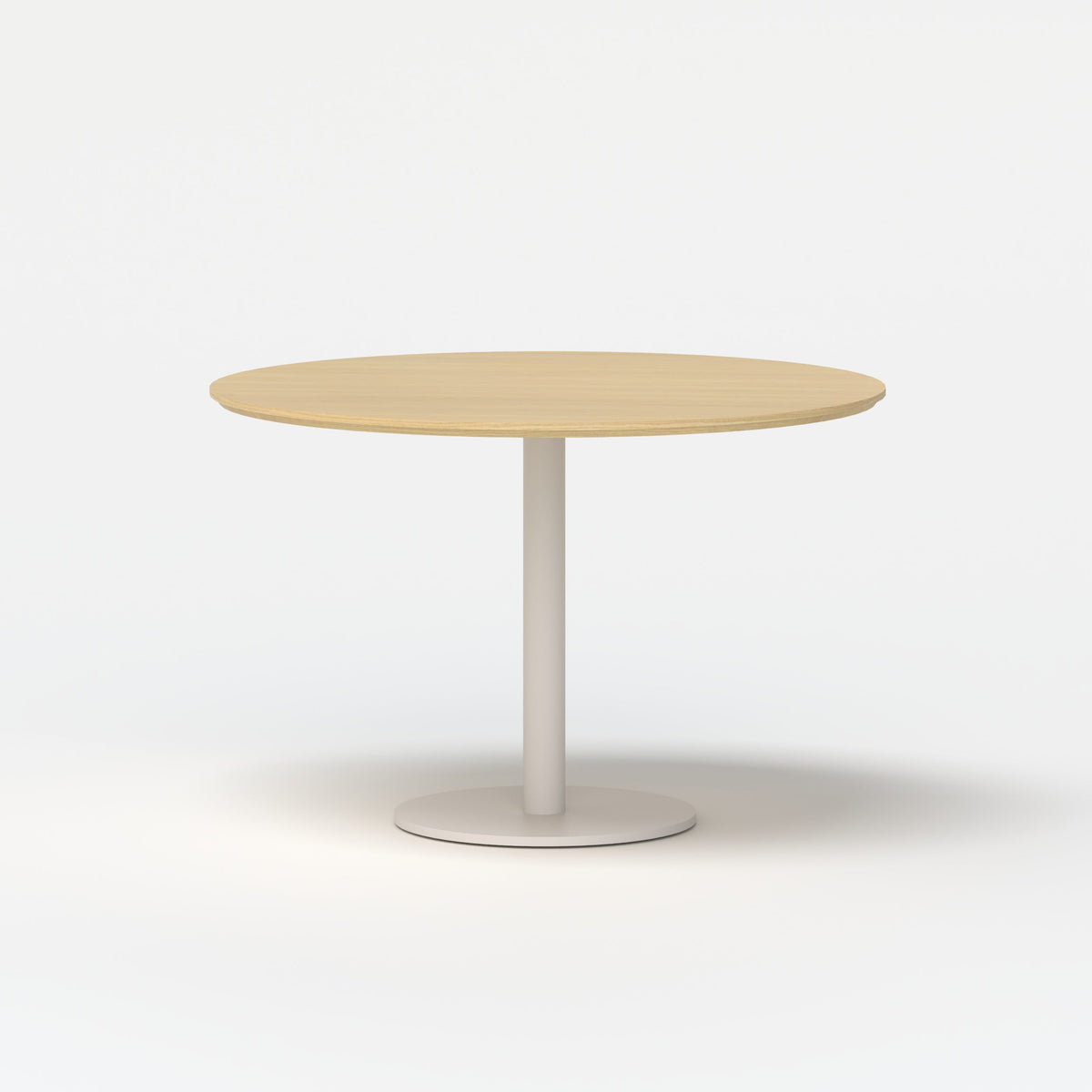
That is why a round meeting table has such a practical advantage for shared teams. Its shape naturally removes the head-of-table effect, brings every participant closer to the same visual field, and supports a more balanced exchange of ideas. A well-scaled small meeting and huddle table can turn a routine team check-in into a more connected working session where everyone has a clear place in the conversation.
The Round Table Effect on Shared Team Communication
A round meeting table changes the emotional and practical structure of a meeting before anyone speaks. Unlike a rectangular table, where the ends often feel more authoritative and the corners can feel secondary, a circular table creates a more even arrangement. Each seat faces the center. Each person has similar access to the group. The room feels less like a report-out and more like a shared workspace for thinking.
Circular Seating Reduces the Head-of-Table Signal
In many meeting rooms, hierarchy is communicated through placement. The person at the end of a rectangular table often appears to lead, even if the meeting was intended to be collaborative. People seated along the sides may direct their attention toward that end point, which can subtly shape who speaks first, who interrupts, and whose opinion receives the most weight.
A round meeting table reduces that visual cue. There is no obvious front, end, or command position. This does not remove leadership, but it changes how leadership is expressed. A manager can guide the conversation without physically occupying a dominant seat. A project lead can facilitate input rather than control attention. A junior team member can speak without feeling positioned at the edge of the discussion.
For shared teams, this matters because collaboration depends on usable input from multiple people. A marketing coordinator, designer, operations lead, and sales manager may all see different risks in the same plan. If the room quietly tells some people to observe rather than contribute, the team loses useful information.
Equal Sightlines Make Participation More Natural
Round tables also improve sightlines. People can see faces more easily, notice reactions sooner, and read the pace of the conversation with less effort. A quick look around the table can reveal confusion, agreement, hesitation, or interest.
Those small signals are valuable in shared work. Teams often make decisions based on incomplete information. Someone may understand a customer concern better than the rest of the group. Someone else may notice that a timeline sounds unrealistic. Another person may have a simpler way to solve the issue. Equal sightlines make it easier for these contributions to surface before the meeting moves on.
When everyone can see everyone else, the meeting becomes less dependent on whoever speaks the loudest. The group has more chances to respond to subtle cues and invite participation at the right moment.
Shared Teams Make Better Decisions When the Room Supports Equal Input
Good decisions rarely come from one person talking while everyone else nods. Shared teams need clear information, honest disagreement, and a practical way to turn different viewpoints into one direction. The round table supports that process because it makes participation feel physically and socially accessible.
Balanced Seating Encourages Balanced Discussion
A round table does not guarantee a great meeting. The agenda still matters. The facilitator still matters. The team culture still matters. But the table shape can reduce common friction points that weaken group discussion.
Around a circular table, conversation can move more fluidly from person to person. It feels natural to ask, “What do you think?” across the table because no one is positioned outside the main circle. People are less likely to feel hidden behind others or pushed to the end of a long surface.
This is especially useful for teams that share ownership of outcomes. Product, operations, marketing, finance, customer support, and leadership may all need to weigh in before a decision is sound. A round table helps frame the meeting as a shared problem-solving session rather than a one-direction update.
Disagreement Becomes Easier to Catch Early
One of the biggest risks in team meetings is false alignment. People may leave the room appearing to agree, only for problems to emerge later because concerns were never voiced. Sometimes people stay quiet because the meeting feels too formal. Sometimes they assume the decision has already been made. Sometimes the seating arrangement makes it awkward to enter the conversation.
A round meeting table lowers the barrier to early disagreement. Because participants can see one another directly, uncertainty is easier to notice. A person who hesitates, leans back, or looks unconvinced is more visible to the group. That gives the facilitator a chance to ask for clarification before the decision hardens.
This does not mean every meeting should become longer or more complicated. It means teams can catch friction while it is still useful. A concern raised during the discussion is easier to address than a problem discovered after the work has already begun.
Shared Ownership Grows When People Feel Heard
People are more likely to support a decision when they can see how it was formed. Even when their preferred idea is not selected, the process feels more credible if their perspective had a real place at the table.
Round seating reinforces that sense of shared ownership. No one appears physically above the group. No one is visually separated from the center of the work. The table itself becomes a cue that the outcome belongs to everyone involved.
For shared teams, this is not only about morale. It affects execution. When people understand the reasoning behind a decision and feel included in the discussion, they are more likely to follow through with clarity and commitment.
Comfort and Ergonomics Protect the Quality of Collaboration
A productive meeting depends on attention, and attention is harder to maintain when people are uncomfortable. If chairs are awkward, spacing is tight, screens are too low, or the table is cluttered, the meeting becomes harder than it needs to be.
Seating Should Support the Length and Purpose of the Meeting
A quick standing check-in has different furniture needs than a planning session, design review, interview, or quarterly team discussion. When a round table is used for focused collaboration, the seating around it should support people long enough to think, listen, write, review, and respond.
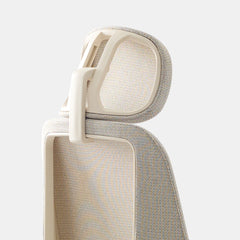
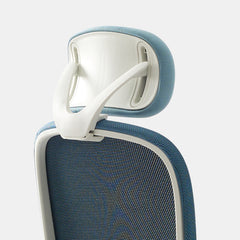
Pairing the table with appropriate meeting room seating helps the room feel prepared for real work rather than improvised conversation. The goal is not to make meetings overly formal. The goal is to give people a comfortable place to participate without distraction.
A chair that supports steady posture helps participants stay engaged. A chair that is easy to move also supports natural transitions, such as turning toward a screen, shifting toward a colleague, or pulling closer to the table during a detailed discussion.
Spacing Shapes the Energy Around the Table
Round meeting tables work best when the table size, chair count, and room dimensions are aligned. Too many chairs around a small table can make the room feel crowded. Too much distance between participants can reduce the intimacy that makes circular seating effective.
The right balance gives each person enough space for basic meeting tools, such as a notebook, laptop, or document, while preserving the shared center of the table. That center matters. It is where ideas, materials, and attention converge.
Practical spacing also affects movement. People should be able to pull out chairs without bumping into walls or nearby furniture. A team member should be able to step away briefly without disrupting the whole group. When movement feels easy, collaboration feels less tense.
Physical Ease Reduces Meeting Fatigue
Meeting fatigue is not only caused by too many meetings. It can also come from rooms that make people work harder physically and mentally. Poor seating, glare, clutter, awkward device placement, and cramped layouts all drain attention.
A round meeting table can help reduce that strain when it is part of a thoughtful setup. The shape supports visibility. Comfortable chairs support posture. Clear surfaces reduce visual noise. Together, these elements create a room where people can focus on the conversation instead of the discomfort around it.
Round Meeting Tables Compared With Other Shared Work Surfaces
A round meeting table is powerful for shared discussion, but it is not the only useful table shape in an office. Different work modes call for different furniture. The strongest shared-team environments use each surface for the job it serves best.
Choosing the Right Table Shape for the Collaboration Task
| Table or Surface Type | Strongest Use Case | Collaboration Advantage | Consideration |
|---|---|---|---|
| Round meeting table | Team huddles, planning, collaborative decisions | Equal visibility and reduced hierarchy | Less suited to front-facing presentations |
| Rectangular meeting table | Formal reviews, training, structured briefings | Clear direction and presentation focus | Can create distance or implied authority zones |
| Bistro-style round table | Casual check-ins, small conversations, compact spaces | Approachable and easy to place | Limited room for larger materials |
| Workstation desk | Daily task execution and ongoing team production | Supports focused work after decisions are made | Not designed for full-group meeting flow |
Compact Round Tables Support Smaller Team Moments
Not every collaboration moment requires a dedicated meeting room. Some of the most useful conversations happen between two or three people who need to compare notes, review a small detail, or solve a problem before it grows.
A compact collaborative table can support these smaller interactions in a lounge area, private office, open workspace, or casual meeting corner. The value is in creating a place where quick conversations have enough structure to be productive without feeling overly formal.
Small round surfaces work well for check-ins, informal coaching, quick creative reviews, and side conversations after larger meetings. They make collaboration accessible throughout the office rather than limiting it to one conference room.
Rectangular Tables Still Serve Specific Meeting Needs
A balanced workspace does not treat round tables as the answer to everything. Rectangular tables still work well when a meeting needs a clear presentation direction, when one person is training a group, or when documents need to be spread in a linear format.
The difference is purpose. A rectangular layout can be useful when information is flowing from a presenter to an audience. A round table is better when information must move among participants. Shared teams benefit from knowing which format supports the work at hand.
Hybrid Meetings Work Better When Devices Do Not Divide the Room
Shared teams often include a mix of in-room and remote participants. That makes the meeting table even more important. The physical room must support the people sitting together while also helping remote attendees understand the conversation.
Laptops Should Support the Discussion, Not Block It
Laptops are useful for notes, screen sharing, agendas, and remote participation. But when every laptop becomes a small wall, the room loses eye contact. People begin speaking to screens instead of one another.
A round table helps, but only if devices are managed thoughtfully. Laptops should sit where they support the meeting without dominating it. Printed materials, notebooks, and screens should be placed so participants can still see faces and body language.
The best hybrid setups keep people at the center and devices in a supporting role.
Better Screen Positioning Helps People Stay Present
When a laptop sits too low, people often hunch toward it. In hybrid meetings, that posture can make faces less visible and attention feel more fragmented. A lightweight laptop stand can help raise a laptop to a more practical viewing position during note-taking, video calls, or shared screen use.
This is not about adding complexity to the meeting room. It is about making the tools less intrusive. When the screen is positioned more comfortably, participants can shift attention between the device and the people around the table with less strain.
Remote Participants Need Clear Room Dynamics
Remote attendees need to know who is speaking, where the conversation is moving, and whether the group agrees. A circular seating layout can make those dynamics easier to follow because people face each other more naturally.
Hybrid round table setup checklist
1. Keep cameras and laptops stable instead of handheld or frequently moved.
2. Place microphones where voices can be captured clearly without blocking the table.
3. Avoid placing large screens or devices directly between participants.
4. Leave open surface space for notes and shared materials.
5. Assign someone in the room to watch for remote questions or comments.
These habits help prevent remote participants from becoming passive observers. The round table supports the in-room circle, while thoughtful device placement extends that circle to people who are not physically present.
Designing a Shared Team Zone Around the Round Meeting Table
A round meeting table performs best when the surrounding space supports collaboration. The table should not feel like a random object placed in an unused corner. It should anchor a zone designed for shared thinking.
The Table Should Sit at the Center of a Clear Collaboration Area
A productive collaboration area includes more than chairs and a surface. It needs good circulation, appropriate lighting, access to tools, and enough visual calm for people to focus.
The table should be easy to approach from multiple sides. Team members should not have to squeeze past storage units or interrupt nearby desks to sit down. The room should make participation feel obvious and comfortable.
A well-positioned round table can also create a natural center for whiteboards, wall displays, material samples, or planning notes. The key is to keep the table connected to the tools teams actually use during discussion.
Flexible Offices Need Furniture That Matches Team Rhythm
Shared teams move between conversation, individual work, review, and execution throughout the day. A strong office layout supports those transitions without making people feel constantly displaced.
Choosing ergonomic office furniture for modern teams helps create a workspace where collaboration areas, focus zones, and meeting spaces feel connected. The furniture should fit the way the team actually works, not an idealized version of office life where every task happens in one type of room.
A team that meets often may need a round table close to its daily work area. A team that handles confidential conversations may need more separation. A team that works visually may need nearby wall space. The right layout begins with real behavior.
Lighting and Visual Calm Improve Meeting Focus
Lighting affects how people feel in a meeting. Harsh glare can make screens difficult to see. Dim corners can make the room feel less alert. Visual clutter can pull attention away from the topic.
A round meeting table should be placed where light supports faces, documents, and devices without creating discomfort. The surrounding area should stay clean enough that the table remains a collaboration surface, not a storage zone.
When the setting feels calm, people can give more attention to the discussion itself.
Shared Teams Need Both Conversation Zones and Execution Zones
A round meeting table helps teams align, but alignment is only one part of shared work. After the meeting, people need places to complete the tasks they just discussed. A strong workspace connects conversation to execution.
The Round Table Is for Alignment
The round table is where teams define the problem, share viewpoints, clarify priorities, and make decisions. It supports the moments when people need to think together.
This is different from focused production work. Writing, designing, analyzing, coding, scheduling, and follow-up tasks often require individual concentration or side-by-side workstation setups. Teams work better when these modes do not compete for the same surface.
Workstations Turn Shared Decisions Into Daily Progress
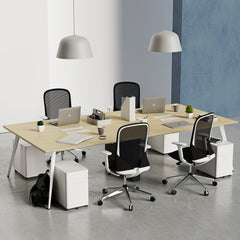
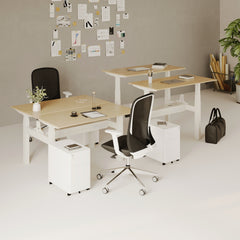
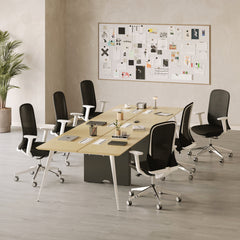
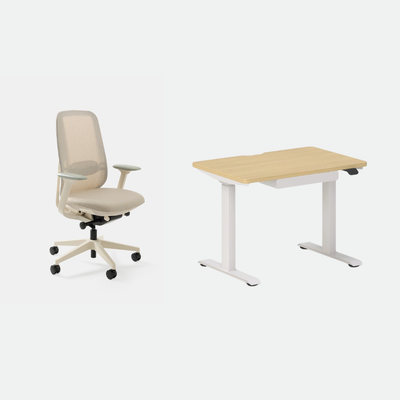
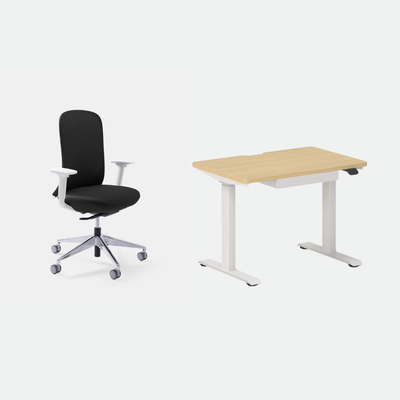
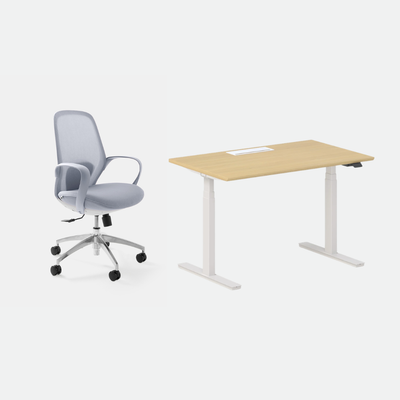
After a team leaves the meeting table, the next question is simple: where does the work happen? A six-person office workstation can support a team that needs a dedicated area for focused work after collaborative planning.
This connection matters. When the meeting zone and workstation zone are logically arranged, people spend less energy shifting between discussion and production. They can gather to decide, then return to the right work setting to execute.
Strong Shared Offices Reduce Context Switching
Context switching happens when people constantly move between spaces, tools, and mental modes without clear purpose. It can make simple tasks feel fragmented.
A thoughtful office gives each mode a place:
-
Quick huddles for fast alignment
-
Round table meetings for shared decisions
-
Workstations for focused execution
-
Defined zones for private or semi-private work
-
Nearby tools for writing, reviewing, and planning
The goal is not to fill the office with more furniture. The goal is to make each area useful, clear, and connected to the team’s workflow.
Boundaries Help Round Table Meetings Stay Productive
Open collaboration can become distracting when sound, movement, and visual activity spill into every area. A round table invites participation, but the surrounding space should protect the quality of that participation.
Open Offices Need Collaboration Without Constant Spillover
In an open office, a meeting can easily interrupt nearby focused work. At the same time, nearby movement and conversation can interrupt the meeting. Without boundaries, everyone loses a little attention.
A shared workspace needs a balance between openness and definition. The round table should feel accessible, but not exposed to every distraction in the room. People should understand when a group is actively meeting and when a nearby area is meant for quiet focus.
Defined Areas Make Shared Work Feel Intentional
Using office panels for defined work areas can help separate collaboration zones from focused work areas without making the office feel disconnected. Panels can provide visual structure, guide movement, and help teams understand how different parts of the space are meant to function.
The purpose is not to isolate people. It is to create enough definition that meetings feel intentional and nearby work can continue with fewer interruptions.
Visual Structure Reduces Decision Fatigue
People read spaces quickly. If every area looks like every other area, teams must constantly decide where to meet, where to focus, where to talk, and where to wait. Clear visual structure reduces that uncertainty.
A round meeting table, placed within a defined collaboration zone, sends a simple message: this is where shared discussion happens. That clarity helps teams move into the right mode faster.
Choosing a Round Meeting Table for Shared Team Performance
A round meeting table should match the team’s size, habits, and room conditions. The right choice feels natural because it supports how people already work and how they want to work better.
Match the Table Size to Regular Participants
The most important question is not how many people could fit around the table once in a while. It is how many people will use it regularly. A table that works beautifully for four people may feel crowded with six. A table sized for a larger group may feel too distant for two-person conversations.
Teams should consider how often laptops are used, whether printed materials are common, and how much space people need for note-taking. The table should bring people close enough for conversation while still giving each person room to work comfortably.
Plan for Movement Around the Table
A round table needs breathing room. Chairs should pull out easily. People should be able to enter and leave without disrupting others. Walkways should remain clear enough for natural movement.
This is especially important in shared offices where meeting areas sit near workstations or storage. If the table blocks circulation, it will feel inconvenient. If it is too far from daily work areas, people may avoid using it for quick collaboration.
Avoid Common Round Table Mistakes
A round meeting table is most effective when the setup supports the purpose. Common mistakes include:
-
Placing too many chairs around the table
-
Choosing a table too small for regular laptop use
-
Allowing the table to become a storage surface
-
Ignoring glare from windows or overhead lights
-
Placing the table where nearby noise constantly interrupts discussion
-
Forgetting that remote participants need clear audio and visibility
Avoiding these issues helps the table function as a true collaboration tool rather than just another piece of office furniture.
The Psychology of Shared Ownership Around a Round Meeting Table
The strongest reason shared teams work better around a round meeting table is not only visual or ergonomic. It is psychological. The shape supports a different kind of group behavior.
Equal Access Changes the Tone of the Meeting
When people sit in a circle, the meeting feels less like a chain of command and more like a shared exchange. Everyone faces the center. Everyone can see the same group. Everyone has a similar relationship to the table.
That physical equality can influence the emotional tone of the meeting. People may feel more invited to contribute. Leaders may find it easier to listen. Team members may feel more responsible for the outcome because the room does not separate decision-makers from observers.
Leaders Can Facilitate Without Dominating
Strong leadership is still essential. A round table does not replace preparation, clarity, or accountability. What it can do is help leaders guide the conversation in a way that encourages participation.
A leader at a round table can ask better questions, draw out quieter voices, and read the room more easily. Because the seating does not visually elevate one position, leadership can feel more like facilitation. That is often exactly what shared teams need.
The Table Becomes a Cue for Collective Responsibility
A round meeting table places the work in the center. Ideas, notes, plans, and decisions belong to the group rather than one side of the room. This creates a subtle but meaningful shift.
Shared teams work best when people feel responsible not only for their own tasks, but for the quality of the group outcome. The round table supports that mindset by giving everyone a visible place in the conversation.
Shared Team Spaces Are Becoming More Human-Centered and Circular
Modern shared work depends on trust, clarity, and participation. The rooms that support that work should make those behaviors easier. A round meeting table does this through simple, human-centered design: equal sightlines, balanced seating, comfortable proximity, and a shared center of attention.
The value is practical. Teams can see one another more clearly. Conversations can move more naturally. Disagreement can surface earlier. Decisions can feel more collective. Follow-through can become stronger because people leave the table understanding not only what was decided, but how the decision took shape.
A round meeting table cannot fix a poor agenda or replace good leadership. It can, however, remove some of the quiet barriers that keep shared teams from doing their best work together. When the room invites every person into the discussion, collaboration feels less forced and more natural.
Shared teams work better around a round meeting table because the shape supports the kind of behavior great teams already need: openness, attention, equality, and shared ownership. The table becomes more than a place to sit. It becomes the physical center of better decisions, stronger participation, and more connected work.
Related Articles
-
 Round Meeting Table Choices for Smarter Shared Work Spaces
-
 How to Style a Round Meeting Table for Focused Work Talks
-
 Round Meeting Table Setups That Make Small Talks Easier
-
 Make Client Seating Feel Easier Around a Round Meeting Table
-
 Round Meeting Table Ideas That Make Team Talks Smoother
-
 How a Round Meeting Table Changes Shared Work Discussions


