























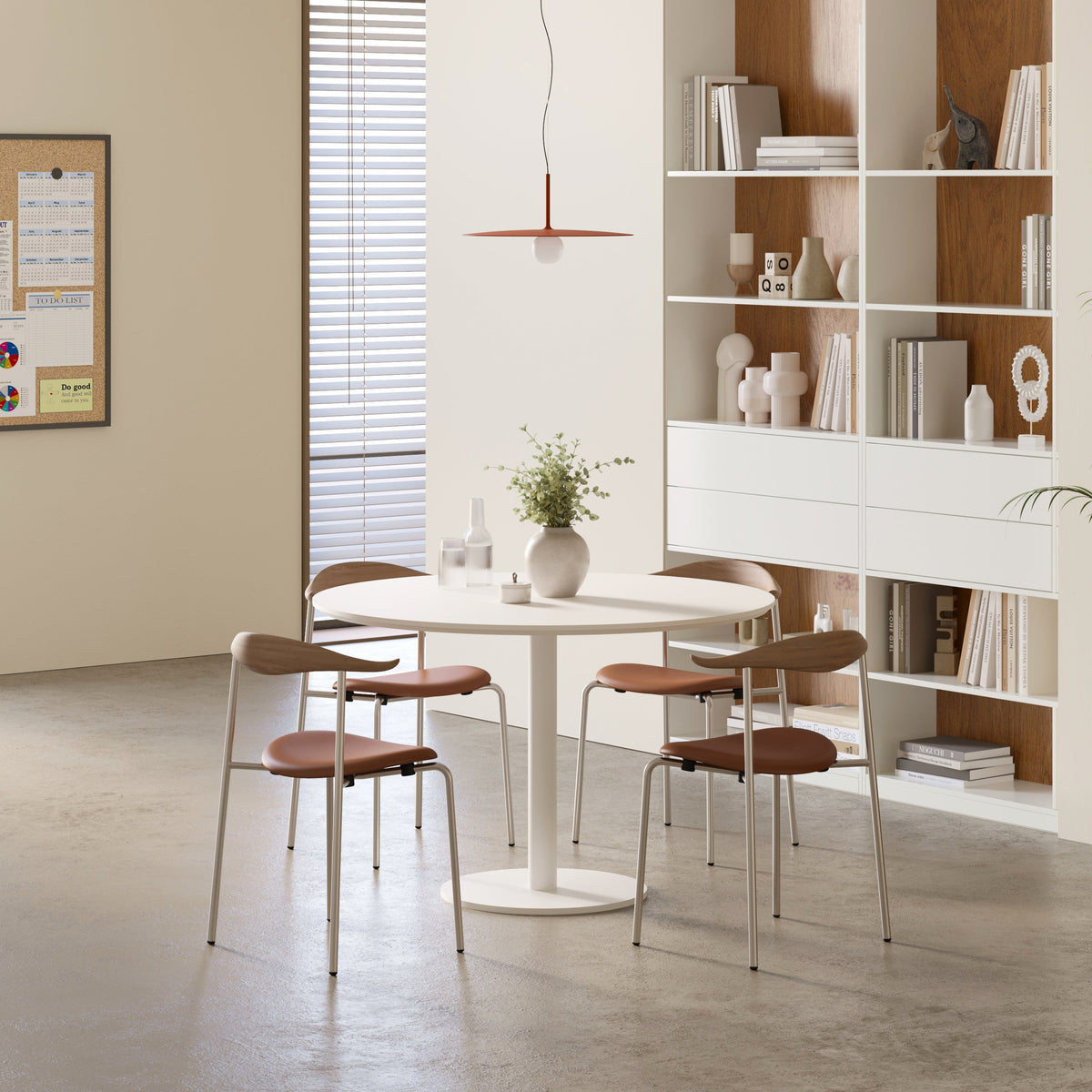
Round Meeting Table Choices for Smarter Shared Work Spaces

Shared work spaces perform best when furniture reflects how people communicate, move, concentrate, and shift between individual and group tasks. A round meeting table can support these needs particularly well because its circular shape creates a shared center, removes the visually dominant head position, and allows participants to face one another more naturally.
Shape alone, however, does not make a meeting area effective. Diameter, height, chair dimensions, legroom, power access, acoustics, and placement all influence whether the table becomes a useful collaboration point or an obstacle that people avoid.
The smartest choice begins with real workplace behavior. A table used for quick morning check-ins has different requirements from one used for laptop-based project reviews, client presentations, or extended planning sessions. By treating the table, chairs, technology, and surrounding floor plan as one connected system, teams can create shared work spaces that remain comfortable, practical, and adaptable.
How Round Meeting Table Geometry Shapes Shared Collaboration
The geometry of a meeting table influences more than appearance. It affects sightlines, conversation patterns, seating flexibility, and movement around the room.
Equal Sightlines Support More Balanced Group Discussions
At a rectangular table, the people seated at the ends often occupy visually prominent positions. A circular table distributes participants around a common center instead. Everyone can see the other attendees without looking past several rows of people, which can make small-group conversation feel more direct.
Furniture cannot guarantee that every person will contribute equally, but it can remove some physical cues associated with hierarchy. This makes a round table especially useful for:
-
Creative reviews
-
Manager check-ins
-
Candidate interviews
-
Client consultations
-
Peer problem-solving
-
Small project meetings
A 48-inch round table for team huddles provides a standard-height surface designed around compact group interaction. Its circular format suits spaces where teams need a defined place to exchange ideas without introducing the scale or formality of a long boardroom table.
Curved Edges Can Improve Movement Through Compact Areas
Round tables have no projecting corners, so their outlines can feel less intrusive near open walkways or shared office zones. People can approach from several directions, and chairs are not restricted to fixed corner positions.
That visual softness should not be mistaken for a smaller occupied footprint. Once chairs are added and people pull away from the table, the meeting zone extends well beyond the tabletop. A circular table may improve circulation, but only when the layout includes room for seated bodies, moving chairs, and people passing behind them.
When a Circular Table Is Not the Most Efficient Choice
A round meeting table is not automatically right for every room. A rectangular or boat-shaped table may work better when most participants must face one presentation wall, when each person needs a large equipment setup, or when the available room is long and narrow.
Circular tables also become less space-efficient as group size increases. Expanding the diameter to seat more people pushes participants farther apart and consumes substantial floor area. The round format is strongest when it is used for focused, small-group collaboration rather than forced into a large conference-room role.
Match Table Diameter to Seating Capacity and Room Clearance
Product dimensions describe the tabletop, not the entire meeting area. A practical layout accounts for chairs, users, circulation, doors, storage, and nearby work zones.
Calculate Capacity From Real Working Conditions
The number of chairs that physically fit around a table is not always the number of people who can work there comfortably. Capacity changes according to chair width, armrest design, laptop size, meeting materials, and session length.
Four chairs might fit around a particular diameter, but the setup can still feel crowded if every participant opens a laptop, keeps a notebook beside it, and needs space for a drink or printed documents. Short conversations tolerate closer spacing. Longer working sessions require more personal surface area and more freedom to adjust posture.
Use everyday attendance as the planning standard. Designing around a rare maximum can make the table unnecessarily large, while choosing a surface that only accommodates ideal conditions can create daily frustration.
| Approximate Diameter | Practical Seated Use | Strongest Meeting Fit | Main Planning Concern |
|---|---|---|---|
| 36 inches | 2 to 3 people | Interviews, quick check-ins, coffee conversations | Limited space for several open laptops |
| 42 inches | 3 to 4 people | Informal planning and short collaboration | Wide chairs can reduce usable capacity |
| 48 inches | 4 people | Team huddles, reviews, recurring meetings | Requires clear pullback space on every side |
| 54 to 60 inches | 5 to 6 people | Longer discussions and shared materials | Needs a larger room and careful screen placement |
These ranges are planning references rather than fixed rules. The actual result depends on the chair model, table base, equipment, and work style.
Measure the Full Occupied Footprint
Begin by marking the tabletop diameter on the floor. Then place the intended chairs around that outline and pull them into realistic working positions. After that, move each chair backward as someone would when sitting down or standing up.
The resulting area is the occupied footprint. It should not interfere with door swings, cabinet access, primary walkways, nearby desks, or presentation equipment.
A table can appear perfectly centered on a floor plan and still function poorly. Visual symmetry matters less than whether people can enter, sit, stand, and leave without asking others to move.
Use a Full-Scale Tape Test Before Committing
Painter’s tape offers a simple way to test a proposed diameter. Mark the circular footprint, place temporary chairs around it, and simulate a normal meeting.
Open laptops. Pull chairs out. Walk behind occupied seats. Test nearby doors and storage. This exercise often reveals conflicts that are difficult to recognize from measurements alone, such as a chair blocking a cabinet or a walkway becoming too narrow when every seat is occupied.
Choose Table Height According to Meeting Behavior
Table height affects posture, meeting duration, chair selection, and the overall tone of a shared area. The right height should follow the work being performed rather than visual preference alone.
Standard Meeting Height Supports Longer Working Sessions
A standard-height table pairs with conventional conference seating and supports activities that require sustained attention. Participants can settle into a stable seated position, place their devices at a familiar working level, and use documents without constantly changing posture.
This configuration is generally appropriate for project reviews, client discussions, interviews, planning sessions, and hybrid calls. It also provides more flexibility when a room must support several meeting types throughout the week.
For teams that use laptops regularly, standard height tends to be easier to integrate with familiar office chairs and peripheral equipment. The setup still requires careful attention to legroom and chair arms, but it offers a practical foundation for recurring seated collaboration.
Bistro Height Encourages Brief and Informal Interaction
A taller surface can establish a more casual meeting point for stand-ups, coffee conversations, and quick exchanges between focused tasks. The round bistro table with two height options offers both 30-inch and 42-inch height configurations with a 36-inch-diameter top, allowing the same compact format to support different postures and uses.
The taller version may suit a social area or informal touchpoint where meetings are intentionally brief. The standard-height version can work with conventional seating while retaining the smaller bistro-style footprint.
Height should not be chosen simply because a tall table looks energetic or contemporary. A ninety-minute workshop involving laptops and detailed notes places different demands on the body than a ten-minute standing conversation. Meeting duration must remain part of the decision.
Workstations and Meeting Tables Serve Different Types of Work
A meeting table supports temporary collaboration. A workstation supports ongoing individual production. Combining the two creates a more complete shared office than asking one furniture type to perform both roles.
A six-person workstation for larger teams provides a dedicated multi-user work area and can be linked with additional units when the floor plan requires a broader workstation arrangement. A nearby round table can then serve as a neutral place for discussion, keeping spontaneous meetings from taking over assigned desks.
This separation helps teams move deliberately between focused execution and shared decision-making. It also allows each zone to be planned for its actual purpose, with appropriate seating, technology, storage, and acoustic treatment.
Plan the Round Table for Laptops, Power, and Hybrid Meetings
Technology changes the real capacity of a table. A surface that feels generous during conversation can become crowded once several laptops, chargers, notebooks, and shared presentation materials appear.
Open Laptops Affect Both Space and Eye Contact
A laptop occupies more than its measured footprint. Users need room to adjust the screen, position their hands, connect charging cables, and place notes beside the device.
Several open screens around a small circular table can create a visual barrier between participants. The table still supports collaboration, but the face-to-face advantage becomes weaker when everyone is looking through or around displays.
Before selecting a diameter, identify how many people typically use devices at the same time. A four-person conversation may fit comfortably on a compact surface, while four-person laptop work may require additional depth or stricter control over what is placed on the table.
Raise a Shared Device Without Overstating the Available Space
A compact anodized aluminum laptop stand can raise a presentation device or camera-facing laptop above the tabletop. The linked stand measures 10 inches wide, 9.5 inches deep, and 5.8 inches high.
Raising the screen may improve visibility and help position a device for a hybrid call, but it does not create additional working area. A separate keyboard, mouse, or notebook still needs space. Accessories should refine a sound layout rather than compensate for a table that is too small.
Resolve Power Access Before Installation
Power planning should begin before the table is placed. Depending on the room, the most practical source may be an integrated module, a floor outlet, a nearby wall outlet, or carefully concealed extension routing.
The key requirement is a safe path. Cables should not cross an entrance, loop around chair bases, or create a point where someone could catch a foot while sitting down.
Count the devices used during a typical meeting and note where people naturally place them. A simple power arrangement that matches real behavior is often more useful than a complicated setup that occupies tabletop space or makes furniture difficult to move.
Test Camera and Screen Sightlines From Every Chair
A wall-mounted display can unintentionally turn a circular meeting into a one-directional presentation. If every person must rotate toward the same wall, the table’s conversational geometry becomes less useful.
Test screen visibility, camera framing, microphone coverage, and glare from each seat. A mobile display or carefully positioned camera may offer more flexibility in a multipurpose space. The goal is not to add the most technology, but to make essential tools easy to use without disrupting conversation or circulation.
Coordinate Conference Chairs With Table Dimensions
The table and chairs should be evaluated as a single system. Chair width, depth, arm height, and base design can change usable capacity even when the tabletop dimensions remain the same.
Chair Proportions Influence Comfort and Circulation
Measure a chair at its widest point, including arms and the lower base. Two chairs may have similar seat widths but require very different amounts of floor space.
Deep chairs extend farther into the circulation zone. Wide armrests reduce the number of seats that fit comfortably. Rolling bases can overlap or collide when participants turn, even if the chairs appear to fit while stationary.
For recurring meetings and longer discussions, conference seating for collaborative rooms connects the seating choice directly to meeting-room use rather than treating chairs as a decorative afterthought. The linked chair is presented for collaborative spaces, long discussions, and presentations.
Perform a Table-and-Chair Compatibility Test
Use the actual chair model whenever possible and check five points:
1. Pull the chair fully into the table.
2. Confirm that armrests clear the tabletop or table edge.
3. Check knee clearance against legs, supports, and crossbars.
4. Rotate and pull away without hitting adjacent chairs.
5. Stand up without striking the underside or frame.
A visually coordinated chair and table can still produce an uncomfortable setup. Physical compatibility should be confirmed before finish coordination or styling decisions take priority.
Define the Meeting Zone Without Closing It Off
A round table placed in an open office does not automatically become a functional meeting area. Without visual definition or acoustic protection, it may feel exposed, distracting, or too closely connected to nearby desk activity.
Partial Boundaries Can Improve Focus
Foot traffic, phone calls, printer noise, and moving images on nearby monitors can make a meeting area difficult to use. Employees may also hesitate to discuss early ideas or sensitive project details when the table sits directly beside a busy walkway.
Modular workspace panels can help create focus, reduce noise, and define zones while preserving an open-office character. Their placement matters as much as their presence.
Panels are often most useful between the meeting area and active desk rows, or along the noisiest edge of the zone. They should reduce distraction without blocking access, natural light, or sightlines between participants.
Combine Physical Boundaries With Visual Signals
A meeting zone does not need barriers on every side. Over-enclosure can make the table feel like a boxed-in room and discourage casual use.
Instead, combine partial panels with a rug, focused lighting, plants, shelving, or a change in ceiling treatment. These elements help people recognize the area’s purpose while keeping the space approachable.
The entrance should remain obvious, and the side facing the primary circulation route should have enough openness for easy access. The aim is a defined collaboration point, not an isolated enclosure.
Select Materials, Bases, and Finishes for Shared Daily Use
Shared furniture experiences more varied use than an assigned personal desk. Different people bring different devices, drinks, bags, materials, and cleaning habits to the same surface.
Surface Performance Should Match Everyday Work
A meeting tabletop should be easy to maintain and comfortable to use. Consider how the finish responds to sliding laptops, frequent wiping, beverage spills, writing, and direct light.
Highly reflective surfaces may show fingerprints or produce glare during video calls. Deep textures can interfere with handwriting or make small debris harder to remove. Delicate edges may show wear quickly in a high-traffic shared setting.
A balanced finish supports normal use without requiring people to treat the table as a display piece. Durability should be evaluated alongside color, texture, and visual coordination.
Base Geometry Determines Usable Legroom
The underside of a round table deserves the same attention as the top. A central pedestal may free the perimeter from corner legs, but its footprint can still affect feet and chair bases. Flared legs can create open space beneath the center while occupying specific seating positions. Four-leg structures may provide stability but limit where chairs can be placed.
Conduct a Knee and Chair Clearance Check
Sit at each intended position and test ordinary movements. Pull close to the surface, cross and uncross the legs, rotate slightly, and stand. Repeat the process with adjacent chairs occupied.
This check reveals whether table supports interfere with knees, feet, casters, or armrests. It also helps determine whether the table’s advertised capacity remains comfortable in actual use.
Finish coordination comes after functional fit. Repeating a desktop tone, frame color, or edge detail can connect the meeting area to nearby workstations without making every zone look identical.
Position Round Meeting Tables in Multipurpose Floor Plans
A successful location balances convenience with protection from distraction. The table should be easy to reach from primary work areas, but it should not sit inside a major circulation path.
Place Collaboration Near Work Without Interrupting It
Useful locations include the edge of a workstation cluster, a wide alcove, a multipurpose project room, or the boundary between desk and lounge areas.
Too much distance reduces spontaneous use. Too little separation creates noise and movement around employees who are trying to concentrate. The ideal location makes a quick transition from individual work to group discussion possible without turning every nearby conversation into a distraction.
A collection of workplace furniture for creative offices can help frame these areas as part of a connected environment rather than isolated furniture purchases. The linked page includes office furniture for studios, remote-work settings, coworking spaces, and other creative workplace contexts.
Check the Delivery Route as Well as the Final Room
A table that fits the floor plan must also fit through the building. Measure doorways, elevators, stair turns, and loading access. Confirm whether the top and base arrive separately and whether the room provides adequate assembly space.
Building rules can also influence placement. Some properties restrict delivery entrances or require furniture to move through specific corridors. Addressing these physical conditions early reduces the risk of selecting a table that suits the room but cannot be moved into it safely.
Use a Systematic Round Meeting Table Selection Process
A disciplined process keeps appearance from overshadowing function. The following sequence connects table choice to everyday workplace needs:
1. Define the dominant meeting activity. Decide whether the area will support quick discussions, laptop collaboration, client meetings, presentations, or hybrid calls.
2. Set the normal participant count. Plan around everyday attendance rather than an occasional maximum.
3. Measure the occupied footprint. Include the table, chairs, pullback distance, circulation, doors, and storage.
4. Choose the working height. Match standard or bistro height to meeting duration, posture, and chair type.
5. Calculate real surface demand. Account for laptops, notes, drinks, chargers, and shared materials.
6. Test the chairs with the table. Verify arm, knee, base, and movement clearance.
7. Plan power and display placement. Keep cables safe and preserve sightlines between participants.
8. Consider future reuse. Select a configuration that can support changing teams, schedules, and room functions.
Translate the Criteria Into Real Workspace Scenarios
Four-Person Creative Review Area
A standard-height, 48-inch circular table can create a focused review point near production desks. Supportive chairs, room for several devices, and partial separation from active work help the area serve recurring design or project discussions.
Informal Coworking Touchpoint
A compact bistro-height surface can support brief exchanges near a lounge or refreshment area. The placement should encourage interaction without narrowing the walkway or turning a social zone into an improvised long-session workspace.
Growing Team With Separate Production and Discussion Zones
A multi-user workstation cluster can handle assigned tasks, while a nearby round table supports temporary collaboration. Panels or other boundaries can reduce cross-zone distraction, and a straightforward technology setup can accommodate occasional remote participants.
Round Meeting Table Planning That Adapts With the Workplace
The most effective round meeting table is not necessarily the largest, smallest, or most visually prominent option. It is the one whose diameter, height, seating, base, technology, and location support the way people actually work together.
A carefully planned circular table gives shared work spaces a recognizable center for conversation without demanding the scale of a formal conference room. When comfortable capacity, movement, acoustics, and future flexibility guide the decision, the meeting area can continue serving the team as attendance patterns, projects, and office layouts change.
Related Articles
-
 How to Style a Round Meeting Table for Focused Work Talks
-
 Round Meeting Table Setups That Make Small Talks Easier
-
 Make Client Seating Feel Easier Around a Round Meeting Table
-
 Why Shared Teams Work Better Around a Round Meeting Table
-
 Round Meeting Table Ideas That Make Team Talks Smoother
-
 How a Round Meeting Table Changes Shared Work Discussions


