























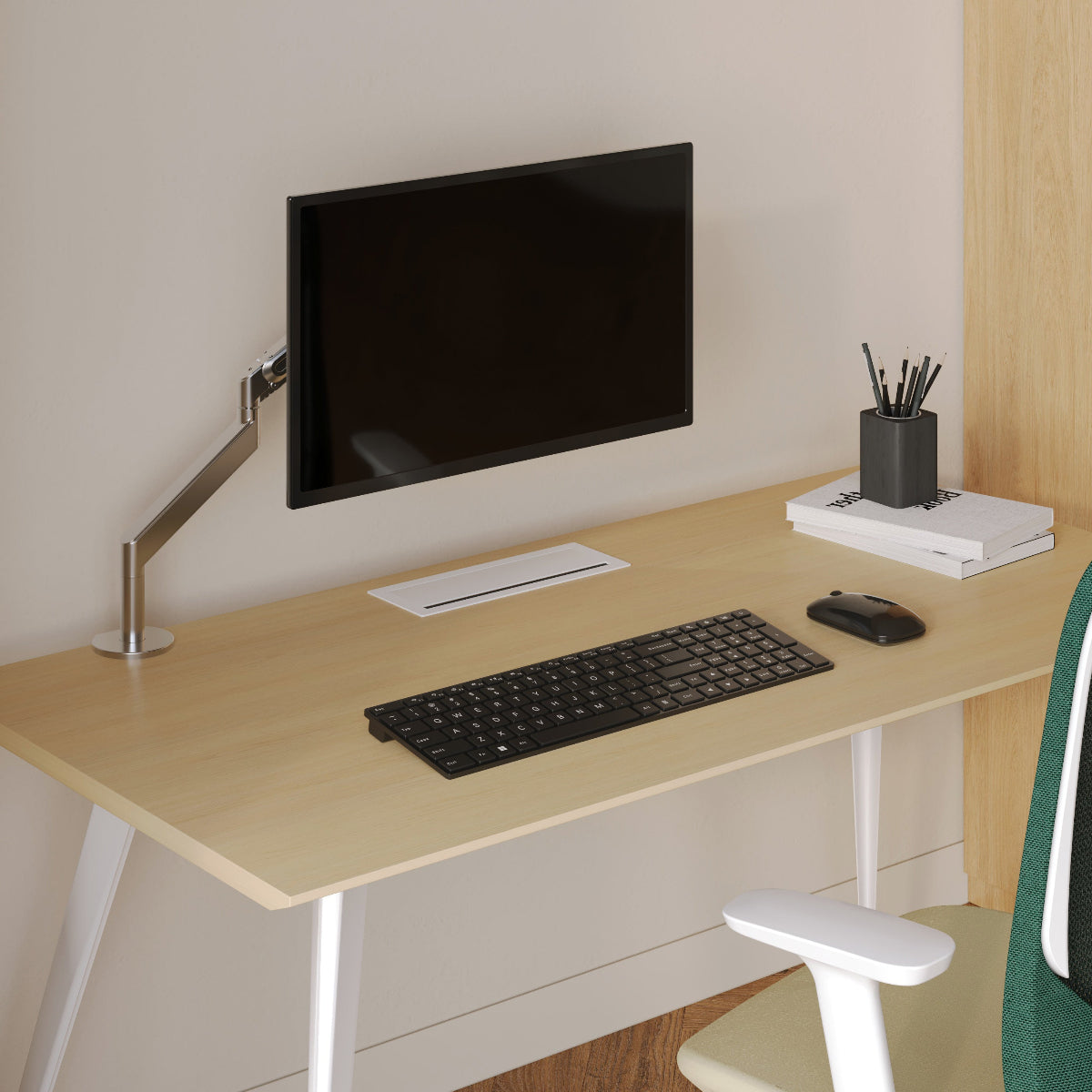
Monitor Stand Buying Guide: What to Check Before You Add One to Your Desk

A monitor stand can look like a simple finishing touch, but it changes the way a desk functions every day. The moment a screen is lifted, the entire work surface shifts with it. Viewing angle changes. Reach zones change. Cable routing changes. Even the way light falls across the desk can improve or become more awkward depending on how that stand fits the space.
That is why a monitor stand should be chosen as a workspace tool first and a style decision second. A good one supports a better screen position, frees up room without making the desk feel cramped, and works with the rest of the setup instead of forcing compromises elsewhere. A poor one may raise the monitor but create new problems such as reduced viewing distance, blocked cables, unstable placement, or a work surface that feels more crowded than before.
The strongest buying decision starts with a simple mindset: do not ask whether a monitor stand looks useful. Ask whether it fits the monitor, the desk, the sitting posture, and the daily workflow that happens around it.
Why a Monitor Stand Is More Than a Screen Riser
Screen height affects comfort, focus, and desk behavior
Most people notice monitor height only when it feels wrong. A screen that sits too low can encourage a downward head angle over time, while a screen that sits too high can push the neck upward and create a different kind of strain. A monitor stand can help place the display in a more natural visual zone, but only if the amount of lift matches the user’s seated posture and desk setup.
There is also a practical side that often gets overlooked. Raising the monitor creates a new layer of usable space beneath it. That area can hold a keyboard between sessions, a notebook, a small dock, or simple daily items that would otherwise spread across the desk. On a compact workstation, that reclaimed space can matter almost as much as the screen height itself.
The desk layout changes once the monitor moves upward
A monitor stand alters how the rest of the desktop is used. Pens, planners, laptops, lamps, and chargers all compete for the same limited surface. Once a screen is raised, some of that competition eases, but only if the stand footprint does not consume too much of the central work zone.
This is where the desk matters as much as the stand. A deep desk gives a monitor more room to sit at a comfortable viewing distance after it has been elevated. A narrower desk demands more caution. When comparing office desks for compact or spacious setups, it helps to think less about the desk alone and more about how much front-to-back space remains once a monitor, keyboard, and writing area are all in place. Urbanica’s desk collection is built around ergonomic office desks for different spaces, which makes that collection relevant when evaluating how much room a monitor stand can realistically occupy.
Start With the Monitor Before You Compare Stands
Width and weight define the real fit
A monitor stand is only useful when it supports the actual dimensions of the screen in front of it. That means more than diagonal size. A wide ultrawide monitor may have a footprint that feels much larger in practice than a standard display with a similar diagonal measurement. A stand that seems generous in product photos may feel undersized once a wide monitor base is placed on top.
Weight matters just as much. A stand that is technically compatible but feels slightly unstable can become irritating every single day. Small vibrations from typing, moving the desk, or adjusting nearby objects can all become more noticeable when the monitor support does not feel confidently matched to the load.
The base shape is often the real compatibility test
Many buyers focus on screen size and forget to measure the monitor base itself. That is often where fit problems begin. Some bases are narrow and centered. Others have wide feet, V-shaped supports, or deeper front-to-back footprints than expected. A stand may be wide enough for the monitor but still fail to support the base cleanly.
Before buying, measure:
1. Monitor width
2. Monitor weight
3. Base width
4. Base depth
Desired increase in screen height
These five checks prevent the most common mismatch. They also help separate buyers who need a fixed stand from those who may be better served by an adjustable support solution.
Some setups need movement, not just elevation
A fixed stand is not always the right answer. If the screen needs to shift forward and back, rotate for collaboration, or adapt to changing tasks during the day, a static riser may solve only part of the problem. In those cases, an adjustable ergonomic arm for desk work may be the better fit. Urbanica describes its Ergonomic Arm as an accessory that offers customizable support intended to enhance comfort, which aligns well with workstations that need repositioning flexibility rather than one fixed monitor height.
Desk Dimensions Decide Whether the Stand Helps or Hurts
Depth is one of the most important measurements
A monitor stand can improve posture and still make a desk less comfortable if it pushes the screen too close. This is especially common on shallow desks. Once the stand is added, the monitor may move slightly upward and slightly forward, which reduces the viewing distance available for the user.
That issue matters because comfort is not created by height alone. The screen also has to sit far enough away to feel visually natural for prolonged use. On a deeper desk, this is easier to manage. On a compact desk, every centimeter matters.
Width and footprint shape the work zone
The next question is how much of the desk the stand occupies from left to right. A stand that spans too broadly can interfere with speakers, desk lamps, charging trays, or the open space needed for note-taking. The goal is not to maximize the stand. The goal is to preserve a clean and usable work zone around it.
A helpful way to think about this is to divide the desk into zones:
| Desk Zone | What It Needs | What Can Go Wrong |
|---|---|---|
| Screen zone | Stable support and comfortable viewing distance | Monitor sits too close or too high |
| Keyboard zone | Enough depth for natural hand position | Stand base crowds typing space |
| Writing zone | Open surface for notes or planning | Accessories spread into active work area |
| Utility zone | Space for lamp, dock, charger, and small items | Cables and objects pile up around the stand |
A stable desk matters as much as a stable stand
Even a well-built stand can feel poor on a weak or flexing desk surface. If the desktop shifts when typing or wobbles under load, the stand cannot fully compensate. A monitor support product should sit on a surface that feels solid, level, and proportionate to the size of the equipment placed on it.
For buyers comparing the workstation as a whole instead of shopping one item in isolation, a page focused on modern office furniture for workspace planning can be useful because Urbanica positions that destination around ergonomic and modern office furniture along with showroom support for planning a full setup.
Material and Build Quality Affect Daily Satisfaction
The stand should feel structurally calm
A monitor stand is handled less than a keyboard or chair, but that does not make build quality less important. Every day, it supports a visible, central part of the workspace. If it feels shaky, uneven, rough at the edges, or visually out of place, the dissatisfaction is repeated every time the desk is used.
Solid wood, metal, and engineered materials can all work well when construction is thoughtful. What matters most is rigidity, level contact with the desk, a clean finish, and a shape that supports the monitor without creating wasted bulk. A good stand feels settled. It does not draw attention to itself through movement or awkward proportions.
Finish and visual cohesion still matter
A monitor stand sits at eye level and often at the center of the desk. That makes visual harmony important. The piece should work with the desk, lighting, and seating around it. The aim is not decoration for its own sake. The aim is to create a workspace that feels orderly and intentional.
When a stand is chosen as part of a larger surface strategy, surrounding office accessories for desk organization can help complete the setup without turning the desk into a collection of unrelated objects. Urbanica’s accessories collection is explicitly centered on modern office accessories and related solutions, which makes it a sensible resource when the goal is coordination and function together.
Storage Under the Screen Should Match the Way You Work
Open clearance can be more useful than drawers
Extra storage sounds helpful, but not all storage improves workflow. Open space under a monitor stand is often more versatile than enclosed compartments because it lets users slide in a keyboard, keep a notebook accessible, or store a tablet temporarily without introducing extra bulk.
Drawers and built-in shelves can be useful for some users, but only when they support habits that already exist. A person who writes by hand throughout the day may benefit more from quick open access than from hidden compartments. Someone who wants a visually quieter desk may prefer more concealed storage, but that preference should not come at the cost of usable surface space.
A keyboard tuck-under feature is not automatically ergonomic
A common selling point is the ability to push a keyboard underneath the stand. That can help visually clear the desk when work pauses, but it is not automatically an ergonomic advantage during active use. If a stand encourages awkward reaching, lifts the monitor well but reduces comfortable hand placement, or narrows the writing area too much, the overall result may be worse rather than better.
The best storage feature is the one that supports the user’s real routine. For some, that means a clear shelf area. For others, it means no extra structure at all beyond clean monitor support.
Cable Routing and Lighting Should Be Considered at the Same Time
A raised monitor changes more than cable visibility
As soon as a monitor is elevated, the cable path changes. Some setups become easier to manage because wires can pass behind the stand and drop out of sight. Others become more cluttered because the stand blocks access, traps plugs, or forces cables to bend in awkward directions.
This is why back clearance matters. A stand should leave enough room for power cables, display connections, laptop chargers, and any dock or accessory that sits nearby. Clean cable routing is not about making the desk look sparse. It is about reducing interference and preserving easy access.
Lighting becomes part of the monitor stand decision
Monitor height influences how light hits the work surface. A lamp that worked well before the stand was added might now cast glare across the display or throw shadows onto notebooks and keyboards. That is especially true on desks where space is limited and every object sits close to the central screen area.
Urbanica’s Alumina Lamp is presented as a multi-use LED table and wall light, which makes a multi-use LED task light a strong fit for setups that need flexible lighting placement near an elevated screen without overstating what the product does.
Compact lamps can reduce crowding around the stand
On tighter desks, lighting should support the workspace without taking over the center zone. Urbanica’s Shore product page identifies it as a recycled glass table lamp, so a recycled glass table lamp is an accurate and meaningful reference in setups where the monitor stand already occupies much of the middle of the desk and the remaining accessories need to stay visually light. A Monitor Stand Works Best When the Chair Supports the Same Posture Goals
Screen height cannot solve a poor seated position by itself
A monitor stand can improve the screen position, but it cannot fix everything. If the chair sits too low, leaves the back unsupported, or places the elbows at an awkward angle relative to the desktop, the screen may still feel wrong even after it has been elevated.
That is why workstation comfort should be treated as a system. The monitor, chair, desk, and hand position all influence one another. Raising the screen can be helpful, but it works best when the seated posture already has a stable foundation.
Chair height and elbow angle shape monitor comfort
The relationship between desk height and chair height often determines how much lift a monitor truly needs. A user seated well with a balanced arm position may need only a modest rise in screen height. Another user with an ill-fitting chair may assume the monitor is the problem when the real issue starts lower down.
Urbanica’s chair collection is specifically framed around ergonomic office chairs, which makes ergonomic office chairs for posture support an accurate internal reference in a section about aligning monitor height with seated comfort.
Choosing Between a Fixed Stand, an Arm, or No Stand Yet
A fixed stand works well in stable single-user setups
A traditional monitor stand is often the right choice when the desk is already proportionate, the monitor stays in one position, and the user wants a clean and simple structure with added space underneath. In those cases, the value comes from predictability and order.
A monitor arm suits changing tasks and shared use
An adjustable arm usually makes more sense when the screen needs to move often, when the workstation is shared, or when the desk depth is limited and exact positioning matters. That does not make an arm universally better. It simply means some environments benefit more from movement than from fixed elevation.
Sometimes the real problem is not the monitor height
A monitor stand is not a cure for every desk issue. If the surface is too small, too shallow, unstable, or already overloaded with accessories, adding another object may intensify the problem rather than solve it. In those cases, stepping back and reassessing the desk layout as a whole is the more reliable move.
A Better Monitor Stand Choice Comes From Careful Fit, Not Impulse
The best monitor stand is usually not the tallest one, the widest one, or the one with the most built-in features. It is the one that fits the monitor base securely, preserves a comfortable viewing distance, leaves the desk more usable than before, and works with the lighting, seating, and daily rhythm of the workstation.
That choice tends to age well because it is based on fit instead of novelty. A stand that genuinely suits the desk continues to make sense even when accessories change, a lamp is repositioned, or a new keyboard is added later on. It keeps doing the quiet work of supporting focus, comfort, and order without asking the user to work around it.
Related Articles
-
 How Filing Cabinet Storage Supports Office Desk Must Haves
-
 Filing Cabinet Ideas for Better Office Furniture Accessories
-
 Best File Cabinet for Home Office Storage That Feels Easy
-
 Better Multiple Monitor Desk Setup Starts With One Stand
-
 Make Laptop and 2 Monitor Setup Work With Better Stands
-
 Why Dual Monitor Comfort Needs a Monitor and Laptop Stand


