



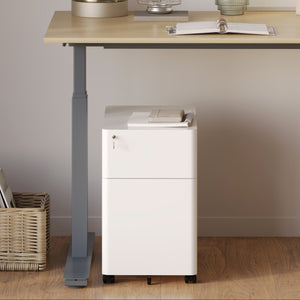






















Filing Cabinet Choices for Cleaner Workstation Planning
Cleaner workstation planning starts with filing storage that matches the desk, document volume, security needs, and daily workflow. Explore how cab...
Learn more
Visit quiz page to see how we makes it easy to create an inspiring workplace


A monitor stand can seem like a minor desk accessory until screen height starts shaping how the entire workday feels. The difference often shows up in subtle ways first. The neck leans forward a little more than it should. The shoulders tense during long stretches of focused work. The desk begins to feel crowded even when there are not many items on it. Over time, those small points of friction can make a workstation feel harder to use than it needs to be.
That is why the question is worth asking carefully. A monitor stand is not automatically necessary for everyone, and it is not a cure-all for a poorly planned desk setup. At the same time, it can be one of the most practical ways to improve visual comfort, surface organization, and daily usability without changing the entire workspace.
The real answer depends on how the desk is used. Remote work places heavy demands on comfort and repeatability. Design work requires better sightlines, better positioning, and better control over the visual environment. Daily desk use falls somewhere in between, where the value may feel less dramatic but often more consistent. In all three cases, a monitor stand earns its place when it solves an actual problem rather than simply filling space.
When a monitor sits too low, the body usually compensates without much thought. The chin dips. The upper back rounds. The shoulders roll forward. That posture may feel manageable for a few minutes, but a workstation is rarely used for only a few minutes. Across a workday, repeated downward viewing can make the setup feel heavier on the neck and upper body than it should.
A monitor stand helps by bringing the screen into a more natural line of sight. That adjustment does not need to be extreme to matter. Even a modest improvement in viewing height can reduce the tendency to fold inward over the desk. For people who spend hours reading, typing, switching tabs, or sitting through meetings, that change can make the workstation feel more neutral and less fatiguing.
A monitor stand also changes how the surface itself works. A raised screen often creates more usable space beneath or around the monitor, which can help organize a keyboard, notebook, charging items, or frequently used accessories. The result is not just a cleaner look. It is a desk that becomes easier to use with less visual and physical friction.
That point matters because clutter is not only an aesthetic issue. When the desk feels compressed, people tend to adjust their body position around the clutter. They reach awkwardly. They angle the keyboard poorly. They place items wherever they fit rather than where they function best. A better monitor position often helps the entire desk become more intentional.
It is important to be honest about what a monitor stand cannot do. It cannot correct a chair that provides poor support. It cannot solve a desk that is too shallow for the screen size. It cannot replace the flexibility of a fully adjustable arm when the work demands frequent repositioning. Its value is real, but it works best when it addresses the correct problem.
Remote work tends to magnify the effects of a mediocre setup. In a shared office, workstations are often built with some level of adjustment in mind. At home, that is not always the case. People work at dining tables, compact desks, or improvised setups that were never designed for long seated hours. Even a dedicated home office can drift into discomfort if the monitor sits lower than the body can comfortably support over time.
That is why remote workers often feel the benefit of a monitor stand early. Video calls, email, spreadsheets, project tools, and focused solo tasks all keep the eyes on one visual plane for long periods. A monitor that encourages downward viewing can make a day feel longer than it is. A better-positioned display supports a posture that is easier to maintain through repeated work blocks.
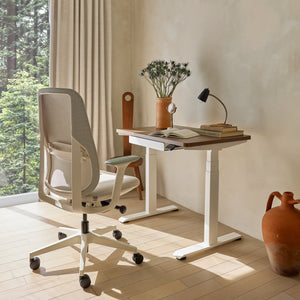
A monitor stand works better when the rest of the workstation supports it. Screen placement cannot be judged in isolation from desk height, chair height, keyboard position, and how much room the user has to move naturally. A more supportive base often makes the stand more effective, especially when paired with adjustable ergonomic office desks that allow the overall setup to fit the user rather than forcing the user to adapt to the furniture.
That does not mean a complete desk change is always necessary. It means the stand should be considered part of a system. If the desk surface is stable, the depth is appropriate, and the input devices are placed well, the monitor stand has a much better chance of improving the full experience rather than acting as a partial workaround.
Once a screen is lifted, the area around it becomes more visible. That can be helpful, but it can also reveal a different problem. Loose cords, charging lines, and hanging cables can quickly make an upgraded monitor position feel unfinished. In practice, visual comfort is not only about where the screen sits. It is also about whether the space around the screen feels clear and manageable.
That is where under-desk cable management becomes relevant. Good cable routing does not need to be complicated to matter. It simply reduces distraction, protects usable surface space, and helps the monitor area feel intentionally arranged rather than loosely assembled.
For design work, the standard for a comfortable monitor position is usually higher. Long sessions of visual review, layout work, interface design, editing, drafting, or concept development demand more sustained focus than casual computer use. When the screen is slightly off, the body notices sooner. The eyes work harder. The head moves more. The shoulders tense during repeated micro-adjustments in posture.
This is one reason designers often feel strongly about the difference between a workable setup and a refined one. A monitor stand can improve alignment and stability, but the right choice depends on how the desk is used throughout the day.
A traditional stand is often enough when the goal is straightforward elevation and a cleaner workstation. It helps create a stable focal point for a monitor that stays in roughly one place. That can be ideal for users whose workflow is consistent and whose screen rarely needs to shift.
Some creative workflows, however, benefit from more movement. In those cases, customizable monitor support may be the more suitable solution. An adjustable arm can allow the screen to move with the task, whether that means changing viewing height, shifting the display for collaboration, or opening more space on the desk for sketching and material work.
This distinction becomes especially important when the desk serves multiple functions. A designer might alternate between digital work and paper-based review, or switch between solo focus and side-by-side collaboration. In those situations, the value comes not only from lifting the screen, but from being able to reposition it with purpose.
A stand still has strong value where consistency is the priority. An arm becomes more compelling where movement is part of the workflow.
Monitor placement is only one part of visual comfort. The surrounding light environment also influences how the eyes work throughout the day. A well-positioned screen can still feel tiring if the desk is too dim, the contrast is too sharp, or the ambient light creates glare and uneven focus.
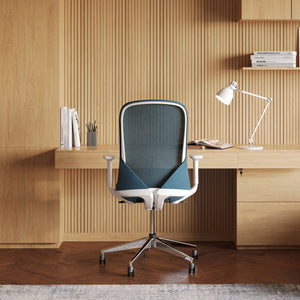
When the desk includes sketching, note-taking, reviewing samples, or reading physical materials, targeted light becomes useful alongside the monitor setup. A multi-use desk or wall lamp fits naturally into this type of workspace because it supports directed illumination without asking the monitor to do all the visual work in the room.
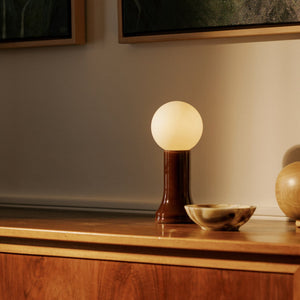
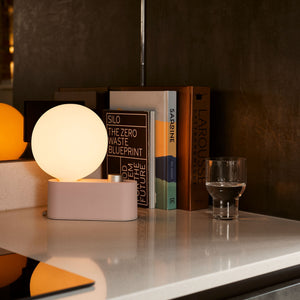
There is also value in softer light that balances the space around the monitor. A recycled glass table lamp can help create a calmer visual field, which is particularly helpful in spaces where the screen would otherwise become the only bright focal point. The goal is not dramatic effect. It is a steadier, more comfortable environment for sustained desk use.
Not everyone spends the day in back-to-back meetings or deep creative production. Many people use a desk for lighter but repeated tasks such as studying, personal planning, email, browsing, household admin, or occasional remote work. In these settings, the benefits of a monitor stand may feel less specialized, but they are often easier to appreciate in everyday terms.
The desk looks clearer. The screen feels easier to read without hunching. The work area becomes more defined. Those changes may not feel dramatic at first, but they improve how willingly and comfortably the desk gets used.
One overlooked benefit of a monitor stand is how it helps zone the surface. Instead of the monitor simply resting wherever it fits, the screen area becomes a deliberate part of the layout. That often makes the rest of the desk easier to manage because there is clearer separation between the display zone, writing zone, and storage zone.
For people trying to make a home workspace feel more coherent, that matters. A desk that feels intentional is easier to maintain and more pleasant to return to each day.
A monitor stand is rarely the only item shaping the experience. Lighting, cable routing, surface organization, and accessory compatibility all influence whether the setup feels finished. That is why it makes sense to think in terms of a broader office furniture accessories collection rather than treating the stand as an isolated purchase with no relationship to the rest of the workspace.
This does not require overcomplicating the desk. It simply means the best setups tend to be coherent. Each piece supports the others, and the overall effect is better usability rather than more stuff.
A monitor stand is often a smart choice when several of the following are true:
1. The screen sits low enough that the head naturally tilts downward during use.
2. The desk surface feels cramped even when only essential items are present.
3. The workstation is used frequently enough that small comfort issues repeat every day.
4. The user wants a cleaner, more structured desk without changing the entire room.
5. The monitor stays in a mostly fixed position and does not require constant adjustment.
These signs point to a stand as a practical improvement rather than a decorative add-on.
A monitor stand may be less useful when the real issue lies elsewhere. If the chair offers poor support, the desk is too shallow, or the monitor needs frequent movement for the type of work being done, the stand may only partially improve the situation. It is also less critical for laptop-only use without a dedicated external display, or for desks that are used infrequently.
A good buying decision starts with diagnosis. The most effective workspace changes usually address the point of repeated strain or friction, not just the most visible object on the desk.
| Use Case | Main Problem a Monitor Stand Helps Solve | Most Noticeable Benefit | When It Makes the Most Sense | When Another Solution May Be Better |
|---|---|---|---|---|
| Remote Work | Low screen placement during long seated tasks | Better posture and more usable desk space | Dedicated home office or repeated all-day computer use | Desk fit or chair support is the larger issue |
| Design Work | Inconsistent sightlines and prolonged visual focus | Better alignment and a more controlled workstation | Screen stays mostly fixed and the workflow values stability | More screen movement is needed throughout the day |
| Daily Desk Use | Mild discomfort and surface clutter | Cleaner layout and easier day-to-day usability | Regular home desk use for mixed personal and work tasks | Setup is occasional, minimal, or laptop-based |
The pattern is clear. Remote work gets some of the strongest ergonomic value because repetition makes small problems bigger. Design work benefits most when monitor positioning supports precision and visual comfort. Daily desk use tends to gain through order, clarity, and consistency rather than through highly specialized performance.
In compact apartments, shared rooms, or multi-purpose home offices, every square inch has to work harder. Under those conditions, a monitor stand can become more useful because it helps reclaim surface space and gives the desk a stronger sense of structure. The benefit is not only ergonomic. It is spatial.
There are also situations where the monitor stand is really part of a larger workspace shift. A person may start by questioning screen height, then realize the desk, lighting, accessories, and overall layout need to work together more effectively. In that context, the more useful next step may be broader guidance or help choosing a complete office setup so the final arrangement feels coherent rather than pieced together.
A monitor stand is worth it when the current setup creates repeated downward viewing, wasted desk space, or a sense that the workstation never feels quite settled. It is especially useful for remote workers who spend long stretches at a screen, designers who need stronger monitor positioning, and daily desk users who want a cleaner and more comfortable work surface.
It is less valuable when the stand is being asked to solve the wrong issue. Poor chair support, limited desk depth, or a need for frequent monitor movement may point toward a different upgrade path first.
The strongest desk decisions come from looking at the whole setup honestly. When a monitor stand matches the real need, it is not a small accessory at all. It becomes a practical tool for comfort, clarity, and a workspace that functions better every day.


You have unlocked free shipping!
You're saving $29 and unlocked free shipping!
Leave a comment