

























Workstation Panels That Make Open Plan Office Furniture Work
Workstation panels can turn exposed open-plan desks into clearer, more functional work zones. Discover how panel height, placement, desk compatibil...
Learn more
Visit quiz page to see how we makes it easy to create an inspiring workplace


A desk lamp can either sharpen attention or quietly compete with it. The difference often comes down to scale, light quality, placement, material, and how well the lamp fits into the larger work setup. A lamp that looks attractive in isolation may still feel distracting if the base eats into writing space, the shade creates glare, or the cord cuts across the desk like visual noise.
A focus-supportive desk lamp should make work easier to begin and easier to sustain. It should brighten the task area without overwhelming the room, support the way the desk is actually used, and blend with the surrounding workspace rather than demanding constant attention. The most effective choice is rarely the biggest, brightest, or most decorative option. It is the lamp that solves a practical lighting need while preserving a clean visual field.
The best desk lamp protects attention. It does not crowd the work surface, compete with the screen, or introduce a tangle of visible cords. Before considering style, shape, or finish, it helps to define what the lamp should avoid disrupting.
A focused workspace usually has a clear center of activity: keyboard, notebook, screen, reading material, sketchpad, or documents. When the lamp intrudes into that center, the desk begins to feel busier than it needs to. Even small annoyances can accumulate. A bulky base may force the keyboard off-center. A shiny shade may reflect daylight. A visible bulb may create glare in peripheral vision. A cord may run through the exact area where the hand naturally moves.
Visual clutter is not only about having too many objects. It is also about objects that interrupt the eye. A single lamp can become clutter if its proportions, brightness, or placement are wrong for the desk.
The eye constantly scans the environment, even when the mind is trying to focus. High-contrast objects, tangled lines, bright reflections, and awkward silhouettes all create small points of friction. A lamp with exposed hardware, a long visible cord, or an oversized shade may keep pulling attention away from the work itself.
This does not mean every desk lamp must be plain. A sculptural lamp can still support focus if it is intentional, properly scaled, and surrounded by restraint. The problem appears when the lamp adds more visual information than the workspace can comfortably absorb.
A focus-supportive lamp does not need to light the entire room. Its primary job is to control light where the task happens. That might mean adding contrast to a page, softening the transition between a bright screen and a darker room, or bringing clarity to a corner of the desk that natural light does not reach.
Controlled light is different from maximum brightness. Too much brightness can flatten the desk visually, create glare, and make the room feel overstimulating. A better goal is balanced illumination: enough light to see clearly, shaped in a way that does not create discomfort.
Lamp selection should begin with the desk, not the lamp. A lamp that works beautifully on a deep executive desk may feel intrusive on a compact workstation. A small lamp that looks refined on a narrow writing desk may not provide enough reach for a wide monitor setup.
The key is to judge proportion based on usable space. A desk might be wide overall, but once a monitor, laptop, keyboard, notebook, and daily tools are added, the available surface may be much smaller.
The usable work zone is the part of the desk where active work happens. It is where the hands move, papers spread out, or the keyboard sits. A lamp should sit just outside this zone while still casting light into it.
For laptop work, the usable zone may be shallow because the screen and keyboard are combined. For monitor work, the zone may be wider, with the keyboard centered and the screen set farther back. For drawing, writing, or reviewing printed material, the task zone often shifts across the desk throughout the day. A lamp with adjustable reach can help, but only if the arm and shade do not create visual clutter of their own.
A simple test is to place the items used every day on the desk first. Then identify the area that needs to remain open. The lamp belongs outside that area, with enough reach to illuminate it.
The lamp base is often the most overlooked source of clutter. A wide base may be stable, but it can also claim valuable desk space. A tall, narrow base may feel visually lighter, but it still needs enough weight to stay secure. A clamp lamp may free surface area, but it needs a desk edge that can support it comfortably.
For smaller desks, a compact base or clamp design often works best. For larger desks, a lamp can have more visual presence without feeling crowded. The goal is not to make the lamp disappear completely. It is to give it the right amount of room so it looks intentional.
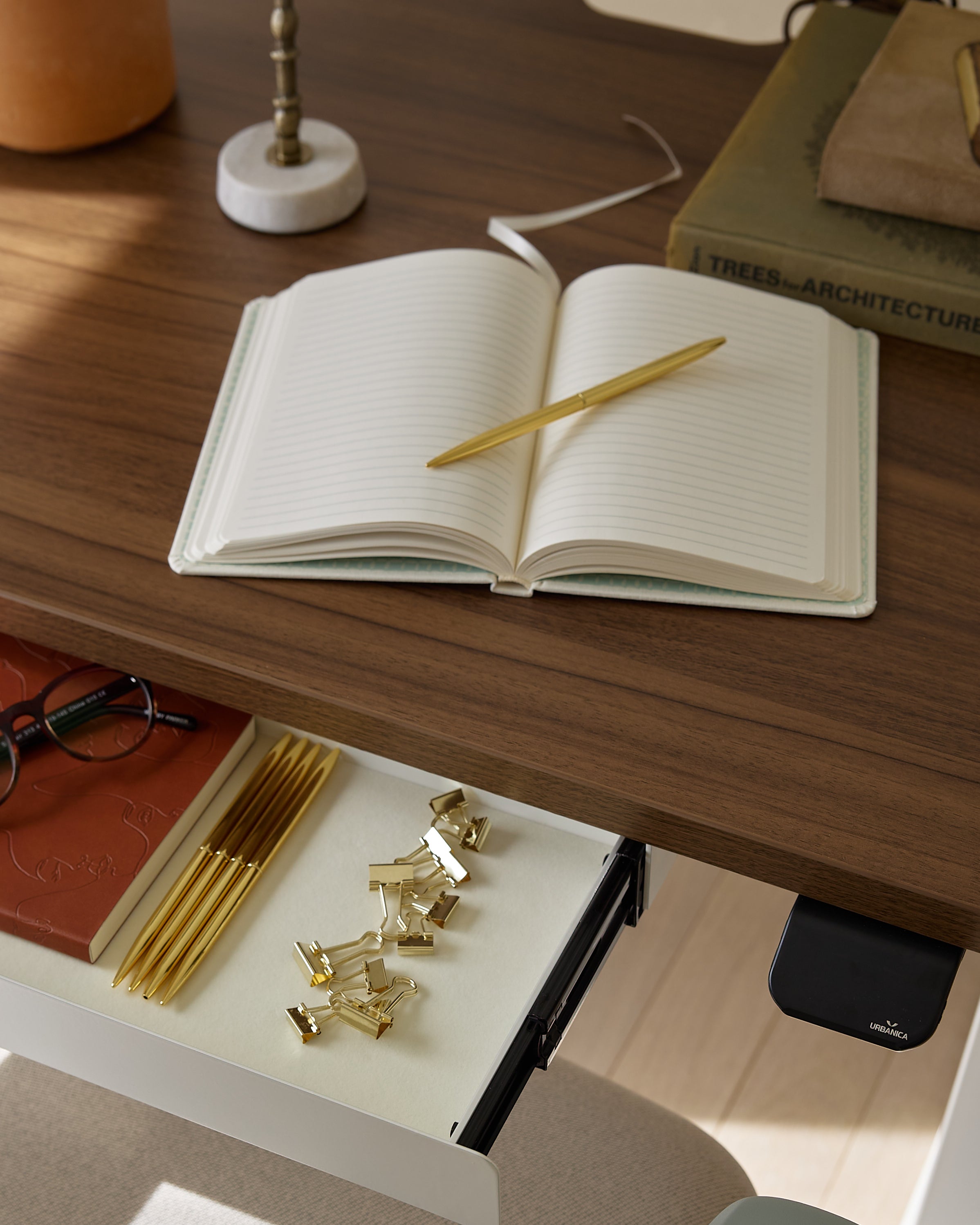
A lamp feels calmer when it is not surrounded by loose papers, charging blocks, notebooks, and small accessories. The more objects gathered around the base, the more the lamp becomes part of a clutter cluster rather than a clear lighting element.
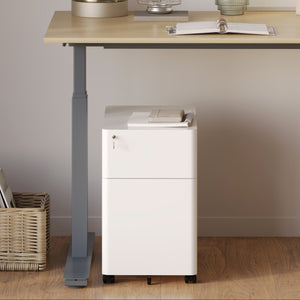
Storage helps preserve the desk surface for active work. A compact filing cabinet with sliding drawers can move documents and supplies away from the main work plane, giving the lamp enough visual breathing room to do its job without adding to the mess.
The quality of light matters as much as the lamp’s appearance. A visually clean lamp can still be uncomfortable if the light is harsh, uneven, or poorly aimed. The right desk lamp supports visibility without forcing the eyes to constantly adjust.
Light quality includes brightness, color temperature, beam spread, diffusion, and glare control. These factors work together. A lamp does not need to be extremely bright if it directs light well. A warm lamp may feel pleasant, but it may not provide enough clarity for detailed tasks. A cool lamp may help with precision, but it can feel stark if used too strongly in a calm workspace.
Different tasks need different levels of light. Reading printed documents often benefits from a focused beam that increases page contrast. Laptop work usually needs softer support light that reduces the contrast between screen and surroundings. Sketching, model work, or detail-heavy tasks may require brighter and more adjustable illumination.
A common mistake is choosing the brightest lamp available and assuming it will solve every problem. Excess brightness can create glare, especially on glossy screens, polished desks, or white paper. It can also make the rest of the room feel dim by comparison, which may increase eye fatigue.
The better approach is to choose a lamp that provides enough light for the task and offers control over direction or intensity whenever possible.
Diffusion softens the light before it reaches the desk. A diffused lamp reduces sharp hotspots, hard shadows, and the sense of visual aggression that can come from exposed bulbs or narrow beams. Diffusion is especially helpful for long work sessions because it creates a more even field of light.
Shades, frosted materials, opaque surfaces, and indirect light paths can all help soften brightness. The lamp should still be useful, but it should not feel like a spotlight aimed at the desk.
Color temperature influences how a workspace feels. Warmer light can make evening work feel less stark and more relaxed. Neutral light often works well for general productivity because it keeps the desk clear without feeling clinical. Cooler light may help with tasks where detail and contrast matter, though it can feel too sharp in a minimal or residential workspace if overused.
Rather than treating one color temperature as universally best, choose based on the task and the room. A home office used at night may benefit from warmer, softer light. A studio desk used for detail work may need a clearer, more neutral tone. A shared workspace may need controlled light that supports work without spilling too aggressively into nearby areas.
| Work Pattern | Best Lighting Character | What to Avoid | Why It Supports Focus |
|---|---|---|---|
| Laptop-heavy work | Soft neutral light angled away from the screen | Direct glare on the display | Keeps the screen readable without visual strain |
| Reading and note-taking | Focused warm-to-neutral task light | Dim ambient light alone | Improves contrast on paper |
| Design or detail work | Adjustable, brighter task light | Uneven yellow-heavy light | Helps preserve detail clarity |
| Evening planning | Warm diffused light | Harsh cool light late in the day | Creates a calmer setting for lower-intensity work |
| Shared office work | Controlled beam with limited spill | Overly bright outward-facing light | Supports one task area without distracting others |
Shadows are easy to overlook until the desk is already arranged. A lamp can be attractive, bright, and well built, yet still frustrate the user if it casts shadows across the notebook, keyboard, or document area.
Shadow control depends on lamp side, height, beam direction, and the position of the body during work. It also depends on whether the user writes by hand, works mainly on a laptop, or switches between screen and paper.
For right-handed writing, the lamp usually works better on the left side of the desk. For left-handed writing, it often works better on the right. This reduces the chance that the hand will block the light and cast a shadow over the page.
This guideline is not rigid. Monitor position, outlet access, window light, and desk shape can change the best placement. Still, hand dominance is one of the simplest starting points for reducing daily lighting frustration.
A lamp should illuminate the task plane, not the user’s face. If the bulb or brightest part of the shade is visible from a normal seated position, the lamp may create discomfort over time. The eye should perceive the light’s effect more than the source itself.
Adjustable shades are useful because they allow the beam to move as tasks change. A fixed lamp can still work well if its height and shade shape direct light downward or slightly across the desk rather than outward.
Screens introduce another layer of complexity. Glossy displays, dark backgrounds, and certain monitor angles can reflect the lamp directly back toward the eyes. Even matte screens can show bright patches if the lamp sits too close or too high.
Test the lamp with the screen on, not only with the desk empty. Open the types of windows used most often, such as documents, spreadsheets, creative software, or video calls. Then adjust the lamp until it improves the workspace without creating screen glare.
1. Sit in your normal working posture.
2. Turn on the lamp and open the screen brightness you typically use.
3. Place a notebook or document where paper tasks usually happen.
4. Move your hand across the writing area and check for shadows.
5. Look for screen reflections from upright and slightly reclined positions.
6. Adjust the shade until the light supports the task without entering your direct line of sight.
The phrase “visual clutter” often refers to the objects directly on the desk, but peripheral vision is just as important. A lamp sits within the field of view for hours. Its shape, finish, and silhouette can either settle into the background or keep announcing itself.
A focus-friendly lamp does not need to be invisible. It simply needs to be composed. Clean lines, thoughtful proportions, and restrained materials can make a lamp feel present without feeling busy.
A slim lamp is often easier to live with because it takes up less visual space. Thin stems, compact shades, and simple geometry create fewer interruptions across the desk line. This is especially helpful when the workspace already includes a monitor, laptop, keyboard, and accessories.
A lamp with many joints, springs, exposed mechanisms, or decorative details can still be functional, but it may feel busier. If the desk is small or already visually active, a quieter silhouette is usually the safer choice.
Glossy finishes reflect surrounding objects, daylight, screens, and movement. These reflections can make the lamp look more active than it is. Matte and softly textured finishes tend to absorb light more calmly, which helps the lamp blend into a focused workspace.
This does not mean glossy materials are always wrong. A polished accent may work in a restrained setting. But when the priority is reducing visual clutter, matte metal, softly finished glass, wood, fabric, or muted color often creates a calmer result.
A distinctive lamp can support a clean desk when it replaces, rather than joins, other decorative objects. Instead of adding multiple small accessories, a single expressive lamp can create character while keeping the surface edited.
The key is restraint around it. A lamp with a stronger form needs negative space. It should not be crowded by trays, stacks of paper, candles, framed objects, or loose cables. When the surrounding area stays simple, the lamp can feel intentional rather than distracting.
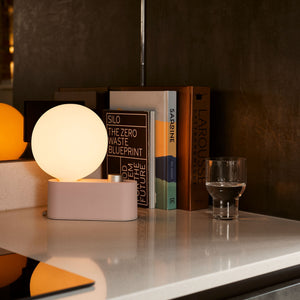
Some lamps are designed to carry more personality. For example, the Alumina Lamp for a desk or wall sconce suits a conversation about flexible lighting because it can function as either a desk lamp or a wall sconce. That kind of versatility can be useful when a workspace needs light but the desktop itself should remain visually quiet.
A lamp cannot support visual calm if its cord becomes the most noticeable line on the desk. Power planning is part of lamp selection, not an afterthought. The cleanest lamp setup considers where the outlet is, how the cord travels, and what other devices need power nearby.
A desk lamp often shares space with a laptop charger, phone charger, monitor cable, keyboard cable, speaker cable, or docking station. Without a clear power strategy, even a minimal lamp can contribute to a messy work surface.
The ideal cord path is short, logical, and mostly hidden. It may run behind the monitor, down the rear edge of the desk, through a grommet, or along a desk leg. What matters is that the cord does not cross the active work zone.
A visible cord is not always avoidable, but it should look intentional. A cord that cuts diagonally across the desk creates visual tension. A cord that drops cleanly behind the lamp reads as part of the setup.
When a desk supports multiple devices, accessible power can reduce clutter. Instead of stretching chargers from distant outlets, a centralized power point can keep the lamp, laptop, and small devices organized around a cleaner system.
An in-desk power module with AC and USB ports is relevant for workstations where power should be integrated into the desk surface rather than scattered across the floor or desktop. This can help reduce the need for loose adapters and awkward cable paths.
Not every desk should be modified with built-in power. Some workspaces need flexibility, especially rented spaces, shared offices, evolving home offices, or desks that may be rearranged. In those cases, a clamp-on solution can bring power closer to the work area without requiring a permanent installation.
A clamp-on desk power module can support a cleaner lamp setup by giving cords a more organized destination near the desk edge. This is especially useful when the lamp location changes or when the desk surface needs to remain open.
Keep the lamp cord behind the monitor line whenever possible.
Avoid routing cords across the keyboard, mouse, or writing zone.
Use one accessible power point instead of several loose adapters.
Leave enough slack for lamp adjustment without visible cable loops.
Choose the lamp side based on both task lighting and outlet access.
Bundle excess cable below or behind the desk, not on top of it.
Lamp height should work with the screen, not against it. A lamp that is too low may cast awkward shadows or create bright patches near the keyboard. A lamp that is too high may spill light into the eyes or reflect off the monitor. The right height depends on how the user sits, where the screen is positioned, and what tasks happen beside the keyboard.
A well-planned lamp setup supports both vision and posture. It should help the user look comfortably between screen, keyboard, and paper without introducing glare or forcing awkward adjustments.
The task plane is the surface where work happens. For typing, that may be the keyboard area. For reviewing documents, it may be the open space beside the keyboard. For sketching or writing, it may be the center of the desk.
The lamp should direct light toward that plane while staying out of the main screen sightline. If the shade sits directly beside the monitor at eye level, it may feel distracting. If the lamp arm crosses in front of the screen, it can interrupt visual flow. A better placement usually keeps the lamp slightly to the side, with the beam aimed downward and inward.
Laptop setups are more compact, which means the lamp, screen, keyboard, and hands are all close together. This can make reflections and shadows more noticeable. A lamp placed too close to the laptop may glare on the display or create a bright spot near the keyboard.
Because laptops sit lower than external monitors, the user may also look downward more often. This makes it especially important that the lamp does not expose a bright bulb or shade interior from a seated position.
A raised laptop can separate the screen from the desk surface, making it easier to place the lamp where it supports the task plane instead of competing with the display. A laptop stand for comfort and focus fits naturally into this setup because the stand is positioned as a tool for improving laptop height, comfort, and focus.
When the screen sits higher, the lamp can be aimed more intentionally at the desk surface. This helps reduce the feeling that everything is crowded into the same visual layer.
A desk lamp affects more than visibility. It also changes the emotional tone of the workspace. Material, color, and shade design influence whether the desk feels crisp, warm, soft, technical, residential, or studio-like.
The goal is not to decorate the desk heavily. It is to choose a lamp that gives the workspace enough atmosphere without requiring extra objects to make the area feel complete.
Glass, frosted surfaces, woven shades, and translucent materials can make a lamp feel lighter than a solid opaque object of the same size. This can be helpful in rooms where the desk already has strong visual elements, such as a dark monitor, large chair, shelving, or bold artwork.
Transparent materials can also reduce the sense of blockage across the desktop. However, they still need thoughtful placement. Glass may reflect light, and clear objects can reveal cords or bulbs if the design is not considered.
A warm lamp can add atmosphere without filling the desk with decorative pieces. This is useful for workspaces that need to feel personal but not crowded. Instead of adding several small objects, one lamp with the right material and tone can create enough warmth on its own.
A softer lamp may be especially effective in a home office, reading corner, or hybrid workspace where the desk is visible outside of work hours. The workspace can feel finished without looking over-arranged.
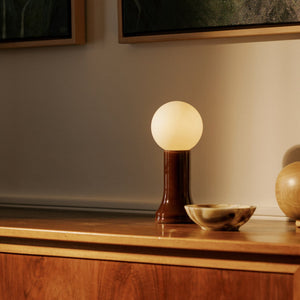
Material choice can bring meaning and texture into the workspace. A recycled glass Shore Table Lamp is a relevant example for a section focused on mood and material because the lamp is associated with recycled glass construction and a softer decorative presence.
This kind of lamp is not about making the desk look more complicated. It is about allowing one material-forward piece to carry warmth and character so the surrounding surface can remain simple.
A desk lamp may sit on the desk, but it belongs to the entire workspace. The surrounding furniture, wall color, natural light, storage, seating, and cable access all influence whether the lamp feels calm or distracting.
Choosing a lamp in isolation can lead to mismatches. A delicate lamp may disappear beside a heavy desk and large monitor. A bold lamp may overwhelm a narrow writing surface. A warm decorative lamp may feel disconnected in a workspace dominated by cool metals and sharp lines.
A lamp does not need to match every finish in the room, but it should speak the same visual language. A minimalist desk often pairs well with a lamp that has clean geometry and restrained color. A warmer wood desk may support a lamp with softer materials or a more tactile shade. A technical workstation may benefit from a lamp with precision, adjustability, and a compact footprint.
The lamp should feel like part of the work system. It should not look like an unrelated object placed on the desk after everything else was finished.
Minimal does not mean empty. A creative studio may need samples, sketchbooks, and changing materials close at hand. A home office may need to blend into a living area. A shared team workspace may need durable pieces that stay orderly through repeated daily use.
In each case, the lamp should respond to the way the desk is used. A lamp for a compact apartment workstation may need a small base and warm presence. A lamp for a multi-monitor setup may need more reach and careful glare control. A lamp for a client-facing office may need to look polished from multiple viewing angles.
When the desk, seating, storage, lighting, and power access are considered together, lamp selection becomes less arbitrary. The lamp can support the rhythm of the space instead of compensating for what the workspace lacks.
For work environments that need clean silhouettes, adaptable layouts, and functional pieces, workspace furniture built for flexible city workdays connects naturally to the larger idea that lighting decisions work best when the entire office setup supports daily focus.
Many lamp mistakes come from choosing for one feature while ignoring the full work environment. A lamp might be beautiful but oversized, bright but harsh, adjustable but visually complicated, or minimal but poorly placed.
Avoiding these issues helps ensure the lamp supports focus instead of becoming another problem to solve.
Brightness is useful only when it is controlled. A lamp that floods the desk with light may create glare, wash out the screen, or produce hard contrast between the lit surface and the darker room. A controlled beam, softer shade, or adjustable angle is often more valuable than raw intensity.
A large base can make a compact desk feel crowded immediately. Even if the lamp itself is slim, the base can interfere with notebooks, mouse movement, documents, or the natural resting place for the hands. The smaller the desk, the more carefully the base should be considered.
Cord placement should be part of the first decision, not the last. A lamp may look perfect until the only available outlet forces the cord across the desk. Before choosing the final lamp location, check where the cord will travel and how it will interact with other chargers.
More lighting is not always better. Several small lamps can make a desk feel fragmented if each one has a different shape, cord, switch, and brightness level. One well-placed lamp with the right beam and scale often creates a calmer result.
Lighting, posture, and screen position are connected. If the screen is too low, the user may lean forward into the light. If the lamp is too close, it may glare on the screen. If the chair height is wrong, the shade may sit in the line of sight. A desk lamp performs best when it works with the entire ergonomic setup.
Choosing a desk lamp becomes simpler when every option is judged through the same practical framework. The right lamp should support the task, preserve the surface, and reduce the number of visual distractions competing for attention.
1. Scale: Does the lamp fit the desk without taking over the active work surface?
2. Direction: Can the light be aimed at the task instead of the eyes or screen?
3. Diffusion: Does the lamp soften brightness enough for long work sessions?
4. Power path: Can the cord travel cleanly without crossing the main work zone?
5. Visual calm: Does the lamp make the workspace feel clearer, or does it add another point of distraction?
A well-chosen desk lamp does more than illuminate a surface. It shapes the first impression of the workspace, supports the eyes during focused tasks, and helps the desk feel ready rather than crowded. When the lamp’s size, light quality, placement, material, and power path are considered together, the result is a workspace that feels calm before work even starts.
The strongest lighting choice is the one that disappears into the rhythm of the day. It brightens what matters, stays quiet where it should, and leaves the desk open for the work that needs attention.


You have unlocked free shipping!
You're saving $29 and unlocked free shipping!
Leave a comment