















Skip to content
For Teams
Memorial Day Deals Are Here - Upgrade Your Workspace for Less using the code MEMORIALDAY | Free Shipping on Orders $65+
FAQ
need to know

Useful articles

Desk Lamp Setup Ideas That Make Home Offices Feel More Intentional

Desk Lamp Setup Ideas That Make Home Offices Feel More Intentional

A home office can have the right desk, the right chair, and the right accessories, yet still feel unfinished if the lighting is treated as an afterthought. A desk lamp does more than brighten a surface. It defines where focus happens, shapes the mood of the room, and gives the workspace a sense of purpose.

Intentional lighting is especially important in home offices because these rooms often serve more than one role. A desk may sit inside a bedroom, living room, guest room, studio, or open-plan space. During the day, it supports deep work, video calls, planning, reading, and admin tasks. After hours, it may need to blend quietly back into the home. The right desk lamp setup helps that transition feel natural.

The strongest desk lamp setup ideas are not about choosing the brightest fixture or placing a lamp wherever an outlet happens to be nearby. They come from aligning light with the way the desk is used. Placement, direction, scale, cord management, screen height, storage, and surrounding furniture all work together to make the office feel calm, useful, and deliberately arranged.

Start With the Work Surface Before Choosing a Lamp Position

A desk lamp should be placed according to the work surface, not just the room layout. Before deciding whether the lamp belongs on the left, right, back corner, shelf, or adjacent table, look at what actually happens at the desk every day. The best placement for a writing-heavy setup may not work for a laptop-focused workstation. A desk used for sketching, journaling, and reviewing papers needs a different lighting strategy than one built around video calls and dual monitors.

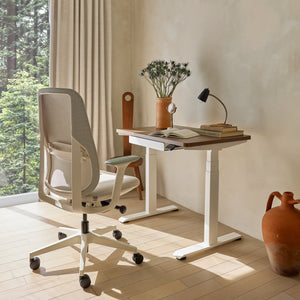
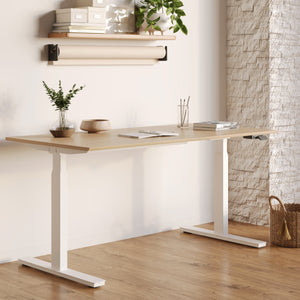
A home office feels more resolved when the desk, seating, storage, and lighting work as one system. That is why planning around workspace furniture that supports flexible home offices can make the lighting feel integrated rather than added at the end.

Identify the Primary Task Zone

Every desk has a primary task zone. It may be the center area in front of a keyboard, the open surface beside a laptop, or the corner where notebooks and paperwork naturally collect. A desk lamp should serve that zone first.

For writing, reading, and reviewing documents, the lamp should illuminate the page without casting a hand shadow across the work. For screen-based work, the lamp should soften contrast around the monitor or laptop without reflecting directly into the display. For creative work, the lamp may need to cover a wider area so materials, samples, or sketches are visible without harsh glare.

A common mistake is placing a lamp where it looks balanced in a photo but does not support the user’s actual habits. Symmetry can look polished, but function should guide the first decision. The most intentional home offices usually feel good because the practical choices are quietly correct.

Use the Dominant-Hand Rule to Reduce Shadows

For anyone who writes, draws, annotates, or uses printed material, the dominant-hand rule is a simple way to improve desk lamp placement.

Right-handed users usually benefit from placing the lamp on the left side of the desk. Left-handed users usually benefit from placing the lamp on the right side. This keeps the hand from blocking the light source and casting shadows over the page.

That rule can shift slightly for keyboard-first work. If most of the work happens on a laptop, the lamp often works better slightly behind and to one side of the screen instead of directly beside the hands. The goal is not rigid symmetry. It is a clean light path that supports the task without forcing the body, eyes, or hands into awkward positions.

Build a Task Triangle Between Chair, Screen, and Lamp

A useful desk lamp setup often forms a triangle between the chair, screen, and light source. The chair establishes the body’s position. The screen establishes the visual center. The lamp supports the surface area where focus happens.

When these three points are coordinated, the desk feels easier to use. The lamp does not fight the monitor. The user does not twist to reach a notebook. The screen is not surrounded by darkness in the evening. This triangle also prevents the desk from becoming a random collection of objects. Every piece has a role, and that clarity is what makes the office feel intentional.

Layer Light So the Home Office Feels Finished, Not Flat

One desk lamp can make a workstation more functional, but the room often needs more than one type of light to feel complete. A ceiling fixture alone can make a home office feel flat and shadowy. A single bright lamp can create too much contrast, especially at night. Layering light solves both problems.

The goal is not to overlight the room. The goal is to give each light source a clear job. Ambient light supports the whole room. Task light supports the work surface. Accent light adds warmth, depth, and a sense of atmosphere.

Separate Task Lighting From Whole-Room Brightness

Task lighting should focus on the work area. It does not need to flood the entire room. A well-placed desk lamp creates a defined pool of light over the keyboard, notebook, documents, or reading area. That pool of light tells the brain where work is happening.

A lamp with an adjustable shade or arm can help direct light where it is needed. For reading and writing, aim the lamp downward and slightly across the page. For laptop work, keep the brightest part of the lamp out of direct view and away from the screen. For creative projects, widen the angle enough to cover the materials without creating sharp shadows.

When the whole room is bright but the desk surface is poorly lit, the office can still feel uncomfortable. Intentional lighting is about useful contrast. The desk should feel clear, but the room should not feel harsh.

Add a Softer Light Layer for Evening Work

Evening work often feels better with a softer layer of light nearby. This second layer might come from a side table, shelf, credenza, or low-profile lamp away from the main task area. Its purpose is to reduce the contrast between the bright desk and the darker room.

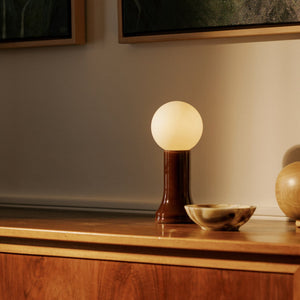
For a warmer light layer outside the main task zone, a recycled glass table lamp can help create atmosphere while keeping the desk lamp focused on practical work. This kind of supporting light is especially useful when the office sits inside a shared living space, where the room needs to feel welcoming after the workday ends.

Softer lighting also helps the desk look more considered. Instead of one isolated bright spot, the room has depth. The desk becomes part of the home rather than an interruption inside it.

Balance Daylight, Desk Light, and Screen Glow

Natural light changes constantly. A desk that feels bright in the morning may become shadowed by late afternoon. A window that looks beautiful beside a workstation may create screen glare at certain hours. A desk lamp should help stabilize those shifts.

If daylight comes strongly from one side, place the lamp on the opposite side or slightly behind the work area to balance shadows. If the desk faces a window, avoid aiming the lamp directly at the screen where glare can multiply. If the desk has a window behind it, use controlled task lighting so the screen does not become the only bright object in front of the user.

A lamp setup that works throughout the day keeps the home office from feeling dependent on perfect natural light.

Match Lamp Scale to the Desk’s Visual Weight

A desk lamp should look proportional to the desk and the surrounding furniture. Scale is one of the clearest differences between a desk that feels collected and one that feels crowded. A lamp that is too large can dominate a compact workstation. A lamp that is too small can disappear on a broad desk surface and fail to provide enough visual structure.

Intentional home office design does not require every item to match. It does require each item to feel like it belongs.

Small Desks Need Lighter Lamp Profiles

Compact desks usually benefit from slimmer lamp profiles, smaller bases, adjustable arms, or edge-mounted lighting. The less surface area a desk has, the more important it becomes to protect open space.

A small desk can quickly feel crowded if the lamp base competes with a laptop, notebook, mouse, mug, and charging cable. In tight workstations, the lamp should support focus without becoming another obstacle. A narrow lamp, wall-adjacent placement, or clamp-style setup can keep the desktop open while still providing useful light.

Negative space matters here. Empty surface around a lamp is not wasted space. It is what lets the lamp feel deliberate.

Larger Desks Can Carry a Stronger Lighting Statement

A larger desk can handle a lamp with more presence. A taller silhouette, wider shade, sculptural form, or more visible material can help anchor the workstation visually. This is especially useful when the desk holds a large monitor, multiple screens, or a broader work surface that would otherwise feel unfinished.

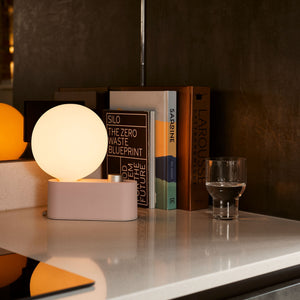
A flexible lighting choice such as an Alumina Lamp for desk or wall lighting fits this strategy because it supports multiple placement approaches without forcing the desk to depend on one fixed lighting arrangement.

The lamp should still serve the task. A stronger visual presence should not come at the expense of glare control, reach, or usable surface space. The best larger-desk setups combine form and function so the lamp looks confident without becoming distracting.

Use Lamp Height to Prevent a Compressed Desktop

Lamp height changes how spacious the desk feels. A very low lamp can make the surface feel compressed, especially when paired with a laptop or monitor. A taller lamp can lift the eye upward and give the workspace more breathing room.

For shallow desks, a lower or more compact lamp may be appropriate because the light source does not need to reach far. For deeper desks, a taller lamp or adjustable arm can spread light more evenly across the surface. The key is to avoid a setup where the lamp shade, laptop screen, and accessories all crowd the same horizontal band.

Height creates hierarchy. It tells the eye what belongs in the foreground, middle ground, and background of the desk.

Plan Power Access Before Styling the Lamp Zone

Cord management is one of the most overlooked parts of a desk lamp setup. A lamp can be beautifully placed, but if the cord runs awkwardly across the work surface, the entire office feels less intentional. Power planning should happen before styling.

This does not require complicated technology or permanent changes. It simply means deciding where the lamp belongs, where power is available, and how the cord will travel with the least visual disruption.

Route Cords Before Adding Desk Accessories

The cleanest sequence is simple:

1. Decide where the lamp best supports the task zone.

2. Identify the nearest practical power source.

3. Route the lamp cord behind or along the desk edge.

4. Secure or guide excess cord where it will not interfere with movement.

5. Add trays, plants, notebooks, or decor only after the power path is resolved.

This order prevents accessories from hiding problems instead of solving them. A plant should not be used to cover a messy cable. A stack of books should not be required to hold a cord in place. The setup should work even before decorative details are added.

Use Integrated Power to Reduce Surface Competition

A desk that supports multiple devices can quickly become crowded with charging blocks, laptop cords, lamp cords, and phone cables. When power is built into the work surface, the lamp has a better chance of feeling like part of the setup rather than another item competing for outlet access.

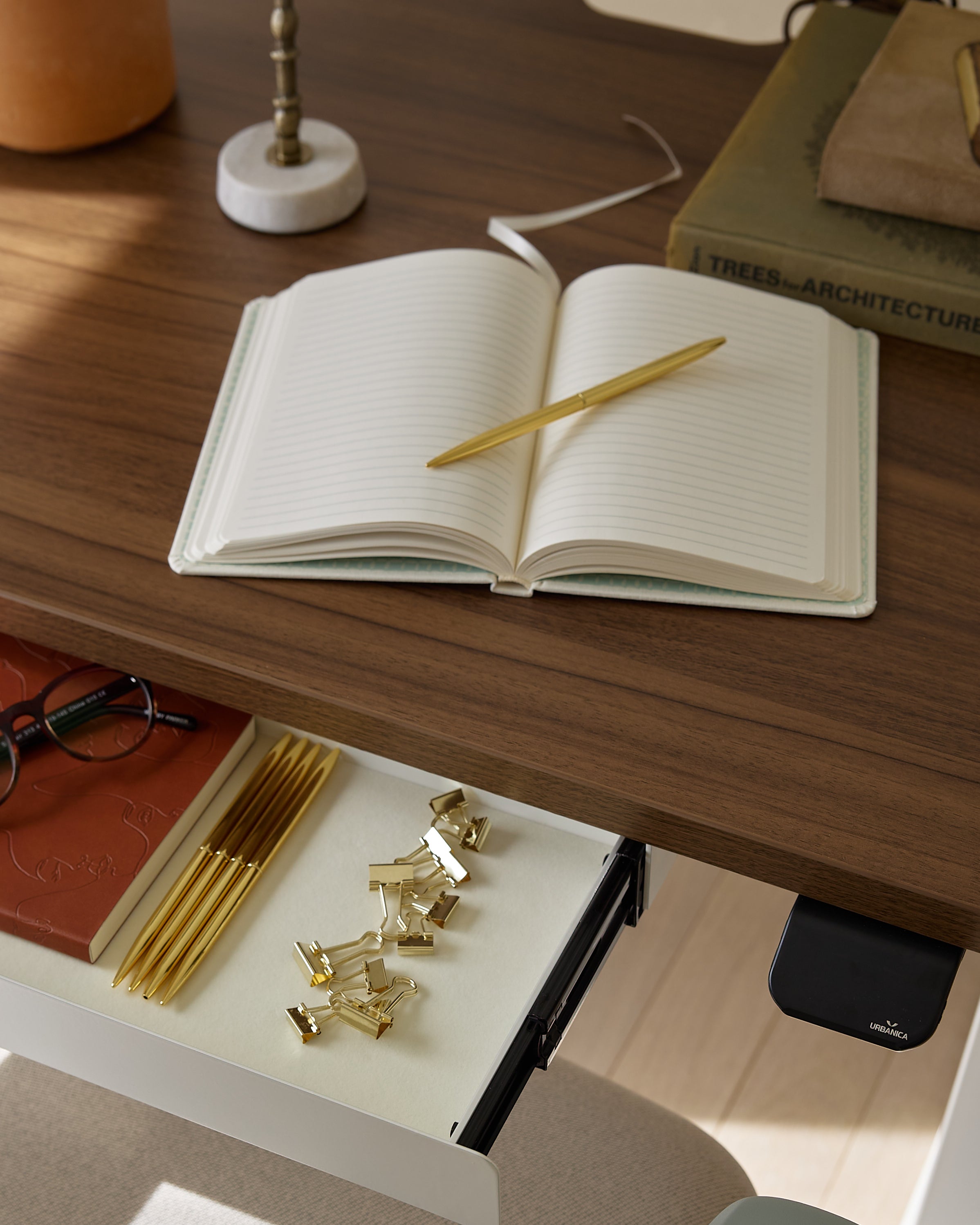
For desks where a more integrated approach is appropriate, a built-in desk power module can help keep charging and connectivity closer to the work area while reducing the need for cords to stretch across the surface.

This type of planning is especially useful for desks that support both lighting and digital work. The lamp, laptop, and daily charging needs can coexist without turning the desktop into a tangle of competing cables.

Choose Clamp-On Power for Flexible Workstations

Not every home office calls for built-in power. Renters, multipurpose rooms, and desks that may move later often benefit from a less permanent solution. In those cases, accessible power can still feel clean and intentional when it is placed with care.

For adaptable workstations, clamp-on power access for desks can keep outlets within reach while supporting a desk lamp setup that remains tidy and flexible.

This approach is useful when the desk location may change, when drilling is not preferred, or when the room serves more than one function. The lamp still gets a reliable power path, but the office does not need to feel fixed in place.

Position the Lamp Around the Screen Instead of Against It

Many home offices are built around a laptop or monitor, which means the desk lamp has to support screen work without creating glare. The lamp should not compete with the screen for attention. It should make the surrounding area easier on the eyes.

A strong screen setup considers height, reflection, contrast, and the location of the brightest bulb or shade.

Raise the Laptop to Clear the Light Path

A low laptop can block light from moving across the desk surface. It can also create a cramped visual line where the screen, lamp, and accessories all sit at the same height. Raising the laptop can improve both ergonomics and lighting clarity.

A laptop stand for a cleaner sightline can help separate the screen from the task-light zone, giving the lamp more room to illuminate the surface around the keyboard, notebook, or mouse area.

This does not mean every desk needs a dramatic lift. Even a modest elevation can make the setup feel more open. When the screen rises, the lamp can sit slightly behind or beside it without feeling blocked.

Place the Lamp Slightly Behind the Screen for Softer Contrast

For screen-heavy work, placing the lamp slightly behind the laptop or monitor can reduce the harsh contrast between a bright display and a dark room. The light should sit off-center, angled toward the desk or nearby wall rather than directly into the user’s eyes.

This setup is especially helpful in the evening. Instead of staring at a glowing screen surrounded by darkness, the user sees a softer field of light around the work zone. The desk feels calmer, and the screen feels less isolated.

Avoid aiming the bulb directly at a glossy display. If reflections appear, shift the lamp farther to the side, lower the brightness, or angle the shade downward.

Use Side Lighting for Paperwork and Rear Lighting for Screens

Side lighting works well for handwriting, reading, and reviewing documents because it sends light across the page. Rear-corner lighting works well for typing, video meetings, and monitor-based tasks because it supports the screen environment without shining directly into the user’s face.

A hybrid desk can use both strategies at different times. The same lamp may sit at the rear corner during screen work, then angle toward the side when paperwork comes out. Adjustable placement makes the office more responsive to real work habits.

Keep the Lamp Base Area Clear and Purposeful

The area around the lamp base often becomes a magnet for clutter. Pens, receipts, cords, sticky notes, keys, and half-finished papers tend to collect near the brightest part of the desk. Over time, that clutter weakens the sense of intention the lamp is supposed to create.

A clear lamp zone gives the desk visual structure. It makes the light feel placed, not trapped.

Treat the Lamp Base as a Visual Landing Zone

The lamp base should have enough room around it to look deliberate. This does not mean the desk has to be empty or overly styled. It means the objects closest to the lamp should support the work or the mood of the workspace.

A small tray, coaster, notebook, or pen cup can work well if it has a clear function. Random piles should be moved elsewhere. When the lamp zone is edited, the light can define the workspace more effectively.

A useful rule is to keep only three categories inside the lamp zone:

  • The lamp itself

  • One active work item, such as a notebook or document

  • One organizing object, such as a tray, pen cup, or coaster

This keeps the setup practical without making it feel sterile.

Move Paperwork Below the Sightline

Paperwork is one of the fastest ways to make a home office feel unfinished. Even neatly stacked documents can crowd the lamp base and reduce the usable lighted surface. When papers need to stay nearby but not on the desktop, storage becomes part of the lighting strategy.

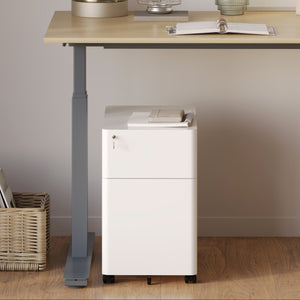
When documents and essentials regularly collect around the lamp, a compact locking filing cabinet can help move them off the work surface while keeping them close to the desk.

The goal is not to hide everything. It is to give each item a better place. The lamp should illuminate active work, not storage overflow.

Adapt Desk Lamp Placement to the Room Layout

A desk lamp setup should respond to the room around it. The same lamp can feel completely different depending on whether the desk faces a wall, window, corner, or open space. Placement becomes more intentional when it solves the specific problems of the layout.

Corner Desk Setup: Angle the Lamp Inward

A corner desk often benefits from a lamp placed at the back corner and angled inward toward the work zone. This uses the corner as a natural anchor and keeps the lamp from occupying the center of the surface.

The wall can also help reflect a softer glow back into the room. This makes a small office feel deeper and less flat. To keep the setup clean, route the cord along the back edge where it is less visible.

Window-Facing Setup: Balance Daylight Without Glare

A window-facing desk can feel energizing, but it also creates lighting challenges. Daylight may be bright in the morning, uneven in the afternoon, or distracting when it reflects off the screen.

A lamp placed slightly to one side can balance shifting daylight without competing with the view. The lamp should support the work surface when natural light fades, but it should not point directly at the glass or screen. If the window is very bright, use the lamp to soften shadows rather than overpower the daylight.

Wall-Facing Setup: Soften the Surface in Front of You

A wall-facing desk can support deep focus, but it may feel boxed in if the lighting is too harsh or too flat. A lamp placed at the rear side of the desk can wash light gently across the wall while still illuminating the work area.

This setup makes the wall feel less like a barrier. It also gives the eye a softer background during long work sessions. A warmer light temperature can make a wall-facing office feel calmer, especially in bedrooms or compact rooms.

Floating Desk Setup: Use the Lamp as a Boundary

A floating desk in a living room, bedroom, or open-plan space needs a clear visual boundary. A lamp can create that boundary without adding partitions. When the lamp turns on, the work zone becomes defined. When it turns off, the desk can recede into the rest of the room.

For floating desks, choose a lamp height and shade direction that feel polished from multiple angles. The back of the desk may be visible, so cord routing and surface editing matter even more. A clean lamp setup helps the workstation feel like part of the room’s design rather than a temporary work corner.

Shared Home Office Setup: Give Each Person a Controllable Light Zone

Shared home offices need lighting that respects different work habits. One person may need bright task light for paperwork while another prefers softer light for screen work. Separate desk lamps or independently adjustable light zones help prevent conflict.

The lamps do not have to match perfectly. They can feel cohesive through shared scale, finish, color temperature, or placement. Matching is less important than balance. Each workstation should feel intentional on its own while still belonging to the same room.

Compare Desk Lamp Setup Strategies Before Rearranging the Room

Different work habits call for different lighting choices. Before changing the entire office layout, it helps to compare the most common desk lamp setup strategies.

Desk Lamp Setup Strategy Best Use Case Lamp Position Main Advantage Mistake to Avoid
Opposite-hand task lighting Writing, reading, paperwork Left side for right-handed users, right side for left-handed users Reduces hand shadows Placing the lamp on the writing-hand side
Rear-corner lighting Laptop and monitor work Behind the screen, slightly off-center Softens screen contrast Aiming the bulb into the display
Edge-mounted lighting Small desks and narrow worktops Back or side edge Preserves surface space Placing it where it blocks movement
Accent table lighting Evening work and visual warmth Nearby table, shelf, or credenza Adds depth to the room Using it as the only task light
Dual-zone lighting Mixed creative and admin work One task lamp plus one softer light source Supports multiple work modes Making the whole room too bright


This comparison shows why there is no single perfect lamp position. The best setup depends on the room, the desk, and the work pattern. A thoughtful home office usually combines one practical task-light decision with one supporting design decision.

Fine-Tune Brightness, Color Temperature, and Direction

Even a well-placed lamp can feel wrong if the light quality is uncomfortable. Brightness, color temperature, and direction determine whether the desk feels focused, warm, harsh, or tiring.

These details do not need to be overly technical. They simply need to support the way the office is used.

Choose Warmer Light for Calm and Neutral Light for Clarity

Warmer light can make a home office feel more relaxed and inviting. It works well for evening admin, reading, journaling, and offices that share space with bedrooms or living rooms.

Neutral light can support clearer visibility for focused work, paperwork, and tasks that require detail. It often feels more balanced during the day, especially when paired with natural light.

Very cool light can feel clinical in a home setting if it is too strong or used as the only source. It may be useful in specific task situations, but it should be handled carefully. A home office should support productivity without losing comfort.

Use Adjustable Brightness for Different Work Modes

A desk does not serve one mood all day. Morning work may call for brighter, clearer light. Late afternoon tasks may need balanced support as daylight fades. Evening work may feel better with a lower, warmer glow.

A dimmable lamp, adjustable bulb, or layered light setup helps the office adapt. This flexibility prevents the workspace from feeling too intense at night or too dim during focused work. The lamp becomes part of the daily rhythm instead of a fixed condition the user has to work around.

Aim the Light Across the Desk, Not Into the Eyes

Good lamp direction hides the harshest point of light while allowing the work surface to glow. The bulb should not sit directly in the user’s line of sight. The shade should guide light toward the desk, page, keyboard, or nearby wall.

If the lamp feels uncomfortable, the issue may not be brightness alone. It may be angle. A small shift in direction can reduce glare, soften shadows, and make the desk feel immediately more comfortable.

Connect the Lamp Setup to the Rest of the Room

A desk lamp setup feels most intentional when it relates to the surrounding space. The lamp does not have to match every object, but it should share some visual logic with the room.

That connection can come through material, finish, color temperature, height, shape, or placement.

Repeat One Material, Finish, or Tone

Repetition creates cohesion. A black lamp may connect with a black chair frame or monitor arm. A metal lamp may relate to a laptop stand or cabinet hardware. A warm light temperature may echo wood tones, textiles, or wall color. A glass lamp may soften a room with lighter finishes.

The repetition should be subtle. Too much matching can feel forced. One or two shared details are usually enough to make the setup feel considered.

Leave Enough Contrast for the Lamp to Have Presence

A lamp should belong to the room, but it should not disappear completely. Contrast gives it presence. That contrast might come from a slightly different shape, a taller silhouette, a textured shade, or a distinct glow.

In an intentional home office, the lamp often acts as a quiet focal point. It signals that the desk has a purpose. It also gives the eye a place to land, especially when the rest of the surface is clean and edited.

Style Around Function, Then Edit Back

The most reliable styling sequence is function first. Place the lamp where it supports the task. Set the laptop or monitor at a comfortable height. Confirm that the keyboard, notebook, and mouse have enough space. Resolve the cord path. Then add only the objects that support use or atmosphere.

Editing back is what makes the setup feel mature. A home office does not need to look empty. It needs to look intentional. Each object should earn its place by making the workspace easier to use, calmer to look at, or more connected to the rest of the room.

A More Intentional Home Office Starts With One Better Pool of Light

A desk lamp is one of the smallest pieces in a home office, but it has an outsized effect on how the room feels. It can make the desk look purposeful, reduce visual clutter, support better work habits, and help the space shift from daytime productivity to evening calm.

The most effective desk lamp setup ideas begin with real use. Where does the hand move? Where does the screen sit? Where do papers collect? Where does the cord travel? How does daylight enter the room? Once those answers are clear, the lamp can be placed with confidence.

A more intentional office is not created by brightness alone. It comes from a thoughtful relationship between light, surface, storage, power, screen position, furniture scale, and atmosphere. When the lamp turns on and the desk immediately feels ready, the workspace has done more than look good. It has become easier to enter, easier to use, and easier to return to each day.

Previous article Why Office Desks in New York Are Becoming More Intentional Than Traditional Workstations
Next article How to Choose a Desk Lamp for Workstations with Laptops and Monitors

Leave a comment

* Required fields

Get 10% off your first order

Find the office furniture that’s designed to match your style, comfort, and needs perfectly. Subscribe

My Office

You have unlocked free shipping!

You're saving $29 and unlocked free shipping!


Your cart is empty.
Start Shopping

Contact Us