























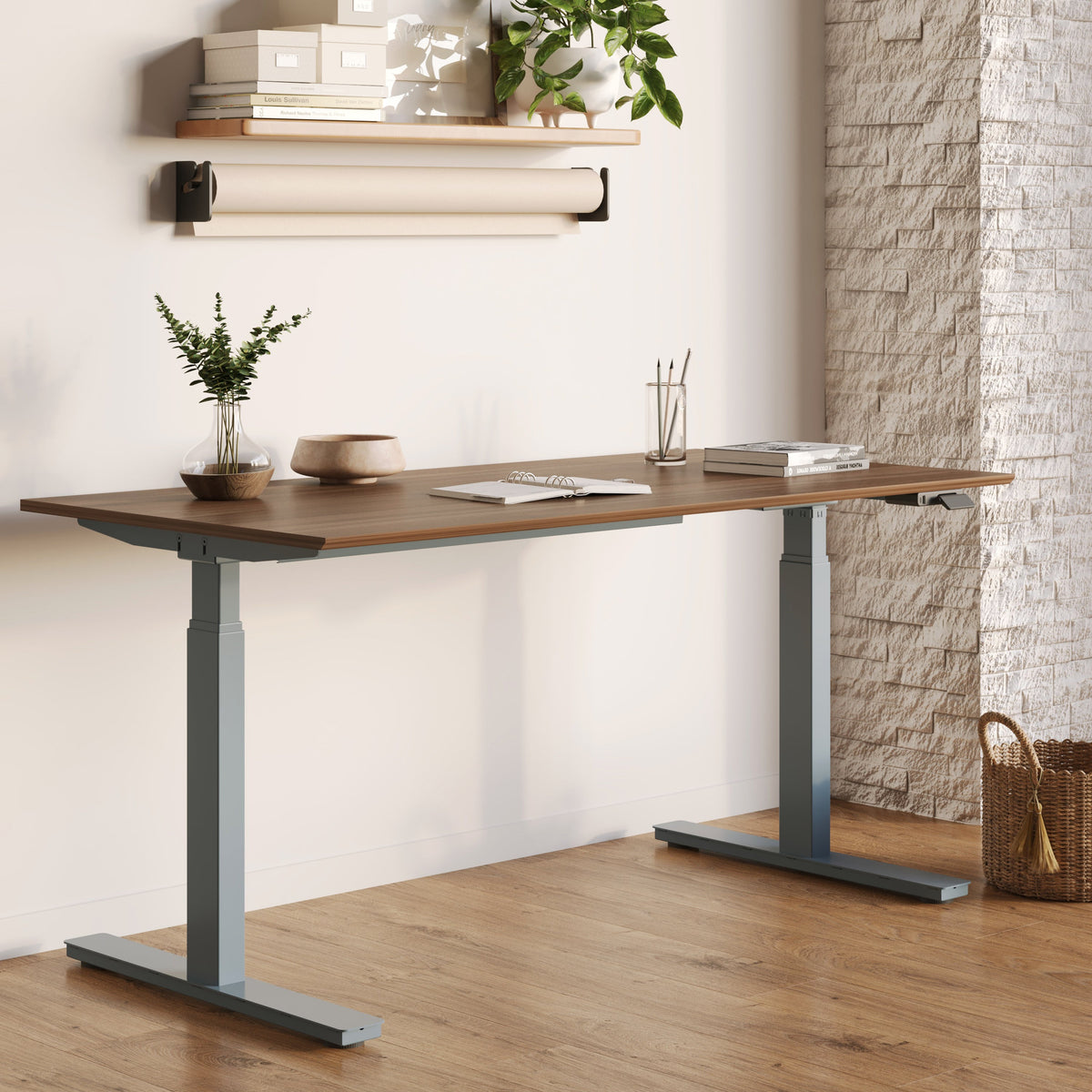
Best Desk Layouts for Two Monitors and Laptop

Designing a workspace that supports two monitors and a laptop is less about adding more screens and more about creating balance. The way a desk is laid out directly influences posture, focus, and how naturally tasks flow throughout the day. From home offices to collaborative environments, a thoughtful desk layout allows multiple displays to work together instead of competing for attention.
At Urbanica, desk design is approached from the perspective of real work habits, not idealized setups. A well-planned layout supports the way people actually move, think, and transition between tasks. The sections below explore how desk layout choices shape productivity when two monitors and a laptop are part of the daily workflow.
Why Desk Layout Matters More Than Screen Count in Multi-Screen Workspaces
Adding extra screens can improve efficiency, but without the right desk layout, those gains are often lost. Desk design determines whether multiple displays feel intuitive or overwhelming.
How Poor Desk Design Disrupts Multi-Screen Productivity
When two monitors and a laptop are placed without planning, users often compensate with constant head movement, uneven seating posture, and awkward keyboard placement. Over time, this leads to fatigue rather than improved output. A desk that is too shallow forces screens too close, while a desk that lacks stability can make monitor arms feel unreliable during daily use.
Desk Surface, Depth, and Stability as Foundational Elements
The desk acts as the structural base for the entire setup. Depth influences viewing distance, width determines how comfortably screens are spaced, and stability affects how confidently monitors can be mounted or repositioned. Reviewing different office desk collections designed for workspaces helps clarify how surface dimensions and construction styles support multi-screen layouts without crowding the user.
Ergonomic Principles That Shape Two-Monitor and Laptop Desk Layouts
Ergonomics is not about rigid rules. It is about aligning the desk layout with natural body movement and visual comfort, especially when multiple screens are involved.
Screen Hierarchy and Visual Priority Planning
A clear visual hierarchy keeps attention where it is needed most and reduces unnecessary motion between displays.
Primary Monitor Positioning for Sustained Focus
The primary monitor should sit directly in front of the user, aligned with the keyboard and mouse. This positioning minimizes head rotation and keeps the most frequently used screen within the natural field of vision during focused work.
Secondary Monitor Placement Without Neck Strain
The secondary monitor works best when angled slightly inward rather than placed far to the side. Excessive rotation to view a secondary screen can introduce strain during long work sessions and disrupt posture.
Laptop Screen as a Display or Input Device
In many layouts, the laptop functions best as a tertiary display rather than the main screen. Elevating the laptop to eye level allows it to support reference tasks without forcing the keyboard into an uncomfortable position.
Desk Height and Comfort in Fixed-Height Configurations
Fixed-height desks remain common in both home and professional settings. A standard fixed-height office desk provides a consistent surface, but careful screen placement becomes especially important since vertical adjustment is limited.
Proven Desk Layout Configurations for Two Monitors and a Laptop
There is no universal layout that fits every workflow. The most effective configurations reflect how information moves across screens throughout the day.
Balanced Dual-Monitor Layout With Laptop Docked Below
This configuration places two monitors side by side at eye level, with the laptop docked below or positioned slightly off to the side. It suits roles that rely on constant comparison between windows, such as analysis, planning, or operational work.
Center Monitor With Laptop and Vertical Secondary Screen
A central monitor paired with a vertically oriented secondary screen allows documents, messaging apps, or code to remain visible without dominating the workspace. The laptop supports background tasks without interrupting the main workflow.
Angled Monitor Layouts for Limited Desk Depth
When desk depth is restricted, angling both monitors inward helps preserve viewing distance while keeping the laptop accessible. This approach prioritizes spatial efficiency without sacrificing readability.
Sit-Stand Desk Layouts That Support Multiple Screens
Height-adjustable desks introduce flexibility, but they also require more intentional planning when multiple displays are involved.
How Height Adjustment Affects Multi-Screen Ergonomics
Switching between sitting and standing changes eye level and viewing angles. Monitor arms and laptop stands must accommodate this range without drifting out of alignment over time.
Full-Size Sit-Stand Desks for Dual Monitor Setups
A motorized height-adjustable standing desk offers the surface area and stability needed to support two monitors and a laptop simultaneously. These desks allow users to adjust height while maintaining consistent screen positioning.
Compact Sit-Stand Solutions for Smaller Spaces
Balancing Surface Area and Mobility
Compact workspaces often require trade-offs. A compact standing desk designed for smaller workspaces can support dual monitors when paired with thoughtful accessory placement, though screen size and spacing may need adjustment.
Shared and Team-Based Desk Layouts With Multiple Screens
In collaborative environments, desk layouts must consider not only individual comfort but also shared space dynamics.
Two-User Desk Layouts With Dual Monitors Per Person
A shared standing desk designed for two users allows side-by-side work while maintaining personal screen zones. Proper spacing helps prevent visual overlap and reduces distraction.
Multi-User Workstations for High-Density Offices
When Four-Person Desk Systems Make Sense
A four-person workstation desk configuration supports consistency across teams by standardizing layout and cable routing. These systems are especially effective when screen placement and desk dimensions are planned together.
Desk Dimensions and Surface Planning for Multi-Screen Workflows
The physical proportions of a desk often determine whether a multi-screen setup feels natural or cramped.
Minimum Desk Width and Depth for Two Monitors and a Laptop
Desk width affects how comfortably monitors can be spaced, while depth determines viewing distance. Larger monitors typically require additional depth to avoid eye strain, especially when a laptop is also present.
Surface Materials and Edge Profiles That Affect Comfort
The desk surface comes into constant contact with wrists, forearms, and accessories. Softer edge profiles reduce pressure during long typing sessions, and durable finishes help maintain a clean appearance despite frequent equipment movement.
Cable Management and Accessory Planning for Cleaner Desk Layouts
Multiple screens introduce multiple cables. Without planning, clutter can quickly undermine even the best layout.
Docking Stations and Centralized Power Flow
Centralizing connections through a docking station reduces cable sprawl and simplifies transitions between devices. Placement near the rear of the desk helps keep primary work areas clear.
Monitor Arms, Laptop Stands, and Practical Add-Ons
Monitor arms free up surface space and allow fine-tuned positioning. Laptop stands elevate the screen to eye level when paired with an external keyboard and mouse to maintain proper posture.
Adapting Desk Layouts to Home Offices and Professional Workspaces
The context in which a desk is used influences layout decisions as much as screen count.
Home Office Considerations for Dual Monitor Setups
In home environments, lighting conditions, room size, and shared use all affect layout choices. Desks often need to balance performance with visual simplicity.
Professional Workspace Planning and In-Person Evaluation
Seeing desk proportions and layouts in person can clarify how multiple screens will function in daily use. A regional office furniture showroom experience allows teams to assess scale, comfort, and flexibility before committing to a configuration.
Designing Desk Layouts That Evolve With Work Habits
Workflows change over time, and desk layouts should adapt accordingly. Choosing desks with sufficient surface area, stable construction, and compatibility with common accessories allows two monitors and a laptop to remain effective as tasks evolve. A layout built around realistic daily use creates a workspace that supports productivity without unnecessary complexity.
Related Articles
-
 Desk Setup With Laptop and 2 Monitors Needs Better Height
-
 Desk Width Requirements for Dual Monitor Setups That Still Fit Small Rooms
-
 How Deep Should a Desk Be for 2 Monitors to Prevent Neck and Eye Strain
-
 Flexible Living: Why Modular Furniture Is Changing Modern Homes
-
 Where the Right Desk Design Makes Work Flow
-
 Computer desk for dual monitors that supports monitor arms without wobble


