


























How Team Desks and Panels Create Better Daily Work Zones
Team desks and workstation panels do more than organize seating. Together, they define personal work areas, manage sightlines, support smoother cir...
Learn more

Visit quiz page to see how we makes it easy to create an inspiring workplace


A desk lamp can change the way a workspace feels, but its real value shows up when the light helps the work happen with less strain. The right lamp placement can make a notebook easier to read, keep a keyboard visible without washing out the screen, soften the mood of an evening desk setup, and create a clearer surface for focused tasks. Good task lighting is not about flooding the desk with brightness. It is about putting light where the eyes and hands need it most.
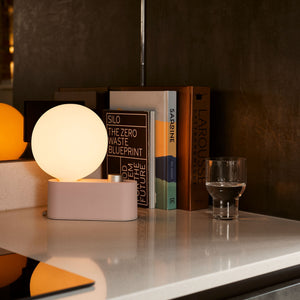
The multi-use Alumina LED lamp offers a clean starting point for building a more intentional desk lighting setup because it supports the kind of focused illumination modern workspaces need. Whether the desk is used for laptop work, sketching, reading, planning, or calls, the most effective setup comes from matching the lamp’s position to the task rather than treating it as a fixed decorative object.
A better-lit desk feels calmer because every part of the workspace has a purpose. The screen stays readable. The page is clear. The lamp does not shine into the eyes. Shadows from hands, shelves, plants, and monitor arms are reduced before they become distracting. With a few thoughtful placement choices, an Alumina lamp can become the visual anchor of a desk that supports real work throughout the day.
A common desk lighting mistake is assuming that a brighter lamp automatically creates a better workspace. Brightness matters, but direction matters more. A task lamp should guide light toward the active work surface, such as the page, keyboard, planner, or object being reviewed. When the light is aimed poorly, it can create screen glare, sharp shadows, or a bright spot that makes the surrounding area feel darker.
Task lighting is different from general room lighting because it serves a specific activity. Overhead lighting can make a room look bright while still leaving the desk surface unevenly lit. A ceiling fixture may cast shadows from the user’s head or shoulders. A window may fill the room with daylight while leaving a notebook in shadow. A decorative lamp nearby may add atmosphere without supporting close work.
An Alumina lamp works best when it creates a defined pool of useful light. That pool should cover the surface where the task is taking place, not the entire room. For writing, the light should cross the page. For typing, it should support the keyboard and nearby notes without reflecting on the monitor. For reading, it should provide even visibility without creating a harsh beam pointed toward the face.
The most practical starting point is the user’s dominant hand. For right-handed writing, the lamp usually works better on the left side of the desk, slightly forward from the writing area. For left-handed writing, the lamp usually works better on the right side. This helps keep the writing hand from blocking the beam and casting a shadow across the page.
The lamp should not sit directly behind the hand or too far back behind the laptop. A slightly forward side position allows the light to travel across the work zone at an angle. This angle is useful because it illuminates the surface without creating a hard shadow from the wrist, pen, keyboard, or desk accessories.
Useful task lighting should make the surface easier to see without calling attention to itself. If the lamp feels visually loud, the beam may be too direct, too close, or aimed at a reflective area. If the desk still feels dim, the beam may be stopping short of the actual task zone. Small adjustments in distance and angle often matter more than dramatic changes in brightness.
A lamp does not work in isolation. The desk surface, screen position, room lighting, wall color, and daylight all influence how task lighting feels. A setup that looks balanced on one desk may feel glaring on another. Better Alumina lamp ideas begin with understanding how these parts interact.
A pale desktop can make a lamp feel brighter because it reflects more light back into the workspace. A darker surface may absorb more light, making the same lamp position feel softer or more focused. Glossy surfaces can create sharper reflections, while matte finishes usually diffuse light more gently.
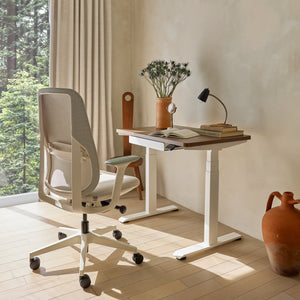
This is why the desk itself should be considered part of the lighting system. A compact workstation, a deep executive desk, and a sit-stand desk all need different lamp positions. The same is true for wood tones, white surfaces, and darker finishes. When pairing lighting with adjustable ergonomic office desks, the lamp should be tested at the actual height, angle, and working distance used throughout the day.
Screens make desk lighting more complex because they reflect light back toward the user. A lamp placed directly beside a monitor may shine into the display. A lamp positioned behind the laptop may create a bright reflection near the top of the screen. A lamp placed too close to the keyboard may create a hot spot on the desk that competes with screen brightness.
The simplest solution is to offset the lamp from the screen plane. Instead of aiming the light toward the display, angle it downward and slightly away from the monitor. The goal is to illuminate the desk surface around the screen without creating a visible reflection. A laptop-only setup may need the lamp near the front side of the desk. A dual-monitor setup may need the lamp farther to one side, aimed toward notes or documents rather than the screens.
Sit in the normal working position and look for three things: a visible reflection of the lamp on the screen, a bright spot on the desk surface, and a direct view of the light source. If any of these are distracting, adjust the lamp angle before changing screen brightness. This keeps the lighting correction physical and practical instead of relying only on display settings.
The same desk can support many tasks in a single day. A person might answer emails in the morning, review printed documents after lunch, sketch ideas in the afternoon, and read at night. Better task lighting comes from allowing the lamp position to shift with those activities.
Writing by hand requires light across the page, not directly from behind the wrist. A notebook, planner, or printed contract should receive even illumination from the side. If the lamp sits too far behind the writing hand, shadows move across the page with every sentence. If it sits too close to the page, the center may be too bright while the edges remain dim.
A good writing setup places the lamp slightly forward and opposite the writing hand. The beam should cross the page diagonally. This keeps the hand shadow away from the active line of writing and makes the full page easier to scan.
Reading at a desk does not require a harsh spotlight. Printed pages are more comfortable when the light spreads evenly across the reading area and the surrounding room is not completely dark. If the lamp is the only bright object in the room, the eyes constantly adjust between the illuminated page and the darker background.
A softer reading setup places the lamp near the page edge, angled across the material rather than straight down. This creates a more natural reading surface. For longer reading sessions, a nearby ambient light can reduce contrast so the desk does not feel visually isolated.
Typing creates a different challenge because the screen is already a light source. The lamp should help with the keyboard, handwritten notes, and objects on the desk without competing with the display. A lamp aimed directly at the monitor can make the eyes work harder. A lamp aimed only at the keyboard may leave notes or documents in shadow.
The most balanced keyboard setup usually places the lamp to the side of the screen and slightly forward. The beam should fall onto the desk surface near the hands, not onto the display. This makes it easier to move between typing, reading notes, and reviewing small items on the desk.
Small desks need especially careful lighting because every object competes for surface space. A lamp that is poorly placed can crowd the keyboard, block a notebook, interfere with a mouse, or make the desk feel cluttered. The goal is not to add more objects. The goal is to create clearer zones.
A compact desk works better when the surface is divided into practical zones:
Light zone for the lamp base or wall-mounted light position
Work zone for the laptop, keyboard, notebook, or reading material
Support zone for a charger, cup, phone, small tray, or writing tools
Clear movement zone for the hands, mouse, and daily task flow
This structure keeps the lamp from drifting into the center of the desk. It also prevents accessories from blocking the beam. When a desk is small, even a few inches of placement can change whether the light feels helpful or intrusive.
A lamp that can support table or wall placement gives smaller desks more flexibility. When surface space is limited, the lamp can sit near the back corner, along the side edge, or in a position that keeps the central work zone open. The lamp should still be close enough to illuminate the active area, but it does not need to occupy the most valuable part of the desktop.
This approach is especially useful for apartment desks, bedroom work corners, and narrow writing surfaces. Keeping the lamp out of the main hand-movement path helps the desk feel more organized without reducing lighting quality.
Some work areas are not full desks. A table may serve as a laptop spot in the morning, a coffee surface in the afternoon, and a reading area at night. In these spaces, lighting needs to be flexible enough to support changing use. A modern compact bistro table can fit this kind of multipurpose context when the surrounding lighting is planned with the same care as a traditional workstation.
For a small round or compact surface, the lamp should not dominate the table. Place it near the perimeter or use nearby ambient lighting to support the task zone. The center should remain open for the activity taking place, whether that is laptop work, a notebook, or a casual review of printed material.
A lamp position that works while seated may not feel right when the desk is raised. Standing changes the user’s eye level, arm position, screen angle, and shadow pattern. A good Alumina desk setup should be tested in both modes rather than arranged only from a seated position.
When a desk rises, the lamp rises with it if the lamp sits on the desktop. That can be useful because the light stays connected to the work surface. However, the relationship between the user’s eyes and the lamp also changes. A beam that was comfortably below the line of sight while seated may become more visible while standing. A screen reflection that was not obvious before may appear after the monitor angle changes.
The best standing desk setup keeps the lamp outside the main reach zone. It should not interfere with elbows, writing movement, or keyboard use. It should also remain stable as the desk moves. Placement near a rear corner or side edge often works better than a central position.
Lighting comfort includes the practical details. A lamp cord should not cross the writing area, pull against the desk edge, or interfere with sit-stand movement. The base should not block the mouse path or sit where the forearm naturally rests. A task lamp is most useful when it feels integrated into the desk rather than added as an obstacle.
For sit-stand routines, check the lamp at the lowest and highest working positions used during the day. The light should still reach the task surface, and the cord should still move safely and cleanly with the desk.
A desk lamp can make the work surface clear, but it should rarely be the only light in a dark room. A bright task area surrounded by darkness creates strong contrast. The desk may look dramatic, but the eyes have to keep adjusting between the lit surface and the darker room.
A nearby ambient lamp can make evening work feel calmer. It does not need to light the task directly. Its role is to soften the room around the desk so the Alumina lamp can focus on the work surface without becoming the only visual point of brightness.
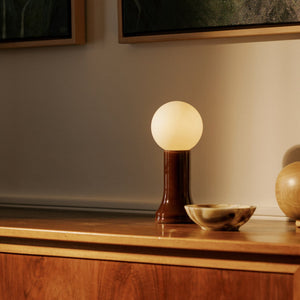
A mouth-blown recycled glass table lamp fits naturally into this layered lighting approach because it supports the softer, room-level side of the setup while the desk lamp remains focused on task visibility. This pairing separates two lighting jobs: one lamp helps the work surface, while another helps the room feel balanced.
At night, the goal is not to make the desk dim. The goal is to make the contrast between the desk and the room more comfortable. A clear page, visible keyboard, and readable screen still matter. The difference is that the surrounding space should not fall into complete darkness.
Place ambient light behind, beside, or across from the desk. A shelf, side table, or nearby surface can hold a soft lamp that prevents the desk from feeling like a spotlight. This supports longer reading, writing, and planning sessions without making the workspace feel harsh.
Modern desks often support more than typing. They become places for video calls, sketching, reviewing samples, comparing materials, marking documents, and organizing ideas. These tasks need different kinds of light control.
A desk lamp pointed upward from below the face can create unflattering shadows. A lamp aimed directly at the face can feel harsh and may reflect on glasses or screens. Better video call lighting usually comes from indirect support.
Place the lamp slightly forward and to one side, then angle it so the light softens the face without shining into the camera. When possible, balance it with window light or soft room light. The goal is natural visibility, not theatrical brightness.
Sketching, drawing, reviewing swatches, and marking documents benefit from consistent light direction. A clear side angle can reveal texture and detail, while a beam placed too close may create glare or flatten the work surface. Creative tasks often need enough contrast to see lines, edges, and material differences, but not so much that the surface becomes visually uneven.
For detail work, place the lamp where the beam crosses the material from the side. Move shiny samples, glossy paper, or reflective tools until glare disappears. This small adjustment can make the difference between a workspace that looks bright and one that actually supports precision.
Task lighting principles also apply to collaborative surfaces. When two or more people review a document, laptop, sketch, or sample, the lamp should support the shared work area rather than favor one seat.
A small meeting area often depends on overhead light, but overhead light alone can create shadows from heads, hands, and devices. Around a small round meeting table, the clearest lighting setup keeps the shared surface visible from multiple positions. A lamp should not shine directly into one person’s eyes or cast another person’s shadow across the center.
The best placement depends on the direction of seating and the task. For document review, light should cross the paper from the side. For laptop sharing, the beam should avoid the screen and support the surrounding notes or printed materials.
Chair height, posture, and distance from the table all affect lighting comfort. A person leaning forward may block the light. A chair that places someone too low may make the lamp feel brighter in the eyes. Supportive seating helps people stay in a more consistent position relative to the work surface.
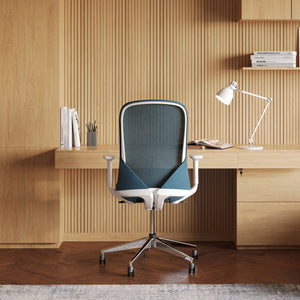
When planning shared workspaces, conference chairs for meeting rooms and offices should be considered part of the same functional environment as the table and lighting. The chair does not create the light, but it shapes how people sit under it, see the surface, and interact with shared materials.
A bright room is not always a well-lit desk. Daylight can be uneven, seasonal, or too strong from one side. A desk near a window may feel beautiful in the morning and difficult by afternoon. Task lighting helps stabilize the work surface when natural light changes.
A window-facing desk often creates contrast between the bright background and the screen. A wall-facing desk may feel focused but visually flat if the surrounding area is too dark. A desk placed perpendicular to a window can work well, but the lamp still needs to be positioned so it balances daylight rather than fighting it.
During the day, the lamp may need to support shadowed areas rather than create the main light source. Place it on the side opposite the strongest daylight when the work surface feels uneven. If daylight creates screen glare, adjust the monitor and blinds before increasing lamp brightness.
A productive desk setup comes from the relationship between furniture, light, movement, and the tasks performed there. Good lighting cannot fully compensate for a desk facing the wrong glare source or a chair positioned outside the useful light zone. Thoughtful workspace furniture planning support helps connect the larger layout decisions with daily comfort at the desk.
This matters in compact offices, home workstations, studio corners, and shared spaces. The lamp should support the way the room is actually used. When the desk, chair, window, and task light work together, the workspace feels clearer without needing unrealistic changes or complicated technology.
| Desk Task | Best Lamp Position | Lighting Goal | Mistake to Avoid |
|---|---|---|---|
| Writing notes | Opposite dominant hand and slightly forward | Reduce hand shadows across the page | Placing the lamp behind the writing hand |
| Laptop work | Offset from the screen and angled down | Light the desk without reflecting on the display | Pointing the beam toward the screen |
| Reading printed pages | Near the page edge and angled across | Create even page visibility | Depending only on overhead light |
| Video calls | Slightly forward with indirect support | Soften face shadows | Lighting from below the chin |
| Sketching or detail work | Side placement with controlled contrast | Reveal texture, line, and shape | Creating a bright hotspot on the material |
| Evening focus | Task lamp supported by soft room light | Reduce contrast between desk and room | Working under one isolated bright lamp |
Even a well-designed lamp can underperform when the setup ignores how people actually use the desk. The most common issues are simple and correctable.
When the lamp is aimed toward the screen, the eyes have to manage two bright sources at once. The screen becomes harder to read, and the desk may feel visually busy. Aim the lamp at the surface beside or below the display instead.
A lamp can look balanced on the desk while failing to illuminate the actual task. Test the light on the notebook, keyboard, printed page, or object being used. The beam should support the task, not simply decorate the corner.
Plants, shelves, monitor arms, speakers, and stacked books can interrupt the beam. If shadows appear in the center of the desk, move the obstruction or shift the lamp angle. The clearest setup keeps the path between the lamp and the work surface open.
Typing, reading, writing, video calls, and sketching do not all need the same light direction. A better desk routine treats the lamp as adjustable within the workflow. Small changes throughout the day help the light stay aligned with the task instead of forcing every task into one fixed setup.
Place the lamp opposite the dominant writing hand when working with paper.
Angle the beam toward the desk surface rather than the screen.
Check glare from the normal seated position.
Recheck glare after changing desk height or monitor angle.
Keep the lamp base outside the main hand and mouse movement zone.
Use soft ambient light during evening work.
Make sure desk accessories do not block the beam.
Test the setup with the actual work performed at the desk.
Adjust the lamp when moving from typing to reading, drawing, or video calls.
Balance daylight and task light instead of letting either one overpower the workspace.
The best Alumina lamp ideas come from looking closely at how the desk is used. A lamp placed for decoration alone may make the workspace look complete, but a lamp placed for the task makes the workspace feel easier to use. Direction, angle, surface reflection, screen position, daylight, and ambient lighting all shape the result.
A strong desk lighting setup does not need to feel complicated. Place the lamp where the work happens. Keep the beam away from the screen. Reduce shadows from the dominant hand. Add softer room light after dark. Reposition the lamp when the task changes. These practical choices help the desk support reading, writing, typing, planning, calls, and creative review with more comfort and clarity.
A modern workspace asks one surface to do many things. The lighting should be just as flexible. When an Alumina lamp is positioned with intention, the desk becomes more than a place to sit. It becomes a focused, adaptable work zone where the light supports the work instead of getting in the way.


You have unlocked free shipping!
You're saving $29 and unlocked free shipping!
Leave a comment