























What Size Monitor Stand Works Best for 24, 27, and 32 Inch Displays?

Choosing the right monitor stand size starts with a simple truth: a 24, 27, or 32 inch label does not tell you how much support the display actually needs. Screen size describes the diagonal of the panel, not the width of the base, the depth of the stand, the lift required for better posture, or the amount of usable workspace left around it.
That distinction matters more than most people expect. A monitor stand that looks right on paper can still feel awkward in daily use if it pushes the screen too close, blocks writing space, or raises the display without improving eye level. The best setup is the one that keeps the monitor stable, the viewing height comfortable, and the desk practical for real work.
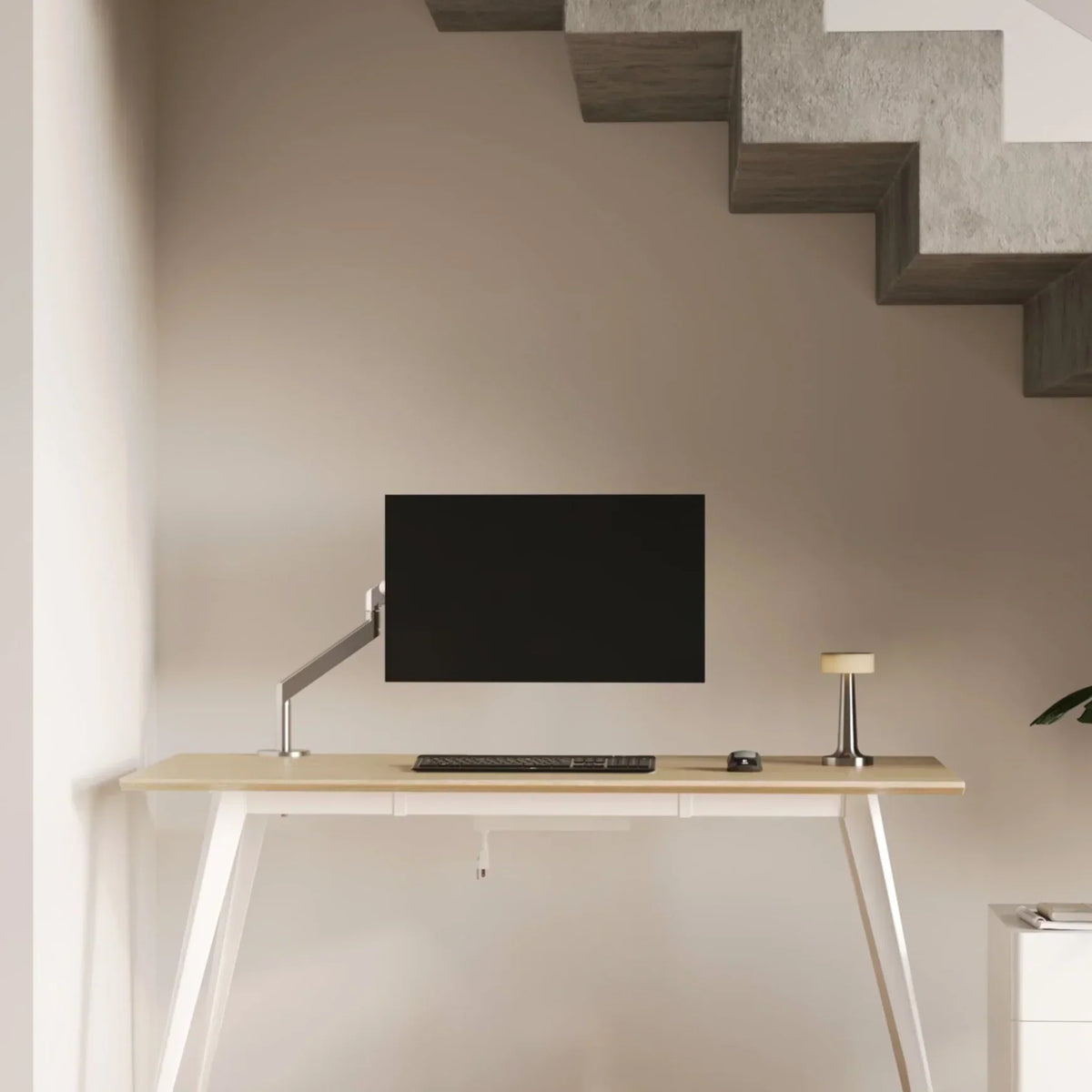
For some workstations, a simple riser is enough. For others, especially where flexibility matters, an adjustable monitor support arm can be the more effective way to control height and free up surface space.
Monitor stand sizing starts with the base, not the screen label
Why screen size alone is not enough
A 24 inch monitor can have a surprisingly wide footprint if the factory stand uses long angled feet. A 27 inch display may look moderate but still require a deeper support surface than expected. A 32 inch monitor can appear manageable in width while creating a much larger visual and physical presence on the desk.
That is why stand sizing should begin with the monitor base, not the advertised diagonal. The key measurements are:
-
Base width
-
Base depth
-
Current screen height relative to eye level
-
Overall desk depth
-
Stability needs based on monitor weight and shape
A stand is not just there to hold the monitor up. It should fit the real geometry of the display and support the way the workstation is used every day.
The difference between fit and comfort
A monitor can technically fit on a stand and still create a poor setup. If the stand is too narrow, the monitor may feel unstable or visually cramped. If it is too deep, it can pull the screen too close on a shallow desk. If it adds more height than needed, it can force the user to tilt the chin upward or shift posture unnaturally.
The goal is not to find the biggest stand that works. The goal is to find the stand size that improves alignment, preserves desk function, and suits the monitor's true footprint.
The ergonomic rule that changes what “best size” really means
Height matters, but only in context
A monitor stand is often bought to solve one problem: the screen feels too low. That is a valid reason, but lift alone is not the full answer. The top portion of the screen should generally sit around eye level or slightly below it when the user is seated comfortably. If the screen rises too high, the neck and shoulders can become just as strained as they would with a low monitor.
That is why the right stand height depends on chair height, desk height, and screen size together. A 24 inch monitor might need only a modest lift. A 27 inch display often benefits from more precise alignment. A 32 inch screen may need careful placement so the full panel stays easy to view without excessive eye or neck movement.
Desk depth changes the whole decision
Desk depth often determines whether a monitor stand feels helpful or intrusive. On a shallow desk, even a well-made riser can reduce the remaining space for a keyboard, notebook, or wrist support area. On a deeper desk, a broader platform may work well without crowding the user.
This is where proportion matters. A stand should complement the desktop instead of competing with it. Workstations built around properly scaled ergonomic office desks tend to make monitor placement easier because the surface depth supports both screen distance and daily workflow.
What works best for 24 inch displays
Why 24 inch monitors are the most forgiving
A 24 inch display is usually the easiest size to support well. It often pairs comfortably with compact stands, low-profile risers, and smaller workstations. That makes it a strong fit for home offices, guest rooms, study corners, and desks that need to stay flexible.
Even so, the best stand is not automatically the smallest one. Some 24 inch monitors use wide feet that extend well beyond the center of the screen. Others use compact pedestal bases that allow a much narrower support surface. Measuring the base remains essential.
Best stand width and depth approach for 24 inch monitors
In most cases, a 24 inch monitor works best on a stand that is only moderately wider than the monitor base. That gives the display stable support without consuming unnecessary side space. Depth should fully accommodate the base without pushing the monitor too far forward.
A compact riser usually works well when:
-
The desk is narrow
-
The monitor base is centered and modest in size
-
The user wants a clean footprint
-
Writing or laptop space still needs to remain open
A shelf-style stand can make more sense when the area beneath the monitor is useful for storing a keyboard, notebook, or small accessories.
When flexibility matters more than platform size
Some 24 inch setups benefit less from extra surface and more from movement. This is especially true for desks that serve multiple tasks, such as work in the morning and study or planning in the afternoon. In those cases, the stand should not only support the monitor but help preserve usable workspace around it.
Why 27 inch displays need a more balanced strategy
The 27 inch category is where sizing mistakes become more noticeable
A 27 inch monitor often feels like the sweet spot for productivity, but it is also where monitor stand selection becomes more sensitive. The screen is large enough that even a small positioning error can become tiring over long periods. If the display sits too low, users tend to lean forward. If it sits too close, side-to-side scanning becomes more frequent. If the stand is undersized, the desk can feel visually cluttered or unstable.
Support needs increase with everyday workload
Many 27 inch monitors are used for multitasking, side-by-side documents, spreadsheets, design software, or research-heavy work. Because the display carries more information across a wider visual field, posture and screen distance become more important.
That is why the best stand for a 27 inch display usually balances three things well:
1. Enough width for a stable base footprint
2. Enough depth to avoid overhang or crowding
3. Enough height adjustment to bring the screen into a neutral viewing zone
Chair position changes how the monitor stand feels
A stand does not work in isolation. If the chair is too low or poorly supportive, the monitor may still feel wrong even when the stand dimensions are reasonable. A better workstation comes from treating screen height and seated posture as connected decisions. Pairing monitor placement with supportive ergonomic office chairs helps create a setup where the screen, arms, and upper back remain more naturally aligned.
What 32 inch displays demand before they feel comfortable
Larger monitors need more deliberate support
A 32 inch display changes the scale of the entire desk. It is not simply a bigger version of a 27 inch screen. It occupies more visual space, often uses a heavier base, and can make a workstation feel top-heavy if the support beneath it is undersized.
For that reason, 32 inch monitor stands should be chosen with stability first. Width matters, but width alone is not enough. Depth matters just as much because a large display often relies on a broader contact area to feel secure and properly centered.
The biggest mistake is adding height without protecting viewing distance
Large monitors can become uncomfortable when they are raised without enough desk depth behind them. The user ends up sitting too close to a very large screen, which can increase visual fatigue and make the workstation feel crowded. A better outcome comes from balancing lift with distance so the display remains easy to view without dominating the desk.
When an arm becomes the cleaner solution
For many 32 inch setups, the best answer is not a larger shelf but a more adaptable structure. A flexible mount can reduce visual bulk, free up usable surface area, and make it easier to fine-tune the screen position. That is especially valuable where the desk also needs room for writing, docking a laptop, or placing task lighting.
A practical sizing matrix for 24, 27, and 32 inch displays
The table below gives a useful planning framework. It does not replace actual measurements, but it helps show how support needs increase as the display category grows.
| Display Size | Width Planning | Depth Planning | Height Approach | Best Stand Style |
|---|---|---|---|---|
| 24 inch | Slightly wider than the base | Compact to moderate | Modest lift usually works | Slim riser or compact shelf |
| 27 inch | Stable support with some margin | Moderate depth is often needed | More precise lift is helpful | Riser, shelf, or arm depending on layout |
| 32 inch | Stability-first with generous support | Moderate to deeper support is often important | Lift must preserve viewing distance | Wide support platform or adjustable mount |
Why this matrix matters
The main lesson is that monitor stand size should scale with more than screen inches. As displays grow, stand choices become less about simple elevation and more about controlling balance, depth, and the overall feel of the desk.
Desk layout changes what stand works best
A stand should improve the workstation, not dominate it
The right monitor stand size creates order. The wrong one creates friction. If the stand blocks writing space, leaves no room for a desk pad, or forces accessories to the edges, it is too large for the workstation even if it matches the monitor.
On compact desks, this is often where thoughtful accessory planning becomes valuable. A broad riser may not be ideal if it competes with lighting, storage, and daily movement across the surface.
Lighting placement affects monitor stand choice
Task lighting often occupies the exact side areas that a large stand tries to consume. A cleaner setup usually comes from choosing lighting and monitor support together rather than separately. A compact or flexible fixture such as the multi-use LED table and wall light can help preserve desk space around the monitor zone while still supporting focused work.
Decorative lighting should also be considered in the layout. A sculptural piece like a recycled glass table lamp works best when the monitor stand does not monopolize horizontal space and push everything else to the perimeter.
Fixed riser, shelf stand, or monitor arm
Fixed risers work best when the needed lift is modest
A fixed riser is often the simplest solution. It suits users who already know the approximate height they need and want a straightforward support surface. This format is especially practical for many 24 inch monitors and some 27 inch setups where the base is stable and the desk layout is uncomplicated.
Shelf stands add utility below the screen
Shelf-style stands make sense when the space beneath the monitor is genuinely useful. They can help clear a keyboard, small notebook, or desk accessories when not in use. That added function can make the workstation feel more organized, but only when the stand dimensions are still proportional to the desk.
Adjustable structures solve layout problems that platforms cannot
When posture varies, when multiple users share the desk, or when desk depth is limited, greater flexibility usually produces a better result than simply adding more platform size. That is why larger or more dynamic setups often benefit from support solutions that can adapt rather than remain fixed.
Common sizing mistakes that make monitor stands feel worse over time
Choosing by screen size alone
The most common mistake is assuming all monitors within the same size category behave the same way. They do not. The shape and footprint of the base can vary significantly, and that changes the stand requirements immediately.
Ignoring the rest of the workstation
A monitor stand should not be chosen as an isolated object. It needs to work with the chair, desk depth, writing habits, keyboard placement, lighting, and the other elements that define how the surface is actually used. Looking at the full setup through the lens of modern ergonomic office furniture encourages better choices because the workstation is treated as a connected environment rather than a collection of separate items.
Overcorrecting with too much lift
People often solve a low-monitor problem by choosing the tallest option available. That can create a second problem: the screen becomes too high or too close. Better sizing comes from measuring the gap between the current screen position and the desired eye line, then choosing only the amount of lift that improves comfort.
How to choose the right monitor stand size the first time
Measure in the right order
Use this sequence before selecting any stand:
1. Measure the monitor base width at its widest point.
2. Measure the base depth from front edge to back edge.
3. Check how much vertical lift is needed to improve screen height.
4. Measure usable desk depth after allowing room for keyboard and wrist space.
5. Decide whether a fixed platform or a more flexible support better protects workspace.
Leave room for the setup to evolve
A monitor stand should still make sense after the workstation changes. That could mean adding a notebook, a webcam, a task lamp, or small storage pieces later on. Looking at the broader category of office furniture accessories can help frame the desk as a system where each element should support the others rather than compete for the same space.
The best monitor stand size is the one that preserves comfort and usability
For 24 inch displays, the best stand is often compact, efficient, and visually light. For 27 inch displays, the strongest choice usually balances stability with ergonomic precision. For 32 inch displays, the right answer often prioritizes support depth, viewing distance, and cleaner positional control over sheer platform size.
The most reliable monitor stand is not the tallest, widest, or most elaborate option. It is the one that fits the monitor base truthfully, suits the real depth of the desk, supports better screen height, and leaves the workstation easier to use than it was before.
Related Articles
-
 How Filing Cabinet Storage Supports Office Desk Must Haves
-
 Filing Cabinet Ideas for Better Office Furniture Accessories
-
 Best File Cabinet for Home Office Storage That Feels Easy
-
 Better Multiple Monitor Desk Setup Starts With One Stand
-
 Make Laptop and 2 Monitor Setup Work With Better Stands
-
 Why Dual Monitor Comfort Needs a Monitor and Laptop Stand


