























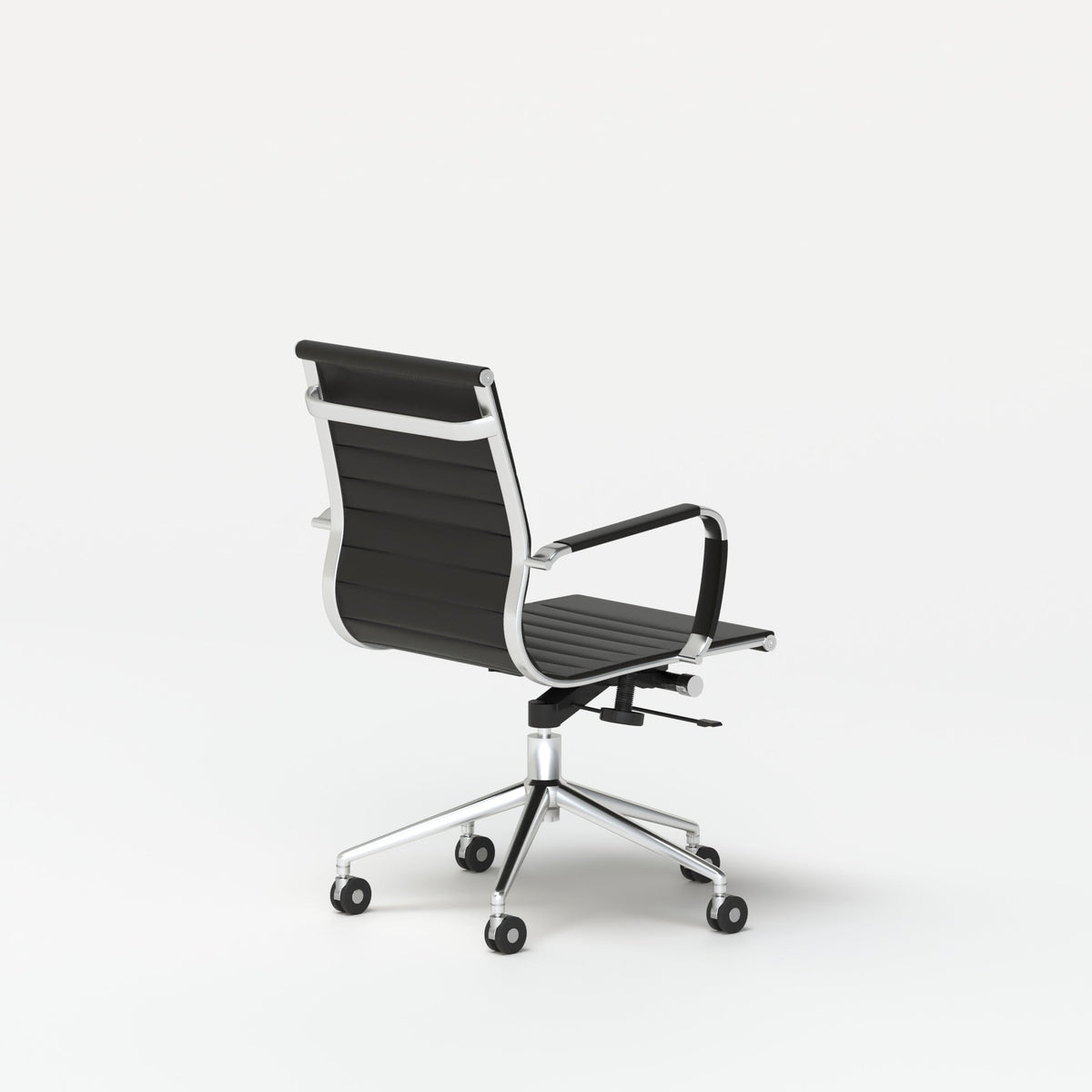
Smarter Seating Ideas for Modular Conference Furniture Today

Modern meeting rooms are expected to do more than host scheduled conversations. A single conference space may support leadership planning in the morning, a hybrid client call before lunch, a creative brainstorm in the afternoon, and a quiet working session at the end of the day. That level of activity puts pressure on every seating decision. Chairs, tables, work surfaces, privacy elements, and accessories all need to work together without making the room feel crowded, temporary, or difficult to reset.
Smarter seating ideas for modular conference furniture begin with a simple principle: the room should adapt to the meeting, not the other way around. A well-planned modular conference setting gives people enough comfort to stay focused, enough flexibility to reconfigure the room, and enough structure to keep the space visually polished. Instead of treating conference seating as an afterthought, thoughtful offices use it as the foundation for better participation, clearer sightlines, smoother movement, and more productive collaboration.
Seating Strategy Begins With How Teams Actually Meet
Conference furniture performs best when it reflects real meeting behavior. Many offices still default to a long table surrounded by as many chairs as possible, even when most meetings involve fewer people, more devices, and more movement than that arrangement supports. A smarter seating plan starts by identifying how the room is used most often.
Some teams need formal seating for client presentations. Others need small-group setups for collaborative planning. Hybrid teams need angles that support both in-room discussion and remote visibility. Creative teams may need seating that allows people to shift between table work, whiteboard sessions, and breakout conversations. Modular conference furniture becomes valuable because it can support these different behaviors without requiring a fully separate room for each one.
Matching Seating Layouts to Meeting Intent
A focused decision-making meeting does not need the same seating arrangement as a brainstorm. A training session does not need the same furniture flow as a private leadership discussion. When seating layout matches meeting intent, people understand the purpose of the room as soon as they enter.
A circular setup signals balanced conversation. A rectangular or workstation-style layout supports shared documents and task-based collaboration. A loose cluster of chairs encourages discussion and ideation. A panel-defined seating pocket creates enough separation for semi-private conversations in open offices.
The best modular conference rooms usually have a clear default layout, plus a few simple alternatives. This prevents the room from becoming chaotic while still giving teams practical flexibility.
Why Overcrowding Weakens Modular Conference Furniture
More seats do not always create a better meeting room. In many cases, too many chairs reduce comfort, block circulation, and make the room feel smaller. People need space to pull out chairs, turn toward speakers, access laptops, move around the table, and leave without disrupting the entire group.
A modular seating plan should prioritize comfortable capacity over maximum capacity. The goal is not to squeeze every possible chair around a table. The goal is to create a conference environment where people can participate naturally, maintain focus, and adjust the room when the meeting format changes.
Circular Seating That Encourages Balanced Discussion
Round seating arrangements are one of the most effective ways to make conference rooms feel more inclusive. Because there is no obvious head of the table, circular layouts help reduce hierarchy and encourage more balanced participation. This is especially useful for team check-ins, advisory conversations, interviews, design reviews, and client discussions where equal visibility matters.
A round table also improves eye contact. Instead of having people seated far apart at opposite ends of a long table, a circular layout keeps everyone within a more conversational field. This supports better listening, smoother turn-taking, and a more relaxed meeting rhythm.
Where Round Conference Layouts Work Best
Round conference seating is especially useful in smaller and mid-sized rooms where conversation is the main activity. It works well for leadership updates, project reviews, mentoring conversations, planning sessions, and group discussions that benefit from shared attention.
A 48-inch round meeting table can serve as a strong centerpiece for compact conference rooms where balanced seating and clean sightlines matter. Its round format supports face-to-face interaction without making the room feel overly formal.
Round layouts also work well in client-facing spaces. They create a more welcoming tone than a long boardroom table, especially when the goal is consultation, conversation, or collaborative review rather than presentation.
Chair Count and Comfort Around Circular Tables
A common mistake with round conference setups is adding too many chairs. While a room may physically fit several seats, the table still needs enough elbow room for laptops, notebooks, drinks, and shared materials. When chairs are packed too tightly, people hesitate to move, turn, or use the table comfortably.
For modular conference furniture, it is better to let the table breathe. A cleaner chair arrangement makes the room easier to reset and more comfortable for daily use. It also preserves the visual simplicity that makes modular furniture appealing in the first place.
When to Add a Secondary Surface Nearby
Round tables are excellent for conversation, but they may not be ideal for every object people bring into a meeting. Bags, samples, printed materials, and extra devices can crowd the tabletop. A nearby credenza, side table, or breakout surface can help keep the main table focused on the discussion.
This is especially useful in rooms that host both internal meetings and client conversations. The round table remains clean and welcoming, while secondary surfaces quietly support the practical details of the meeting.
Conference Chairs That Support Comfort Without Visual Clutter
Conference chairs influence the room more than many people realize. They shape posture, movement, density, and visual balance. A beautiful table can still feel uncomfortable if the chairs are too bulky, too low, too rigid, or difficult to move around.
For modular conference furniture, chairs should support extended sitting while still allowing the room to adapt. They need to look polished enough for client-facing spaces, yet practical enough for everyday team use.
Comfort as a Requirement for Focus
Long meetings reveal weak seating choices quickly. If chairs lack support or feel awkward after a short period, people shift, lean, disengage, or reach for distractions. Comfortable seating helps people stay present, especially during strategy sessions, reviews, and collaborative planning.
The right chair also supports different body positions. People may sit upright while presenting, lean in during discussion, turn toward a screen, or rotate slightly toward another participant. Seating that allows natural posture changes can make the room feel more usable throughout the day.
Meeting-Room Seating That Fits the Space
Choosing conference seating built for meeting rooms helps keep the furniture plan connected to the room’s purpose. Conference chairs should fit the table scale, support the expected meeting length, and maintain enough clearance for movement.
Chair size is especially important in modular rooms. Large chairs may look impressive, but they can restrict circulation and make reconfiguration harder. Slimmer profiles often work better because they keep the room open, allow more flexible placement, and reduce visual weight.
Spacing, Clearance, and Movement
A strong seating plan accounts for the way people actually enter, sit, stand, and move. Chairs need room to pull back from the table. Walkways should stay clear even when people are seated. The path to the door, display, whiteboard, or storage area should not require squeezing behind participants.
A practical modular conference room often benefits from fewer chairs arranged with more intention. This creates a better experience than a crowded room that technically seats more people but feels uncomfortable in use.
Breakout Seating That Extends the Conference Room
Not every meeting moment happens at the main table. People often arrive early, continue conversations after a meeting ends, split into pairs during a brainstorm, or need a place for a quick sidebar. Breakout seating gives those moments a natural home.
A conference room or nearby open area can benefit from a small secondary seating zone. This keeps informal conversations from disrupting the main meeting table and gives people more ways to use the space throughout the day.
Creating Small Conversation Pockets
Breakout zones work best when they feel intentional, not leftover. A small table with two to four seats can support quick huddles, waiting guests, one-on-one check-ins, or casual review sessions. These zones are especially useful near conference rooms, reception areas, shared workspaces, and open office corners.
A compact bistro table for breakout seating can help create a smaller conversation point near a larger meeting area. Its scale supports informal seating without turning the space into another full conference room.
Where Breakout Seating Adds the Most Value
The placement of breakout seating matters. Near a conference room entrance, it can serve as a waiting or pre-meeting area. Near a whiteboard, it can support brainstorming and quick review. In an open office pocket, it can give teams a place for short conversations without occupying a formal meeting room.
Breakout seating also makes the main conference room more efficient. When side conversations have a place to happen, the central meeting area stays focused. This is a simple way to make modular conference furniture support both structure and spontaneity.
Café-Scale Seating and Office Energy
Small seating zones can change how an office feels. They soften the transition between focused workstations and formal conference rooms. They also encourage movement, which can be helpful in workplaces where teams need both concentration and collaboration.
The goal is not to make the office feel casual at the expense of professionalism. The goal is to create approachable areas that support real work conversations without requiring a large room every time two or three people need to meet.
Hybrid Meeting Seating for Screens, Devices, and Sightlines
Hybrid meetings place new demands on conference seating. A room may look well-designed in person but still fail on camera. Participants may block one another from view, sit too far from microphones, face away from screens, or crowd the table with laptops and accessories.
Smart modular conference furniture considers technology from the beginning. Seating should support both in-room conversation and remote participation. Everyone should be able to see the screen, hear the discussion, and use their devices comfortably without turning the table into a cluttered workstation.
Device Support Without Tabletop Chaos
Laptops are now common in conference rooms, even during in-person meetings. People use them for notes, presentations, shared documents, and video calls. Without proper support, laptops can dominate the table surface and create awkward posture.
A laptop stand for cleaner meeting setups can help organize device-heavy meetings by improving laptop positioning and reducing the sense of clutter on the work surface. In modular conference rooms, small accessories like this can make the room feel more intentional and easier to use.
Seating Angles That Improve Hybrid Participation
Straight rows are rarely ideal for hybrid meetings because some participants may be hidden from the camera or angled away from the display. A gentle semicircle, V-shaped seating plan, or angled table orientation can improve visibility. These layouts help remote participants see more faces while giving in-room participants better access to screens.
The best hybrid seating plans avoid forcing people to choose between looking at the screen and looking at each other. Modular furniture can help by allowing teams to adjust chairs and tables around the meeting’s communication style.
Keeping the Main Table Clear
Hybrid rooms often accumulate too many objects. Laptops, phones, chargers, notebooks, microphones, cups, and presentation materials can quickly overwhelm the table. Clear surface planning improves both function and appearance.
A useful rule is to keep only meeting-critical items on the main table. Secondary surfaces, laptop stands, cable management, and storage nearby can help the room stay focused without feeling restrictive.
Workstation-Style Layouts for Project Teams
Some meetings are not really meetings at all. They are working sessions. Project teams may need to review files, compare materials, build plans, edit documents, or collaborate across several hours. In these cases, a traditional conference table may not provide enough individual space or functional structure.
Workstation-style conference layouts give people more surface area and a stronger sense of shared task focus. They can be especially useful for teams working on launches, design reviews, operations planning, client onboarding, or cross-functional projects.
When a Conference Room Needs More Than a Table
A typical conference table supports conversation. A workstation-style setup supports production. The difference matters. When teams need to work side by side, access devices, review details, and collaborate actively, the furniture should support that behavior.
A six-person workstation for team collaboration can serve as a practical anchor for project rooms or shared team zones. Its purpose aligns with group work where several people need defined work positions within one coordinated setup.
Project Rooms, Sprint Spaces, and Temporary Team Hubs
Workstation-style seating is valuable when a team needs a dedicated area for a specific initiative. Instead of booking a conference room repeatedly and rearranging it each time, a project room can stay organized around the work itself.
This type of modular conference furniture supports documents, laptops, shared references, and ongoing collaboration. It also helps people return to the same project context without rebuilding the room from scratch each day.
How Workstation Seating Differs From Boardroom Seating
Boardroom seating is typically oriented around discussion, hierarchy, or presentation. Workstation seating is oriented around active contribution. People may face each other, sit side by side, or work in clusters depending on the task.
This shift changes the atmosphere of the room. Instead of asking people to simply attend, the layout invites them to participate, create, review, and solve problems together.
Privacy-Aware Seating for Open and Multiuse Spaces
Not every conference area exists behind a closed door. Many modern offices use open meeting zones, shared collaboration areas, or semi-enclosed spaces. These layouts can be efficient, but they also create challenges around noise, focus, and confidentiality.
Privacy-aware seating does not always require permanent construction. Modular panels, thoughtful chair placement, and table orientation can create a sense of boundary while keeping the space open and adaptable.
Defining Meeting Zones Without Closing Them Off
In open offices, people need visual cues that show where collaboration begins and ends. Seating alone may not provide enough definition. Panels can help shape the space, guide movement, and reduce distraction.
Using modular panels that define work zones allows a conference or collaboration area to feel more focused without fully separating it from the broader office. This is especially useful for semi-private discussions, team huddles, and open-plan meeting areas.
Panel Placement Around Conference Seating
Panels work best when they support the seating layout rather than fight it. A panel behind chairs can reduce visual distraction from walkways. A side panel can create a boundary between a meeting area and nearby desks. A panel near the entrance can signal privacy while still keeping the room accessible.
Placement should avoid blocking natural circulation. People should still be able to enter, exit, and move around the seating area comfortably.
Balancing Openness and Focus
The strongest open meeting zones feel neither exposed nor closed off. They give participants enough focus to talk comfortably while preserving the open character of the office. This balance is especially important for modular conference furniture because the space may need to shift between quiet discussion, active collaboration, and occasional overflow seating.
Privacy elements should make the room easier to use, not more complicated. When boundaries are placed with care, people understand how to use the space without needing signs or instructions.
Local Workspace Planning for Design-Conscious Offices
Urban offices often need furniture that works hard within limited square footage. Meeting rooms may be smaller, teams may share spaces, and client-facing areas may need to look polished without sacrificing flexibility. For design-conscious workplaces, modular conference seating must combine function, proportion, and visual restraint.
This is where planning becomes just as important as furniture selection. The same chair, table, or panel can perform very differently depending on room size, traffic flow, lighting, and surrounding work zones.
Choosing Furniture for Real Office Traffic
A conference layout should be tested against everyday movement. Where do people enter? Where do they pause? Where are screens, windows, doors, and storage areas located? Does the chair layout still work when people are seated? Can someone leave the room without interrupting everyone?
Businesses evaluating modern office furniture for local workspace planning should think beyond individual pieces and consider how seating, tables, desks, and accessories support the full workplace experience. A meeting room does not exist in isolation. It connects to reception, workstations, private offices, open collaboration areas, and circulation paths.
Designing for Teams That May Change Size
A company’s seating needs can change as teams grow, restructure, or shift work styles. Modular conference furniture helps reduce the risk of overcommitting to a layout that only works for one moment in time.
Instead of building every room around maximum capacity, offices can create flexible zones that scale. A small conference room can support focused discussion. A nearby breakout area can handle overflow or side conversations. A workstation-style space can support project work. Panels can define additional meeting areas when needed.
This layered approach gives the office more resilience. Each piece contributes to a larger system rather than serving only one narrow function.
Modular Conference Seating Layouts by Meeting Type
Different meetings require different spatial cues. The table below shows how seating strategy, furniture combinations, and room behavior can work together.
| Meeting Type | Seating Strategy | Furniture Combination | Why It Works |
|---|---|---|---|
| Leadership discussion | Circular seating with balanced sightlines | Round meeting table with conference chairs | Encourages equal participation and direct conversation |
| Creative brainstorm | Main table plus nearby breakout seating | Conference chairs with a compact bistro area | Supports movement, side discussions, and flexible collaboration |
| Hybrid client call | Angled seating toward display and camera | Conference seating with organized laptop support | Improves visibility, device comfort, and table clarity |
| Project sprint | Workstation-style team seating | Shared workstation layout with supportive chairs | Gives teams more surface area for active work |
| Open office huddle | Panel-defined seating pocket | Modular panels with flexible meeting chairs | Creates focus without permanent walls |
| Multiuse meeting room | Reset-friendly seating arrangements | Flexible chairs with adaptable tables | Allows the room to shift between meeting formats |
Practical Rules for Smarter Modular Conference Seating
A strong seating plan does not need to be complicated. It needs to be intentional. The most effective conference rooms usually follow a few practical rules that keep the space comfortable, flexible, and easy to maintain.
Plan Around the Most Common Meeting Size
Many offices design conference rooms around occasional large meetings, then leave those rooms oversized or uncomfortable for everyday use. A smarter approach is to plan around the number of people who meet most often.
If most meetings include four to six people, the primary seating layout should support that group comfortably. Larger meetings can be handled with temporary seating, nearby breakout areas, or alternate rooms. This keeps the everyday experience strong.
Keep Circulation Clear and Predictable
Every seat should be accessible. People should not need to climb around furniture, squeeze between chairs, or interrupt others to leave. Clear circulation makes the room feel more professional and reduces friction during busy workdays.
Walkways also affect how easily a room can be reset. If chairs are heavy, crowded, or awkwardly placed, teams may avoid reconfiguring the space even when a different layout would work better.
Make the Room Easy to Reset
Modular conference furniture is only useful if people can actually adjust it. A room should have a clear default layout that is easy to restore after each meeting. Simple visual logic helps. Chairs return to consistent positions. Tables stay aligned with screens or lighting. Accessories have a predictable place.
When a room is easy to reset, it stays ready for the next team. That reliability builds trust in the space.
Seating Checklist for Modular Conference Furniture
-
Define the meeting types the room supports most often.
-
Choose table shapes based on conversation style and surface needs.
-
Match chair count to comfort rather than maximum capacity.
-
Leave enough clearance for seated and standing movement.
-
Add a secondary seating area when side conversations happen frequently.
-
Keep device support organized and visually simple.
-
Use panels where focus, privacy, or spatial definition is needed.
-
Maintain clear sightlines to displays, cameras, and speakers.
-
Establish a default layout so the room is easy to restore.
-
Review the room after real use and adjust furniture placement when needed.
Smarter Seating as a Long-Term Workplace Advantage
Modular conference furniture gives offices a practical way to support changing work habits without sacrificing comfort or design clarity. The strongest seating plans are not built around trends. They are built around real behavior: how people gather, present, listen, collaborate, use devices, and move through the workday.
Smarter seating ideas begin with the meeting itself. Circular layouts support balanced discussion. Ergonomic conference chairs protect focus. Breakout zones extend collaboration beyond the main table. Hybrid-friendly accessories keep technology from overwhelming the room. Workstation-style layouts support project teams. Panels help open offices create boundaries without losing flexibility.
When these elements work together, the conference room becomes more than a place to sit. It becomes a flexible workplace tool that supports better conversations, clearer decisions, and more comfortable collaboration. A well-planned modular conference setting can adapt as teams evolve, giving every meeting space a stronger purpose and every seat a clearer role in the way work gets done.
Related Articles
-
 Round Meeting Table Choices for Smarter Shared Work Spaces
-
 How to Style a Round Meeting Table for Focused Work Talks
-
 Round Meeting Table Setups That Make Small Talks Easier
-
 Make Client Seating Feel Easier Around a Round Meeting Table
-
 Why Shared Teams Work Better Around a Round Meeting Table
-
 Round Meeting Table Ideas That Make Team Talks Smoother


