























Hot Desking Furniture Solutions Need More Flexible Seating

Hot desking only works when the office gives people more than an available surface. A shared desk may solve a space-planning problem, but it does not automatically create a comfortable, productive, or intuitive workday. Employees need to know where they can focus, where they can join a quick discussion, where they can work for a few hours, and where they can settle briefly between meetings. Seating is the element that makes those choices feel natural.
The strongest hot desking furniture solutions are built around flexibility, not just density. Desks, tables, chairs, panels, and accessories all need to support movement without making the office feel temporary or improvised. When seating is too rigid, employees begin competing for the same preferred spots. When seating is too casual, longer work sessions become uncomfortable. When seating is poorly matched to the task, the entire hot desking model starts to feel like a compromise.
A more thoughtful approach treats flexible seating as the foundation of a shared workplace. It gives employees enough variety to work well without needing a permanently assigned desk.
Why Hot Desking Furniture Fails When Seating Is Treated Like a Desk Accessory
Hot desking is often planned around desk counts first. A company may calculate how many people come in on peak days, how many shared desks are needed, and how many meeting rooms should remain available. That is useful, but it leaves out the more practical question employees ask every time they arrive: “Where can I actually work well right now?”
Seating answers that question before anyone opens a laptop. A chair signals whether a space is meant for deep work, a quick stop, a group conversation, or a temporary landing point. If every seat feels the same, employees have to guess. If every chair is placed around a workstation, informal collaboration spills into desk zones. If meeting chairs are too fixed or too heavy, rooms become difficult to reset. If casual seating is expected to carry full workdays, comfort quickly declines.
Shared Desks Changed the Office, but Seating Still Shapes the Experience
The modern shared office is not just a smaller version of the assigned-seat office. Hybrid schedules, rotating project teams, and flexible attendance patterns have changed how people use space. One person may spend a full morning at a workstation, join a team discussion before lunch, take a video call in a quieter zone, then finish the day at a compact table near a teammate.
That movement requires furniture that can support different work modes without friction. Seating is central because it affects posture, proximity, privacy, collaboration, and perceived comfort. A desk provides the surface, but the seat determines whether someone stays, moves, avoids the area, or returns to it regularly.
The Assigned-Desk Mindset Creates Friction in a Flexible Workplace
Many hot desking problems come from applying fixed-office habits to a flexible environment. In an assigned desk model, each person adapts one chair and one desk to their routine. In a hot desking model, the furniture must serve many users with different habits, body types, tasks, and levels of office familiarity.
That shift makes seating variety essential. Employees should not have to use the same type of chair for every task. A quick email check does not need the same setup as a three-hour focus session. A five-person discussion does not need the same seating as a workstation bench. A quiet work zone should feel different from a social touchdown point.
The Real Seating Problem Behind Underused Hot Desking Areas
An office can have enough seats on paper and still feel short on usable places to work. This happens when seating does not match the way people behave in shared spaces. Employees may avoid certain areas because the chairs feel exposed, the tables are too small for the task, the layout is noisy, or the seating arrangement makes collaboration awkward.
The result is uneven demand. A few seats become favorites, while other areas remain empty. People begin arriving earlier to claim preferred spots, which quietly recreates assigned seating without any formal policy. The furniture plan may look flexible, but the actual experience feels limited.
Available Desks Do Not Automatically Equal Usable Workpoints
A usable workpoint is more than a chair and a surface. It needs enough personal space, practical access, appropriate comfort, and a clear purpose. A hot desk near constant traffic may be technically available, but it may not be suitable for focused work. A compact table may be perfect for a short laptop session, but frustrating for someone who needs multiple screens, documents, and a longer stretch of concentration.
The goal is not to make every seat support every activity. The goal is to make each seating type clearly useful for a specific range of activities.
Why Employees Gravitate Toward the Same Few Seats
Employees often choose seats based on small environmental signals. They look for comfort, light, power access, visual calm, proximity to teammates, and enough separation from distractions. In a shared office, those cues matter even more because people do not have personal territory.
When seating is thoughtfully distributed, the office feels easier to navigate. People can choose a spot based on the work they need to do instead of searching for the least inconvenient option.
Comfort Signals Whether a Hot Desk Is Worth Staying At
Comfort does not need to be excessive, but it does need to be appropriate. Longer sessions require supportive seating, practical desk height, and enough room to shift posture. Short sessions can use lighter, more compact seating, but even temporary spaces should feel intentional rather than leftover.
Location Signals Whether a Seat Supports the Task
A chair beside a compact table communicates a different use than a chair at a workstation, around a meeting table, or inside a panel-defined zone. Hot desking works better when those visual cues are clear.
Flexible Seating Turns Hot Desking Into an Activity-Based Office System
Flexible seating allows the office to support work as it actually happens. Instead of relying on one standard seat for every situation, an activity-based layout offers different places for different tasks. This gives employees more control while keeping the office organized.
Focus Seating for Longer Shared Desk Sessions
Some hot desk users need to work for several hours in one place. They may be writing, analyzing, designing, planning, or handling focused administrative work. These users need seating that supports posture and concentration. A casual chair at a small table may work briefly, but it should not become the default for longer work.
Focus seating should feel stable, comfortable, and easy to use by different people throughout the day. In shared environments, neutral reliability matters more than personal customization.
Touchdown Seating for Short Laptop Work
Touchdown seating supports brief work moments. These may include checking messages, reviewing a file, preparing for a meeting, or working between calls. These spaces help prevent full workstations from being occupied by people who only need a quick stop.
A compact bistro-height table can help turn a smaller area into a practical touchdown point for short laptop work or informal conversation without requiring a full workstation layout.
Collaboration Seating for Huddles and Team Reviews
Hot desking increases the importance of shared collaboration areas because people are not always sitting near the same coworkers. Seating for collaboration should make it easy to gather, talk, review work, and reset the space after use.
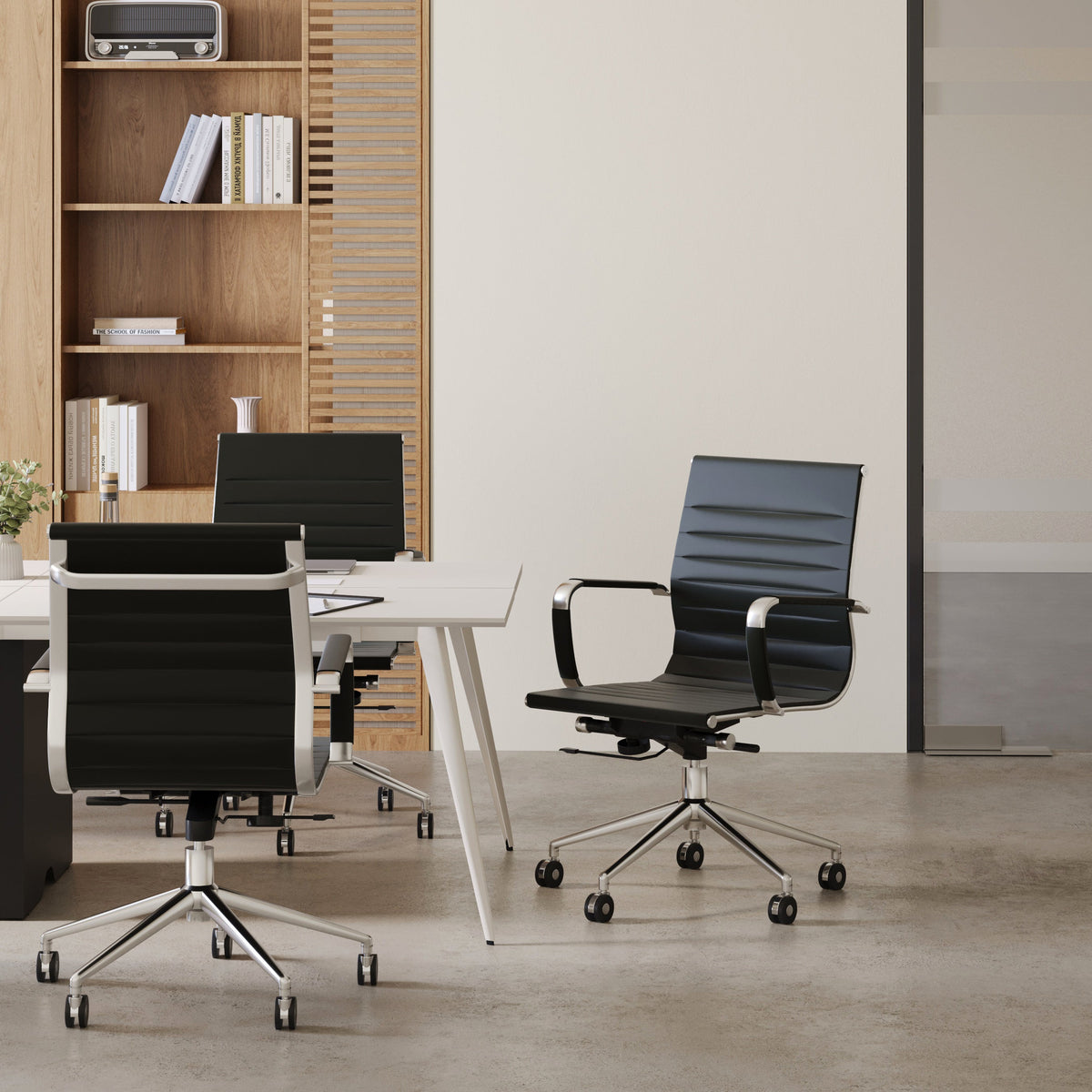
A conference chair for meeting rooms fits this need when a space has to support professional conversations, team discussions, and flexible meeting use without feeling casual or temporary.
Matching Hot Desking Seating Types to Real Work Patterns
The best seating plan starts with work patterns rather than headcount alone. A company may have 40 people in the office on a peak day, but the real question is how those people divide their time. Some will need focused workstations. Others will need team tables. Some will move between conversations. Others may only need a short place to land.
| Work Pattern | Seating Need | Supporting Furniture | Why It Works |
|---|---|---|---|
| Longer laptop session | Supportive task-style seating | Shared workstation bench | Helps employees stay comfortable during extended desk use |
| Short email check | Compact, easy-access seating | Small table or touchdown point | Keeps full workstations available for deeper work |
| Small team discussion | Consistent meeting seating | Round or conference table | Supports quick gathering and clearer participation |
| Rotating team work | Repeatable seating layout | Multi-person workstation | Helps shared teams use space predictably |
| Focus work | Seating with visual boundary | Panel-defined work zone | Reduces distraction while keeping the office open |
| Informal collaboration | Approachable seating | Bistro-style setting | Encourages quick conversations without room booking |
Seating Ratios Should Reflect Actual Office Behavior
A balanced hot desking plan usually includes more than one seating category. Workstations handle longer sessions. Meeting chairs support group work. Compact table seating absorbs short use. Panel-supported zones create calmer focus options.
This mix prevents the office from becoming overdependent on one type of seat. It also helps employees make better choices throughout the day.
One-Size-Fits-All Seating Weakens Flexible Work
Uniformity can look clean in a floor plan, but it often creates practical limitations. If every seat supports the same use case, employees have fewer ways to match furniture to their work. A flexible workplace should feel visually coherent while still offering meaningful choice.
Shared Workstations Need Seating That Supports Longer Occupancy
Shared workstations are often the backbone of hot desking. They provide efficient desk capacity and help teams work near one another without assigning permanent seats. But they also demand careful seating decisions because users may rotate throughout the day.
A six-person workstation for larger teams can anchor a shared work area when the surrounding seating plan accounts for spacing, access, and comfort for rotating users.
A Hot Desk Chair Has to Serve Many People
In assigned seating, an employee may adjust their setup over time. In hot desking, the furniture needs to be broadly usable from the start. Chairs should feel approachable and consistent, with enough support for a range of users and work sessions.
The more often a seat changes hands, the more important durability, ease of movement, and intuitive use become. Employees should not need to troubleshoot the furniture before they begin working.
Efficient Density Should Not Become Crowded Seating
Hot desking is often used to make better use of office space, but density should not be confused with crowding. If chairs are too close together, employees may feel distracted or physically constrained. If there is not enough pullback space, people disturb one another whenever they stand up or leave.
A good shared workstation layout considers chair width, aisle clearance, bag placement, power access, and the natural movement patterns around the desk.
Seat Spacing Affects Focus More Than Many Layouts Admit
Small spacing decisions can change how usable a desk zone feels. A few extra inches of movement, cleaner circulation, and a better sense of personal boundary can make a shared workstation feel calmer and more professional.
Round Tables Help Flexible Seating Feel More Equal and Less Territorial
Hot desking can unintentionally create territorial behavior. People may favor specific corners, claim familiar chairs, or treat certain tables as team-owned even when the office is designed for shared use. Round tables can reduce some of that tension because they naturally feel more open and less hierarchical.
A round table for small meetings can support quick huddles, project reviews, and informal collaboration without making the area feel like it belongs to one person or department.
Circular Layouts Support Participation
Round tables make it easier for people to see one another and contribute evenly. There is no obvious head of the table, which can make discussions feel more balanced. In a flexible office where teams shift regularly, that matters.
This type of table works especially well near workstation neighborhoods, lounge-adjacent areas, or shared collaboration zones where people need to gather without booking a formal room.
Chair Count Should Match the Table’s Purpose
A round table should not be overloaded with chairs. Too many seats can make the area feel crowded and reduce comfort. Too few can make the setting look unfinished. The right balance depends on the intended use, the surrounding circulation, and whether the table is meant for quick discussions or longer collaboration.
Laptop Accessories Make Flexible Seating More Work-Ready
Most hot desking is laptop-first. Employees arrive with portable devices, move between zones, and expect the office to support that mobility. Seating alone cannot solve every comfort issue if screens sit too low, cables are awkward, or accessories are missing.
A laptop stand for better screen height can make temporary workpoints more comfortable by helping raise the laptop screen during seated work.
The Accessory Layer Supports Better Posture
A chair may support the body, but laptop posture depends on screen height, keyboard position, and the length of the work session. In hot desking spaces, accessories help bridge the gap between portability and comfort.
This is especially useful in touchdown areas, shared tables, and compact workpoints where employees may not have a dedicated monitor setup. The goal is not to turn every seat into a permanent desk. The goal is to make flexible seating more practical for real laptop use.
Work-Ready Seating Feels Planned, Not Improvised
A flexible seat becomes more useful when the surrounding details are considered. Power access, laptop support, lighting, nearby storage, and clear table surfaces all influence whether employees choose that seat again.
When accessories are ignored, hot desking can feel temporary. When they are thoughtfully included, shared spaces feel more reliable.
Privacy Panels Keep Flexible Seating From Becoming Constant Exposure
Open offices need boundaries. Hot desking increases movement and visibility, which can be energizing for collaboration but tiring for focus work. Employees need places where they can concentrate without feeling watched, interrupted, or surrounded by activity.
Modular panels for defining work zones can help organize shared seating areas, create visual separation, and support focus without fully closing off the workplace.
Boundaries Should Guide Behavior
Panels are not only about privacy. They also help employees understand how a space should be used. A panel-defined desk area signals focus. A semi-open table near a workstation zone signals quick collaboration. A quieter corner with partial separation signals heads-down work.
This clarity is valuable in hot desking because employees may not know the office as intimately as they would with assigned seats.
Partial Separation Often Works Better Than Enclosed Rooms
Not every focused task requires a private room. In many offices, partial visual separation is enough to reduce distraction and create a stronger sense of personal space. Panels help preserve openness while giving employees more control over their environment.
The best hot desking layouts use boundaries strategically. They do not divide every area, but they give shared seating enough structure to feel intentional.
Local Workspace Constraints Make Seating Flexibility More Important
Office planning is shaped by real-world constraints: footprint, attendance patterns, commute habits, team schedules, meeting demand, and the need to balance density with comfort. In space-conscious workplaces, every chair has to earn its place.
Companies evaluating modern office furniture for local workspace planning need hot desking layouts that can support changing occupancy while maintaining a professional, comfortable environment.
Peak-Day Planning Is More Useful Than Total Headcount
Total employee count rarely tells the full story. A company may have a large team, but only a portion may use the office on a given day. The more useful metric is peak-day behavior: which teams overlap, how often meetings happen, how many people need quiet work, and how many use the office for short visits.
Furniture should respond to those patterns. A workplace with frequent team workshops needs more collaboration seating. A workplace with many individual contributors needs more focus-supportive hot desks. A workplace with many drop-in users needs more touchdown seating.
Flexible Seating Helps Offices Adapt Without Constant Reconfiguration
A good furniture plan should not require constant rebuilding every time attendance changes. Movable seating, shared workstations, compact tables, meeting chairs, and panel-supported zones give the office room to adapt.
This kind of flexibility is practical. It helps the workplace absorb changes in team size, project needs, and daily office rhythm without making the environment feel unstable.
A Practical Seating Strategy for Better Hot Desking Furniture Decisions
Hot desking improves when seating decisions follow a clear system. The goal is to make the office easier to use, not simply more flexible in theory.
Map the Work Modes Employees Actually Use
Before selecting furniture, identify the work patterns the office needs to support:
1. Solo laptop work that lasts several hours
2. Short touchdown tasks between meetings
3. Small team huddles and project reviews
4. Scheduled meetings and client conversations
5. Focus-heavy work that needs visual calm
6. Informal peer conversations
7. Peak-day overflow and temporary seating demand
This list helps prevent overbuying one furniture type while under-supporting another.
Assign Seating by Task Duration
Task duration is one of the clearest ways to decide what type of seating belongs where. Short sessions can use compact, lightweight seating. Longer sessions need more supportive chairs and work surfaces. Collaborative sessions need seating that allows people to face one another, move easily, and reset the area without effort.
This creates a more honest hot desking experience. Employees are not asked to use casual seating for deep work or formal meeting rooms for quick laptop tasks.
Create Seating Neighborhoods Instead of Random Open Seats
A seating neighborhood is a cluster of furniture with a clear purpose. One area may support focused work. Another may support team collaboration. Another may provide quick touchdown capacity. These neighborhoods help employees orient themselves quickly, especially when they do not have assigned desks.
The strongest hot desking offices do not feel random. They feel flexible because each area has a purpose.
Test Seating Before Expanding the Layout
A pilot area can reveal how employees actually behave. Which seats are chosen first? Which areas stay empty? Are people using compact tables for quick work or long sessions? Are meeting chairs easy to reset? Are panel-supported areas helping people focus?
Observation and feedback can refine the furniture plan before it scales. Adoption matters more than how good the layout looks on a floor plan.
Flexible Seating Makes Hot Desking Feel Intentional, Comfortable, and Ready for Change
Flexible seating is the difference between a hot desking office that merely provides available desks and one that genuinely supports the way people work. Shared workstations, compact tables, meeting chairs, round collaboration points, laptop accessories, and privacy panels each play a specific role. Together, they create a workplace where employees can move with purpose instead of guessing where to sit.
The most effective hot desking furniture solutions do not chase novelty. They support practical choice. They make short tasks easier, longer work more comfortable, collaboration more natural, and focused work less exposed. As hybrid work continues to shape office behavior, flexible seating will remain one of the clearest signals that a shared workplace is designed for people, not just occupancy.
Related Articles
-
 How Team Desks and Panels Create Better Daily Work Zones
-
 Workstation Panels That Support Focus Without Closing Space
-
 Better Office Workstations Start With Smarter Panel Layouts
-
 How Panels Help Commercial Office Furniture Feel Organized
-
 Open Plan Office Furniture Needs Smarter Privacy Panels
-
 Why Collaborative Furniture Needs Flexible Privacy Panels


