























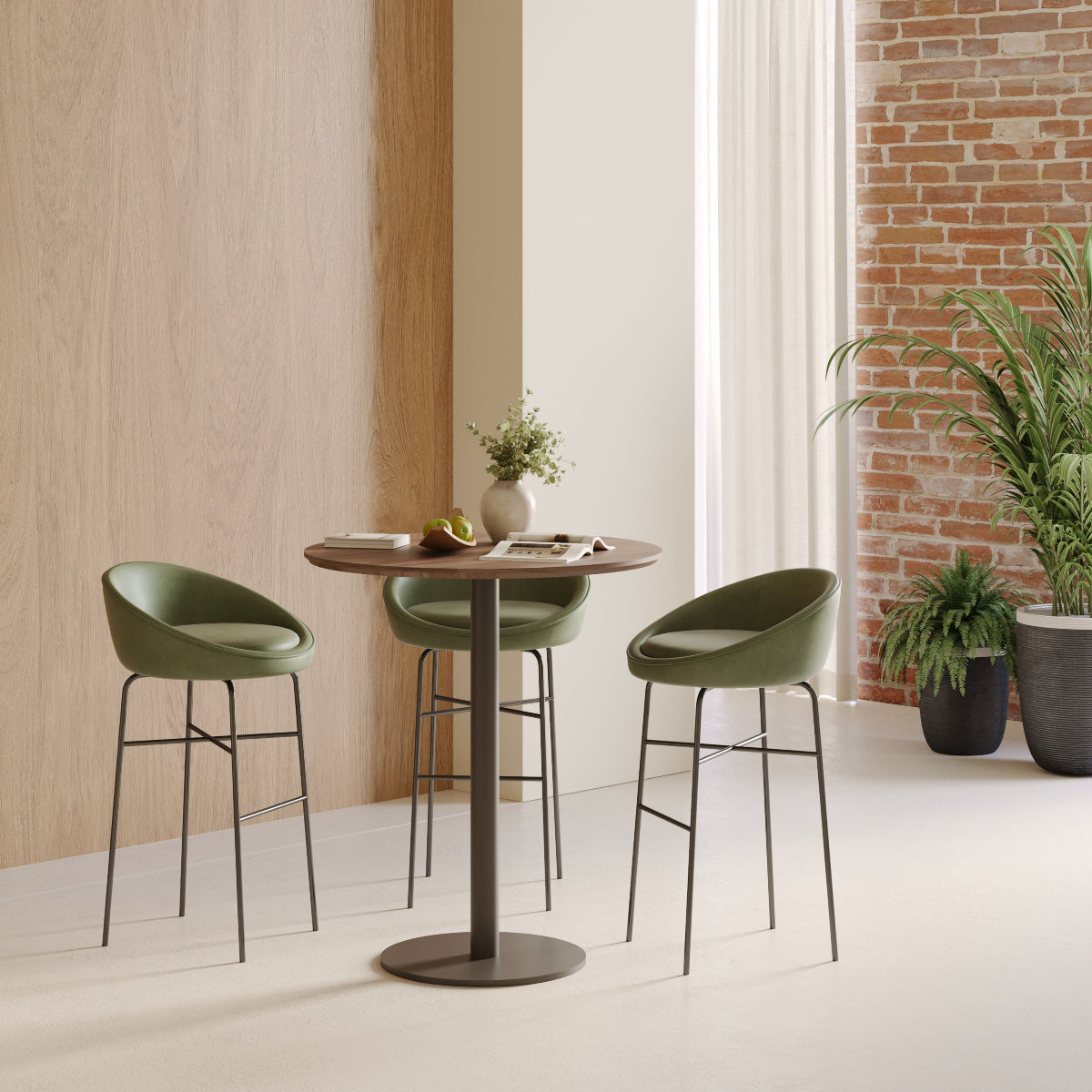
Minimalist Office Table Ideas That Work Like a Bistro Table

A well-designed office table should do more than occupy an empty corner. In a compact workspace, every piece of furniture needs to justify the floor area it uses. That is why bistro-inspired tables are becoming a practical reference point for modern office planning.
A bistro table is approachable, compact, and easy to use without preparation. Those same qualities can make an office table more adaptable. One surface can support focused laptop work in the morning, a two-person discussion in the afternoon, and an informal coffee break between tasks.
The goal is not to make an office look like a café. It is to borrow the most useful characteristics of café furniture: efficient proportions, clear circulation, visual simplicity, and flexibility. When these qualities are combined with appropriate seating, sensible technology placement, and enough working room, a minimalist office table can serve several functions without making the workspace feel crowded.
The Bistro-Table Design Logic Behind a Minimalist Office Surface
A successful bistro-style office table is not defined by one shape, finish, or height. Its value comes from how efficiently it supports everyday activity.
Compact Scale Must Still Support Real Work
Small tables are attractive because they preserve floor space, but compactness has limits. A surface becomes impractical when the user cannot place a laptop, notebook, phone, and drink without constantly moving items around.
Before choosing a table, identify the activities it needs to support. A surface used for short email sessions can be smaller than one used for writing, reviewing documents, or joining video meetings. A table intended for occasional work also has different requirements from a desk used throughout the day.
A bistro table can function as an office desk when the work is portable and relatively contained. Laptop-based tasks, short planning sessions, one-on-one conversations, and temporary work periods are particularly well suited to this format. Equipment-heavy roles usually require a deeper or wider surface.
Open Legroom Creates Physical and Visual Space
Minimalist furniture often feels spacious because it leaves more of the floor visible. Slim legs, a central pedestal, and an uncluttered underside can make a room appear lighter even when the tabletop itself is not unusually small.
Open legroom also improves flexibility. Chairs can be repositioned without hitting drawers, cabinets, or crossbars. A user can move from one side of the table to another as the activity changes.
This visual openness is especially valuable in a shared office, reception area, or home workspace where furniture must coexist with circulation paths and other functions.
Table Height Shapes How the Space Is Used
Standard seated-height tables are usually the safest choice for laptop work, writing, and conversations that may last longer than a few minutes. Taller formats encourage shorter interactions and can work well for standing check-ins, quick reviews, or transitional areas.
A bistro table in seated and counter heights offers a useful reference for understanding how the same compact concept can support different work styles. The lower format can serve as a small workstation or conversation table, while the taller format can create a more active setting for brief exchanges.
Minimalist Does Not Mean Single-Purpose
The strongest minimalist office tables are not empty for the sake of appearance. They are intentionally simple so they can adapt. A table that supports at least two regular activities is more valuable than one designed around a narrow visual concept.
Round, Square, or Rectangular Tables for Different Office Workflows
Table shape affects circulation, seating, equipment placement, and the overall character of a workspace. Choosing the right form requires more than matching the surrounding décor.
Round Tables Encourage Conversation and Easier Movement
Round tables naturally place users within the same visual field. No one sits at the head of the table, which can make one-on-one meetings and small discussions feel more balanced.
The absence of corners also helps in tight spaces. People can move around the table more fluidly, and the edge is less likely to interrupt a narrow walkway. This makes round tables effective in private offices, reception areas, open-plan huddle zones, and mixed-use home workspaces.
The limitation is wall placement. A round table cannot sit flush against a straight wall, so it needs enough open space to feel intentional rather than squeezed into a corner.
Square Tables Fit Architectural Edges Efficiently
A square table can sit beside a wall, align with shelving, or occupy a room corner more neatly than a round table. It can also transition between solo use and two-person seating without requiring a large footprint.
Square tops are practical when the office layout is highly structured. However, their corners can reduce ease of movement, especially when chairs are placed in a narrow passage.
Rectangular Desks Support More Equipment
A narrow rectangular desk is often more appropriate for permanent workstations. It provides clearer zones for monitors, keyboards, documents, desk accessories, and personal storage.
When daily work involves multiple devices or long sessions, a broader collection of office desks and work tables provides more suitable options than a compact café-style surface. Bistro-inspired tables are most effective when their role is clearly defined rather than stretched beyond their practical limits.
Office Table Shape and Use-Case Comparison
| Table format | Best office use | Spatial advantage | Main consideration |
|---|---|---|---|
| Round bistro-style table | Laptop work and informal meetings | Smooth circulation around the edge | Requires clearance on all sides |
| Square café-style table | Corner workstation or two-person nook | Fits walls and architectural edges | Corners may interrupt movement |
| Narrow rectangular desk | Permanent focused work | Supports more equipment | Creates a larger visual footprint |
| Round meeting table | Small-group collaboration | Equal sightlines for participants | Needs more surrounding space |
| Counter-height table | Brief standing tasks and check-ins | Encourages short, active use | Less suitable for extended seated work |
Build a Two-Person Work Nook Around a Round Table
A two-person work nook is one of the most useful applications of a minimalist office table. It adds a place for collaboration without requiring a formal conference room.
Turn an Underused Corner Into a Productive Micro-Zone
Many offices contain spaces that are too small for a full workstation but large enough for a compact table and two chairs. A window corner, space beside a bookcase, or area near a private-office entrance can become a useful work zone.
The table might support individual laptop work early in the day, a colleague check-in later, and a short client discussion in the afternoon. Keeping the surface mostly clear allows these transitions to happen without constant rearranging.
A nearby shelf or cabinet can hold supplies that do not need to remain on display. This protects the table’s flexibility while keeping necessary materials within reach.
Size the Surface Around Activity, Not Maximum Seating
A table should not be selected according to the number of chairs that can physically fit around it. A more useful calculation considers laptops, notebooks, forearm movement, drinks, and personal space.
For two-person use, both participants should be able to work without overlapping equipment. If the table will also hold shared documents or presentation materials, additional diameter becomes important.
Expand the Nook When Collaboration Becomes the Main Purpose
A compact bistro table works well for brief conversations, but a larger surface is more suitable when three or four people need to participate regularly. A 48-inch round table for team meetings offers more room for shared discussion, planning materials, and balanced seating.
The distinction matters. A small work nook should remain light and flexible, while a dedicated huddle area needs enough surface area to support genuine collaboration.
Strong Locations for a Round Work Nook
1. Beside a private-office window
2. Between two open-plan work areas
3. Near a reception or waiting space
4. Inside a combined guest room and home office
5. Adjacent to shared storage or resource shelving
Create a Café-Inspired Office Conversation Zone
Not every meeting requires a long conference table. Many workplace conversations are more effective in a smaller, less formal setting.
Use a Focused Layout for Short Meetings
Interviews, project reviews, manager check-ins, and client consultations often involve two or three people. A compact table can support these conversations without creating unnecessary distance between participants.
The layout should feel intentional. Two appropriately scaled chairs, clear access, and a mostly open tabletop are usually enough. Decorative elements should be restrained so the table remains available for notes, devices, and documents.
This arrangement can also improve the usefulness of a private office. Instead of asking a visitor to sit across a large desk, both people can move to a neutral surface designed for conversation.
Match Chair Scale to the Table
A minimalist table can lose its visual lightness when paired with oversized seating. Broad executive chairs may crowd the edge, restrict circulation, and make the surface appear smaller than it is.
Chair width, armrests, back height, and pullback space should all be considered. Compact seating does not need to feel temporary or uncomfortable. It simply needs to remain proportionate to the table and the room.
Support Longer Discussions With Appropriate Seating
When the area is used for recurring meetings or presentations, comfort becomes more important. Ergonomic conference seating for collaborative spaces can help create a more supportive environment without changing the approachable character of the layout.
The objective is balance. The space should feel professional enough for meaningful work but relaxed enough to avoid the formality of a traditional boardroom.
A Practical Corner Conversion
An underused corner may currently hold a decorative chair, floor lamp, or side table. Replacing those isolated pieces with a small round table, two coordinated chairs, and nearby concealed storage creates a functional consultation area.
The footprint changes only modestly, but the office gains a place for interviews, project discussions, and focused one-on-one work.
Design a Laptop-First Bistro Workstation
A laptop-first workstation is one of the most natural uses for a bistro-style office table. Portable technology allows the surface to remain flexible instead of becoming permanently occupied.
Keep the Technology Setup Deliberately Small
Start with the essential tools: a laptop, compact keyboard, mouse, notebook, and phone. Everything else should earn its place on the surface.
Printers, large speakers, document trays, and excess charging equipment are better placed on nearby storage. This separation keeps the table usable for both focused work and conversation.
A laptop-first setup is especially effective for hybrid employees, visiting team members, and users who split their time between different work areas.
Elevate the Screen Without Overfilling the Table
A compact anodized aluminum laptop stand can raise the screen while maintaining a restrained visual profile. A fixed stand is particularly suitable when one person uses the table consistently and prefers a stable setup.
Raising the screen can also free a small amount of space beneath the device, helping the table feel less crowded. The surrounding area should still remain clear enough for writing or placing a drink safely away from electronics.
Add Height Flexibility for Shared Use
A laptop stand with adjustable height is more appropriate when several people use the same table or when the workstation shifts between tasks.
Adjustability can help users position the screen for reading, video calls, or focused work. It does not replace the need for thoughtful seating and input-device placement, but it adds flexibility to a shared setup.
Separate Viewing Height From Typing Position
Once a laptop is elevated, its built-in keyboard may no longer be comfortable for sustained typing. A separate keyboard and mouse can keep the hands in a more natural working position while the screen remains raised.
This distinction is important because a visually clean setup should still support practical use. Minimalism should reduce clutter, not remove the tools needed for comfortable work.
Five-Part Reset System for a Multipurpose Table
1. Remove personal items after each work session.
2. Route charging cables along one leg or beneath the tabletop.
3. Preserve a clear zone for writing and documents.
4. Store the keyboard and mouse nearby when they are not needed.
5. Return the surface to a neutral arrangement before the next use.
Use a Bistro-Style Table as a Hybrid Touchdown Hub
Hybrid offices often need temporary work surfaces more than additional assigned desks. A touchdown table gives employees and visitors a defined place to work without creating another permanent workstation.
Support Short, Focused Work Sessions
A touchdown hub can accommodate email checks, short video calls, document review, or planning between meetings. It works best when the user does not need extensive storage or specialized equipment.
The table should be easy to approach and simple to leave. Nearby power access, moveable seating, and a durable surface make the area more useful without adding visual clutter.
Plan for Frequent User Changes
Shared tables lose their flexibility when personal items accumulate. Bags, cables, papers, and unused accessories can quickly turn an open work surface into an informal storage area.
A clear reset expectation helps preserve the table’s purpose. Users should be able to arrive, work, and leave the space ready for the next person.
Let the Table Follow the Office’s Daily Rhythm
The same surface can support different activities throughout the day:
-
Morning: temporary individual workstation
-
Midday: informal coffee or meal surface
-
Afternoon: one-on-one project discussion
-
Late day: overflow planning space
This rhythm reflects the central strength of bistro-style furniture. The table remains useful because it is not tied to a single person or task.
When a Touchdown Table Should Not Replace a Desk
A permanent workstation is still more suitable for confidential work, large equipment, extensive storage, or roles that require uninterrupted use throughout the day. The touchdown table should complement assigned desks, not replace them indiscriminately.
Plan Dimensions, Seating, and Circulation as One System
A compact table can still create congestion when chairs, doors, and walkways are not considered. The real footprint extends beyond the tabletop.
Measure the Table With Chairs in Use
A chair occupies more space when someone is sitting in it than when it is pushed under the table. Allow room for pullback, body movement, bags, and circulation behind the seated person.
The required clearance depends on the room and traffic level. A private corner may need less passing space than a shared route between work areas. The safest approach is to test the layout rather than rely only on the table dimensions.
Match Height to the Intended Session
Standard seated height is generally the most versatile option for laptop work and longer conversations. Counter-height tables suit brief check-ins and mixed sitting or standing. Taller standing surfaces encourage short, active interactions.
Chair and stool selection must follow the table height. Foot support, elbow position, and ease of entry all affect whether the setup feels comfortable.
Test the Layout Before Committing
Use painter’s tape to mark the tabletop perimeter on the floor. Place chairs or boxes in their expected positions, then test the room as though the furniture were already installed.
Open nearby drawers and doors. Walk through the primary circulation route. Sit in each planned position. Place a laptop, notebook, and drink within the taped area.
This simple exercise often reveals problems that are not visible on a floor plan.
Choose Materials and Colors That Reduce Visual Weight
Material selection influences whether a bistro-style office table feels calm, professional, warm, or overly decorative.
Light Wood Adds Warmth Without Heaviness
Light wood tones soften offices filled with screens, cables, and hard surfaces. They pair easily with white, gray, black, and muted upholstery.
In a compact room, light finishes can create warmth without making the table feel visually dominant. The grain provides enough character that the surface does not require heavy decoration.
Walnut Creates a Grounded Professional Setting
Darker wood can give a small table more presence. It works particularly well in executive offices, consultation spaces, and residential workspaces that need visual depth.
The surrounding design should remain restrained. Simple chairs, limited accessories, and balanced lighting prevent the darker finish from overwhelming the room.
White Surfaces Need Controlled Contrast
White tables can blend into light walls and reduce visual mass. However, an entirely pale setting may feel flat or undefined.
Contrast can come from the frame, chair upholstery, flooring, or one carefully selected tabletop object. The goal is to define the table without surrounding it with unnecessary decoration.
Coordinate the Table With the Wider Workspace
A compact table should feel connected to nearby desks, chairs, storage, and accessories. Consistent finishes or repeated shapes can create unity without requiring every piece to match exactly.
A broader selection of modern office furniture for creative workspaces can help establish a consistent design language across individual desks, shared tables, seating, and accessories. The result should feel coordinated rather than staged.
Avoid Mistakes That Reduce Bistro-Style Flexibility
The most common problems occur when appearance is prioritized over real use.
Do Not Choose a Surface Smaller Than the Workflow
A table may look spacious when empty but feel crowded once a laptop, keyboard, charger, notebook, and drink are added.
Measure the actual equipment that will be used. Arrange those items on an existing surface to understand the minimum comfortable area before selecting a table.
Keep Decoration Out of the Primary Work Zone
Large plants, stacked books, trays, lamps, and sculptures can consume the most useful part of a compact tabletop. Decorative objects should remain at the perimeter or move to nearby shelving.
One restrained object is often enough to make the table feel intentional without reducing its function.
Plan Power Access Before Final Placement
Visible extension cords and floor cables can make a clean table arrangement feel unfinished. They may also interfere with chair movement and circulation.
Check outlet locations before deciding where the table belongs. Cables can then be routed along a wall, table leg, or concealed path rather than stretched across open floor space.
Do Not Confuse Minimalism With Ergonomic Neglect
A simple table is not automatically comfortable. Table height, chair support, screen position, and reach all influence how the setup performs.
The best bistro-style office table feels visually light while still respecting the needs of the person using it.
Give the Table a Clear Role
A compact multipurpose surface should not be expected to replace every desk, meeting table, and storage unit in the office.
Its strength lies in focused laptop work, temporary use, informal meetings, and flexible collaboration. When those roles are clearly defined, the table remains useful instead of becoming overloaded.
A More Adaptable Direction for Minimalist Office Tables
Minimalist office tables are most successful when simplicity supports action. The table should be easy to approach, comfortable to use, and simple to reset. Its shape should suit the room, its size should match the work, and its seating should remain proportional to the surface.
Bistro-inspired thinking offers a practical framework because it values efficient scale and natural interaction. A round table can create a conversational nook. A compact laptop station can shift into meeting mode. A shared touchdown surface can support several users over the course of a day.
As offices become more flexible, furniture with a single fixed purpose becomes harder to justify. A carefully planned minimalist table can serve as a workstation, meeting point, and social surface without compromising the clarity of the room.
Related Articles
-
 This Is How To Build A Small Home Office You Actually Want To Work From, And How To Pick Desks For Small Spaces - Urbanica Furniture's Full Guide
-
 Filing Cabinets for Small Spaces That Still Look Clean Now
-
 Make Small Shared Spaces Work Better With a Bistro Table
-
 Best Filing Cabinet Layout Ideas for Small Home Offices and Shared Rooms
-
 What Size Filing Cabinet Makes Sense for Small Workspaces?
-
 Best Laptop Stand Ideas for Flexible Workspaces and Multi-Use Rooms


