







A Stand Up Desk with Drawers, and the Honest Answer to Whether a Standing Desk Is Worth the Money - Urbanica Furniture's Full Guide
Most people who search for a stand up desk with drawers want two things at once: a desk that moves with them and a place to put the pens, chargers, and notebooks that otherwise end up on the surface. I'll walk you through what a standing desk really does for a working day, what it costs per day, and which of our desks has a drawer.
TLDR
A standing desk is a big purchase, and the honest question behind it is how often you will use it, and whether that is often enough to matter. This guide starts with what the research found, which is encouraging and also modest, and then moves to how often to stand, so you know what a good week with one looks like.
After that come the money side, the short list of desks with a drawer, and the sizes that fit different rooms. A stand up desk with drawers is a narrow search. The last sections cover how to read a standing desk review and how to set the desk up on the day it arrives.
Who This Article Is For
- You are pricing a standing desk and want to know if it will earn its place on your floor.
- You keep reading standing desk reviews and cannot tell which ones to trust.
- You want a desk with a drawer so the surface stays clear.
- You work in a small room and need a desk that does not take over the floor.
- You share a home office and wonder if two people can use one desk.
- You bought a standing desk before, left it down, and want to do it differently this time.

Aiden G.
Head of Marketing, Urbanica Furniture
Author's Note
I have bought furniture for my own desk many times, and the purchase I would point most people to first is the standing desk (the doubt is always some version of "will I really use it?"). I wrote this field guide from the seller's perspective, because I know which doubts come up before an order and which ones turn up after.
I checked the research myself and read it for what it can and cannot say. Where our range has a gap, such as drawers, I tell you plainly.
And if you find any value in it, please share it with your friends, colleagues, and anyone who is weighing up a standing desk for a small home office!
Disclaimer: I did use AI to help me write and do the research, but I'm editing myself, verifying the facts, and writing my own conclusions and takes.
The Honest Case for a Standing Desk Rests on One Review
Plenty of articles tell you a standing desk will change your health. I would rather tell you what has been measured, because the measured part is solid enough to buy on and the rest is not. The best single source I found is a Cochrane review, so that is where this guide starts.
A Standing Desk Cuts Sitting by About 100 Minutes a Workday
Cochrane, the international group that pools clinical trials into systematic reviews, published Workplace Interventions for Reducing Sitting at Work in 2018, led by Nipun Shrestha. It pooled 34 studies with 3,397 participants. For sit-stand desks, it reports that they "reduced sitting time at work on average by 100 minutes per workday at short-term follow-up (up to three months)" compared with ordinary desks.
A workday of eight hours is 480 minutes, so 100 minutes is about a fifth of it. People who have a desk that rises spent roughly an hour and forty minutes less in the chair than people who did not. My take is that this is a large change for one piece of furniture, and it is the reason I recommend one to anyone who sits most of the day.
The Gain Gets Smaller Over Time, and Nobody Has Measured Years
The same review looked further out. Two studies that followed people for three to twelve months found an average reduction of 57 minutes per day, which is still real but about half of the early figure. Novelty wears off, and a desk that moves can become a desk that stays where it is.
The authors are careful about what that means. They write that "there is low-quality evidence that the use of sit-stand desks reduces workplace sitting at short-term and medium-term follow-ups," and that "there is no evidence on their effects on sitting over longer follow-up periods." I read that as a fair summary: the desks work for sitting time, the studies were small, and nobody can yet promise you what year three looks like.
Why I Still Think the Case Is Worth Acting On
The review rates the evidence as low quality, and it still found that the desks cut sitting time. I keep recommending the desk, and I also tell you not to expect a cure.
Notice also what the review measured. It counted minutes of sitting, and it did not claim that a standing desk fixes a bad back or adds years to your life. If a seller promises either one, ask for the study. What you can reasonably expect is more time on your feet and less time in one position, and the next section is about turning that into a habit.
A standing desk does not fix your day. It makes the better day cheaper to choose.
Aiden G., Urbanica
A Standing Desk Pays Off Only on the Days You Switch
A desk that raises is a tool, and a tool earns its price by being used. The research counts minutes, so the useful question for you is how many of those minutes you will actually move, and how to make that number easy.
Twenty Minutes Sitting, Eight Standing, Two Moving
The University of Toronto's Environmental Health and Safety office (EHS), the campus unit that writes ergonomics guidance for staff, publishes a one-page Sit-Stand Workstations sheet. It gives a starting split for every half hour: "Sit for 20 minutes," "Stand for 8 minutes," and "Stretch/move for 2 minutes." The sheet credits Alan Hedge of Cornell University for the timing.
That split adds up to 30 minutes, and it tells you something useful about scale. Standing is a short part of each half hour, and nobody is asking you to stand for a day. I treat it as a starting point, because your legs, your shoes, and your floor will adjust the numbers in the first week.
Set the Standing Height to Your Elbows
The same sheet gives the setting that makes standing comfortable: standing table height "at standing elbow height." Let your arms hang relaxed, bend your elbows to a right angle, and raise the desk until your forearms rest level on the top.
When the top sits too low, you hunch. When it sits too high, your shoulders climb toward your ears. Two minutes of adjusting at the start saves a week of mild aches, so it is worth doing before you open a single document.
Presets Make the Switch Cost Almost Nothing
Our Standing Desk has programmable presets, so you set your seated height and your standing height once and then change between them at the push of a button. I care about this more than any other feature, because every extra step between you and the switch lowers the odds that you will make it.
The Standing Desk is electric with dual motors, so it moves smoothly between positions. That is why I describe it as the desk for people who change position often: a button you press without thinking beats a lever you have to plan for.
Five Years of Workdays Make the Price Easy to Weigh
A standing desk costs more than a plain one, and the fair way to judge the difference is by what you pay per day of use. I'll show the arithmetic so you can swap in your own numbers.
What Each Urbanica Standing Desk Costs per Workday
Take 250 workdays a year and five years of use, which gives 1,250 workdays. The Mini Standing Desk is $429, which works out to about 34 cents a workday. The Standing Desk is $574 in the 48 by 30 inch size, about 46 cents a workday, and $690 in the 60 by 30 inch size, about 55 cents a workday.
Those figures assume you use the desk every workday for five years, and a desk that lasts longer costs less per day. The Mini carries a 10-year warranty, so five years is a cautious planning number.
Decide Whether the Chair Belongs in the Same Order
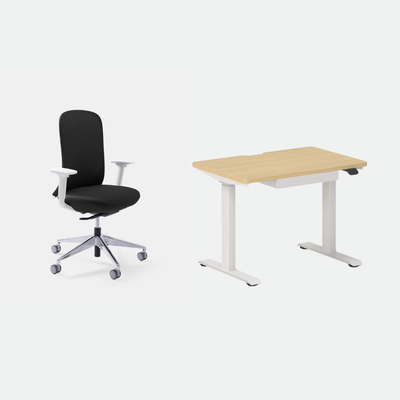
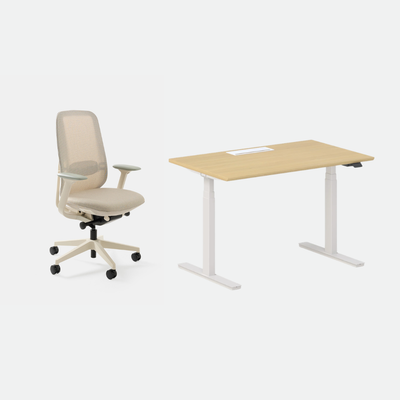
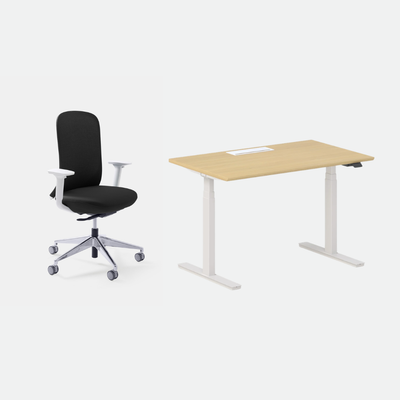
A good chair is the other half of a seated day, and many buyers compare the desk with the chair they already own. The Novo Chair is $445, and a desk and chair pair is the Active Bundle for $968 or $1,078 depending on the desk size. The bundle price lets you see the whole setup as one cost.
If you already have a chair you like, buy the desk alone and spend the difference on the setup around it. If your chair is the weak link, the bundle is the cheaper route to a complete workstation.
Where the Price Stops Mattering
Past a certain point, a few dollars of difference between sizes decides nothing. The question that decides it is if the desk fits the room and if you will change position. A cheaper desk you leave down costs more per useful day than a dearer one you raise twice every morning.
That is also why I do not recommend buying on price alone. Look at the size, look at the controls, and look at how fast you can switch, then compare the per-day figure.
A Stand Up Desk with Drawers Is a Short List, and One Desk Is on It
Many searches for a stand up desk with drawers assume a catalog full of them. In our range, the list has one desk on it, and I would rather say that plainly than send you to hunt through pages that do not exist.
The Mini Standing Desk Is the Only One We Make with a Drawer
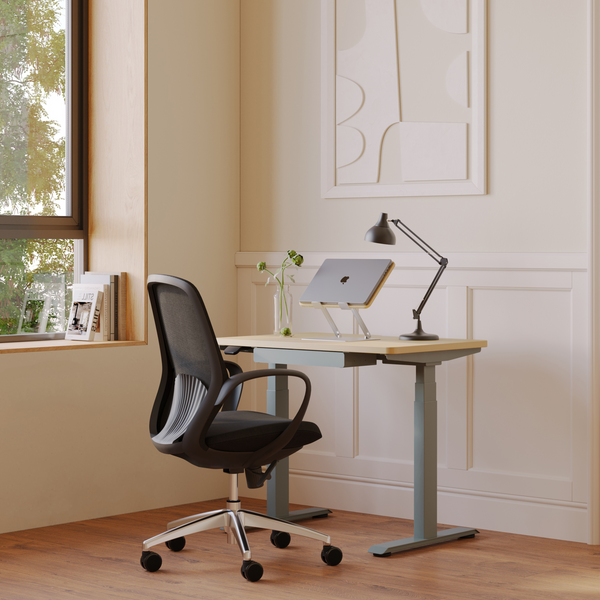
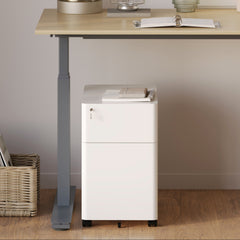
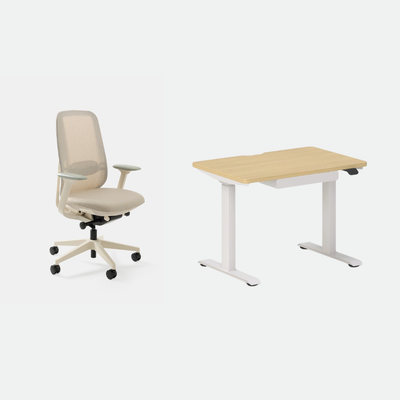
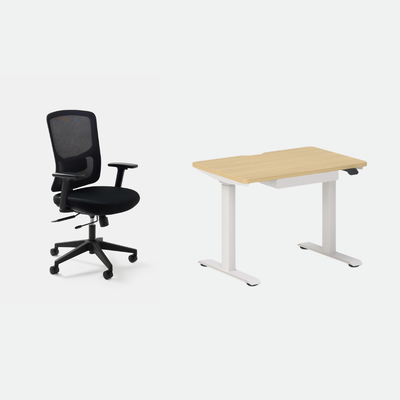
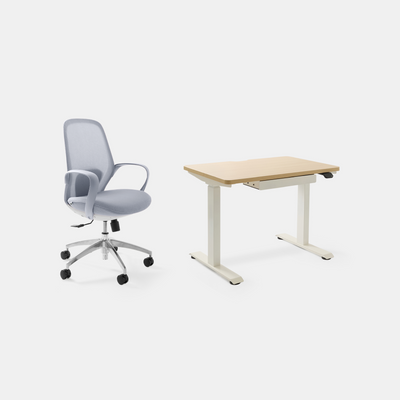
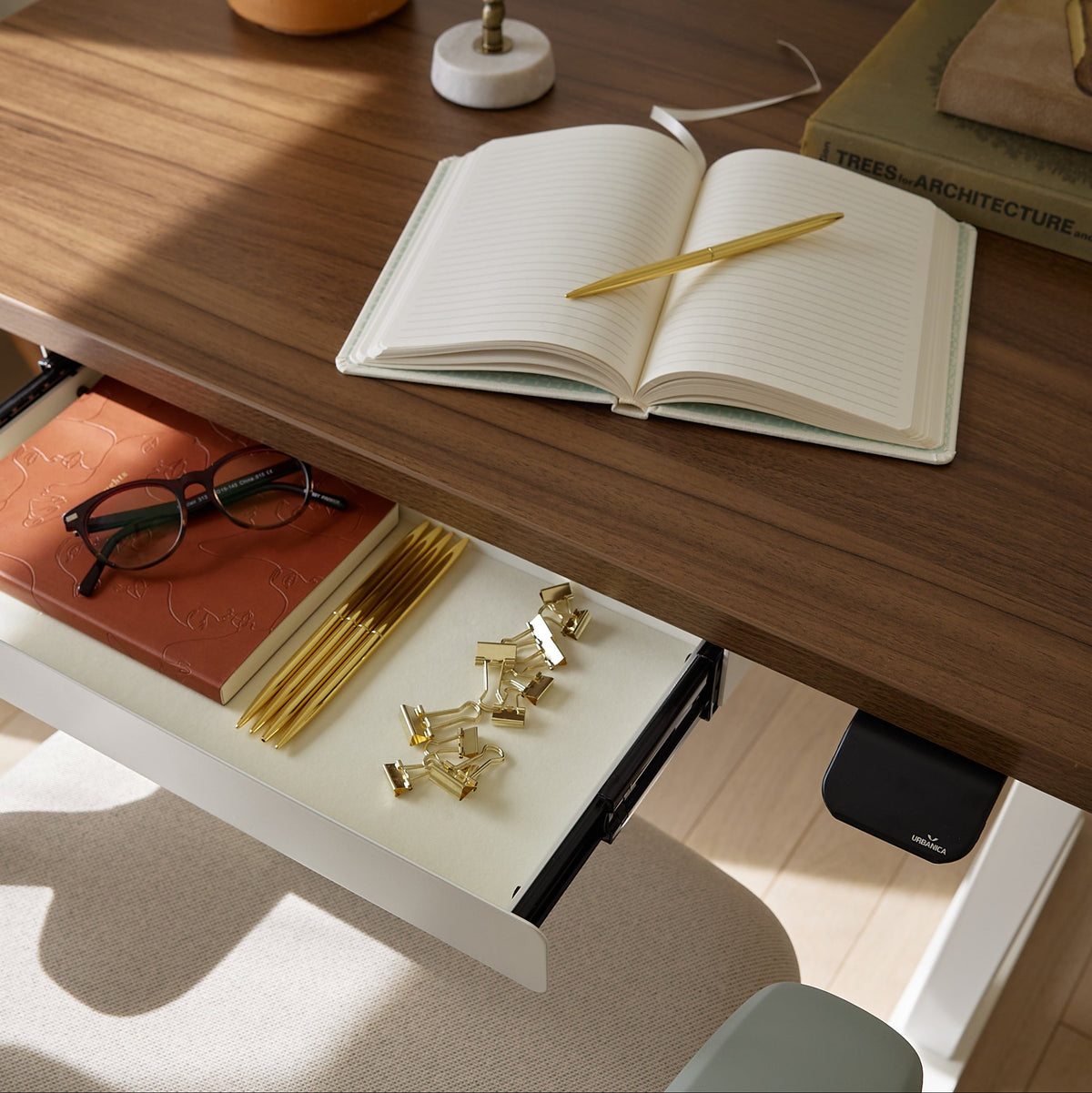
The Mini Standing Desk is the right desk for a small room where the surface needs to stay clear. It is height-adjustable, and it includes a drawer, so pens, chargers, and a notebook live inside the desk. The top measures 36 by 24 inches, which suits a laptop, a monitor and little else, and that limit is what keeps the footprint small.
When I switch to the Mini for a day of calls, the drawer is the part I notice first, because the surface stays tidy without a second piece of furniture. In the drawer I keep a notebook, a few pens, a charging cable, and my earbuds, so what I reach for on calls stays close and the surface stays clear. The Mini is $429 and carries a 10-year warranty, and the Coastal Bundle pairs it with the Seashell Chair for $625.
Keep Your Knees Clear of the Drawer
A drawer on a desk is a good idea only if it leaves your legs room. The Occupational Safety and Health Administration (OSHA), the US federal agency that sets and enforces workplace safety rules, says in its Computer Workstations eTool page on desks: "Clearance for the legs, under the desktop, should generally be between 20-28 inches (50-72 cm) high."
That is the space your knees and thighs need when you sit. The University of Toronto sheet says the same thing for standing, asking for "sufficient clearance under desk to stand without obstruction." Before you load a drawer, sit at the desk and check that your legs still slide under it, then fill the drawer with things you reach for rarely.
If You Need More Storage Than One Drawer
One drawer holds the small items and nothing bulky. A reader who needs files, a printer, or a stack of paper wants storage that sits beside the desk, which keeps the knee space open.
I would rather you plan the storage first and pick the desk second. Write down what has to live within arm's reach, and keep the rest on a shelf or in a cabinet nearby.
A drawer is only a feature if your knees still fit under the desk.
Aiden G., Urbanica
Match the Desk to Your Room and Your Screens
Once you know if you need a drawer, the next decision is size. A standing desk is wider and deeper than it looks in photos, because it needs room to rise and a chair to roll back, so I start every recommendation with the floor.
The Standing Desk Suits Most People Who Work Alone
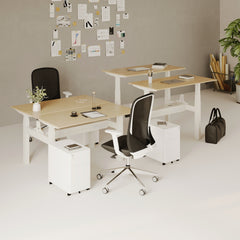
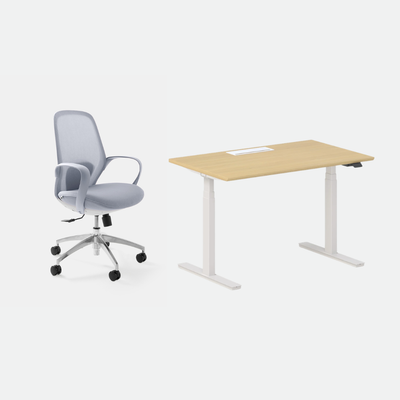
The Standing Desk suits the person who works alone with a laptop, a monitor or two screens and wants the most flexibility. It is electric, with dual motors, programmable presets, built-in cable management ports and a height range of 22 to 44 inches. It is the desk I would pick for a single-person office that is not tight on floor space.
It comes in two sizes. The 48 by 30 inch size is $574 and fits a single-person setup, while the 60 by 30 inch size is $690 and gives you room for two screens or papers beside the keyboard. If you want the chair in the same order, pair it with the Novo through the Active Bundle.
The Two-Person Standing Desk Suits a Shared Room
The Two-Person Standing Desk is built for two people who want to work side by side at one frame. Each side is height-adjustable on its own, so one person can stand while the other sits, and neither is forced to agree on a height. It measures 59 by 47 inches and is $1,699.
It makes the most sense for couples and small teams in a shared room. A single person with a lot of gear is better off with the Standing Desk, because the Two-Person desk is built around sharing the surface.
Measure the Room Before You Choose a Size
Measure the wall the desk will sit against, then leave enough floor behind it to push a chair back. A desk that fits the wall but leaves no room to move turns standing into a squeeze, and you will stop switching. Write the three numbers down: the wall, the walkway, and the chair space, and compare them with the size on the product page.
Read Standing Desk Reviews the Way We Read Them
Reviews are a big part of a standing desk purchase. After reading the ones our customers leave, I have a short list of what separates a useful review from a quick reaction.
Look for Reviews That Mention the Desk at Full Height
A desk can feel steady at sitting height and wobble when it is fully raised, so the review that tells you something is the one that describes the top at its highest setting. A line like "no wobble when I type at standing height" is worth five stars with no detail. Our Standing Desk is built to stay steady even when fully extended, and I would look for a customer saying the same in their own words.
If a review never says which height it was written at, treat it as a first impression. The fair way to use it is to count it for the unboxing and the look, and not for how the desk holds up.
Trust Reviews Written After the First Month
A standing desk is easy to love in the first week, when everything is new. The reviews that predict your experience come from people who have used the desk long enough for the habit to settle, so check the date against the purchase if the reviewer gives one.
That connects to the Cochrane figures from earlier: the gain in sitting time was larger early on and smaller later. A review written at week one tells you about the gain at its peak, and a review at month three tells you about the version you will live with. I have more patience for the second kind.
Weigh a Complaint Against the Reviewer's Room
Most complaints depend on a room. A reviewer who says the desk is too big may have a small room, and a reviewer who says the desk is too small may have three screens. Read the complaint, then read the sentence around it for the size and the setup.
You can read what customers say about our desks on our reviews page. Check the current count before you lean on any number, and use the reviews to answer your own questions about size, noise, and steadiness.
Set the Desk Up the Week It Arrives
The first week decides whether the desk becomes a habit, so I spend the effort at the start. Everything below takes minutes, and you only need to do it once.
Do the Elbow Test Before You Work
Sit first. Set the desk so your forearms rest level with relaxed shoulders, and save that as your seated preset. Then stand, repeat the test, and save the second height. After that, changing position is one press.
Start Small and Add Time as Your Legs Adjust
Stand for a few minutes at a time at first, and add time over the following days. A hard floor makes standing tiring, and your feet will tell you when to sit. That is the cue to change position, and it is normal.
Keep the Cables and the Knees Clear
Use the cable management ports to keep cords from pulling when the desk rises, and leave the space under the top open. Raise and lower the desk once with everything plugged in, so you can watch for snags before they cost you a charger.
FAQ
Are Standing Desks Worth the Money?
For most people who sit most of the day, yes. The Cochrane review found that sit-stand desks cut sitting at work by about 100 minutes a day in the short term and 57 minutes a day over three to twelve months, although the evidence is low in quality. Worked out per workday over five years, our desks cost between about 34 and 55 cents.
Which Urbanica Desk Has a Drawer?
The Mini Standing Desk is the one desk we make with a drawer. It is height-adjustable, 36 by 24 inches, and $429. Our other desks have no drawer, and I would not send you elsewhere to find one.
How Long Should I Stand Each Day?
Start with a few minutes at a time. The University of Toronto sheet suggests sitting 20 minutes, standing 8 minutes, and moving 2 minutes in every half hour as a starting point. Let your legs set the pace and build up from there.
What Height Should a Standing Desk Be Set To?
Set the standing height to your elbows: with your arms relaxed and bent to a right angle, your forearms should rest level on the top. Save that as a preset so you can return to it with one press.
Send Us Your Room and Your Screens, and We Will Name the Desk
You now have the pieces: what a standing desk does for a working day, how to switch without effort, what it costs per workday, and which desk has a drawer. If you only take one number from this guide, take 100 minutes, the average cut in daily sitting time the Cochrane review found in the short term.
The decision after that is size and drawer. Pick the Standing Desk if you work alone and want the most flexibility, the Mini Standing Desk if the room is small and you want a drawer, and the Two-Person Standing Desk if you share the room.
If you would like a second pair of eyes, send us your room measurements and your screens through our contact page, and we will tell you which Urbanica desk fits. You can reach Urbanica Furniture at 1705 NW 38th Ave, Lauderhill, FL 33311 or call +1-(888)-350-9545.
References
- Shrestha N, Kukkonen-Harjula KT, Verbeek JH, Ijaz S, Hermans V, Pedisic Z (2018), Workplace Interventions for Reducing Sitting at Work, Cochrane Database of Systematic Reviews: supports the 100 minute and 57 minute reductions and the low-quality evidence statement. https://doi.org/10.1002/14651858.CD010912.pub5
- University of Toronto Environmental Health and Safety, Sit-Stand Workstations: supports the 20, 8 and 2 minute split, standing elbow height, and the clearance under the desk. https://ehs.utoronto.ca/wp-content/uploads/2018/05/Sit-Stand-Guidance-Sheet.pdf
- Occupational Safety and Health Administration, Computer Workstations eTool, Desks: supports the 20 to 28 inch leg clearance. https://www.osha.gov/etools/computer-workstations/components/desks